


Apple accessibility features may become the clearest answer to a question Apple has faced since entering the AI race: what does AI actually do for ordinary people beyond writing emails, summarizing notes, editing images, or answering questions? Apple’s latest accessibility preview gives a stronger answer than many productivity demos because it puts AI inside tasks where usefulness is immediate.
The company previewed new accessibility features coming later this year across iPhone, iPad, Mac, Apple TV, and Apple Vision Pro. The updates use Apple Intelligence to bring richer descriptions to VoiceOver and Magnifier, natural language navigation to Voice Control, document summaries and translation to Accessibility Reader, on-device generated subtitles for videos without captions, and eye-based control of compatible power wheelchairs through Apple Vision Pro.
That range matters because it pushes Apple Intelligence into vision, hearing, mobility, reading, speech, and interface control. This is not AI as a writing assistant. It is AI as a bridge between a user and a device, a document, a video, an object, a room, or a wheelchair. The features are still limited by language, hardware, region, compatibility, and launch timing, but the direction is strong. Apple is showing AI where it can reduce barriers instead of merely speeding up office tasks.
For Apple, accessibility also provides a more believable AI story. Siri delays and uneven Apple Intelligence rollout have put pressure on the company to prove that its AI work is practical. Accessibility gives Apple a place where AI can be judged by direct impact. A generated subtitle either helps someone follow a video or it does not. A VoiceOver description either helps someone understand an image or it does not. A natural-language Voice Control action either taps the right item or it does not.
That clarity is valuable. It makes AI feel less abstract and more tied to the daily experience of using Apple devices.
Accessibility Makes AI Easier to Understand
Apple Intelligence accessibility features work because they are tied to real use cases. VoiceOver users need better descriptions of images, documents, and surroundings. Voice Control users need to navigate apps without memorizing exact labels or numbered grids. Low-vision users need reading tools that can handle real-world documents, menus, signs, and complex layouts. Deaf and hard-of-hearing users need captions even when a video never shipped with subtitles. Some Vision Pro users need input methods that move beyond hands and controllers.
Those are concrete problems. Apple Intelligence is being used to solve them by interpreting visual content, understanding natural language, generating speech-to-text captions, summarizing complex material, and connecting gaze input to supported mobility systems.
Apple’s Voice Control preview may be the most revealing. With Apple Intelligence, users will be able to describe onscreen controls in natural language, such as referring to a visible item instead of naming an exact button. That can help users navigate interfaces that are hard to label or remember, and it gives a practical preview of the kind of screen-aware control Siri will eventually need. Apple says this Voice Control update will initially be available in English in the U.S., Canada, the UK, and Australia.
VoiceOver and Magnifier also gain more useful intelligence. Apple says VoiceOver will offer richer image descriptions through Image Explorer, while Live Recognition will let users ask questions about what is in the camera view and ask follow-up questions. Magnifier will use Apple Intelligence to help users interact with real-world text and visual content, including documents and menus.
The key point is that AI is not being presented as an extra layer. It is being placed inside tools users already rely on.

Generated Subtitles Turn AI Into a Media Feature
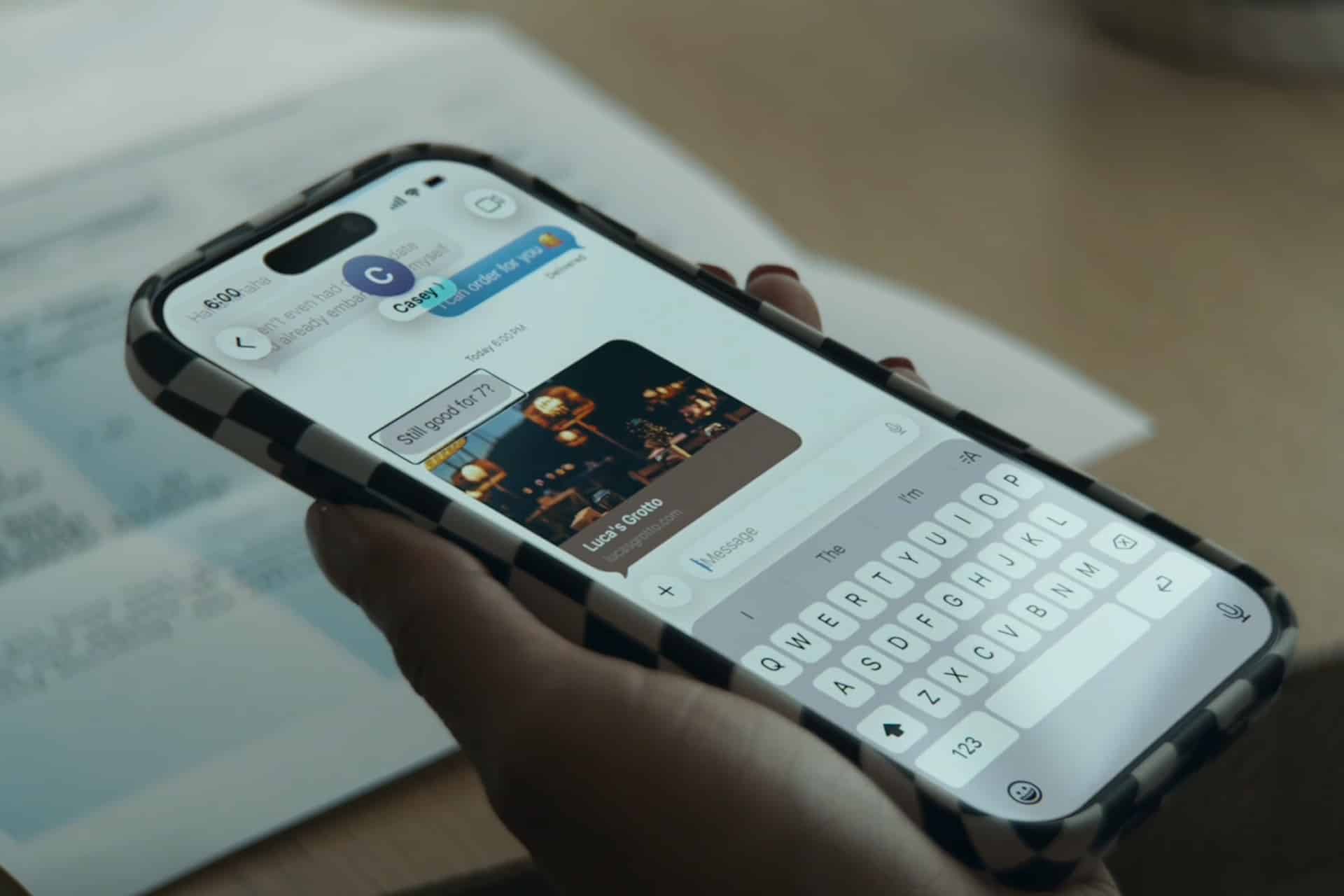
Apple Intelligence accessibility also reaches entertainment through generated subtitles. Apple says videos without existing captions or subtitles will be able to display automatic transcriptions generated on device. The feature is coming across iPhone, iPad, Mac, Apple TV, and Apple Vision Pro, with initial availability in English in the U.S. and Canada.
This is one of the most broadly useful features in the preview. Captions are essential for deaf and hard-of-hearing users, but they also help in noisy rooms, shared spaces, late-night viewing, public transit, classrooms, language learning, and family situations where audio cannot be played aloud.
The on-device approach is important because videos can be personal. A family clip, message attachment, school video, or private recording may contain sensitive speech. Generating subtitles locally helps Apple keep the feature aligned with its privacy position.
Generated subtitles will not replace professionally prepared captions. Human-made captions can include speaker names, sound effects, music cues, and editorial timing that automatic speech recognition may miss. But as a fallback for uncaptioned video, the feature has obvious value. It turns AI into a media-accessibility layer that can help far more people than a typical productivity feature.
This also helps Apple TV. Larger Text support is coming to tvOS, and generated subtitles will bring more caption access to the living-room screen. For a platform built around shared viewing, those changes make accessibility part of the core media experience rather than a secondary setting.
Vision Pro Shows the Physical Side of AI
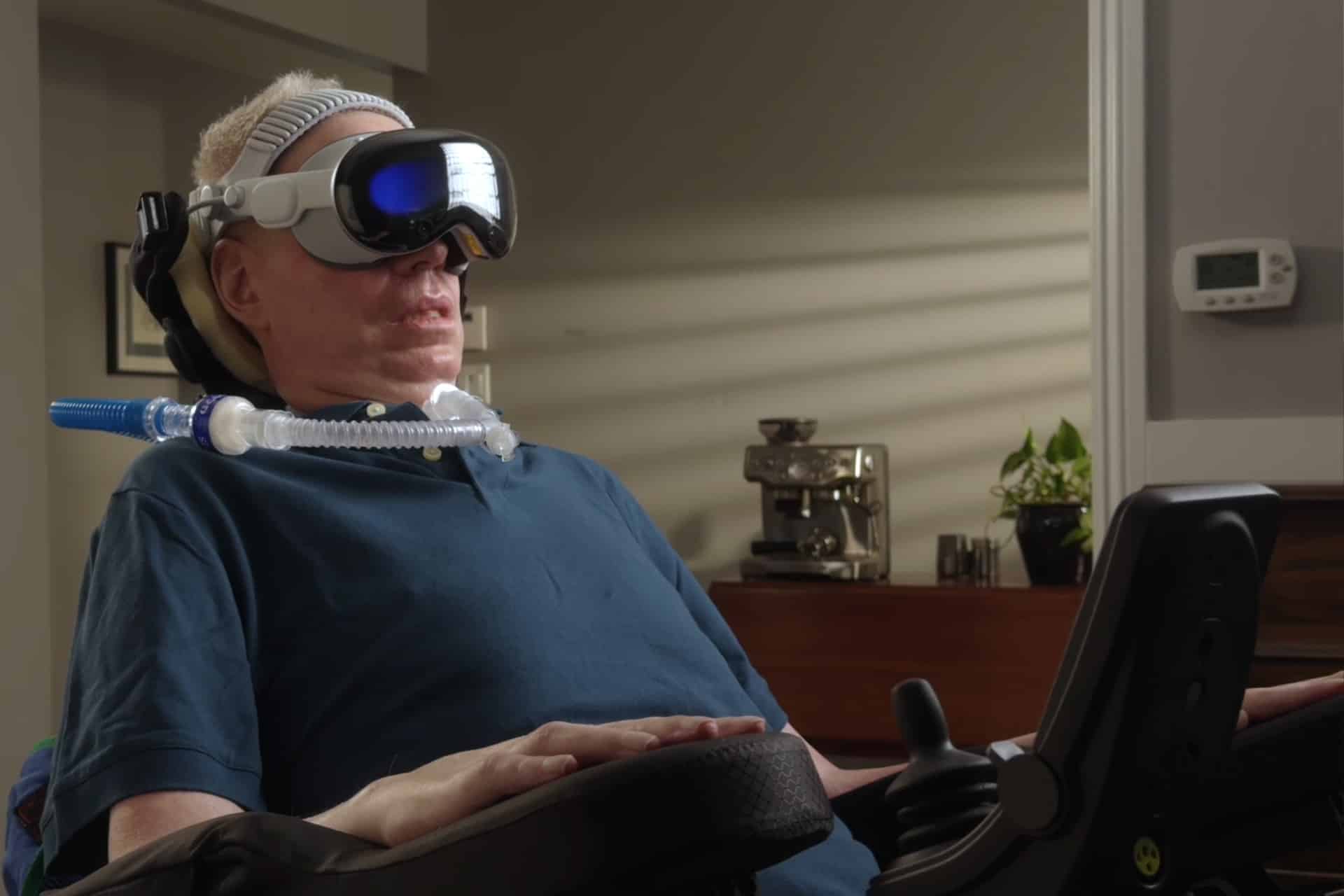
Apple Intelligence accessibility becomes even more ambitious with Vision Pro wheelchair control. Apple previewed a feature that will let Vision Pro users control compatible power wheelchairs with their eyes, beginning in the U.S. with Tolt and LUCI alternative drive systems. The feature is intended for controlled environments and uses Vision Pro’s eye-tracking system with supported wheelchair hardware.
This is not a mass-market feature, and Apple is appropriately limiting the framing. Wheelchair control is a high-stakes area where safety, compatibility, calibration, environment, and hardware integration matter. But the announcement shows something important about Apple’s AI and accessibility direction: the company is willing to connect advanced input systems to physical mobility, not only digital navigation.
Vision Pro already uses eye tracking as a primary interface method. Extending that input to compatible mobility systems shows how spatial computing can become assistive technology. It also gives Vision Pro a more serious role beyond entertainment, work, and immersive media.
The feature’s narrow launch does not reduce its significance. Assistive technology often begins with specific supported systems and expands only when safety and reliability are proven. Apple’s role here is not to turn Vision Pro into a universal wheelchair controller. It is to open another input path for users who may not be able to use conventional controls comfortably.
This is AI-adjacent in the broadest sense: sensors, gaze understanding, spatial interaction, accessibility software, and hardware partnerships working together to support physical independence.
Reading Tools Move Beyond Simple Text
Apple Intelligence accessibility also strengthens Accessibility Reader, which is designed for users with disabilities such as dyslexia or low vision. Apple says the feature will use Apple Intelligence to help summarize more complex content, including scientific articles, multi-column layouts, images, and tables. Built-in translation will also help users read content in their native language while keeping custom formatting, font, and colors.
This is a practical reading upgrade because real documents are rarely simple. Articles may include columns, charts, images, captions, sidebars, footnotes, tables, and dense formatting. Traditional reading tools often struggle when a page is not plain text. Apple Intelligence can help by extracting meaning, summarizing structure, and making content easier to approach.
That matters for school, work, healthcare forms, government information, research, travel documents, instructions, and everyday reading. A summary can help a user understand the main idea before reading in detail. Translation can reduce language barriers. Custom formatting can make text more comfortable for people who need specific fonts, colors, or spacing.
Again, the usefulness is clear. This is not AI chasing novelty. It is AI making difficult information more accessible.
Apple’s Privacy Story Is Stronger Here
Apple Intelligence accessibility features also fit Apple’s privacy positioning more naturally than many AI products. Accessibility tools may involve deeply personal information: camera views of a home, private documents, medical paperwork, family videos, personal photos, spoken conversations, movement patterns, and device-control behavior.
Apple’s emphasis on on-device processing for generated subtitles and privacy-minded Apple Intelligence design gives the company a clearer differentiator. Users who depend on accessibility features should not have to trade independence for unnecessary data exposure. When an iPhone describes an image, summarizes a bill, or generates captions for a private video, privacy is part of the feature’s value.
That does not remove every concern. AI descriptions can be wrong. Generated captions can make mistakes. Voice navigation can misinterpret commands. Wheelchair control must be limited to safe conditions. Apple includes warnings that VoiceOver and Magnifier should not be relied on in high-risk situations, for navigation where injury could occur, or for diagnosis or treatment.
Those limits are necessary. Accessibility AI should assist, not overpromise. The strongest version of Apple’s strategy is one that combines privacy, clear boundaries, and practical value.

AI Outside Productivity Is the Better Story
Apple Intelligence accessibility features may be more important to Apple’s AI reputation than another writing tool. Productivity AI is useful, but the category is crowded. Every major platform now offers summaries, writing assistance, image tools, and chat-style help. Accessibility gives Apple a more distinctive way to show what AI can do inside personal devices.
This also fits Apple’s history. Many of Apple’s best accessibility features became examples of deeper platform design: VoiceOver, AssistiveTouch, Live Captions, Sound Recognition, Eye Tracking, Personal Voice, Magnifier, and Switch Control. These tools show that Apple’s strength is not only making technology powerful, but making it adaptable to different bodies, senses, and needs.
The latest preview extends that philosophy into AI. Apple Intelligence becomes useful when it helps a person understand an image, read a sign, control a screen, follow a video, navigate a document, or move through a physical environment with supported hardware.
That is a stronger message than AI as a novelty. It also gives Apple a path to rebuild confidence after delays around Siri and Apple Intelligence. If Apple can ship these features reliably, accessibility may become one of the clearest examples of AI working where it matters most.
The next phase will depend on execution. Availability is limited in some cases. Languages and regions need to expand. Developers need to support accessibility properly. AI outputs must be accurate enough to trust in daily life. Apple must keep privacy protections visible and understandable.
Still, the direction is clear. Apple is using accessibility to show that AI does not need to be trapped inside productivity apps. It can live across the whole ecosystem, helping people read, hear, see, move, navigate, and communicate with more independence.