

Apple accessibility is moving into a new AI phase, with Apple previewing a wide set of updates powered by Apple Intelligence across iPhone, iPad, Mac, Apple TV, Apple Vision Pro, and the broader ecosystem. The company announced new capabilities for VoiceOver, Magnifier, Voice Control, and Accessibility Reader, along with on-device generated subtitles for uncaptioned videos, expanded hearing-aid support, Larger Text on tvOS, and a new Apple Vision Pro feature that can help users control compatible power wheelchairs with eye tracking.
The updates are coming later this year and show how Apple is using AI in a more direct assistive role. Rather than treating Apple Intelligence only as a writing, image, or Siri feature, the company is bringing it into tools that many users rely on for reading, navigation, vision support, voice control, hearing access, and mobility.
The direction is significant because accessibility has always been one of Apple’s strongest software pillars. VoiceOver made touchscreens usable for blind and low-vision users. AssistiveTouch gave people with motor differences alternative ways to control iPhone and iPad. Live Captions, Sound Recognition, Personal Voice, Eye Tracking, Switch Control, and hearing-aid support expanded the idea that Apple devices should adapt to the person using them.
Apple Intelligence now gives those features more context. A camera view can be described in more detail. A user can ask follow-up questions about what is in front of them. Voice Control can understand more natural language. Reading tools can handle more complex documents. Subtitles can appear for videos that never had captions. The value is not only that AI answers questions. It can reduce the gap between a user and the information, action, or media they want to access.

Apple Intelligence Expands VoiceOver and Magnifier
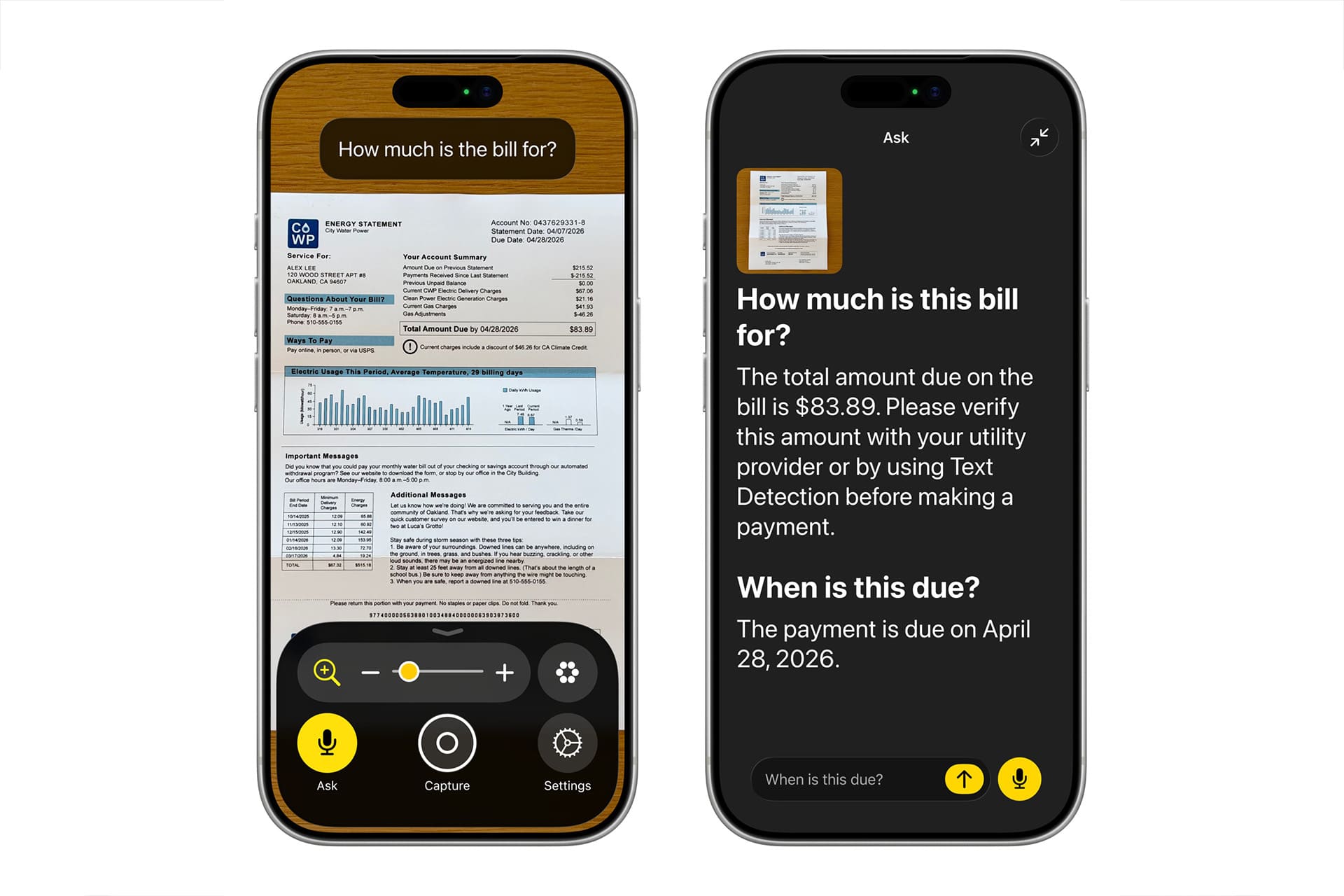
Apple accessibility updates bring new depth to VoiceOver and Magnifier, especially for users who are blind or have low vision. VoiceOver will use an Image Explorer powered by Apple Intelligence to provide more detailed descriptions of images systemwide, including photographs, scanned bills, personal records, and other visual content. This can help users understand what is inside an image without depending only on short alt text or basic object recognition.
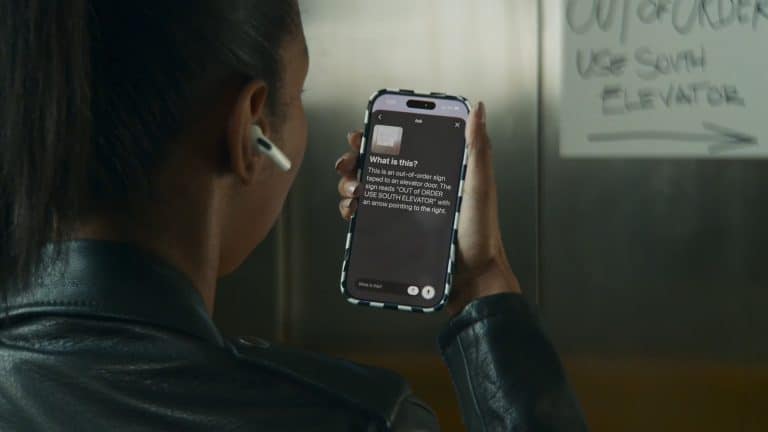
Live Recognition is also becoming more conversational. VoiceOver users will be able to press the Action button on iPhone, ask a question about what is in the camera viewfinder, and receive a detailed response. They can then ask follow-up questions in their own words to get more information about what the camera sees.
Magnifier will use Apple Intelligence in a similar way, bringing assistive exploration and visual description into a high-contrast interface designed for low-vision users. The app will also work with the Action button, so users can ask questions quickly, and it will support spoken controls such as “zoom in” or “turn on flashlight.”
This is a practical use of Apple Intelligence because the feature is tied to a real moment. A user may need to understand a bill, a printed document, a label, an object, or a scene. The AI layer gives more detail without forcing the user into a separate app or workflow.
Apple also includes an important safety boundary. VoiceOver and Magnifier should not be relied on in high-risk situations, for navigation where injury could occur, or for diagnosis or treatment of a medical condition. That warning is necessary because AI-generated descriptions can help, but they should not replace human judgment or specialized tools in risky situations.
Voice Control Becomes More Natural
Apple accessibility updates also make Voice Control more flexible. With Apple Intelligence, Voice Control will allow users to describe onscreen buttons and controls in natural language instead of memorizing exact labels, numbered overlays, or rigid commands. Apple describes this as a “say what you see” approach.
That matters because app interfaces are not always perfectly labeled for accessibility. A user may see or understand a visual element but not know its exact accessible name. With natural language support, someone could say “tap the guide about best restaurants” in Apple Maps or “tap the purple folder” in Files. Voice Control can then connect the spoken request to the visible interface element.
This can make iPhone and iPad easier to navigate for users with physical disabilities who rely on voice as their primary input method. It also makes the feature less intimidating for new users. Exact command memorization can create friction. Natural language makes the device feel more responsive to the user’s intent.
Apple says Voice Control powered by Apple Intelligence will be available in English in the U.S., Canada, the UK, and Australia. That limited language and regional rollout means the feature will begin with a narrower audience than some other accessibility tools, but it shows the path Apple is taking: voice navigation that better understands ordinary language and visual context.
Accessibility Reader Gets More Useful for Complex Documents
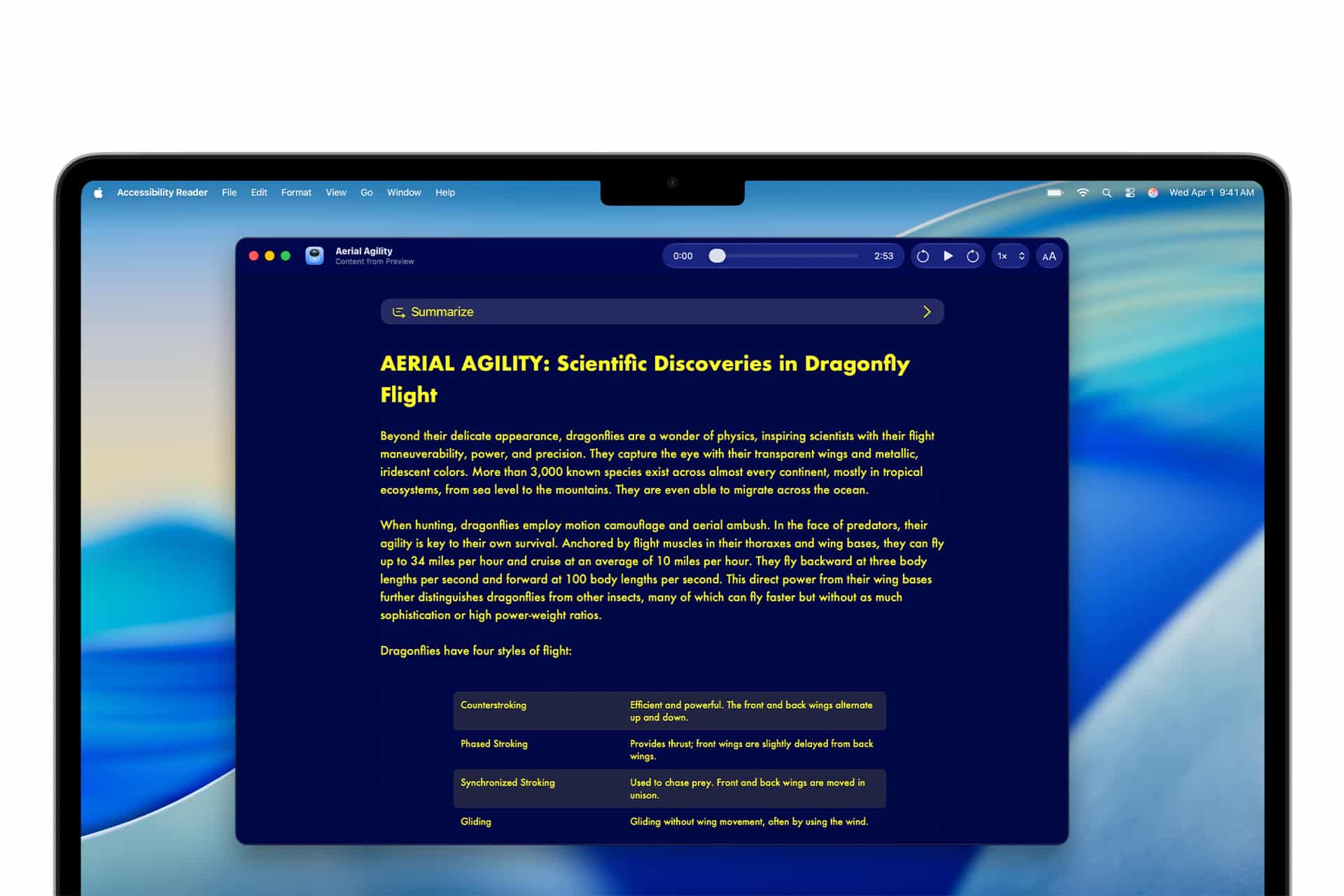
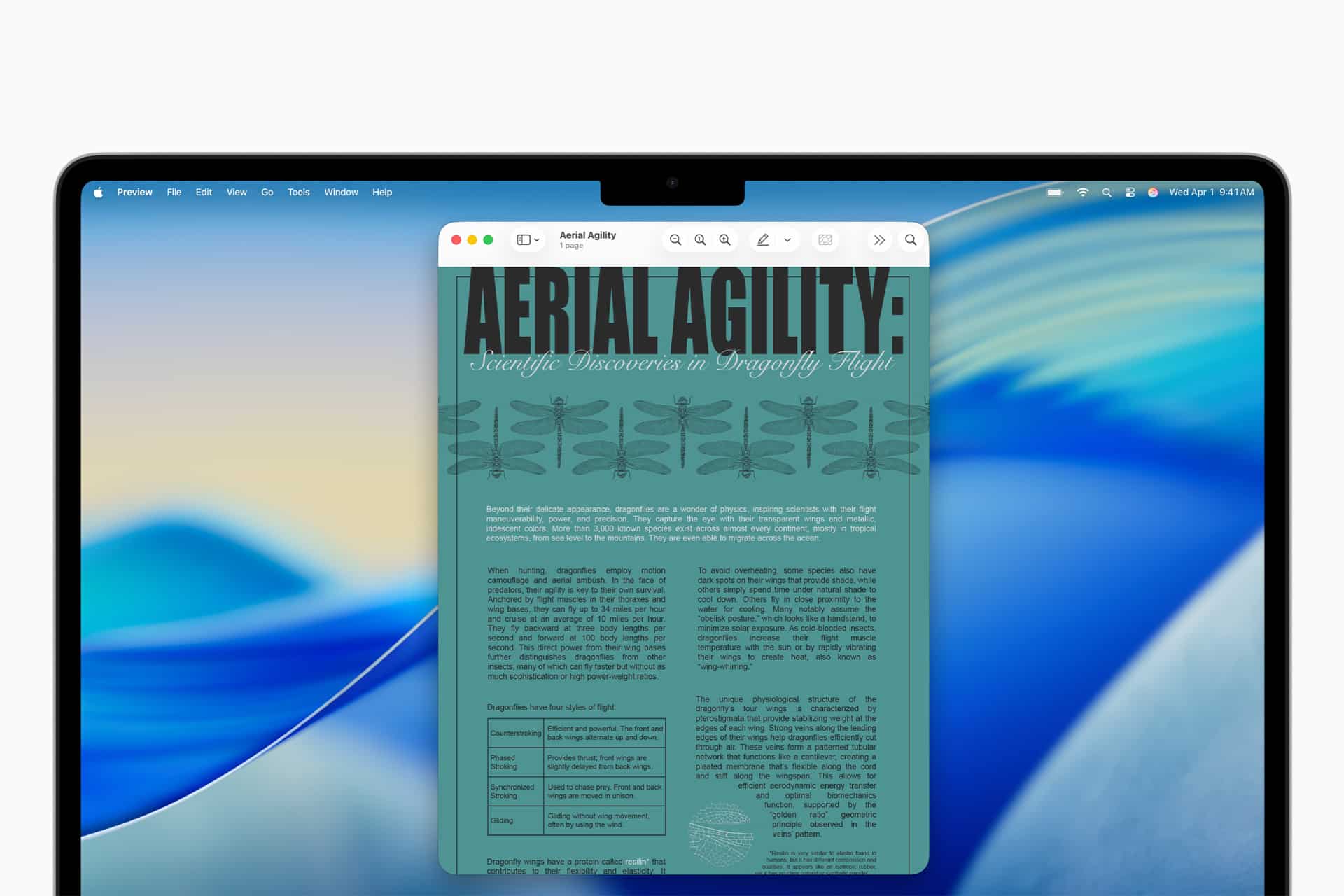
Apple accessibility also extends to reading support. Accessibility Reader is designed for users with a range of disabilities, including dyslexia and low vision, and Apple Intelligence will help it handle more complex source material such as scientific articles, multi-column layouts, images, and tables.
That is an important upgrade because many reading tools work best with simple text but struggle when documents include dense formatting, academic layouts, charts, tables, or mixed visual structures. Users who need larger text, custom fonts, different colors, or simplified layout often face a tradeoff between readability and preserving the original document’s meaning.
Apple says Accessibility Reader will offer on-demand summaries, giving users an overview before they read the full article. Built-in translation will also let users read text in their native language while retaining custom formatting, font, and colors.
This fits a broader accessibility principle. A good reading tool should not only make text bigger. It should make information easier to approach. Summaries can help a user decide where to focus. Translation can reduce language barriers. Layout adaptation can make dense material more manageable. When these tools work together, accessibility becomes part of comprehension, not only display adjustment.
Generated Subtitles Reach Across the Ecosystem
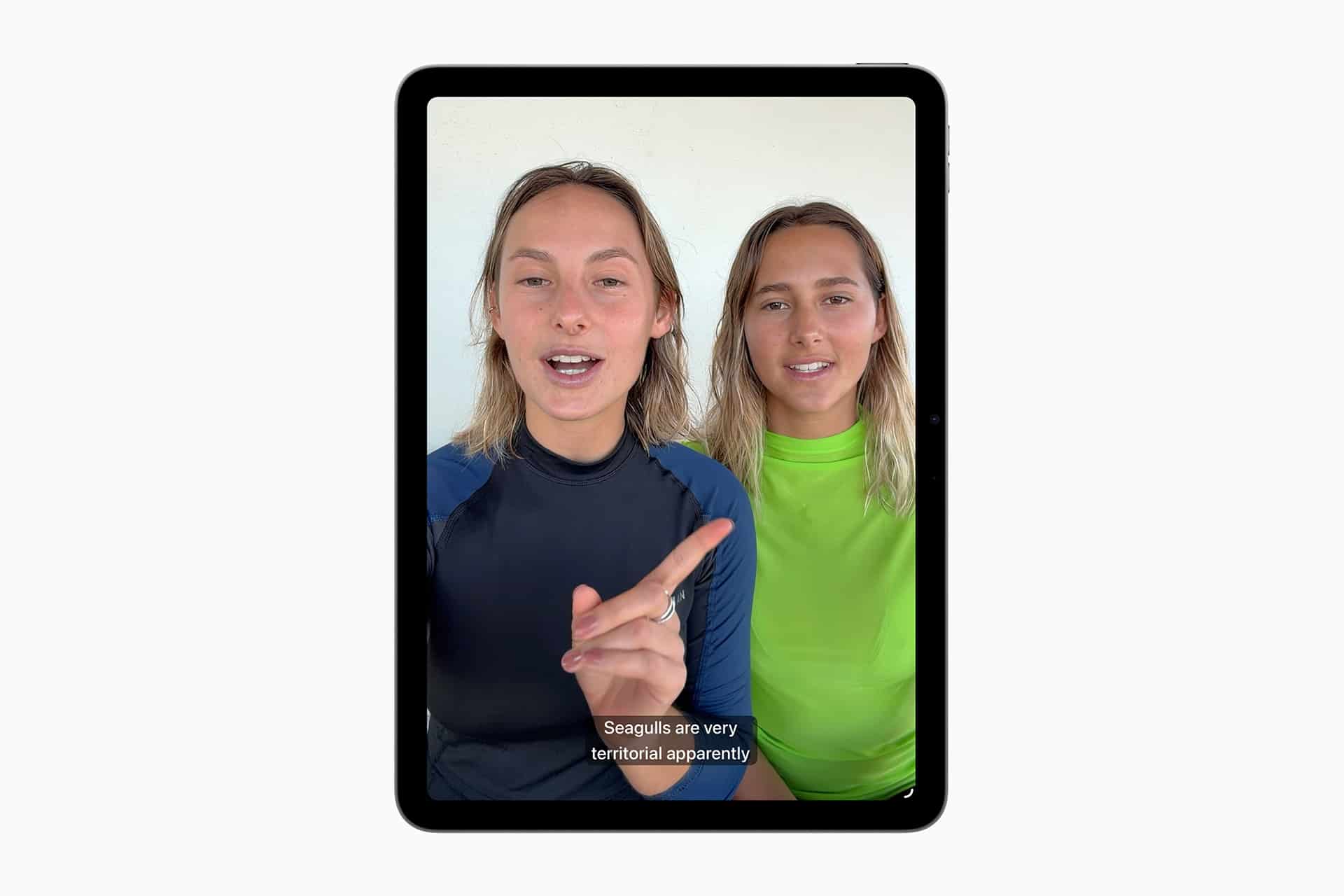
Apple accessibility updates also include generated subtitles for videos that do not already have captions or subtitles. Apple says the feature will use on-device speech recognition to generate transcriptions privately for uncaptioned video content, including clips recorded on iPhone, videos received from friends and family, and streamed online content.
Generated subtitles will appear automatically on iPhone, iPad, Mac, Apple TV, and Apple Vision Pro when captions are not already provided. Users will also be able to customize the appearance of subtitles in the video playback menu or in Settings.
This is one of the most broadly useful updates in the announcement. Captioning is essential for users who are deaf or hard of hearing, but it also helps in noisy rooms, shared spaces, late-night viewing, language learning, public transit, and situations where audio cannot be played aloud. Apple’s on-device approach is also important because personal videos and family clips may contain private speech.
The initial rollout is limited. Apple says generated subtitles will be available in English in the U.S. and Canada. Even with that limitation, the feature points to a future where captions are less dependent on whether a creator, streaming service, or video platform provided them in advance.
Vision Pro Moves Into Mobility Support
Apple accessibility updates for Vision Pro include one of the most striking announcements: a new feature that uses Apple Vision Pro’s eye-tracking system to control compatible power wheelchairs through alternative drive systems. The feature launches in the U.S. with Tolt and LUCI systems, with accessory support through Bluetooth and wired connections. A wired connection requires the Apple Vision Pro Developer Strap.
This is a specialized feature, but it is one of the clearest examples of Apple turning a spatial computer into assistive technology. Vision Pro already uses eye tracking as a core part of its interface. Apple is now extending that precision into a mobility use case for users who may not be able to drive a power wheelchair with a joystick.
Apple says the feature is intended for controlled environments. That distinction matters because wheelchair control is a high-stakes action, and the feature must be used only within supported conditions and compatible systems. Apple also said it will continue working with developers to expand support for more wheelchair drive systems.
Vision Pro will also gain Vehicle Motion Cues to help reduce motion sickness for passengers in moving vehicles, face gestures for taps and system actions, and a new way to select elements with the eyes while using Dwell Control. Together, those updates expand Vision Pro’s accessibility role beyond entertainment, work, and spatial media.
More Updates Across Devices
Apple accessibility updates also include several smaller but useful improvements across the ecosystem. Touch Accommodations will provide a new way to personalize setup in iOS and iPadOS. Made for iPhone hearing aids will pair and hand off between Apple devices more reliably, with improved setup across iOS, iPadOS, macOS, and visionOS.
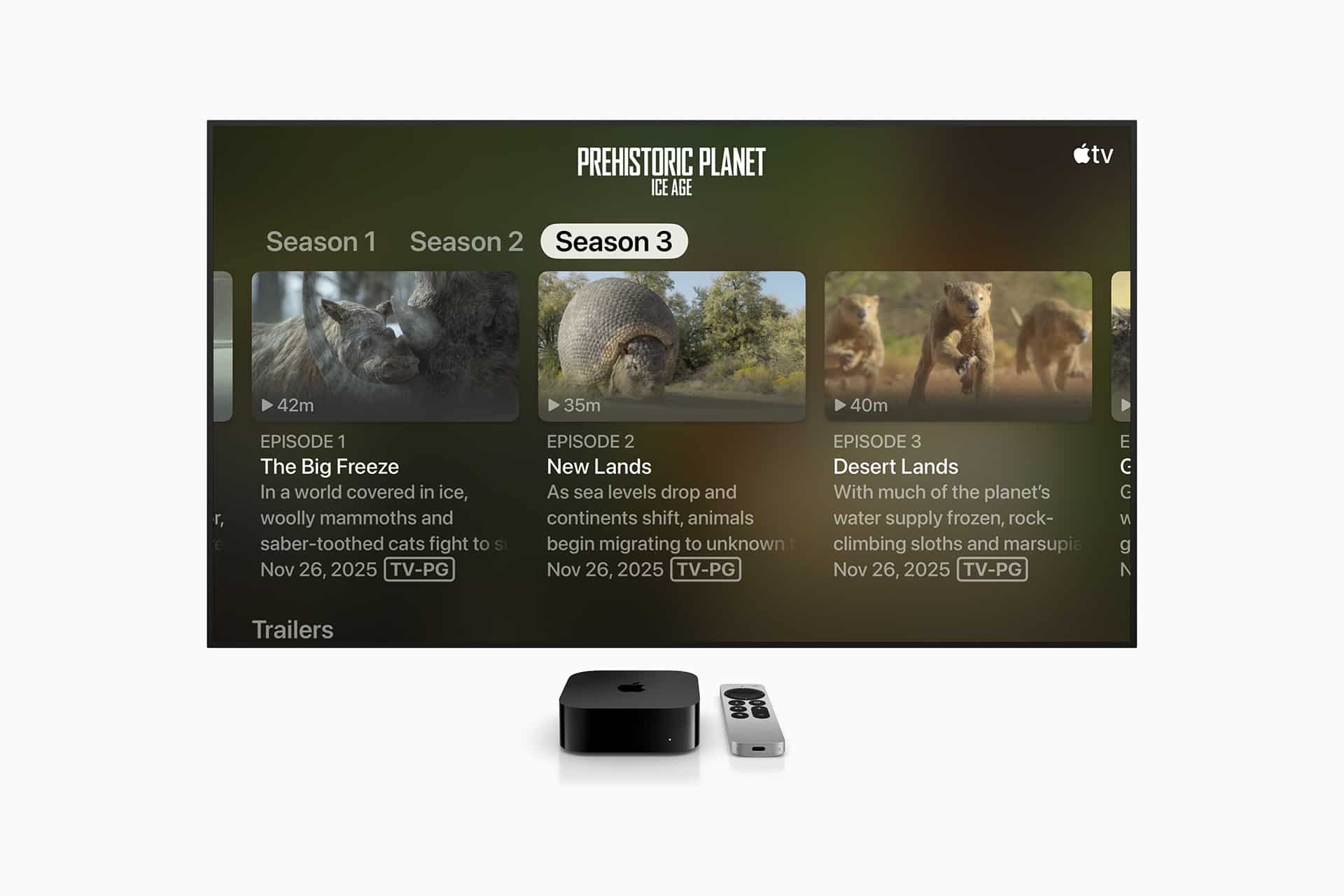
Apple TV will gain Larger Text support on tvOS, allowing viewers with low vision to increase onscreen text size. This is especially useful because TV interfaces are often viewed from a distance, and streaming menus can be difficult to read from a couch, bed, or shared living room.
Name Recognition will expand to more than 50 languages, helping notify users who are deaf or hard of hearing when someone says their name. For sign language interpretation app developers, a new API will support adding a human interpreter to an ongoing FaceTime video call.
Apple also announced support for the Sony Access controller as a game controller on iOS, iPadOS, and macOS. Users can configure the thumbstick, nine built-in buttons, and up to four additional external buttons or specialty switches, and they can combine two controllers for a more personalized gaming setup.
These updates may not have the same headline impact as Apple Intelligence-powered VoiceOver or Vision Pro wheelchair control, but they reflect how accessibility is built through many small layers. Reading text on a TV, hearing a name, pairing a hearing aid reliably, joining FaceTime with interpretation, and configuring a controller can each change how usable a device feels.
Adaptive Design Moves Into Accessories
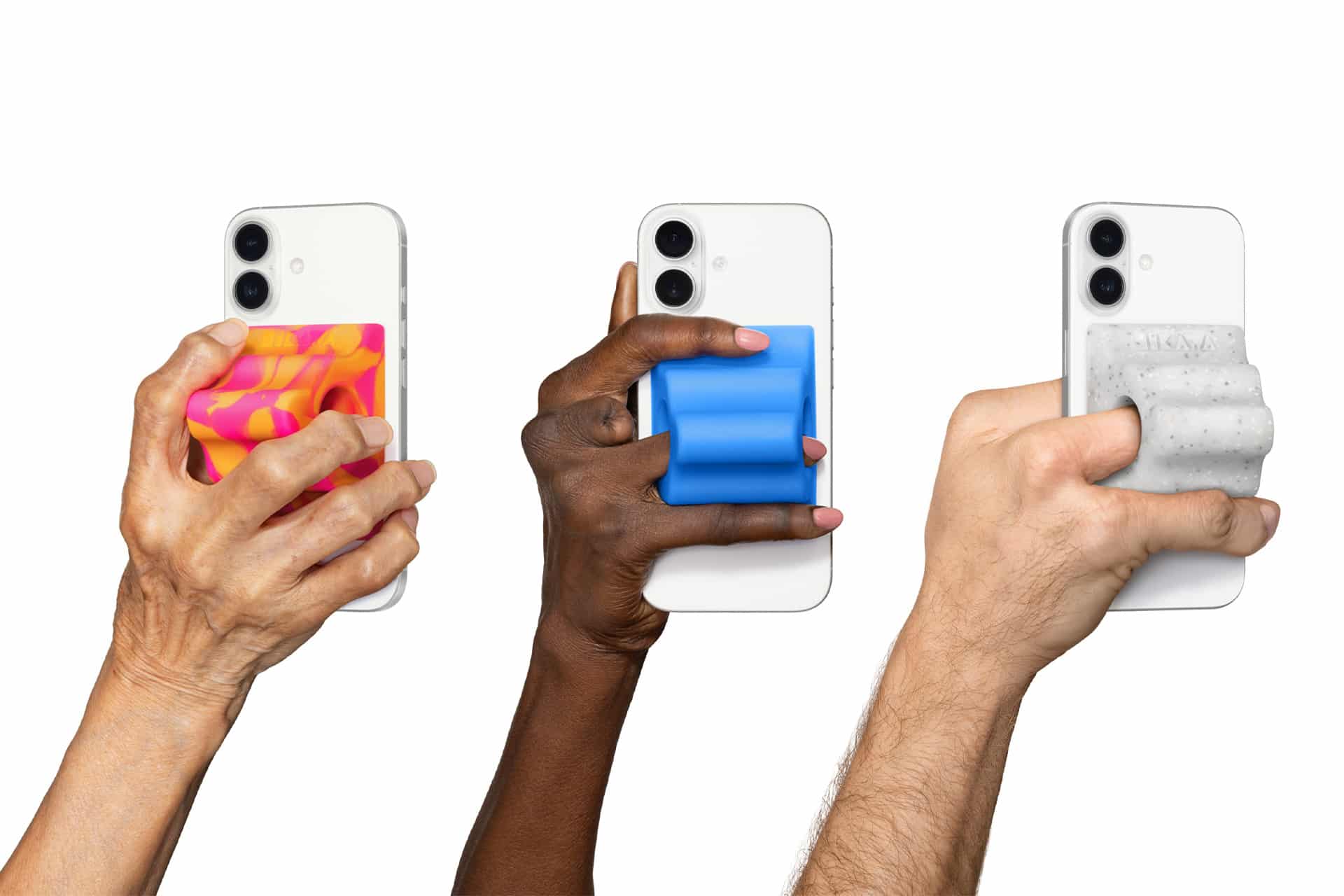
Apple accessibility also includes a hardware-adjacent update through the Hikawa Grip & Stand for iPhone. The adaptive MagSafe accessory, designed by Bailey Hikawa in collaboration with people with disabilities affecting grip, strength, and mobility, is now available globally through the Apple Store online in three new colors.
The accessory can help users hold iPhone in a way that fits their body and grip needs. It also functions as a stand, making the device easier to position for video calls, reading, Eye Tracking, Voice Control, media, or everyday use. Apple says the accessory was created with accessibility at the core and is now available through a collaboration between Hikawa and PopSockets.
This is a useful example of accessibility extending beyond software. The iPhone can have advanced assistive features, but the physical act of holding, positioning, or stabilizing it still affects whether someone can use those tools comfortably. A MagSafe grip designed around different mobility needs can make the device more approachable.
Apple’s decision to sell the accessory through its own online store gives the product more visibility and places adaptive hardware closer to mainstream iPhone accessories.
Accessibility Becomes an AI Priority
Apple’s latest announcement shows that Apple Intelligence will not be measured only by consumer AI features such as writing help, image tools, or Siri responses. Its deeper value may come from features that help users access the world, understand information, communicate, read, watch, control devices, and navigate interfaces in ways that were previously harder.
That gives Apple a clearer AI story. Accessibility is one of the areas where AI can feel practical immediately. A description of an image, a natural voice command, an automatic subtitle, a simplified reading layout, or a wheelchair input method is not abstract. It solves a specific barrier.
The privacy model is also central. Apple is emphasizing on-device processing for generated subtitles and privacy protections around Apple Intelligence-powered accessibility features. For users who depend on assistive tools, privacy is not an extra layer. It is part of trust. Personal documents, camera views, conversations, videos, and device interactions can be sensitive.
The new features also show the importance of cross-device design. Accessibility is not limited to iPhone. It now stretches across iPad, Mac, Apple TV, Apple Vision Pro, hearing aids, FaceTime, gaming controllers, MagSafe accessories, and Apple Intelligence. That is the real strength of Apple’s approach: assistive technology can follow the user across the devices they already own.
Coming later this year, these updates make accessibility one of the clearest areas where Apple Intelligence can show value beyond the AI race. The strongest AI feature is not always the one that writes a paragraph or creates an image. Sometimes it is the one that makes a screen, document, video, room, or device easier for someone to use.