


Apple Digital ID allows eligible U.S. passport holders to create an identity credential inside Apple Wallet without waiting for their state to support a mobile driver’s license.
The credential can be presented from an iPhone or Apple Watch at select Transportation Security Administration checkpoints before domestic flights. Participating apps, websites, businesses and organizations can also use it to confirm someone’s identity or age.
The feature is derived from information stored in an authentic U.S. passport, but it is not a digital copy of the passport and does not replace the physical document. It cannot be used for international travel, border crossings or other situations where a passport book is legally required.
Its greatest advantage may be selective disclosure. Instead of handing a stranger a physical card containing a name, address, birth date, photograph and document number, Wallet shows which information has been requested before the user approves the exchange.
Apple Digital ID Expands Access Beyond State IDs
Driver’s licenses and state identification cards in Apple Wallet depend on participation from individual issuing authorities. Availability has expanded across the United States, but residents of unsupported states cannot simply scan their plastic license into Wallet.
Apple Digital ID follows another route. Apple verifies information read from the electronic chip inside a U.S. passport and issues a Wallet credential based on that authenticated data.
This gives passport holders access even when their state does not offer IDs in Wallet or when their driver’s license is not REAL ID-compliant.
The Digital ID itself is not a REAL ID document. Apple includes a Department of Homeland Security compliance field when the credential is presented to authorized readers so it can work at supported TSA checkpoints, but that technical field does not transform it into a state-issued REAL ID.
The passport holder must be at least 13. Creating the credential requires an unexpired U.S. passport, an Apple Account with two-factor authentication, Bluetooth, a stable internet connection and the device region set to the United States.
Supported hardware begins with iPhone 11 running iOS 26.1 or later. Apple Watch support requires Series 6 or later with watchOS 26.1 or newer.

How to Create an Apple Digital ID
Setup requires the physical passport because the iPhone must read both its printed information and embedded NFC chip.
Use a well-lit area with a plain background so the camera can capture the machine-readable section of the passport photo page. Remove thick passport covers if they interfere with the chip scan.
To create an Apple Digital ID:
Wallet > Add > Driver’s License or ID Cards > Digital ID
Choose whether the credential should be added to the iPhone only or to both the iPhone and paired Apple Watch.
Wallet will ask the user to scan the passport photo page, place the iPhone over the passport chip, take a selfie and complete a sequence of facial or head movements. These checks are designed to reduce the risk of someone enrolling with a photograph, recorded video or mask.
Face ID or Touch ID authentication confirms that the person creating the credential can authorize it later. Users relying on supported accessibility features such as Voice Control, Switch Control or AssistiveTouch may be able to use the device passcode instead.
Only one iPhone and one Apple Watch can hold the Digital ID for the same Apple Account at a time.
To add an existing Digital ID to Apple Watch later:
Watch app > My Watch > Wallet & Apple Pay > Other Cards on Your Phone > Digital ID > Add
How Apple Handles Passport Information
Apple temporarily receives information while verifying and issuing the credential. This includes data read from the passport chip, such as the holder’s name, date of birth, passport number and expiration date, along with the selfie and facial-movement video.
Apple says passport data is deleted from its servers immediately after the Digital ID is issued. The selfie and movement video are removed shortly afterward, including when the verification attempt fails.
The completed Digital ID is encrypted on the device. Apple cannot see where or when it is presented, which organization requested it or which identity fields were shared.
Presentation history is also encrypted and stored locally rather than added to a profile maintained by Apple.
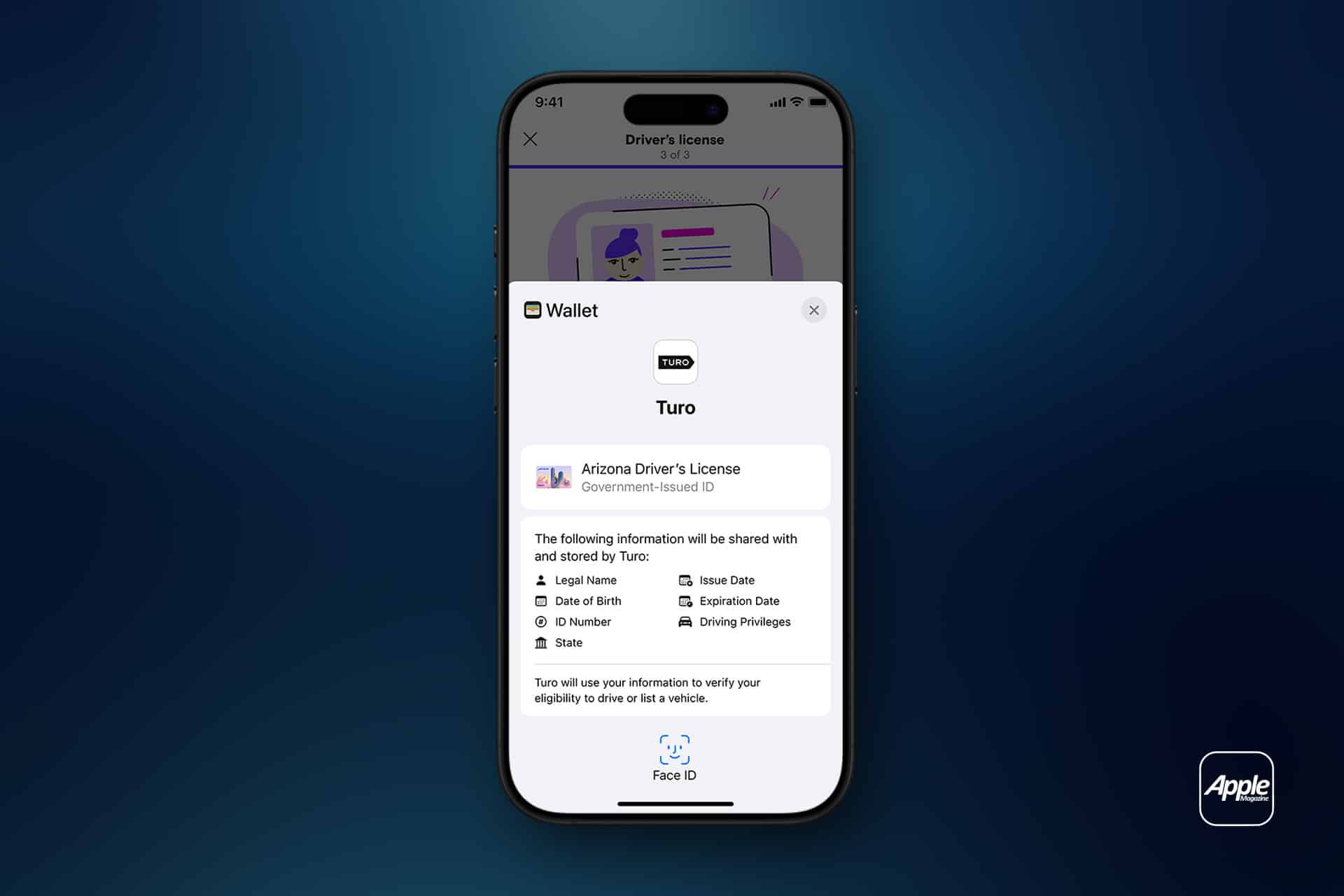
That privacy does not mean the receiving business learns nothing. The organization receives the specific information approved by the user and may retain it when permitted. Wallet displays the requester, the fields being requested and whether the information will be retained before authentication.

How to Use Digital ID at TSA
Digital ID can be used only at select TSA identity readers in the United States and only for domestic travel. Apple initially launched acceptance in beta across checkpoints at more than 250 U.S. airports, but availability can vary within an airport.
Travelers should check TSA guidance before relying on it and continue carrying an accepted physical identification document. A discharged, damaged or lost iPhone could otherwise leave the passenger without a usable credential.
To present Apple Digital ID at a TSA checkpoint:
Double-click the iPhone side button > Select Digital ID > Hold the top of the iPhone near the identity reader
On an Apple Watch:
Double-click the side button > Select Digital ID > Hold the display near the identity reader
The device shows the information requested by TSA. Review it, then double-click the side button and authenticate with Face ID, Touch ID or the supported Watch confirmation.
The iPhone does not need to be unlocked or handed to the officer. It remains in the traveler’s possession while encrypted communication transfers the approved information to the reader.
TSA may capture a live image at the checkpoint and compare it with the photograph provided through the Digital ID. The process therefore does not remove every identity check or guarantee that no additional document will be requested.
Using Digital ID in Apps and Online
Businesses can integrate Apple’s Verify with Wallet system when their service has a legitimate need to confirm identity or age.
Supported categories include air travel, car rentals, financial services, healthcare, hospitality, insurance, government services, ticketing and age-restricted purchases. Developers must request permission from Apple before adding the verification interface.
To present Digital ID inside a supported app:
Tap Verify with Apple Wallet > Review the requested information > Authenticate with Face ID or Touch ID
The app receives only the approved identity fields through an encrypted response. A service confirming that someone is old enough for a transaction may not need to receive every detail printed on the passport.
Supported websites can request the credential through Safari.
To present Digital ID online from an iPhone:
Safari > Verify Identity > Review the request > Double-click the side button > Authenticate
A verification request opened on an iPad or Mac can be approved through a nearby iPhone signed in to the same Apple Account. The identity information appears on the iPhone for review rather than being exposed directly on the larger device.
Digital ID reduces repeated document scans and identity selfies, but support depends on each app, website and organization adopting Apple’s verification system. Until those integrations become common, its most recognizable role remains the TSA checkpoint where a passport-derived credential can stay encrypted inside Wallet while the physical passport remains safely packed for the journeys that still require it.