

The assignment begins before sunrise. A traveling photographer steps off a train into a dense city center preparing for a political rally. Later that week, the same photographer will be in a coastal town documenting a fishing community. Two days after that, a flight to cover an environmental summit. The locations change. The lighting changes. The subjects change. The workflow does not.
The Apple ecosystem becomes less about individual devices and more about continuity.
The iPhone is always ready. It lives in the hand, in a jacket pocket, or mounted on a compact rig. For spontaneous moments — a protester raising a handmade sign, a sudden shift in sky color over the harbor, a quiet portrait in natural light — the iPhone captures in ProRAW. The camera is fast. The computational processing stabilizes difficult scenes. Night mode handles low light without interrupting the rhythm of movement.
There is no bag to unzip. No lens to swap. The camera is already there.
Within seconds, every image appears in iCloud Photos. Not hours later. Not after plugging in a cable. Immediately.
Thousands of images move silently across devices.

Between Assignments: Reviewing on iPad Pro as an XDR Monitor
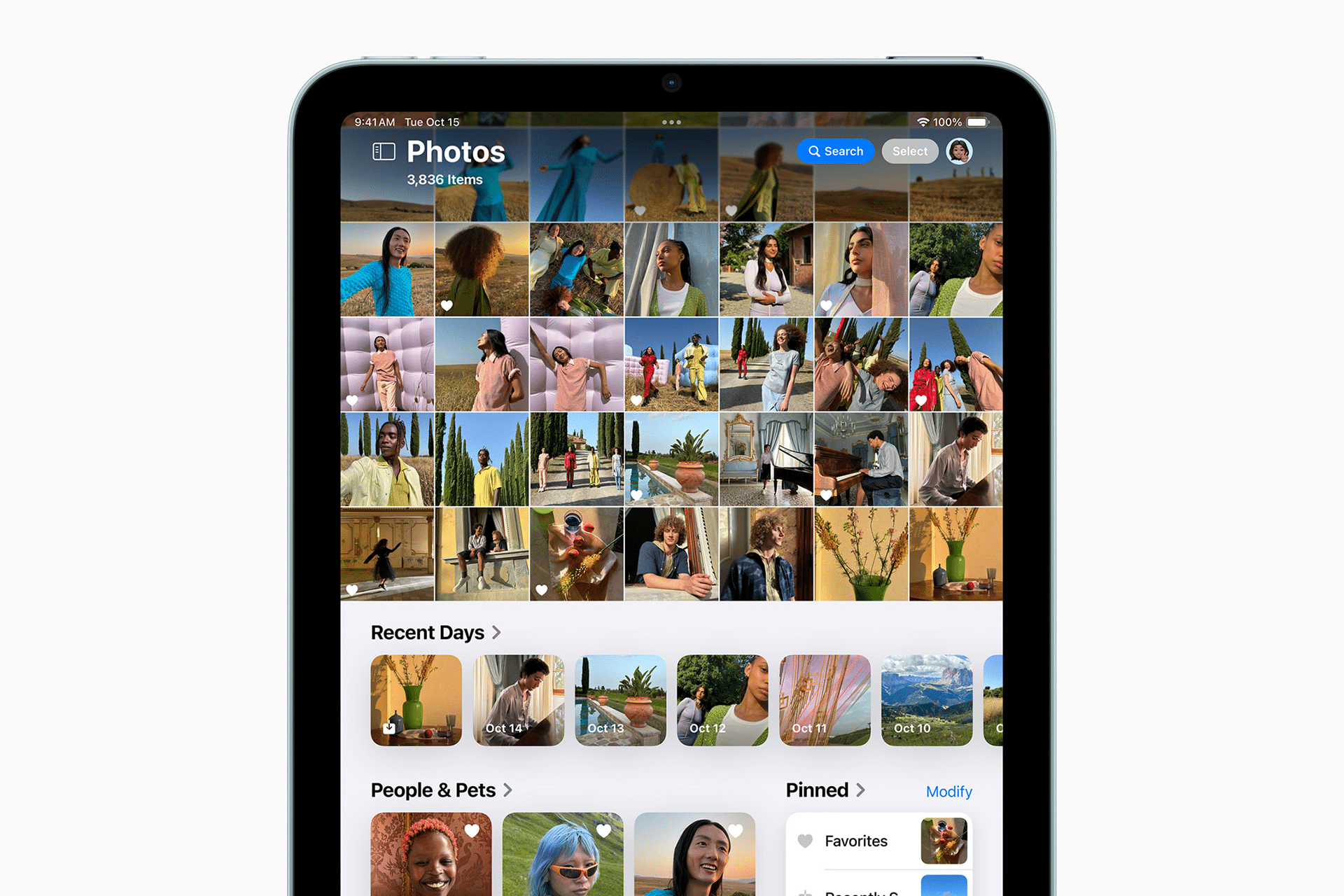
On a café table between events, the iPad Pro becomes the first editing station. The Liquid Retina XDR display delivers brightness and contrast that make shadow details visible even under natural daylight. For a photographer used to studio monitors, this matters.
The iPad is not a secondary device here. It is a field monitor and editing console.
The Apple Pencil rests along the side. Minor exposure corrections are made directly on screen. Highlights are pulled back. White balance adjusted. Crops refined with precision. The touch interface feels direct, almost physical, when adjusting color curves.
No memory cards are transferred. No drives are mounted. The images are already there because iCloud keeps everything aligned.
Photos app > Select Image > Edit
That is enough to begin shaping the frame.
In urgent situations — such as delivering an image for a live news segment — edits can be completed in minutes and exported immediately.
Share > Mail
or
Share > AirDrop
or
Share > Save to Files
Speed matters. Accuracy matters more.
Editing in transit is no longer a compromise. The iPad Pro handles color grading and RAW adjustments without hesitation. When paired with external storage for additional backups, the setup remains compact.
On location in a forest clearing, seated against a tree trunk, reviewing a portrait captured only moments earlier, the display reveals details that might have been missed on a smaller screen. That difference can change which frame gets published.

Delivering Through Mac Workflows
Back at a hotel desk or inside a temporary press room, the Mac becomes the final production environment.
The MacBook Pro opens. iCloud has already synchronized the edited selections. No importing required.
For documentary production, files may need metadata tagging, renaming, and batch exporting.
Finder > Select Images > Rename
Professional software on macOS allows structured cataloging. Color profiles are verified. Exports are prepared in multiple resolutions — high resolution for archive, compressed for immediate publication.
If working with a newsroom, uploads begin instantly. Gigabit Wi-Fi in press centers pushes files out quickly. For remote locations, tethering through iPhone provides a fallback connection.
Even when connection speeds fluctuate, the continuity of the Apple ecosystem removes friction. Files do not need manual syncing between devices. The image edited on iPad appears on Mac exactly as it was left.
This consistency is what enables last-minute deliveries.
An editor calls. A specific frame is needed from earlier in the week. The photographer searches.
Photos > Search > Location
or
Photos > Search > Keyword
The indexed library, powered by on-device recognition, surfaces images quickly. Within minutes, the requested frame is exported and delivered.

The Value of Constant Sync
Carrying thousands of images would traditionally mean multiple hard drives, redundant backups, and constant cable management. Now, iCloud maintains an evolving archive.
Every capture from iPhone uploads automatically when connected. The iPad and Mac reflect the same library. Adjustments update across devices.
This does not remove the need for external backup strategies for long-term archival storage, but for active assignments, it reduces risk. If one device fails, the images remain accessible elsewhere.
While traveling across cities, trains, and flights, the photographer rarely thinks about synchronization. It simply happens.
Urban Crowds, Nature Silence, Human Stories
In crowded urban events, mobility is essential. The iPhone’s discreet size allows proximity without intimidation. Subjects behave naturally.
In remote landscapes, lightweight gear means longer hikes. A heavy kit can limit access. A compact device expands it.
During intimate portrait sessions, reviewing images on the iPad immediately after capture builds trust. Subjects can see the result. Adjustments are made collaboratively. The screen brightness remains strong even outdoors.
The workflow adapts without changing structure.
- Capture on iPhone
- Refine on iPad
- Finalize on Mac
- All while traveling

Deadlines and Documentary Pressure
Documentary productions often require footage and still imagery delivered under time constraints. The photographer may be asked for high-resolution stills to accompany a video release.
The Mac handles export presets tailored to broadcaster specifications. Color space remains consistent because edits began on a calibrated XDR display.
Compression settings are verified. File sizes are optimized without degrading quality.
The final files are sent through secure channels, sometimes minutes before broadcast.
The process feels continuous rather than fragmented. There is no break between capture and publication.
Hardware Disappears Into Workflow
What becomes clear over time is that the Apple ecosystem reduces decision fatigue. The photographer does not spend time wondering how to transfer files. There is no repeated setup.
Instead, energy goes into framing, timing, and narrative.
Battery management remains part of travel, but charging is simplified. A single USB-C cable powers multiple devices. Power banks recharge iPhone and iPad alike.
Even during airport layovers, edits continue.
The Ecosystem as Infrastructure
For a traveling photographer covering fast-moving stories, the Apple ecosystem is not about brand alignment. It is about infrastructure.
The iPhone captures quickly with computational support. The iPad Pro serves as a field-grade XDR monitor and editing surface. The Mac handles structured export and transmission. iCloud keeps everything aligned.
Thousands of images move invisibly between devices. Edits sync. Metadata travels with files. There is no manual intervention required to maintain consistency.
While cities blur into one another and assignments stack back-to-back, the workflow remains stable.
The photographer moves constantly. The ecosystem does not.


