


Apple Family Sharing is one of the most powerful yet underrated features in the Apple ecosystem. It allows up to six people to stay connected, share purchases, and enjoy Apple services together while each person keeps their own private Apple ID, photos, messages, and files. It is designed for real families, not just for saving money, but for staying organized, safe, and close in a digital world.
Instead of everyone buying the same apps, storage plans, and subscriptions separately, Family Sharing bundles everything into a single system that works across iPhone, iPad, Mac, Apple Watch, and Apple TV. Parents can manage children’s devices, approve downloads, and set limits, while adults keep full control of their own data.

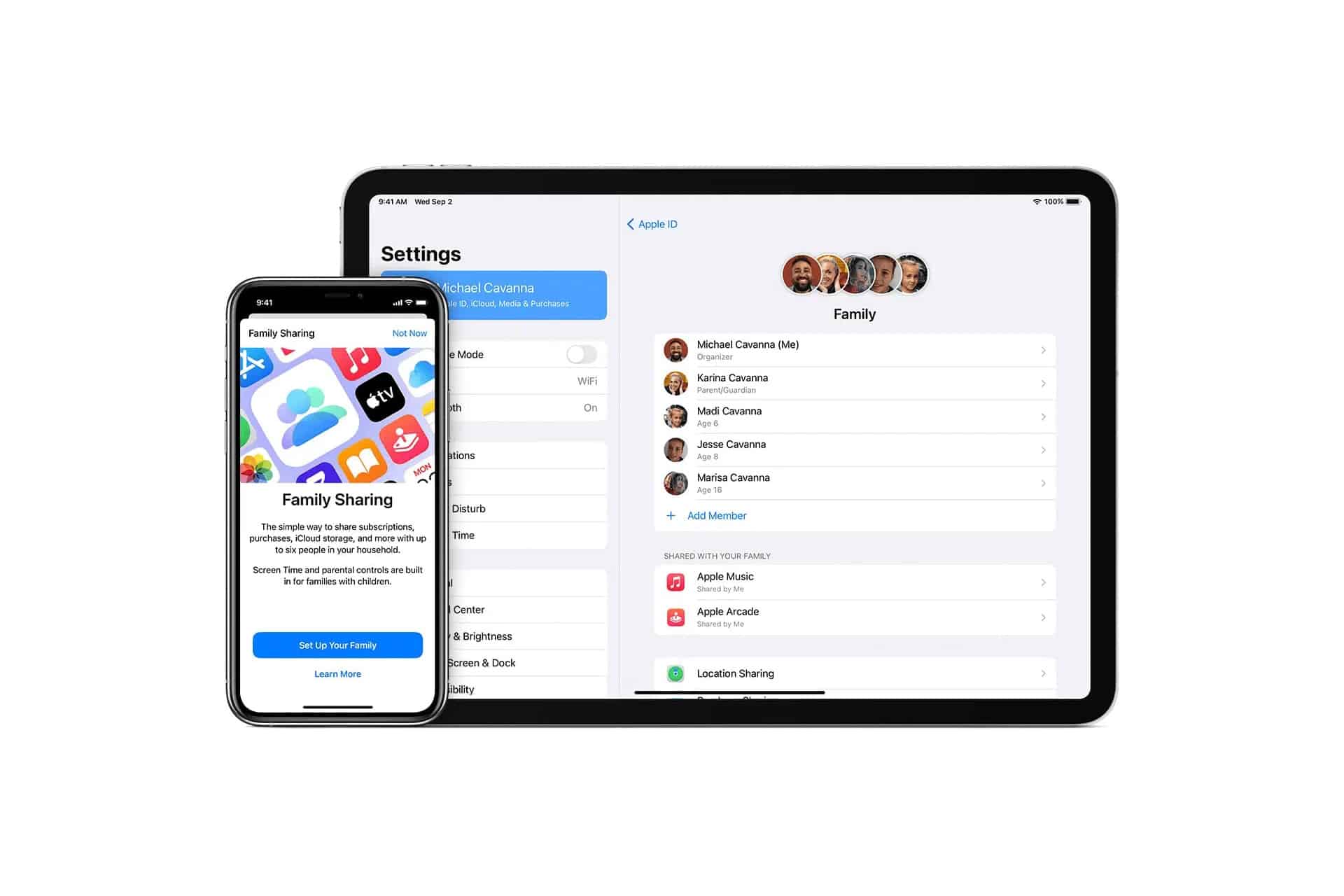
How Family Sharing Works
Settings > Family > Set Up Your Family
Once a family organizer creates a group, other members are invited by Apple ID. Each person signs in with their own account, which means their iCloud data, photos, messages, and contacts remain private even though purchases and subscriptions are shared.
This structure allows families to enjoy Apple’s services without sacrificing privacy.
What You Can Share With Family
Family Sharing lets everyone in the group use shared subscriptions such as Apple Music, Apple TV, Apple Arcade, Apple Fitness+, and iCloud storage. Purchased apps, movies, and books can also be shared, so a game or film only needs to be bought once.
iCloud storage can be shared as well, giving everyone access to more space without mixing personal files.
How to Share Purchases
Settings > Family > Purchase Sharing
With Purchase Sharing turned on, any paid app, movie, or book purchased by one family member becomes available to the rest of the group. Children can request purchases, which must be approved by a parent before downloading.

How to Protect Kids With Screen Time
Settings > Family > [Child Name] > Screen Time
Parents can set app limits, block explicit content, schedule downtime, and see how much time kids spend on each app. Requests for extra screen time or new apps come directly to the parent’s device for approval.
This makes Family Sharing one of Apple’s strongest safety tools.
How to Stay Connected With Find My
Settings > Family > Location Sharing
Family members can share their location with each other, making it easier to know when someone arrived home, left school, or is on the way. This works across iPhone, Apple Watch, and even AirTag devices.

How Family Sharing Works With Apple Watch for Kids
Family Sharing allows children to use Apple Watch without having their own iPhone. Parents can manage contacts, calls, messages, and location while keeping the child connected and safe.
This is especially useful for school, activities, and staying in touch without giving a full smartphone.
Why Family Sharing Feels Seamless
Everything happens inside Apple’s ecosystem. No extra logins, no third-party services, no confusing accounts. Apple IDs, Face ID, and iCloud work together to make sure that what is shared stays shared, and what is private stays private.
Apple Family Sharing is not just about saving money. It is about turning technology into something that works for families instead of against them, bringing people together while still respecting individual space.

