

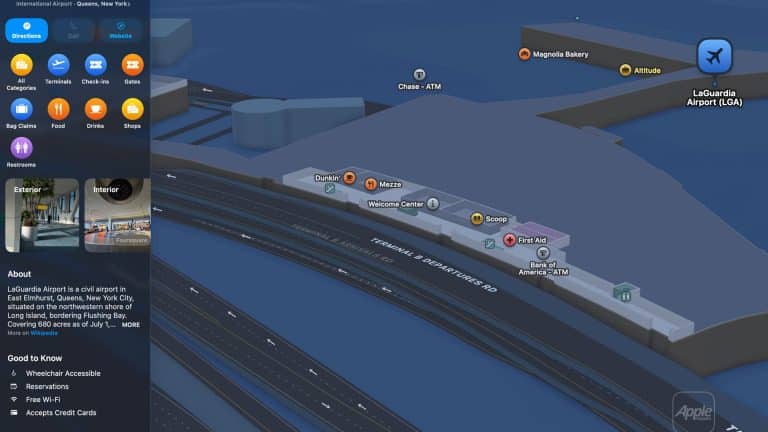
Apple Maps indoor tools are built for one of the most stressful parts of travel and daily movement: finding your way through large indoor spaces that do not behave like normal streets. Airports, shopping centers, terminals, food courts, escalators, gates, restrooms, lounges, baggage claim areas, and store directories can turn a simple visit into a search exercise. Apple’s indoor maps help reduce that friction where the feature is supported, giving iPhone, iPad, and Mac users a clearer way to move through complex venues.
The feature is especially useful because indoor navigation is different from outdoor navigation. A street map can guide someone to an address, but once inside an airport or mall, the problem changes. The question is no longer only where a place is located. It becomes what floor it is on, which terminal it belongs to, whether it is past security, where the nearest restroom is, how to reach an elevator, or how far a gate is from the current location. Apple Maps indoor tools are designed around those smaller details.
Apple describes Indoor Maps as a way to explore airports and shopping centers, including restaurants, restrooms, stores, and floor levels where available. On iPhone, the feature can show a detailed interior map when a supported airport or mall is selected. On Mac, Apple Maps can also explore airports and malls with level details and interior layouts. It is not available everywhere, and that is important to understand before relying on it during a trip. When it appears, however, it can make a large space feel much easier to read.
Apple Maps Indoor Tools for Airports
Airports are the clearest case for Apple Maps indoor tools. A major airport is not a single destination. It is a network of terminals, gates, lounges, restaurants, shops, ticket counters, security zones, baggage areas, restrooms, elevators, and ground transportation exits. During travel, those details matter because time is limited and stress is often high.
When supported, Apple Maps can help show where terminals are located, what restaurants are nearby, which services are inside the airport, and how different sections of the building are arranged. Apple highlights the ability to see restaurants past security, find the nearest restroom, and identify levels inside supported venues. That kind of guidance can be especially helpful during layovers, delayed flights, family travel, or international arrivals when the airport layout is unfamiliar.
Some of the most notable U.S. airport hubs where indoor maps have historically been available or commonly associated with Apple’s indoor airport coverage include major locations such as:
- Chicago O’Hare International Airport
- Los Angeles International Airport
- San Francisco International Airport
- New York’s John F. Kennedy International Airport
- LaGuardia Airport
- Newark Liberty International Airport
- Denver International Airport
- Dallas/Fort Worth International Airport
- Miami International Airport
- Seattle-Tacoma International Airport
- Boston Logan International Airport
- Philadelphia International Airport
- Atlanta’s Hartsfield-Jackson International Airport
- Houston George Bush Intercontinental Airport
- Baltimore/Washington International Thurgood Marshall Airport
Availability can vary by update, region, terminal, and Apple’s current Maps coverage, so checking the specific venue in Apple Maps before traveling is the safest habit.
A practical approach is to open Apple Maps before leaving for the airport, search the airport name, and zoom into the terminal area. If indoor details are supported, the map will show interior structure, points of interest, and floor navigation controls. If they do not appear, Apple Maps can still help with outdoor routing, airport location, transit access, and nearby services, but the indoor layer may not be available for that specific venue.

Shopping Centers and Large Venue Guidance
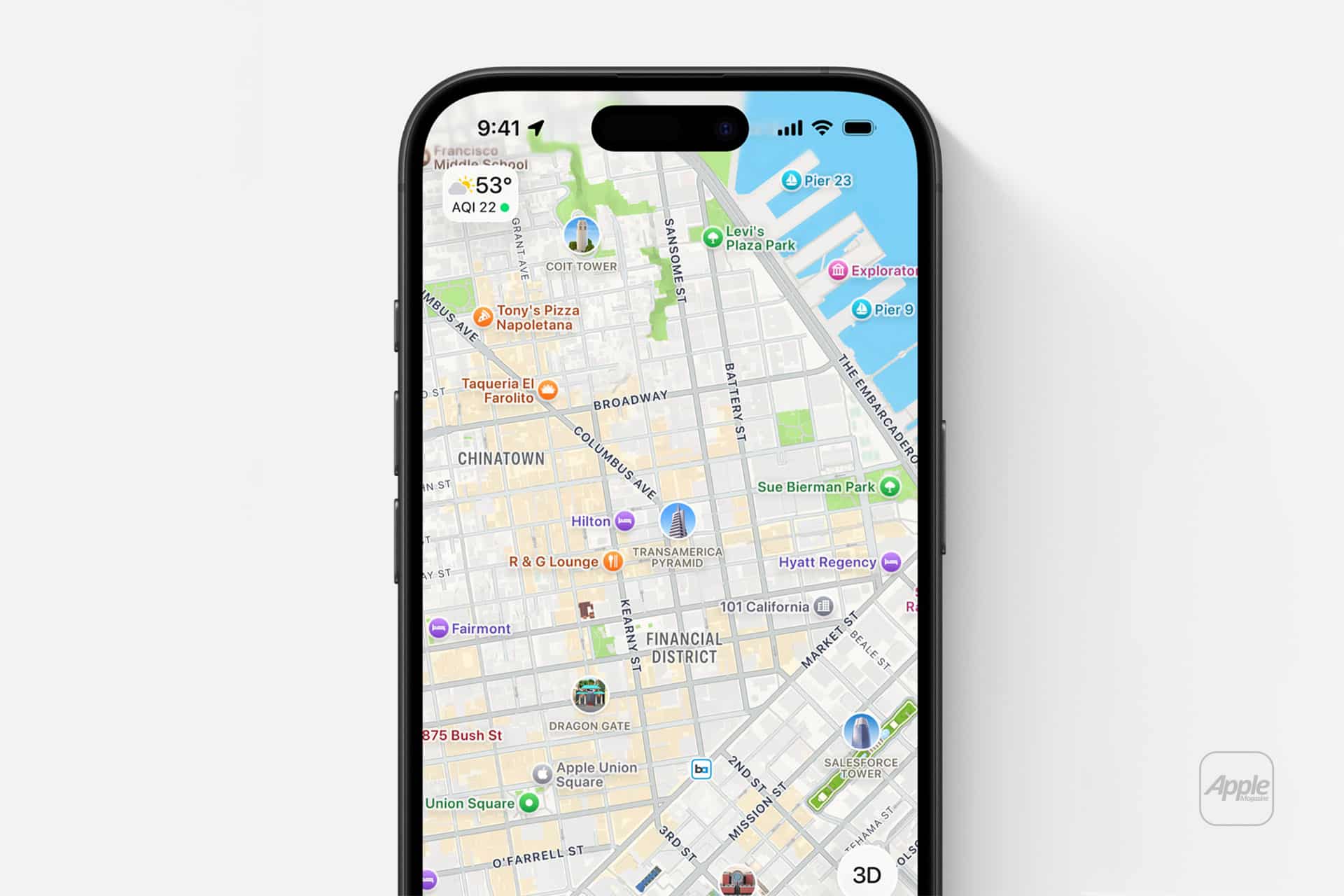
Shopping centers are the other major category where Apple Maps indoor tools can be useful. A large mall can be surprisingly difficult to navigate, especially when stores sit across multiple levels or when entrances, parking garages, restaurants, and department stores are spread out across a large footprint. Indoor maps help turn the mall into something closer to a structured directory.
When supported, Apple Maps can show store locations, floor levels, restaurants, restrooms, and other points of interest inside the shopping center. This can be useful during regular shopping, holiday visits, family outings, or quick errands where time matters. Instead of walking through the full mall to find one store, users can search directly inside Maps and see where that store is located.
Notable U.S. shopping areas and mall markets where Apple Maps indoor coverage has appeared over the years include major retail destinations in New York, Los Angeles, San Francisco, San Jose, Boston, Chicago, Philadelphia, Washington, DC, Baltimore, Atlanta, Las Vegas, Miami, Houston, Dallas, and other large metropolitan regions. Specific malls have changed over time as Apple expands and refines Maps coverage. Because indoor maps depend on venue participation and Apple’s current data, the best way to confirm support is to search the mall directly inside Apple Maps.
The same logic applies to tourist-heavy shopping centers. A visitor in Los Angeles trying to navigate Westfield Century City, a traveler in Las Vegas moving through major retail complexes, or someone in New York looking for stores inside a large mall can benefit when the indoor layer is available. It is not a replacement for local signage, but it adds a helpful digital layer that keeps the map close to the device already being used for payments, messages, and travel planning.
Tutorial and Tips for Using Indoor Maps
To explore indoor maps on iPhone, go to:
Maps > Search Airport or Mall > Tap Location > Zoom In > Choose Floor or Area
To explore indoor maps on Mac, go to:
Maps > Search Airport or Mall > Click Location > Map Button > Explore
To find services inside a supported airport or mall, go to:
Maps > Search Venue > Zoom In > Search Restaurants, Restrooms, Stores, or Gates
To switch between levels when supported, go to:
Maps > Indoor Venue > Floor Selector > Choose Level
To prepare before traveling, go to:
Maps > Search Airport > Save Location > Review Terminal Before Departure
The best tip is to check indoor support before arriving. Open the airport or shopping center in Apple Maps while still at home, zoom in, and see whether the interior map appears. If Apple Maps shows floor details, stores, gates, or venue-level points of interest, the feature should be useful during the visit. If the map remains mostly exterior, the location may not currently support indoor tools.
Another useful habit is to search for the specific place inside the venue instead of only the venue name. Searching for a restaurant, store, restroom, terminal, or gate can be faster than manually scanning the map. In airports, this helps especially when trying to understand whether a restaurant or lounge is before or after security.
For travel days, combine Apple Maps with the airline app. Apple Maps can help with the airport layout, while the airline app remains the better source for live gate changes, boarding times, delays, and seat details. Indoor maps are strongest when used as spatial guidance, not as a replacement for flight operations data.

Where Indoor Maps Are Most Useful
Apple Maps indoor tools work best in airports, major shopping centers, and high-traffic venues where the interior layout matters as much as the address. The feature is less common for museums and tourist landmarks, even when those places appear beautifully in Apple Maps as standard places. The Louvre, for example, has a detailed Apple Maps place listing and its own official visitor maps and directions, but it should not be treated the same as an Apple Indoor Maps-supported airport or mall unless the indoor layer appears directly in Maps. For museum visits, the official museum map is often still the better navigation source.
Apple Maps Indoor Tools at Famous Tourist-Friendly Venues
Apple Maps Indoor Tools are strongest in airports and large shopping centers, where Apple can show floor levels, stores, restaurants, restrooms, and other venue details. For major tourist landmarks and museums, Apple Maps usually works best for directions, hours, nearby transit, and place details, while indoor navigation may depend on the venue’s own official app or map.
United States
- Westfield Century City, Los Angeles
- The Grove, Los Angeles
- Beverly Center, Los Angeles
- Westfield Valley Fair, San Jose
- Westfield San Francisco Centre, San Francisco
- The Shops at Columbus Circle, New York City
- Brookfield Place, New York City
- King of Prussia Mall, Pennsylvania
- Fashion Centre at Pentagon City, Virginia
- Water Tower Place, Chicago
- Aventura Mall, Florida
- The Galleria, Houston
- NorthPark Center, Dallas
- Mall of America, Minnesota
- The Forum Shops at Caesars Palace, Las Vegas
Canada
- CF Toronto Eaton Centre, Toronto
- Yorkdale Shopping Centre, Toronto
- CF Pacific Centre, Vancouver
- West Edmonton Mall, Edmonton
United Kingdom
- Westfield London, London
- Westfield Stratford City, London
- Bullring & Grand Central, Birmingham
- Manchester Arndale, Manchester
France
- Westfield Forum des Halles, Paris
- Westfield Les 4 Temps, Paris La Défense
- Galeries Lafayette Paris Haussmann, Paris
Italy
- Galleria Vittorio Emanuele II, Milan
- Centro Commerciale Porta di Roma, Rome
Spain
- La Maquinista, Barcelona
- Centro Comercial Príncipe Pío, Madrid
Germany
- Mall of Berlin, Berlin
- Westfield Centro, Oberhausen
- Olympia-Einkaufszentrum, Munich
United Arab Emirates
- The Dubai Mall, Dubai
- Mall of the Emirates, Dubai
- Yas Mall, Abu Dhabi
Singapore
- Marina Bay Sands Shoppes, Singapore
- Jewel Changi Airport, Singapore
- ION Orchard, Singapore
Japan
- Shibuya Scramble Square, Tokyo
- Tokyo Midtown, Tokyo
- Roppongi Hills, Tokyo
- Grand Front Osaka, Osaka
Australia
- Westfield Sydney, Sydney
- Chadstone Shopping Centre, Melbourne
- Westfield Bondi Junction, Sydney
The larger value of Apple Maps indoor tools is that they make large spaces less intimidating. Instead of entering a terminal or mall and relying only on signs, users can prepare the route on the same device already handling travel, messages, tickets, payments, and photos. The feature remains selective, but where it works, it adds a practical layer of calm to places that often feel rushed, crowded, and difficult to read.