Music listening is often shaped by small details that most people rarely notice — until they experience them. One of those details is the pause between songs. When playback stops for even a fraction of a second, the mood of an album, playlist, or workout session can shift. Apple Music Crossfade removes that interruption by blending the end of one track with the beginning of the next, creating a continuous listening experience that feels natural and uninterrupted.
This feature is especially valuable during long playlists, parties, workouts, study sessions, or road trips, where the flow of music becomes part of the atmosphere.
Instead of abrupt silence between songs, the transition becomes smooth, almost invisible. DJs have used this technique for decades, and Apple Music brings a similar approach directly into everyday listening across Apple devices.
Crossfade works by slightly overlapping the last seconds of the current track with the opening seconds of the next one. The timing is adjustable, allowing each listener to decide how subtle or dramatic the transition should be. Some people prefer a short one-second blend, while others choose longer fades for a continuous radio-style experience.
How to Enable Apple Music Crossfade on iPhone and iPad
Settings > Music > Crossfade > Turn On Crossfade > Adjust Duration
Once activated, the Crossfade slider allows you to set the transition length, typically ranging from one to twelve seconds depending on the iOS version. After enabling the setting, every playlist, album, or station begins using seamless transitions automatically.
How to Enable Apple Music Crossfade on Mac
Music App > Settings > Playback > Crossfade Songs > Select Duration
On macOS, the Crossfade control is located directly inside the Music app settings. Adjusting the duration changes the overlap time between songs immediately, allowing quick testing to find the most comfortable listening style.
Creating Different Listening Styles With Crossfade
A short crossfade of one to two seconds maintains the natural pacing of albums while gently removing silence between tracks. This setting works well for daily listening, podcasts with background music, or curated editorial playlists. Longer crossfade settings — around six to ten seconds — create a more continuous DJ-style effect, ideal for workout playlists, house parties, or long driving sessions where uninterrupted rhythm matters.
Experimenting with different durations can dramatically change how playlists feel. A mellow acoustic playlist might benefit from shorter transitions, while energetic dance or electronic playlists often feel more immersive with longer blends.
Crossfade Across Multiple Apple Devices
Apple Music Crossfade functions independently on each device, meaning settings can differ between iPhone, Mac, or iPad depending on listening preferences. A HomePod streaming session controlled from an iPhone will follow the playback behavior of the controlling device. This flexibility allows each environment — home office, living room, or car — to maintain its own listening style.
Listeners who frequently switch between devices may prefer matching crossfade durations to maintain a consistent listening experience everywhere. Others may choose different settings for work, travel, or entertainment environments.
When Crossfade Makes the Biggest Difference
Long playlists are where Crossfade becomes most noticeable. During gym workouts or long study sessions, the absence of silent gaps helps maintain concentration and rhythm. Social gatherings also benefit, as music continues flowing without the awkward pause that often breaks conversation momentum.
Album listening can also benefit, especially with live recordings or concept albums designed to play continuously. Crossfade smooths transitions when tracks were originally separated for distribution but intended to feel continuous.
Additional Playback Settings That Improve Listening Flow
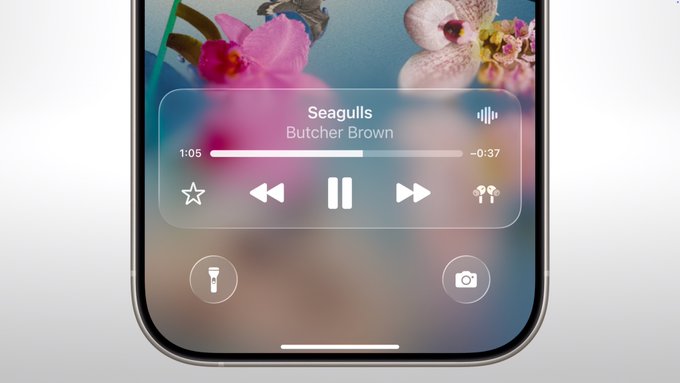
Apple Music offers several playback tools that complement Crossfade. Sound Check balances volume levels across tracks, preventing sudden loudness jumps between songs. EQ settings allow small tonal adjustments to match headphones or speakers, while Dolby Atmos options create a more immersive soundstage on supported hardware. Together, these features create a listening environment that adapts to both the device and the listening context.
Over time, many listeners discover that Crossfade becomes one of those small settings they never turn off once experienced. The continuous sound flow feels more natural, particularly when playlists run for hours. It becomes less about skipping silence and more about letting music behave as a single evolving experience rather than isolated tracks.