

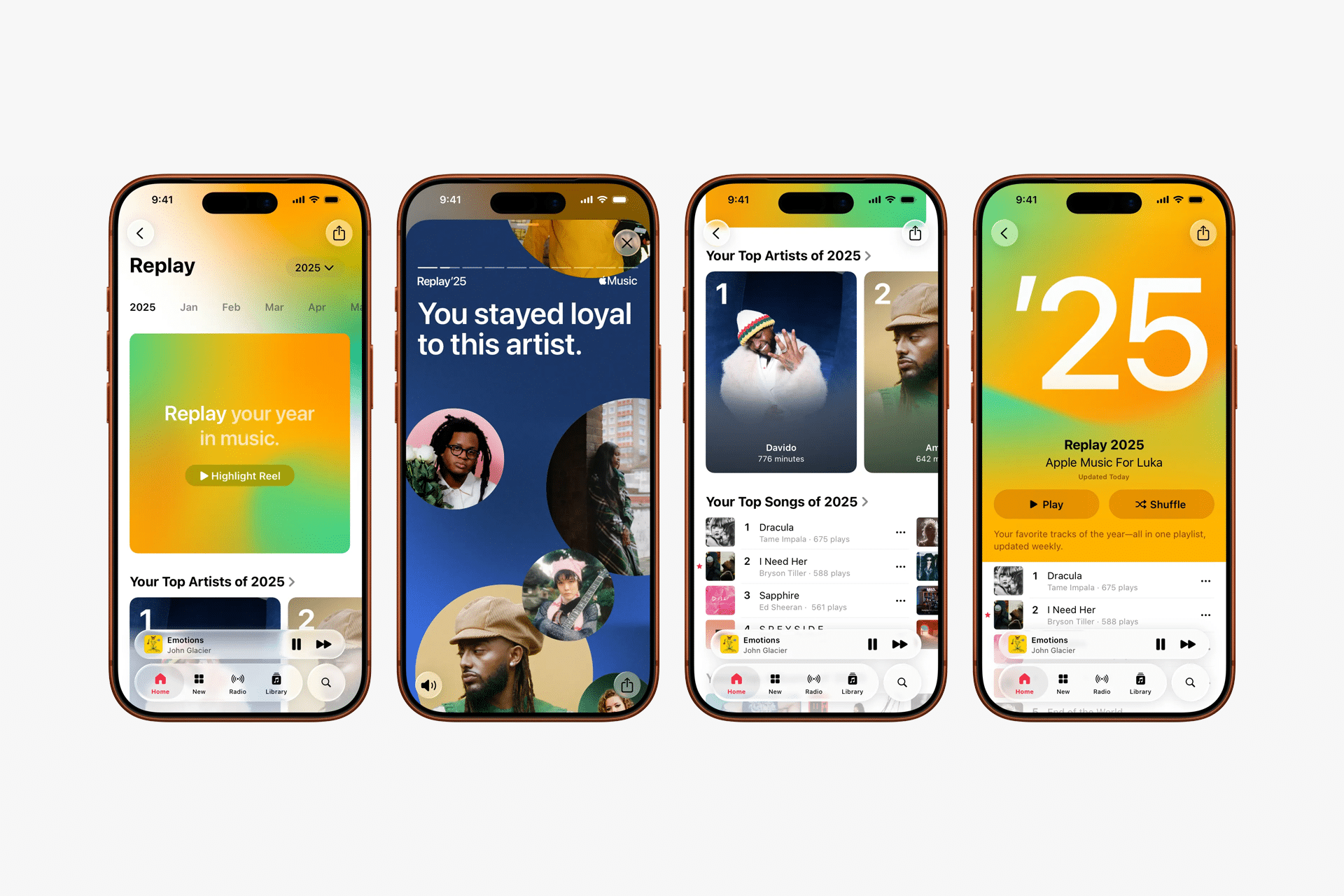
Apple Music Replay is Apple’s built-in way to show what you actually listen to over time, not just at the end of the year. Unlike a static summary, Apple Music Replay updates weekly and builds a living snapshot of your listening habits, ranking songs, artists, albums, and genres based on real play history.
The feature works across iPhone, iPad, Mac, and the web, and it automatically generates a Replay playlist that evolves as your listening changes. If you use Apple Music regularly, Replay becomes a surprisingly accurate record of your year.
How Apple Music Replay Works
Apple Music Replay tracks the music you listen to most and assigns play weight based on how often and how long you listen. Skipped tracks and brief plays carry less impact, while songs played repeatedly or fully tend to rise in the rankings.
Replay updates once a week, meaning changes are not instant. If a new favorite song doesn’t appear immediately, it usually shows up after the next update cycle. The Replay playlist itself reorders automatically as listening patterns shift.
Apple Music Replay is tied to your Apple ID, not a specific device, so listening on iPhone, iPad, Mac, or Apple TV all contributes to the same stats.

How to Access Apple Music Replay
You can view Apple Music Replay from any device signed in to your Apple ID, but the full experience is easiest through Apple’s Replay page or directly inside the Music app once the playlist is generated.
Workflow
Music app > Listen Now > Replay
On iPhone and iPad, Replay usually appears in the Listen Now tab once enough listening data has been collected. On Mac, it appears in the same section inside the Music app. You can also access a detailed breakdown, including yearly stats, through Apple’s Replay website.
What You Can See Inside Apple Music Replay
Apple Music Replay highlights more than just your top songs. It also shows your most played artists, albums, and genres, along with total listening time. These rankings reflect long-term habits rather than short trends, which often makes Replay feel more personal than a one-day snapshot.
The Replay playlist itself is updated weekly and can be saved to your library like any other playlist. You can download it for offline listening, add songs to other playlists, or share it with friends.
Because Replay updates continuously, early-year listening still matters. Songs you play frequently in January can remain ranked months later if they continue to get playtime.
Why Apple Music Replay Sometimes Looks “Wrong”
A common question around apple music replay is accuracy. Replay does not update in real time, and it prioritizes sustained listening over one-off plays. This means songs you loop briefly may not rank as highly as songs you return to consistently.
Replay also depends on having listening history enabled. If listening history was turned off for part of the year, plays from that period may not count.
Replay tends to become more accurate as the year progresses, once Apple has enough data to balance short trends against long-term habits.
Making the Most of Apple Music Replay
Apple Music Replay works best when you let it run naturally. Avoid overthinking rankings and use Replay as a way to rediscover songs you may have forgotten. Many users treat the Replay playlist as a personal time capsule of the year, reflecting moods, routines, and moments tied to music.
Replay is also useful for refining recommendations. As Apple Music learns what stays in your rotation, its suggestions across Listen Now and personalized playlists tend to improve.


