

Apple Notes has quietly evolved into one of the most efficient collaboration tools available inside the Apple ecosystem. What began as a simple note-taking application now supports real-time editing, shared folders, document scanning, drawing tools, checklists, tagging systems, and cross-device synchronization that works almost instantly. For teams, students, families, and small businesses, this creates a lightweight collaboration environment that requires no additional apps, logins, or subscription tools.
Unlike traditional collaboration platforms that rely heavily on web interfaces, Apple Notes operates natively across iPhone, iPad, and Mac, allowing users to start writing on one device and continue on another without any interruption. Edits appear in real time, meaning multiple people can work simultaneously on the same document, making it useful for meeting notes, classroom assignments, research drafts, travel planning, and shared task tracking.

Share and Collaborate Instantly
Notes > Open Note > Share Button > Collaborate > Add People
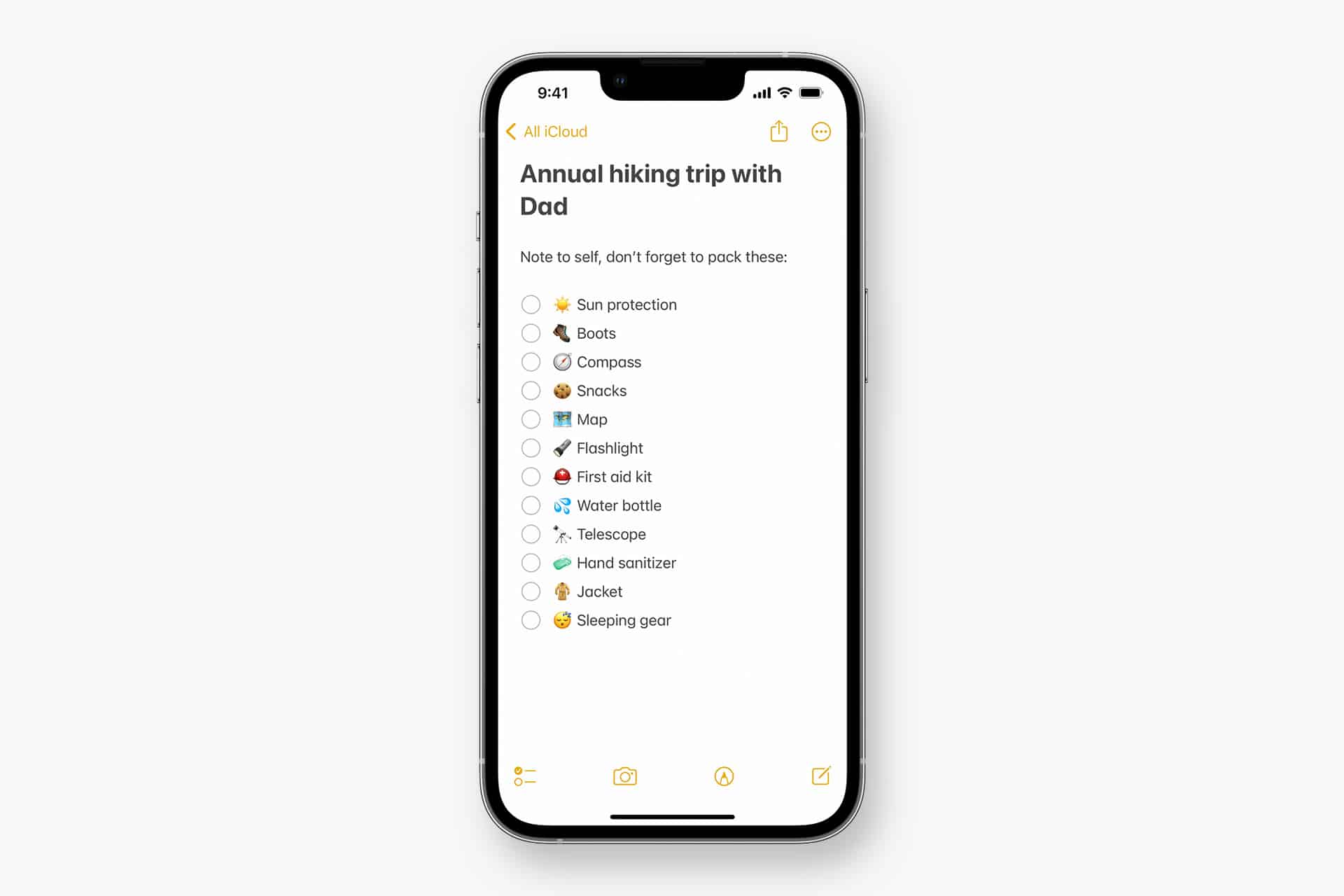
Creating a collaborative note takes only a few seconds. After opening a note, selecting the Share button allows you to invite collaborators through Messages, Mail, or link sharing. Once accepted, everyone can edit the same document simultaneously, add images, create checklists, attach PDFs, or annotate drawings. Permission settings also allow note owners to choose whether collaborators can edit content or only view it.
Shared folders extend this functionality even further. Instead of sharing individual notes, entire project folders can be shared with a team, enabling centralized organization where all documents, references, and planning materials remain grouped in a single collaborative workspace. This approach works particularly well for academic group projects, creative planning sessions, event organization, or small business coordination.
Collaboration Across Devices and Locations
One of the strongest advantages of Apple Notes collaboration is device continuity. A team member can begin editing a note on a Mac, another can add sketches from an iPad using Apple Pencil, and a third participant can update checklist items from an iPhone while commuting. Because changes synchronize automatically through iCloud, the most recent version of every note is always available to all collaborators.
This cross-device flexibility supports workflows where location is no longer a constraint. Remote teams can brainstorm, students can co-edit assignments, and families can manage shared planning documents without needing specialized collaboration software. Even attachments such as scanned documents, photos, voice recordings, and PDFs remain synchronized across all participants, keeping shared materials centralized.

Practical Daily Collaboration Workflows
In daily use, Apple Notes often becomes a quiet coordination hub. Meeting participants can edit the same agenda in real time, classmates can compile shared research materials, and creative teams can maintain idea boards that evolve continuously. Because collaborators can highlight text, insert tables, tag sections, and create nested checklists, a single shared note can replace multiple communication threads.
Tags and Smart Folders add another organizational layer. By tagging collaborative notes with project names or categories, teams can automatically group related documents across multiple shared folders, making navigation faster when projects expand. This becomes particularly helpful for semester-long coursework, ongoing business operations, or long-term creative production planning.
Security and Access Control
Collaboration inside Apple Notes also benefits from Apple’s account-level security framework. Shared notes remain tied to Apple IDs, meaning access can be revoked instantly by removing collaborators. Sensitive documents can be protected with note-level locking features while still remaining visible within shared folders for authorized contributors.
Because editing occurs within the Notes app rather than external platforms, the collaboration process remains consistent across devices and operating systems within the Apple ecosystem. Users do not need to manage version downloads or file duplication, reducing the risk of outdated copies circulating within teams.


Building Efficient Collaboration Habits
Teams that rely on Apple Notes regularly often develop simple structures to keep collaboration efficient. Creating one shared folder per project, maintaining a master checklist note for deadlines, and storing reference materials within the same workspace ensures that discussions, documents, and updates remain centralized. Over time, this reduces the need for fragmented messaging threads or scattered document storage.
As Apple continues enhancing multitasking tools across iPadOS, macOS, and iOS, shared note editing integrates naturally with split-screen workflows, allowing research, writing, and editing to happen simultaneously within the same workspace. The result is a collaboration environment that blends simplicity with powerful synchronization, enabling groups to coordinate work seamlessly using tools already built into their devices.

