

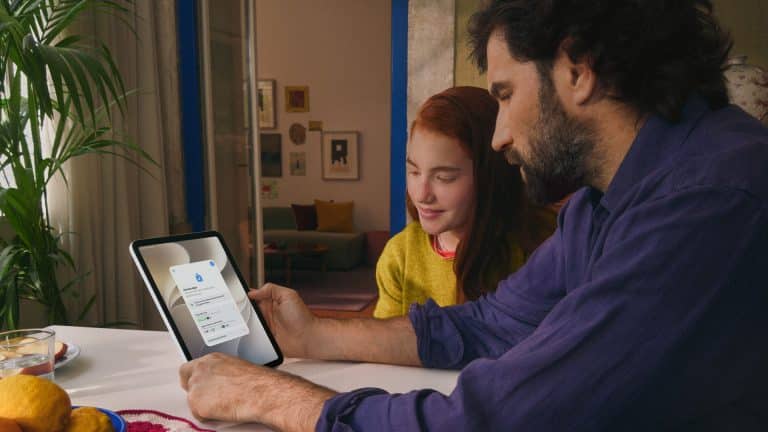
Apple parental controls received a fresh spotlight at WWDC26, with Apple presenting a set of upgrades designed to give parents more control over child accounts, app access, online browsing, communication, and sensitive content across its platforms.
The announcement builds on Apple’s existing Family Sharing and Screen Time tools, but the new focus is on making safety settings more active from the start. Apple is moving beyond parental controls that families have to search for later and toward child accounts that begin with stronger defaults, clearer approvals, and more age-aware protection.
The updates arrive as governments, app developers, and technology companies face heavier pressure to protect children and teens online without turning age verification into a privacy risk. Apple’s answer remains tied to its own ecosystem: child accounts, parent approvals, age range sharing, on-device safety checks, App Store ratings, and controls that work across Apple devices.
Apple Parental Controls Start Earlier
Apple’s WWDC26 parental control upgrades begin with child accounts. These accounts give children their own Apple Account while keeping them connected to a Family Sharing group managed by a parent or guardian. That structure helps separate a child’s personal data from an adult’s account while still allowing a parent to manage purchases, downloads, web access, communication settings, and content limits.
The new approach makes child accounts more central to the setup experience. Parents can manage which apps children are allowed to download, approve certain kinds of access, and keep account-level safety settings connected across devices. That matters because many children now move between iPhone, iPad, Mac, Apple Watch, Apple TV, and other Apple services during the week.
Apple is also making stronger protections active by default for children under 13. Features such as Ask to Buy and the new Ask to Browse are designed to require parental approval before a child can make purchases or access certain web content. That gives parents a direct role at the moment a request happens instead of relying only on fixed restrictions set days or weeks earlier.


Ask to Browse Expands the Safety Model
Ask to Buy is already familiar to many families. When a child wants to download an app, make a purchase, or access certain paid content, a request goes to the parent for approval. Ask to Browse extends that idea into web access, giving parents more control when a child tries to reach content that needs permission.
The feature fits Apple’s larger Screen Time system because it adds flexibility. Not every blocked page or restricted request should be treated the same way. A parent may want to approve a school resource, a reference page, or a specific site while still keeping wider protections active. Ask to Browse gives Apple a more responsive approval model without removing the underlying guardrails.
This also makes Screen Time feel less like a static wall and more like a managed environment. Children can request access when needed. Parents can review the request. The system can stay protective without forcing families to disable controls entirely for one exception.
Contact Approvals Become More Useful
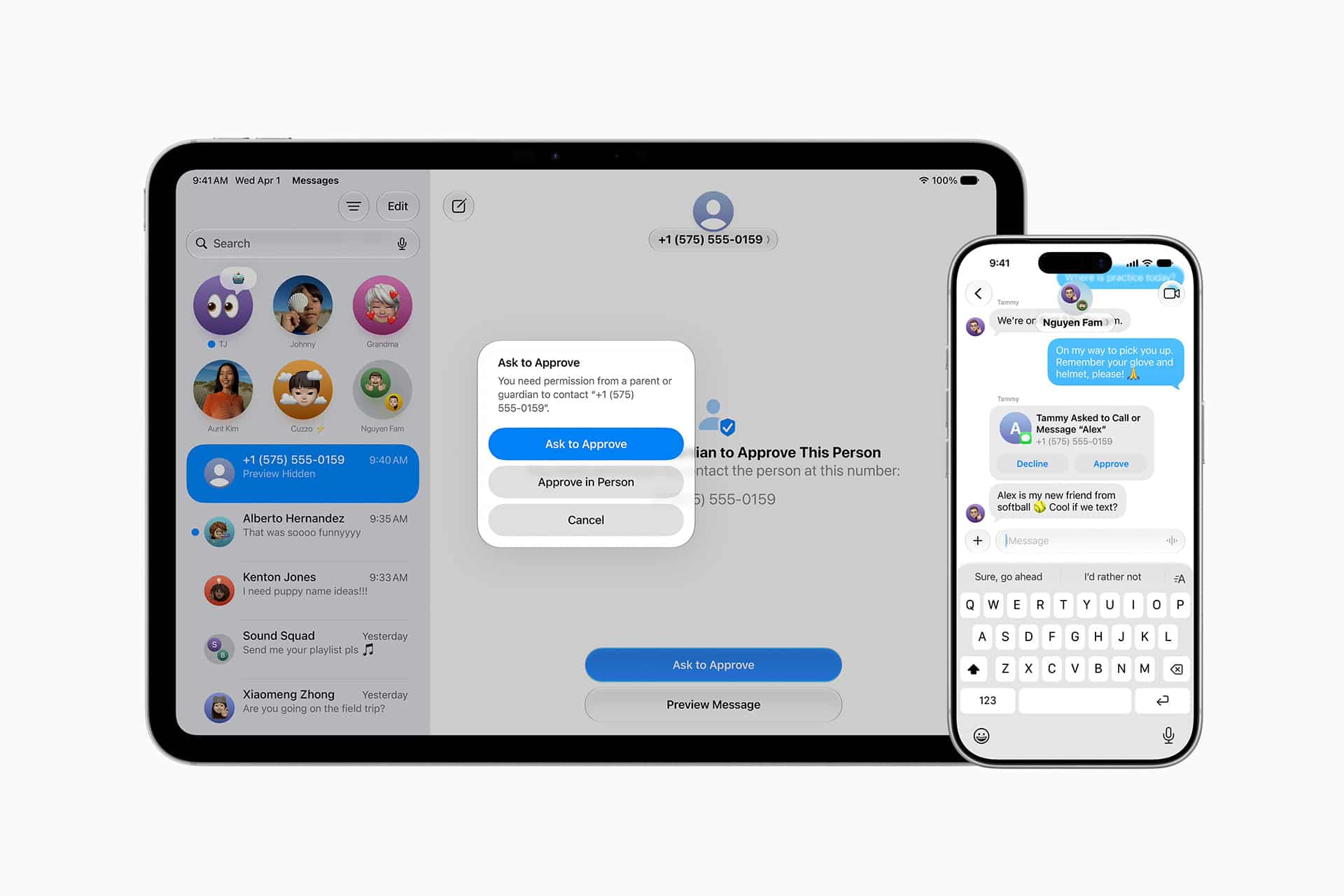
Apple also presented stronger communication protections, including parental approval when children want to connect with new contacts. This applies to Apple’s own communication environment and connects with PermissionKit, which gives developers a way to build similar approval requests into their apps.
For parents, this addresses one of the hardest parts of online safety: contact discovery. The issue is not only which apps children use, but who they can message, follow, friend, or interact with once they are inside an app. Apple’s new framework gives parents more say when a child tries to create a new communication connection.
This could become especially useful for apps with social features, messaging, gaming communities, collaboration tools, or user profiles. Instead of leaving every app to invent its own parental approval flow, Apple is giving developers a system-level way to request permission through Family Sharing.
For children and teens, that can make the process less confusing. Requests can appear through a familiar Apple approval flow, while parents get a more consistent way to review who their child is trying to contact.
Communication Safety Adds Stronger Protection
Communication Safety is also expanding as part of Apple’s child-safety push. Apple says its safety features can intervene when children are exposed to sensitive or inappropriate visual content, using on-device detection and warnings to help protect younger users.
Apple has previously described Communication Safety as a feature that can warn children before they view or send sensitive photos and videos in supported Apple experiences. The WWDC26 updates continue that direction by making safety protections more present across communication and shared content areas.
The privacy design remains central. Apple’s model is built around on-device processing, so the company says it does not gain access to private messages or media when these protections are used. That distinction matters because child-safety systems can become controversial when they require broad scanning of private content in the cloud.
Apple is trying to keep the protection closer to the device and the family, with warnings, approvals, and parental controls instead of a system that exposes private conversations to Apple.
App Store Age Ratings Get More Detailed
Apple is also improving the way age-appropriate app experiences are handled through the App Store. More detailed age categories and app information help parents understand whether an app is designed for younger children, older children, teens, or adults.
This is especially useful because app risks are not always obvious from a category or title. A game may include chat. A video app may include user-created content. A creativity app may include public sharing. A social app may include contact discovery. More detailed App Store information gives parents a better starting point before approving a download.
Apple’s developer tools also support age range sharing through the Declared Age Range API. The idea is to let parents share a child’s age range with an app without giving the developer a full birth date. That lets apps adapt features, content, or safety settings while collecting less personal information.
This gives Apple a privacy-focused answer to growing age-assurance demands. Instead of forcing every app or app marketplace to collect sensitive identity data, Apple can provide an age category signal controlled through the family account structure.
Screen Time Becomes Part of a Larger Safety System
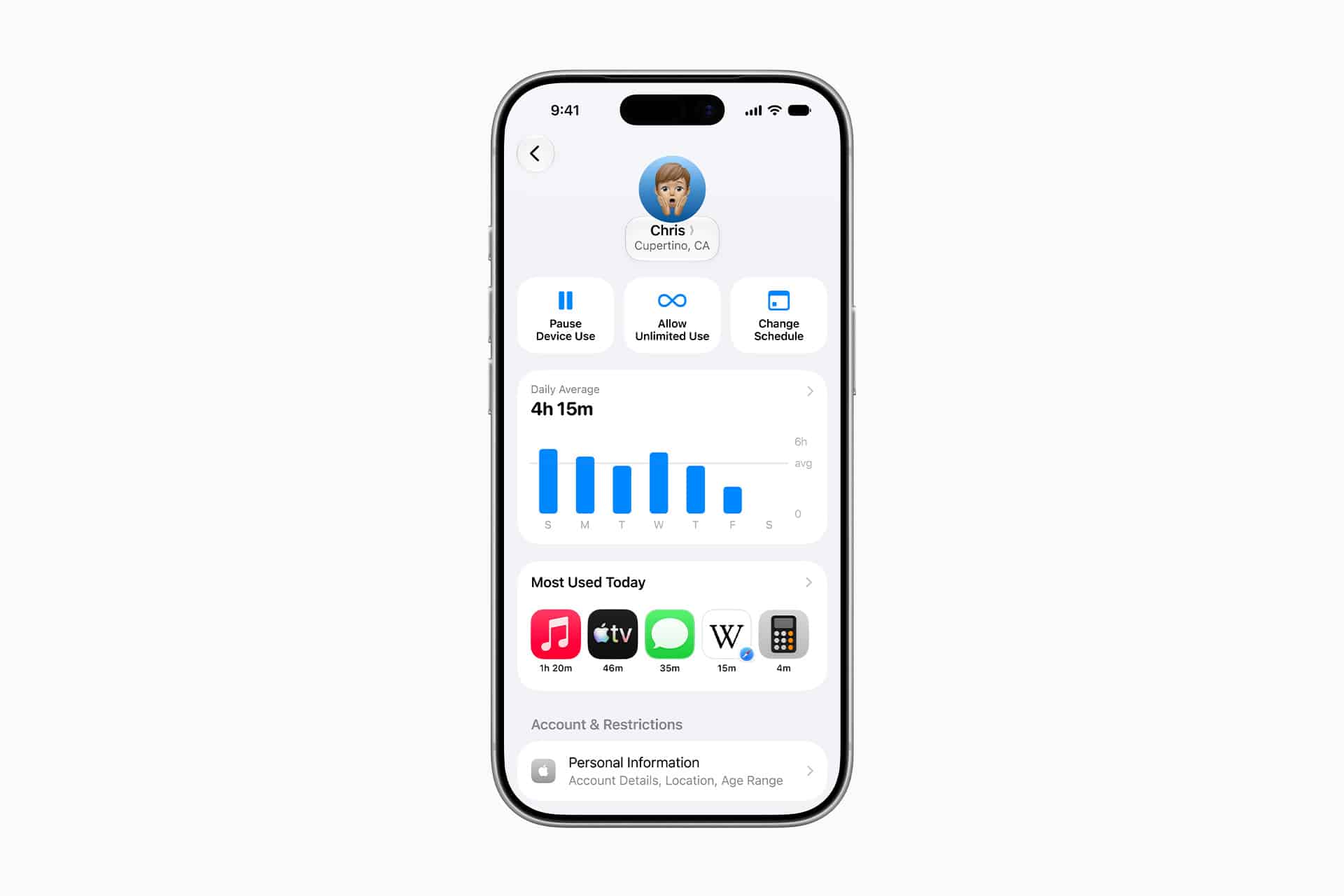
Screen Time remains the center of Apple parental controls, but WWDC26 shows Apple treating it as part of a larger safety framework. Time limits are only one piece. The new direction includes app approvals, browsing approvals, communication permissions, sensitive content warnings, age ratings, developer APIs, and child account defaults.
That makes the system more practical for parents who are not only trying to reduce device time. Many parents also need to manage who a child talks to, what apps they can install, what content they can reach, and how much personal information apps can collect.
Apple’s approach also gives families more room to adjust controls by age. A younger child may need stricter web and app limits. An older teen may need more independence but still benefit from age-aware app experiences and safer communication defaults. The same Apple account structure can support different levels of supervision as children grow.
A More Complete Family Safety Strategy
The WWDC26 parental control upgrades show Apple moving family safety closer to the account level. Child accounts become easier to manage. Ask to Buy and Ask to Browse create approval moments. Communication approvals help parents manage new contacts. Communication Safety adds on-device protection for sensitive content. App Store age ratings and age range sharing help developers create safer experiences without collecting more personal data than necessary.
The timing also places Apple in a growing policy debate around children’s online safety. Some states and countries are pushing stricter age checks, while Apple has argued that privacy should remain part of the solution. The company’s latest tools give Apple a way to say it can protect children and teens without making every user hand over more personal identity data to every app.
For families already inside the Apple ecosystem, the updates make parental controls feel less like a hidden settings menu and more like a connected safety layer across devices, apps, communication, and content.