Apple Watch Activity Rings are one of the most recognizable features of the Apple Watch, and for good reason. They simplify fitness tracking into three clear goals that fit naturally into everyday life, whether you’re just starting out or already active.
What the Apple Watch Activity Rings Mean
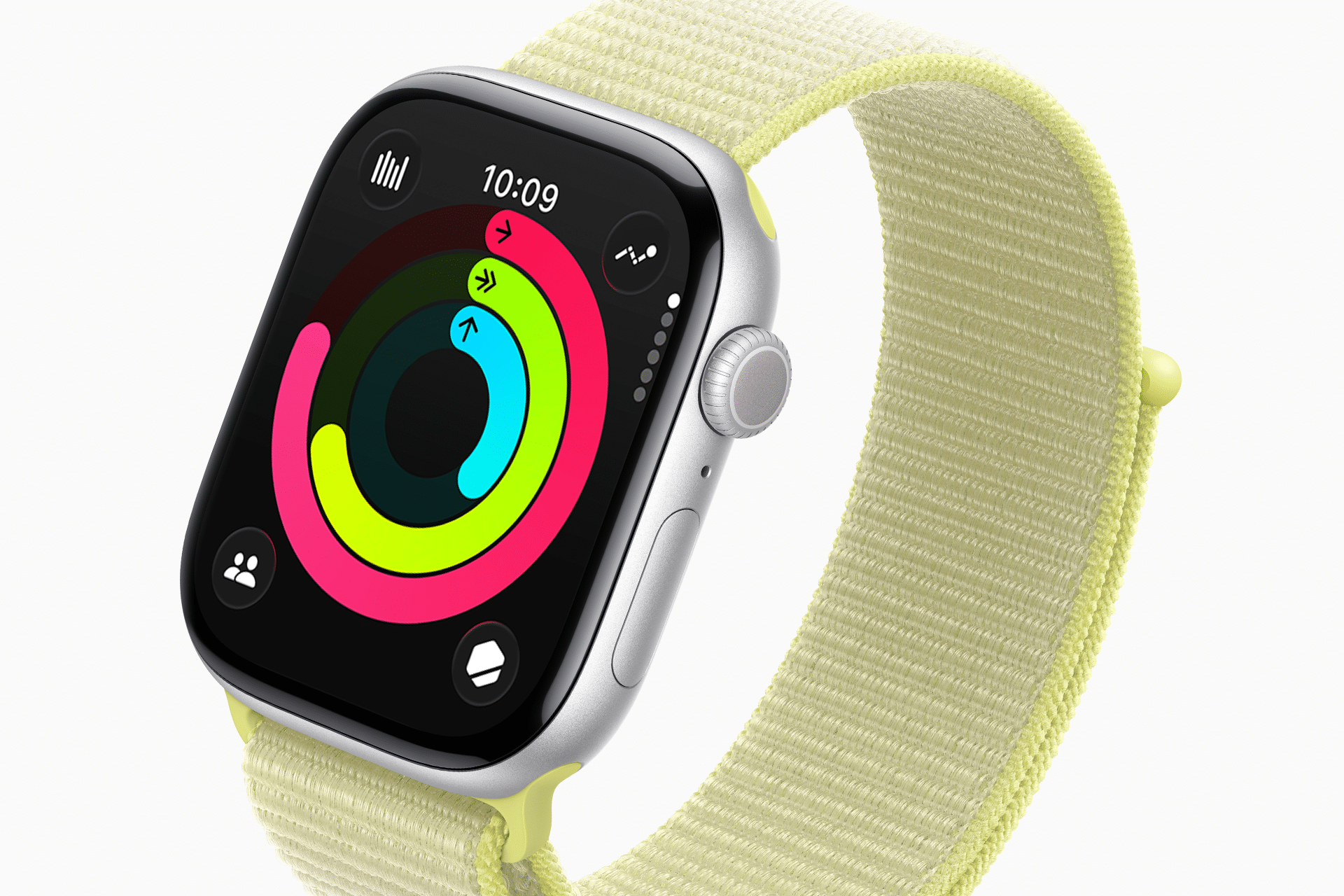
The Activity Rings consist of three colored circles that you aim to close every day.
The red Move ring tracks the calories you burn through active movement. This includes workouts and everyday motion like walking, cleaning, or running errands.
The green Exercise ring measures minutes of brisk activity where your heart rate rises, such as walking fast, running, cycling, or guided workouts.
The blue Stand ring encourages you to stand and move for at least one minute during 12 different hours of the day, helping reduce long periods of sitting.
Together, these rings focus on balance, not just intense exercise.

How to Set Up Activity Rings for the First Time
When you first pair an Apple Watch, Activity Rings are set up automatically based on your age, height, weight, and activity level. You can adjust them at any time to better reflect your routine.
Open the Activity app on your Apple Watch, scroll down, and select Change Goals. Start with the Move goal, then adjust Exercise and Stand if available. Newer versions of watchOS allow more flexibility, including rest days and goal adjustments by day of the week.
How to Customize Activity Rings to Fit Your Life
Your goals should support consistency, not pressure. If you’re new to activity tracking, start with achievable numbers. Closing your rings regularly builds momentum and long-term habits.
If your routine changes, such as travel, illness, or a busy work schedule, adjusting goals helps keep motivation without guilt. Apple Watch is designed to adapt with you, not judge you.

Using Activity Rings with Workouts and Apps
Workouts tracked through the Workout app automatically contribute to your Activity Rings. Third-party fitness apps that support Apple Health can also add data, as long as permissions are enabled.
You can view detailed progress on iPhone by opening the Fitness app, where trends, awards, and history give a broader view of your activity over time.
Why Activity Rings Still Matter
The strength of Apple Watch Activity Rings is their simplicity. Instead of focusing on weight, appearance, or extreme performance, they encourage daily movement in a way that feels achievable and personal.
Over time, those small daily goals often lead to meaningful lifestyle changes, which is why Activity Rings remain central to the Apple Watch experience.