


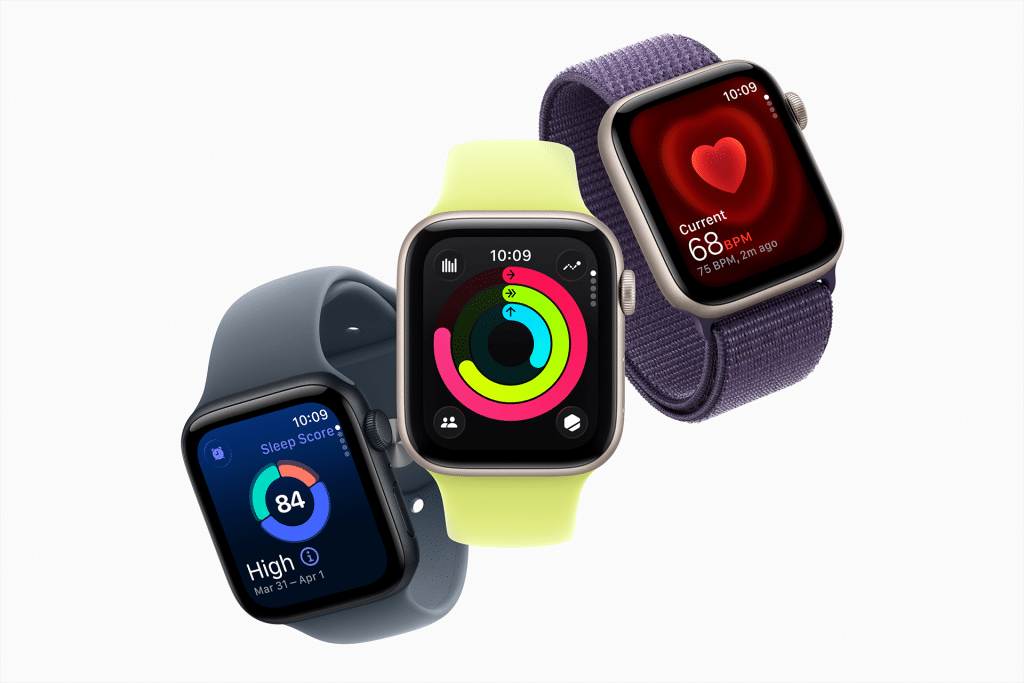
For many families, the Apple Watch becomes the next step after — or even before — giving a child an iPhone. It offers communication, location sharing, and emergency features without the distractions and risks that come with full smartphone access. Apple designed specific tools to make the Watch suitable for kids, allowing parents to stay connected while giving children more freedom.
If the iPhone is about access and responsibility, the Apple Watch is about presence, safety, and gradual independence.
Apple Watch as a Step Before or After iPhone
Not every child needs an iPhone right away. Apple Watch fills an important gap for families who want to stay connected without handing over full access to apps, social media, and the web.
For kids who already use an iPhone, the Watch adds convenience and safety. For kids without an iPhone, Apple’s Family Setup allows the Watch to work independently, managed entirely from a parent’s iPhone.
This makes Apple Watch especially suitable for younger children, school-aged kids, and situations where a phone would be unnecessary or distracting.
Family Setup: The Foundation for Safety
Family Setup is the feature that turns Apple Watch into a kid-friendly device. It allows parents to set up and manage a child’s Watch from their own iPhone, even if the child does not have an iPhone.
Settings > Family Sharing > Set Up a Family Member > Apple Watch
With Family Setup enabled, parents control communication permissions, location sharing, school-time restrictions, and health-related alerts. The child gets essential features without unrestricted access.
This approach mirrors the safety philosophy behind iPhone parental controls, making the transition between devices feel consistent and intentional.
Communication Without Overexposure
Apple Watch allows kids to call or message approved contacts while avoiding open-ended communication risks. Parents choose who the child can contact, keeping conversations limited to family members, caregivers, or close friends.
Unlike an iPhone, the Watch does not encourage long messaging sessions or media consumption. Communication is short, practical, and purposeful, which naturally reduces screen time.
Settings > Screen Time > Communication Limits
This balance makes Apple Watch feel less like a phone replacement and more like a safety companion.
Location Awareness With Less Friction
One of the strongest reasons families choose Apple Watch for kids is location awareness. With Find My enabled, parents can see where their child is, receive arrival and departure notifications, and locate the Watch if it’s lost.
Because the Watch is worn, not carried, it’s less likely to be forgotten, turned off, or left behind.
Settings > Privacy & Security > Location Services > Find My
For children, this feels less intrusive than constant phone checks and more like quiet reassurance in the background.
Emergency Features That Matter
Apple Watch includes Emergency SOS, which allows a child to quickly contact emergency services and alert family members by pressing and holding the side button. For parents, this feature alone often justifies choosing a Watch.
Medical ID can also be configured with allergies, conditions, and emergency contacts, accessible even when the Watch is locked.
Settings > Emergency SOS
Settings > Health > Medical ID
These features work silently until needed, which is exactly how safety technology should behave.
School Time and Focus
School Time allows parents to restrict Apple Watch usage during class hours. When enabled, the Watch face becomes simplified, notifications are limited, and distractions are reduced.
This helps schools feel more comfortable with wearable technology and teaches kids boundaries around device usage.
Settings > Screen Time > School Time
For many families, this feature makes Apple Watch acceptable in environments where phones are discouraged or prohibited.

Health and Activity Without Pressure
Apple Watch introduces kids to movement, routines, and health awareness in a positive way. Activity rings, step tracking, and gentle reminders encourage movement without focusing on performance or metrics.
Parents can view activity data without turning it into a source of pressure, reinforcing healthy habits rather than competition.
This makes Apple Watch a tool for awareness, not control.
How Apple Watch Fits Into the Bigger Picture
Apple Watch works best when it’s part of a gradual digital journey. Many families start with Apple Watch, move to iPhone later, and keep both connected through Family Sharing. Others introduce the Watch after the iPhone to add safety and reduce reliance on the phone itself.
In both cases, Apple Watch complements the iPhone rather than replacing it. Together, they form a layered approach to independence, communication, and trust.
If you’ve already set up an iPhone for your child, Apple Watch becomes a natural extension. If not, it can be the first step — offering connection without overload.

