

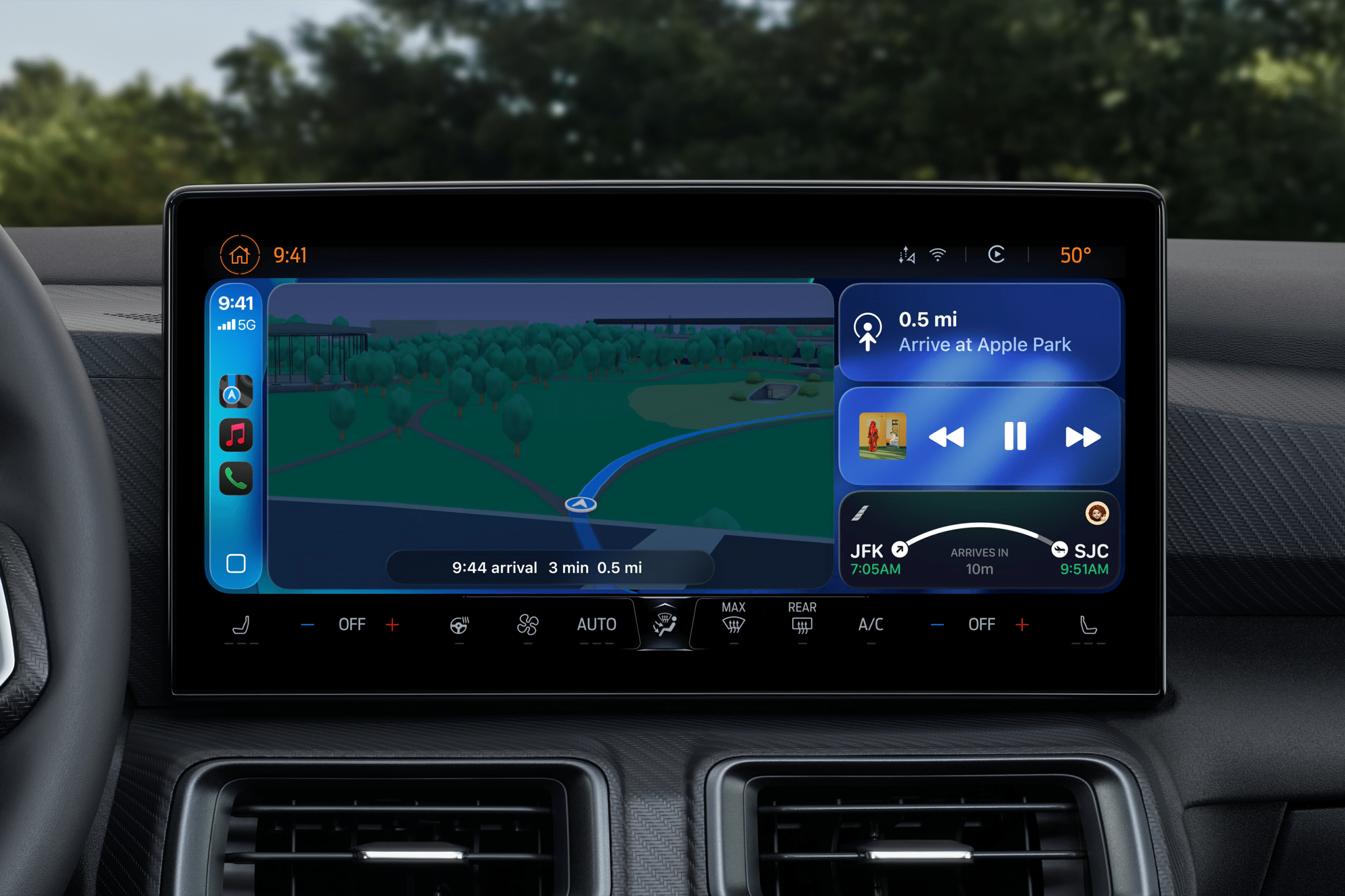
CarPlay EV routing is one of Apple Maps’ most practical features for electric-vehicle drivers because it brings charging intelligence into the same navigation experience many iPhone users already know. Instead of asking drivers to plan a route in one app, check charging stations in another, and watch the car’s battery estimate separately, Apple Maps can help compatible vehicles plan charging stops from inside CarPlay.
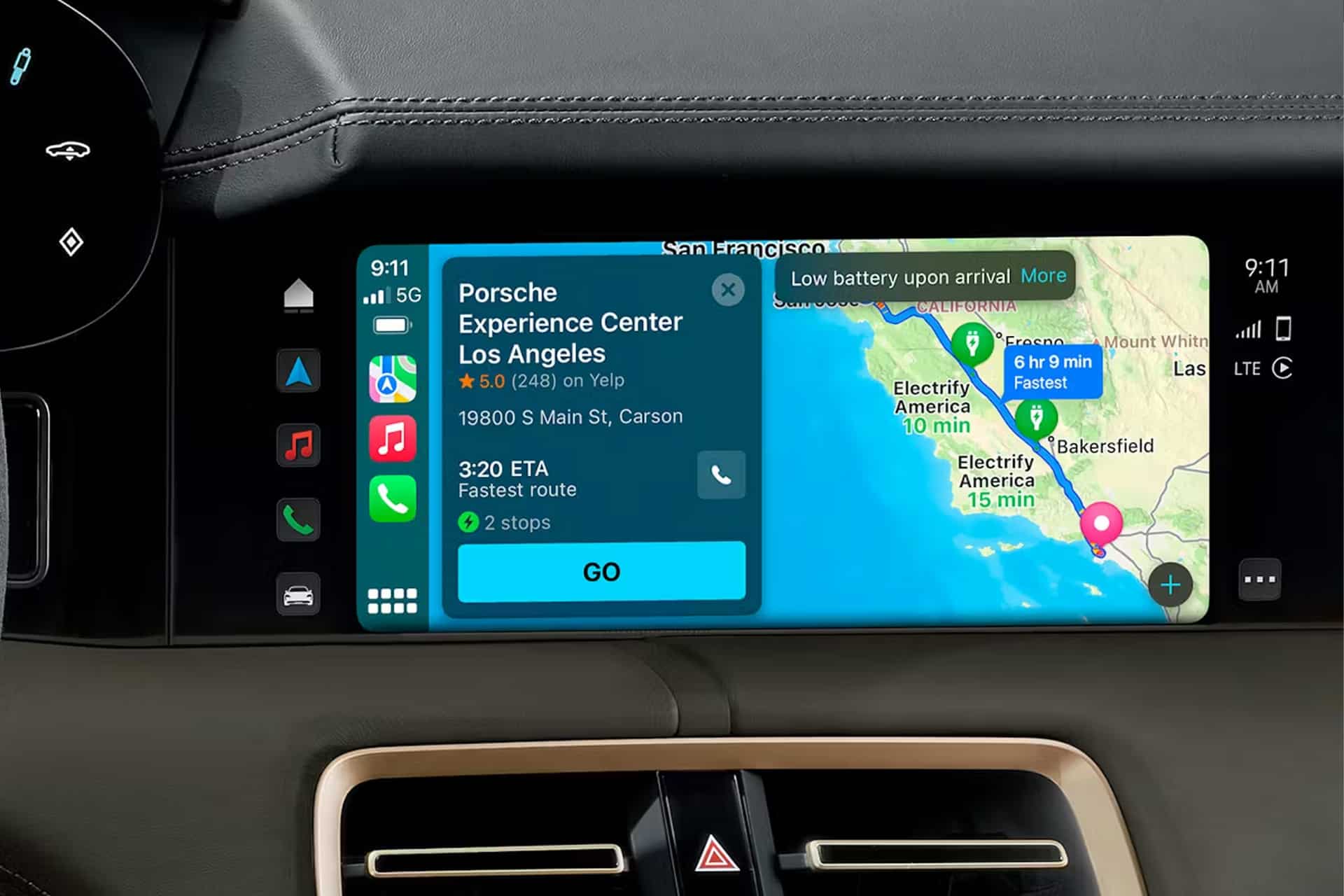
The feature is designed for electric cars that can share battery and range information with Apple Maps. When supported, Maps can consider the vehicle’s current charge, expected energy use, elevation changes, charger availability, and route distance. If the trip requires charging, Apple Maps can add charging stops along the way and estimate the battery percentage when arriving at each stop and destination.
That makes CarPlay EV routing especially useful for road trips, unfamiliar routes, highway drives, and commutes where range may be tight. Electric-vehicle navigation is not only about finding the fastest road. It is about knowing whether the car can reach the destination comfortably, where it should charge, how long the route may take with charging included, and whether the charger fits the vehicle.
Apple’s setup depends on vehicle compatibility. Some electric vehicles can connect directly through CarPlay, while others require the manufacturer’s app to authorize Apple Maps EV routing. Ford, Porsche, Toyota, and Lexus have published support information for certain models, but compatibility varies by vehicle, model year, country, software version, and connected-services setup. CarPlay support alone does not automatically mean Apple Maps EV routing is available.
Apple Maps Turns Charging Into Part of the Route
CarPlay EV routing matters because charging is part of the drive, not an errand after navigation. A gas car can often wait until the tank is low and stop almost anywhere. An electric vehicle needs more planning. Charging speed, connector type, station reliability, distance, elevation, weather, traffic, and battery level can all affect the best route.
Apple Maps can help reduce that friction by treating charging stops as part of the route. When the feature is connected to a compatible EV, the driver can enter a destination and let Maps calculate whether charging is needed. The result is a route that reflects the vehicle’s energy needs rather than a normal gasoline-car route with charging added later.
That is especially valuable in CarPlay because the driver sees the plan on the vehicle display. Turn-by-turn navigation, charging stops, estimated arrival, and route changes stay inside a familiar interface. The iPhone remains the source of the route, but the experience feels built for the car.
Apple Maps can also help if battery level becomes too low during a trip. In supported setups, Maps can suggest a route to the nearest compatible charging station. This is important because EV range can change during a drive. A route that looked comfortable at the start may become tighter because of speed, hills, temperature, wind, traffic, or detours.
The feature is not meant to replace the vehicle’s own energy screen. Drivers should still watch the car’s battery estimate and charging information. The best experience comes when the car and Apple Maps agree closely enough that the driver can trust the route without constantly second-guessing it.

Setup Depends on the Vehicle
CarPlay EV routing starts with compatibility. A driver needs an electric vehicle that supports Apple Maps EV routing, an iPhone, CarPlay, and in some cases the automaker’s app with the vehicle connected to the user’s account. Apple’s own setup path is simple when the vehicle does not require a manufacturer app.
To set up EV routing through CarPlay:
Connect iPhone to CarPlay > Open Maps on iPhone > Get Driving Directions > Tap Connect > Follow Onscreen Instructions
Some automakers use a different flow. Toyota and Lexus support pages describe setup through the automaker app, where users select an Apple Maps EV Routing tile, manage consent, and complete the connection. Ford’s support materials describe Apple Maps EV Routing as a feature for compatible all-electric Ford vehicles that projects Apple Maps through CarPlay and uses vehicle battery information to plan trips.
That means the most important step is checking the owner’s manual, vehicle app, or automaker support page. A 2026 model may support a feature that an earlier model does not. Some vehicles may need software updates. Some may require a connected-services subscription or account consent. Some may support CarPlay but not pass the battery information Apple Maps needs for EV routing.
To start a route after setup:
Maps > Search Destination > Directions > Drive > Choose EV Route
If the route is long enough to require charging, Apple Maps can include charging stops. If it is within range, Maps may simply show a normal route with battery estimates. Drivers should review the route before leaving, especially on unfamiliar highways or in areas with fewer chargers.
Charging Data Is Useful, but Not Perfect
CarPlay EV routing becomes more helpful when it includes charger details, but charging data can still be imperfect. Station availability, broken chargers, payment issues, connector compatibility, charging speed, parking access, and network restrictions can change quickly. Apple Maps can help find stations, but drivers should still use the vehicle app, charging network app, or station information when the trip depends on a specific stop.
Connector compatibility is especially important. A charging station is only useful if the car can use it directly or with the right adapter. Charging speed also matters. A slower charger may work for an overnight stop but be frustrating on a highway trip. A faster charger may save time, but only if the vehicle can accept that speed and the charger is available.
Battery preconditioning is another key detail. Some EVs can warm or cool the battery before reaching a fast charger so charging begins more efficiently. Apple Maps EV routing has historically been limited in this area, but Ford says the 2026 Mustang Mach-E supports en-route battery preconditioning when using Apple Maps EV Routing. That kind of support could make CarPlay routing more competitive with built-in EV navigation systems that already prepare the battery before fast charging.
This is the feature category to watch. For EV drivers, the best navigation system does not only find chargers. It prepares the car for charging, predicts energy use accurately, and adjusts the route when chargers are unavailable. Apple Maps can become more valuable as more automakers pass deeper vehicle data into the CarPlay routing experience.
CarPlay Still Has Automaker Limits
CarPlay EV routing also shows the tension between Apple and automakers. Many drivers prefer CarPlay because it brings familiar apps, messages, music, Siri, Apple Maps, and iPhone contacts into the car. Automakers, however, often want to control the full infotainment system because routing, charging, subscriptions, driver data, and in-car services are becoming more valuable.
Some brands support Apple Maps EV routing on compatible models. Others do not support CarPlay at all, or have moved away from it in newer electric vehicles. General Motors has removed CarPlay from several EVs and plans a broader shift toward its own software stack. Rivian has said it does not plan to support CarPlay. Tesla has traditionally avoided CarPlay, though reports have said it has explored adding support in some form.
That creates an uneven experience. A Ford Mustang Mach-E or Porsche Taycan owner may have access to Apple Maps EV routing. Another EV owner may need to use the vehicle’s built-in route planner or a third-party app. Buyers who care deeply about CarPlay should check support before purchasing an EV, not after.
This matters because EV routing is not a minor convenience. It is part of the ownership experience. A strong route planner can reduce charging anxiety, make road trips easier, and help drivers trust the car. If Apple Maps is the driver’s preferred navigation tool, support for EV routing can make the vehicle feel more compatible with the Apple ecosystem.
A Better Road Trip Tool for iPhone Drivers
CarPlay EV routing is strongest when it makes electric driving feel normal. The driver enters a destination, sees whether charging is needed, follows the route, and arrives with a reasonable battery estimate. That removes some of the planning stress that can make first-time EV road trips feel complicated.
It is also useful for daily driving. Even if a commute does not require charging, Maps can show whether the route fits comfortably within the battery level. For errands, appointments, weekend trips, and airport runs, that extra confidence helps. The feature is not only for cross-country drives.
The best setup is to combine Apple Maps with good EV habits. Start long trips with a higher charge when possible. Review charging stops before leaving. Keep the automaker app and charging network apps installed. Know the connector type and adapter situation. Check whether the vehicle supports battery preconditioning through Apple Maps. Keep an alternate charging stop in mind on routes with fewer stations.
Apple Maps EV routing is not perfect, and it depends heavily on vehicle support. But when it works well, it brings one of the most important EV features into the CarPlay experience. For iPhone users, that means charging stops, battery estimates, and navigation can sit inside the same familiar map already used for daily driving.
As more electric vehicles add support and more automakers share deeper battery data with Apple Maps, CarPlay EV routing could become one of the quiet features that makes the iPhone feel more essential in the car. Electric driving still depends on the vehicle, the charger network, and the route. Apple’s advantage is making that complexity easier to manage from the screen drivers already trust.