


Apple Music is built for streaming, but its real strength appears when you take your music with you. Whether you are traveling, commuting, flying, or trying to save mobile data, Apple Music allows you to store your favorite songs, albums, and playlists directly on your device. Once downloaded, your music plays instantly without needing an internet connection.
Offline listening works across iPhone, iPad, and Mac, and everything you save stays tied to your Apple ID. That means your downloads are always available as long as you stay signed in.
How to Enable Downloads in Apple Music
Settings > Music > Downloaded Music
Settings > Music > Automatic Downloads
Turning on Automatic Downloads ensures that any song you add to your library is also saved for offline playback.


How to Download a Song, Album, or Playlist
Apple Music app > Search or Library > Select music > Download
Tap the download icon next to a song, album, or playlist. Once the arrow completes, the music is stored locally on your device.
How to Download Entire Playlists
Apple Music app > Library > Playlists > Select playlist > Download
This is the fastest way to build offline collections for workouts, travel, or daily listening.
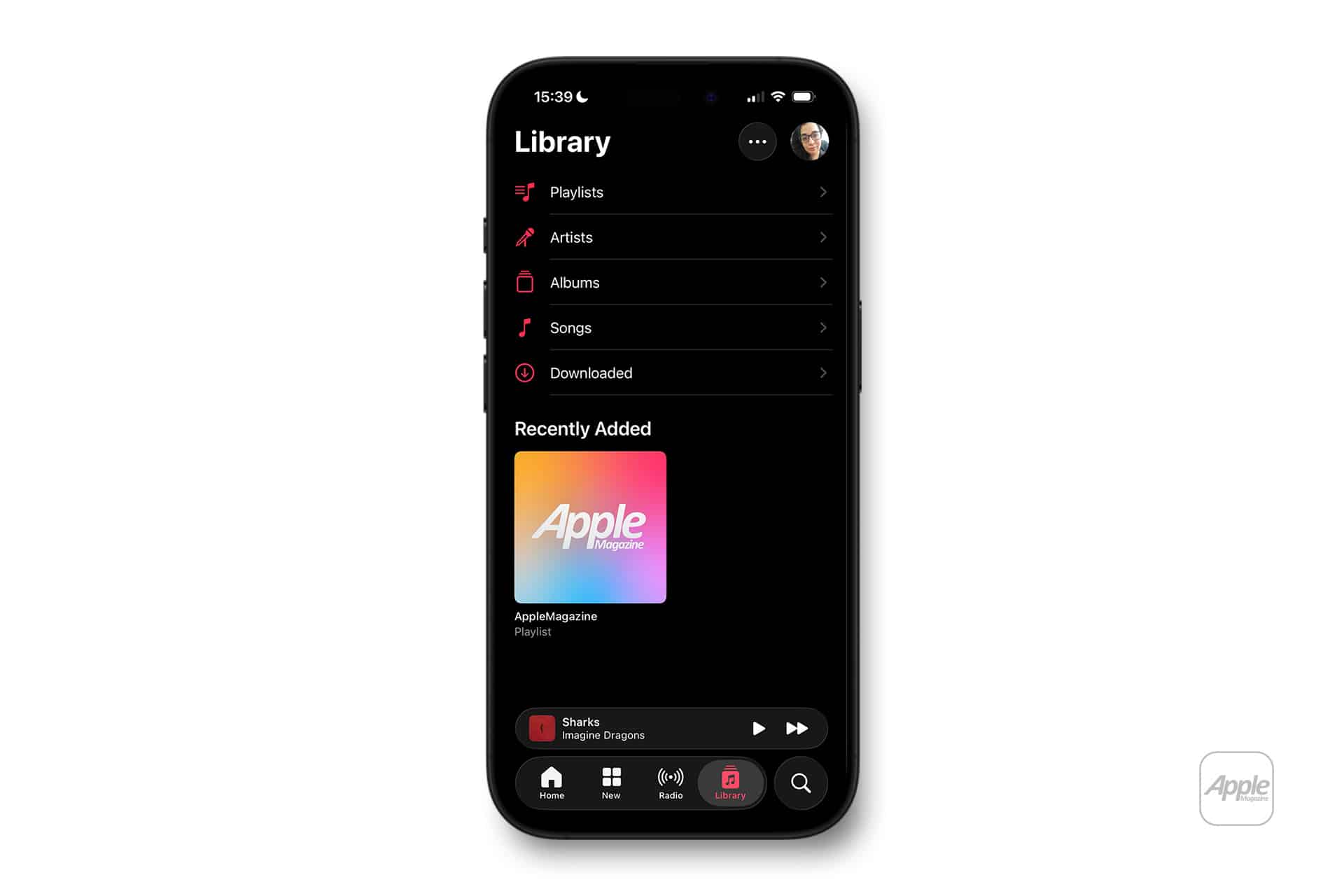
How to See What Is Downloaded
Apple Music app > Library > Downloaded
This view shows only the music that is stored on your device, making it easy to find offline content.
How Storage Is Managed
Settings > Music > Optimize Storage
Apple Music can automatically remove older downloads if your device runs low on space, while keeping your most played tracks ready.
Using Apple Music Offline on Multiple Devices
Downloads stay on the device where they were saved, but your library syncs everywhere. If you want the same playlists offline on your iPhone and iPad, just download them on each device.
Apple Music’s offline system lets you build a personal, always-available soundtrack that follows you through daily life without buffering or data limits.

