

Dual Capture on iPhone 17 is one of Apple’s most direct camera features for the social video era. The feature lets users record with the front and rear cameras at the same time, capturing the person behind the iPhone and the scene in front of them inside a single video. It is simple, but it changes the way the native Camera app fits into the habits of creators who already think in reactions, tutorials, vlogs, live moments, and short-form storytelling.
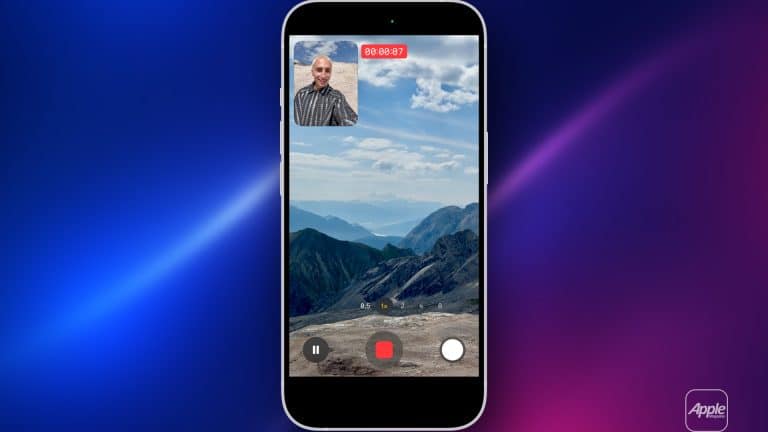
Apple describes Dual Capture as a way to record yourself and the world around you with simultaneous front and rear video capture. In the Camera app, users can open Video mode, tap the Camera Controls button, and select Dual Capture. The iPhone records the rear camera view while placing the front camera view as a smaller picture-in-picture frame. The result is a ready-made social format: the event and the reaction, the tutorial and the presenter, the destination and the traveler, the product and the person explaining it.
The feature is available across the iPhone 17 lineup, which matters because Apple did not limit it only to the Pro models. That makes Dual Capture a mainstream iPhone camera tool rather than a niche professional option. For social video, that is the right choice. The people who use this feature most may not be filmmakers or high-end creators. They may be students, travelers, parents, small business owners, reviewers, teachers, musicians, fans at concerts, and everyday users posting quick clips.
Apple has supported multi-camera capture through third-party apps for years, but bringing the feature into the built-in Camera app changes its reach. Most users do not want to download a separate app to record a spontaneous reaction or a quick behind-the-scenes moment. They want the feature where they already shoot video. Dual Capture works because it reduces the distance between seeing something, reacting to it, and posting it.

Social Video Needs the Face and the Moment
Dual Capture fits social video because modern clips are rarely only about what happened. They are also about who saw it, how they reacted, and what they were feeling in the moment. A concert clip becomes more personal when the fan’s reaction appears on screen. A travel video becomes more intimate when the traveler is visible while showing the view. A product demo becomes clearer when the person explaining it appears beside the object. A tutorial becomes easier to follow when the teacher and the task appear together.
That is why front-and-rear recording has become a natural format. It solves a basic storytelling problem. A single rear-camera shot can show the subject, but it hides the narrator. A selfie shot can show the person, but it hides the context. Switching cameras interrupts the moment. Dual Capture keeps both sides together.
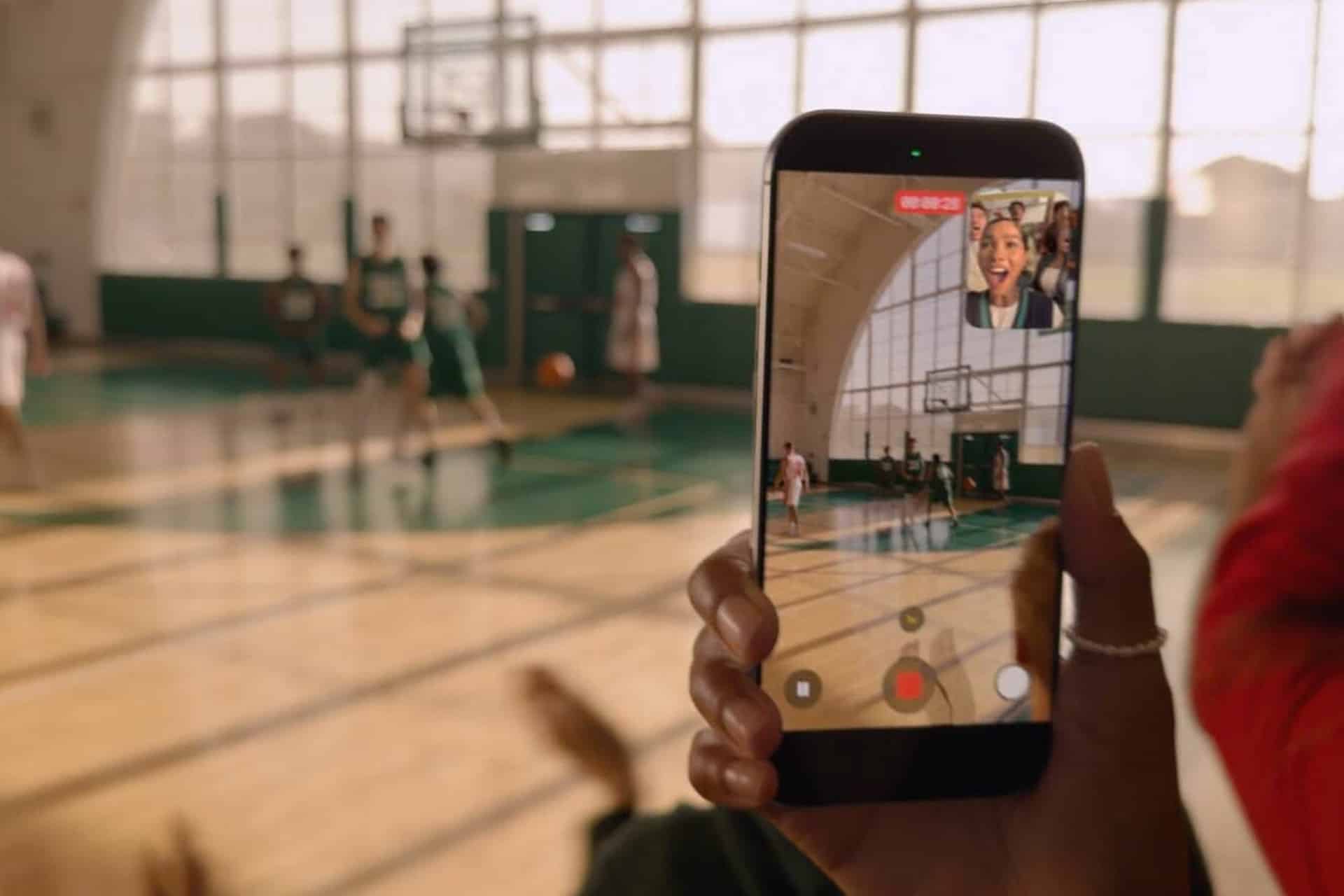
The format is especially useful for reaction videos. Sports, trailers, surprise announcements, live events, concerts, games, and family moments all depend on emotion. The reaction is part of the story. Instead of recording the event first and filming a separate reaction later, iPhone 17 can capture both at once.
It also helps small creators who do not work with a camera operator. A person filming a recipe, repair, product review, campus tour, workout explanation, or travel guide can stay visible while showing the thing being discussed. That lowers the production barrier. One iPhone can now do what previously required two cameras, a second phone, or extra editing.
For Apple, this is where the camera strategy becomes more social. The company has long pushed iPhone as a camera for everyday photography, filmmaking, and memories. Dual Capture adds a format that is less about cinematic perfection and more about shareable presence.
How to Use Dual Capture
Dual Capture is built into the Camera app, which keeps the workflow simple. The feature appears inside Video mode on supported iPhone 17 models and can be turned on from the camera controls.
To turn on Dual Capture:
Camera > Video > Camera Controls > Dual Capture
After Dual Capture is enabled, the rear camera records the main view while the front camera appears in a smaller frame. Users can start recording with the on-screen record button, the volume button, or Camera Control on supported models. The small front-camera frame can be moved to different corners, helping users keep it away from faces, text, products, or action in the main shot.
To stop using Dual Capture:
Camera > Video > Dual Capture Button > Off
The simplicity is the strongest part. Apple could have made this feel like a pro camera mode with complex layout controls, but the built-in version is more casual. It is designed for quick recording, not full production design. Users who need more customization, split-screen formats, separate tracks, or advanced editing may still prefer third-party apps. For most people, the native Camera app is enough.
There are also limits. Dual Capture records in a picture-in-picture style rather than offering every possible layout. Reports and early guides have noted that customization is more limited than some creator apps, with the smaller front-camera view movable but not deeply adjustable. That fits Apple’s usual approach: start with the version that most users can understand immediately, then refine if the feature becomes widely used.
The Push Toward Creator-First Camera Tools
Dual Capture is part of a larger shift in iPhone camera design. Apple is no longer building only for still photos, family videos, and cinematic clips. It is building for people who create across TikTok, Instagram Reels, YouTube Shorts, Snapchat, FaceTime, streaming platforms, class projects, small business pages, and creator workflows.
The iPhone 17 lineup also brought a stronger front-camera story. Apple’s Center Stage front camera uses a square sensor that can help keep people framed and allow more flexible orientation for selfies and video calls. That matters for Dual Capture because the front camera is no longer an afterthought. Social video often depends on the face, the voice, and the expression as much as the scene being filmed.
Apple’s broader video stack supports the same direction. Action mode helps stabilize movement. Cinematic mode supports depth-style video. Pro models offer higher-end video tools for users who need more control. Dual Capture sits on the other end of that spectrum: fast, social, and instantly understandable.
That balance is important. Not every creator wants a professional filmmaking workflow. Many want fewer steps. They want to record, trim, caption, and post. Dual Capture gives the raw format that social platforms already reward: simultaneous context and personality.
It also fits the way younger users and creators already communicate. The phone is both camera and host. The person filming is part of the content, not invisible behind it. Apple is adapting the native Camera app to that reality.
Why Apple Built It Into the Camera App
Dual Capture’s real importance is not that iPhone can technically record two cameras at once. That capability existed through third-party apps long before iPhone 17. The important change is that Apple brought it into the default camera experience.
Default placement changes behavior. A feature inside the Camera app is more likely to be used spontaneously. It becomes part of the normal shooting vocabulary. Users do not have to plan ahead, open a specialist tool, or learn a new interface. They can turn it on when the moment calls for it.
That is how Apple often mainstreams a format. Portrait mode made depth-effect photos normal. Cinematic mode made focus transitions easy to try. Action mode made stabilized handheld video simpler. Dual Capture may do the same for reaction and creator-style clips.
The feature also gives Apple a stronger answer to social platforms without needing to become one. Apple does not have to build a TikTok rival. It can make the iPhone a better capture device for whatever platform people use. That is safer and more natural for Apple’s role. The company owns the camera, processing, hardware, privacy layer, and editing workflow. Social apps own distribution. Dual Capture improves the first half of that chain.
For small businesses and educators, the feature can be especially useful. A shop owner can show a product and explain it at the same time. A teacher can demonstrate a step while appearing on screen. A fitness instructor can record form while speaking to the viewer. A musician can show an instrument and face the audience. These are practical formats, not only entertainment trends.
A Feature Built for the Next Video Habit
Dual Capture on iPhone 17 points to where mobile video is going. The next camera upgrade is not always about more megapixels or longer zoom. Sometimes it is about making the format match the way people communicate. Social video is conversational, immediate, personal, and often built around the relationship between the person recording and the thing being recorded.
The feature will not replace traditional video. There are still many moments where a clean rear-camera shot is better. A landscape, concert, child’s performance, product close-up, or cinematic clip may not need a selfie window. But when the person filming is part of the story, Dual Capture becomes the faster choice.
Apple’s challenge will be refinement. Future versions could offer more layout control, better audio options, split-screen formats, separate camera tracks for editing, better stabilization combinations, and stronger integration with Clips, iMovie, Final Cut Camera, or social apps. The first version gives users the format. The next versions can give creators more control.
For now, Dual Capture succeeds because it is obvious. Open Camera, turn it on, record both sides of the moment. That is exactly the kind of feature that can quietly change habits because it does not ask users to become editors first.
The iPhone has already replaced camcorders, compact cameras, webcams, scanners, and much of casual video production. Dual Capture pushes it further into the creator economy by recognizing that the modern video is often not only about what the camera sees. It is about the person seeing it