


Over the past decade, something quietly changed. More grandparents began using iPhones to talk with family, iPads to read or watch videos, and Apple Watch to keep an eye on their health. Technology that once looked complex started to feel welcoming.
The turning point happened during moments of distance — when video calls became the easiest way to stay connected. A daughter installs FaceTime on her mother’s iPad. A grandson teaches his grandfather how to send voice messages. The first call may take patience, but soon it becomes part of daily routine: morning greetings, quick check-ins, birthday celebrations, or simply sharing the small moments of everyday life.
Health Monitoring That Brings Peace of Mind
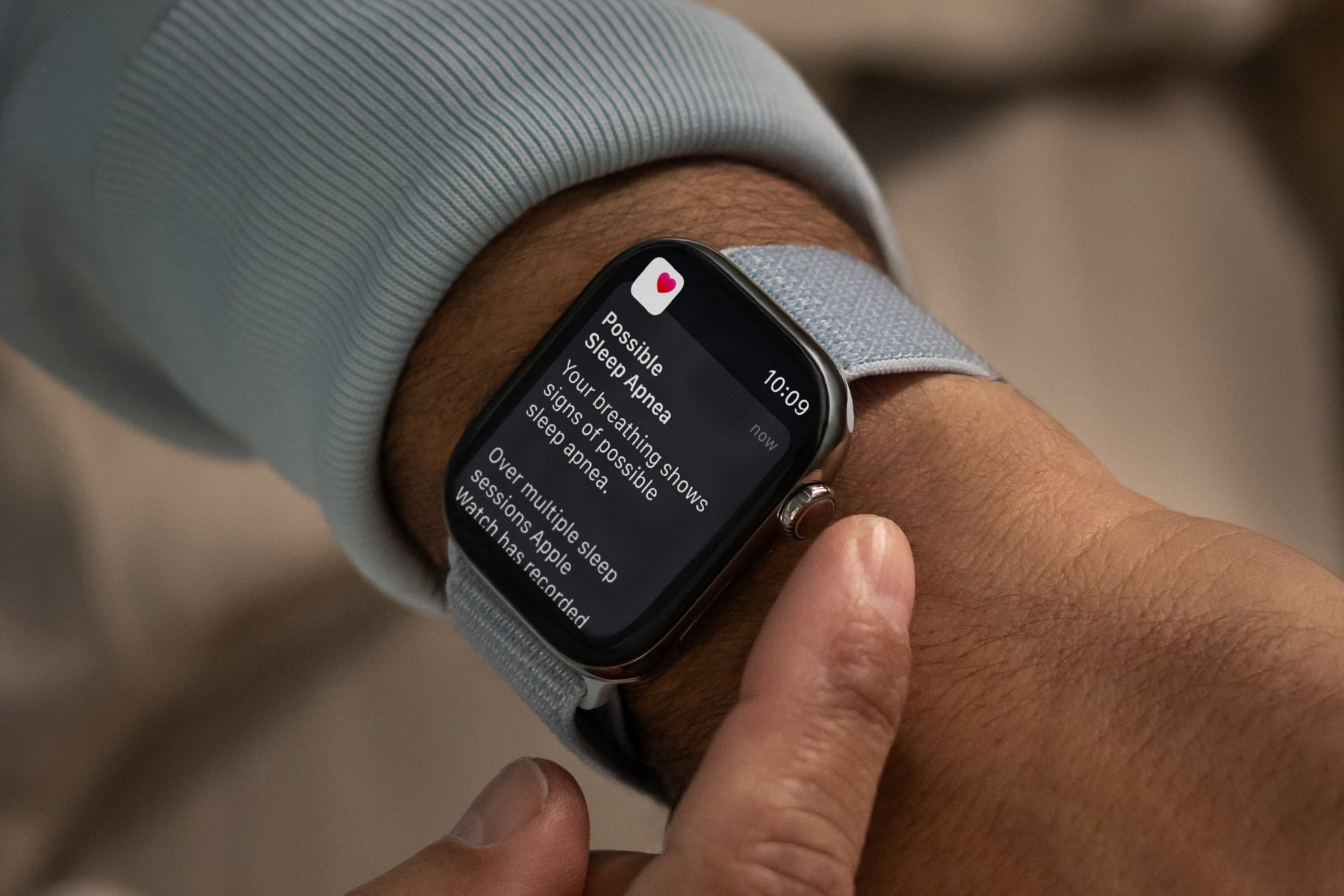
One of the strongest reasons older adults begin using Apple devices is health monitoring. Apple Watch features such as heart-rate tracking, fall detection, and emergency SOS offer reassurance not only to users themselves but also to family members. Many seniors appreciate knowing that if something unexpected happens, help can be contacted quickly.
Families share stories of parents who initially resisted wearing a smartwatch but later refused to take it off after realizing how helpful it became. Daily step tracking encourages gentle activity. Medication reminders reduce missed doses. Sleep tracking helps identify patterns that can be discussed during medical appointments. None of these tools replace doctors, but they help people pay closer attention to how their bodies behave over time.

Accessibility Features That Remove Barriers
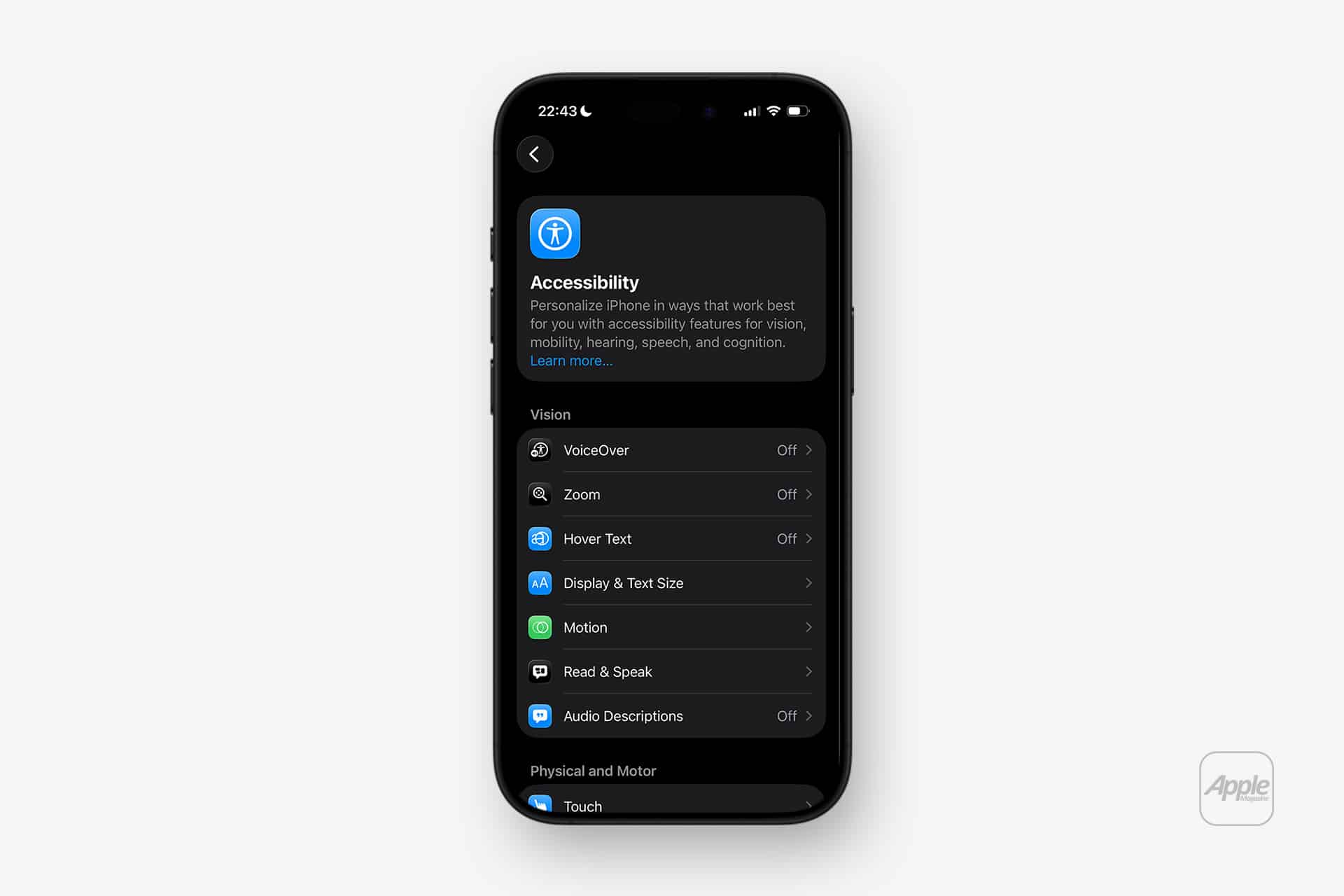
Accessibility tools built into iPhone, iPad, and Mac make adoption easier for people who may have vision, hearing, or motor challenges. Larger text options, high-contrast display modes, VoiceOver screen reading, and hearing-aid integration allow users to customize the device until it fits comfortably into their daily habits.
Seniors discover that adjusting text size alone transforms their experience. What once required reading glasses suddenly becomes easy to see. Others rely on voice dictation instead of typing messages, turning simple conversations into effortless interactions. These small adjustments remove frustration and build confidence, allowing older users to explore features they once avoided.
Increase Text Size
Open Settings > Display & Brightness > Text Size and move the slider to enlarge system fonts.
For even larger text, go to Settings > Accessibility > Display & Text Size > Larger Text and enable “Larger Accessibility Sizes.”
Make Icons Easier to See
Enable larger interface elements by opening Settings > Accessibility > Display & Text Size > Bold Text.
You can also activate Settings > Accessibility > Zoom to magnify the screen with a double-tap gesture using three fingers.
Improve Button Visibility
Navigate to Settings > Accessibility > Display & Text Size > Button Shapes to highlight tappable buttons, making navigation clearer across apps and menus.
Learning Through Family Moments
Unlike younger generations who often learn technology through experimentation, older adults frequently learn through shared moments. A granddaughter showing how to open the Photos app. A neighbor teaching how to check weather forecasts. A friend explaining how to set reminders for appointments. These moments create a sense of independence that grows gradually.
Families often notice that once a parent becomes comfortable with one feature — usually messaging or photos — curiosity begins to expand. Soon they learn to scan documents, join video calls, check public transportation schedules, or listen to music playlists created by relatives. Each new skill reinforces the idea that technology is not a barrier but a helpful companion.
Daily Life Made Simpler
iPad has become a particularly popular device among older adults because of its larger screen and simple touch interface. Reading books, watching tutorials, browsing recipes, and checking news headlines all feel natural when displayed clearly on a bigger display. Many retirees use iPad as their primary computing device, rarely needing a traditional laptop.
Apple’s ecosystem also plays a role. A photo taken by a grandchild automatically appears on grandparents’ devices through shared albums. A reminder set on iPhone shows up on iPad. A FaceTime call can be answered from whichever device is closest. These quiet connections between devices reduce complexity and allow technology to blend into everyday life without constant setup.
Create Quick Accessibility Shortcuts
To quickly toggle favorite accessibility features, open Settings > Accessibility > Accessibility Shortcut and select options such as Zoom, VoiceOver, or Magnifier. Triple-clicking the side button will activate the selected tools instantly.
Use Voice Control Instead of Typing
Enable voice-based navigation through Settings > Accessibility > Voice Control, allowing users to open apps, scroll pages, or dictate messages without touching the screen.


A New Kind of Digital Inclusion
Elderly adoption of Apple devices is not only about gadgets; it is about connection.
Technology becomes meaningful when it helps people stay present in family life, monitor personal health, and maintain independence. Older adults who once avoided smartphones now rely on them daily — to call loved ones, check medication schedules, read messages from grandchildren, or simply feel less alone.
Stories of grandparents learning to use FaceTime or setting their first health notification are now common in many households.
The devices remain the same, but their meaning changes when they become tools for connection, safety, and confidence during later stages of life.

