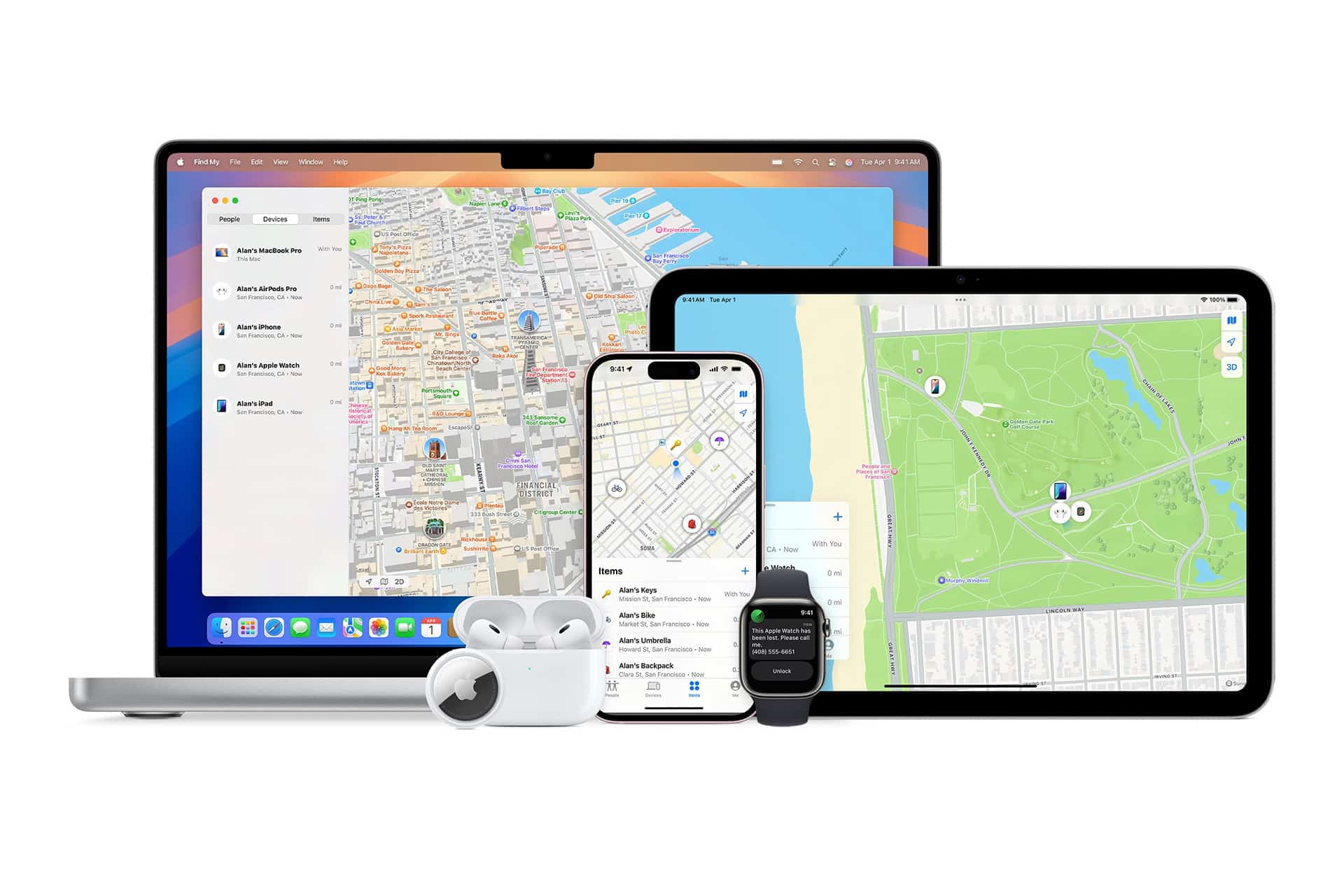
There is a moment in every great weekend where chaos quietly enters the room. Someone loses their keys. Someone parks “somewhere over there.” Someone disappears to buy drinks and never returns. Kids run ahead in theme parks. Friends wander off at concerts. And backpacks somehow gain the ability to teleport.
This is where Find My Precise Location earns its reputation as the most underrated superpower on your iPhone.
Powered by ultra-wideband (UWB) technology and Apple’s massive Find My network, Precise Location lets your phone point you directly toward a person or object with arrows, distance, and live movement. It is not a vague dot on a map. It is a digital compass that says, “Walk ten feet this way and you’ll find it.”
How Precise Location Works
Find My app > Devices or People > Select item > Find
When a nearby AirTag, iPhone, or Apple Watch supports UWB, your screen shows an arrow and distance. Walk left, it moves left. Walk forward, it counts down in feet. It feels like playing a real-world game of hot and cold, except you always win.
This is how people find keys under couches, bags in stadiums, or kids in busy parks without yelling names into the void.


How to Set It Up for AirTags
Find My app > Items > Add Item > AirTag
Attach AirTags to keys, backpacks, luggage, camera bags, or anything that likes to go missing when you’re having fun.
How to Share Live Location With Friends and Family
Find My app > People > Start Sharing Location
This is perfect for festivals, theme parks, big malls, or anywhere the group spreads out. Instead of sending “where are you?” texts every five minutes, you just glance at the map and walk toward the blinking dot.
How to Find That Friend Who Went for Snacks
Find My app > People > Select Friend > Find
Precise Location kicks in when you’re close, guiding you straight to them like a digital bloodhound. No yelling. No wandering. No drama.
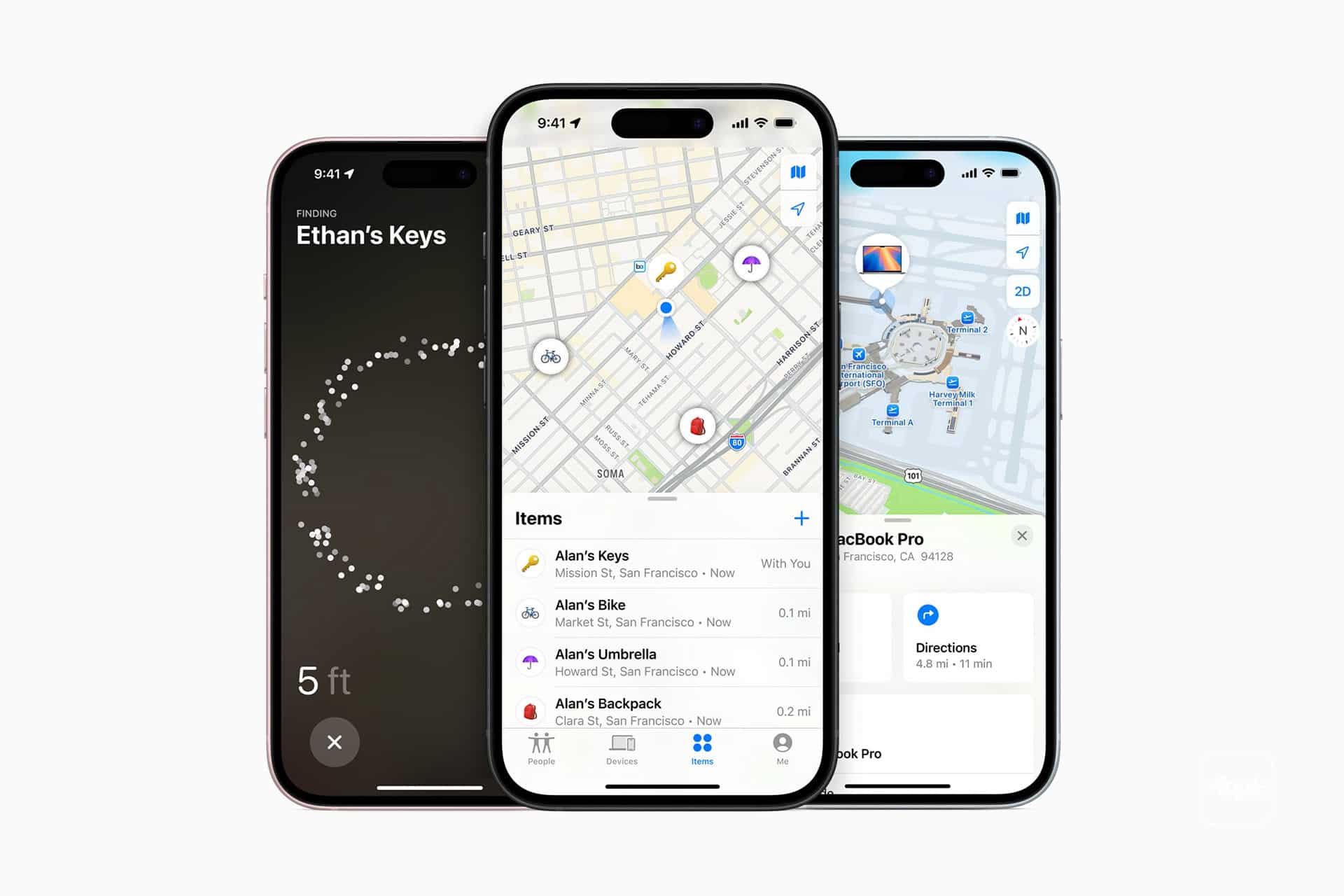
How to Find Your Parked Car
Maps app > Search > Parked Car
When combined with Find My and Apple Maps, your iPhone remembers where you left your car and can guide you back, even in parking lots that look like copy-paste nightmares.
A Game-Changer
Find My Precise Location doesn’t just prevent lost items. It reduces stress. It saves time. It keeps families together. It turns “Where are you?” into “Oh, there you are.”
Once you start using it, weekends become smoother. Trips become easier. And the friend who always disappears for food will never get lost again.