

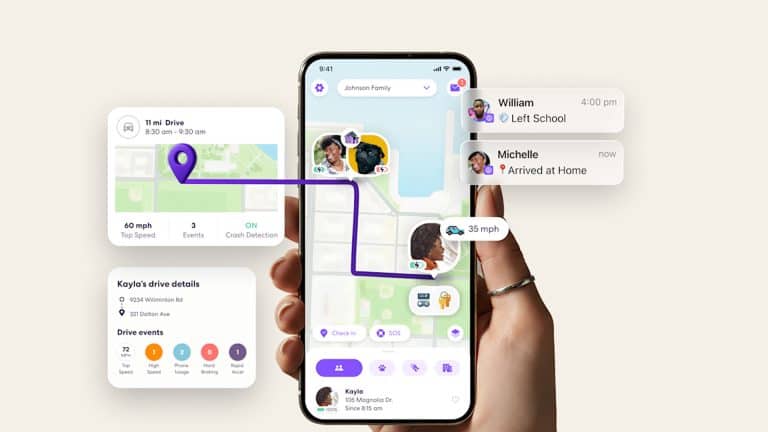
Find My is one of Apple’s most useful services, but Life360 shows what a location app feels like when location is the product, not only a feature. Apple already has the stronger platform advantage: iPhone, Apple Watch, AirTag, Family Sharing, Maps, Emergency SOS, Crash Detection, Check In, and privacy controls. Yet Life360 often feels faster, clearer, and more purpose-built for real families checking where people are right now.
That difference matters. Location sharing is no longer a niche tool for finding a lost phone. Families use it to check school arrivals, late commutes, teenage drivers, travel, elderly parents, sports pickups, shared errands, and safety during nights out. Couples and friend groups use it for coordination. Parents use it for peace of mind. The app that answers “where are they?” fastest wins trust.
Apple has the infrastructure to build the best location experience in the world. Life360 has the product instincts Apple should study closely. The more ambitious question is whether Apple should eventually bring Life360 inside the company, the way it has acquired smaller teams and technologies that fit long-term platform strategy.
Find My Has the Platform, Life360 Has the Habit
Find My has a deep technical base. It helps users locate Apple devices, AirTags, Find My network accessories, and people who share their location. On supported iPhone models, Precision Finding can guide one person toward another nearby person using distance and direction. Apple also has strong privacy controls, including Safety Check for users who need to review or stop sharing quickly.
The problem is not capability. It is experience. Find My can feel passive and slow compared with a dedicated family-location app. Location updates may feel delayed. Place alerts are useful, but not always as central or flexible as users expect. The app is split between people, devices, and items, which makes sense structurally but can make family safety feel like one tab inside a broader utility.
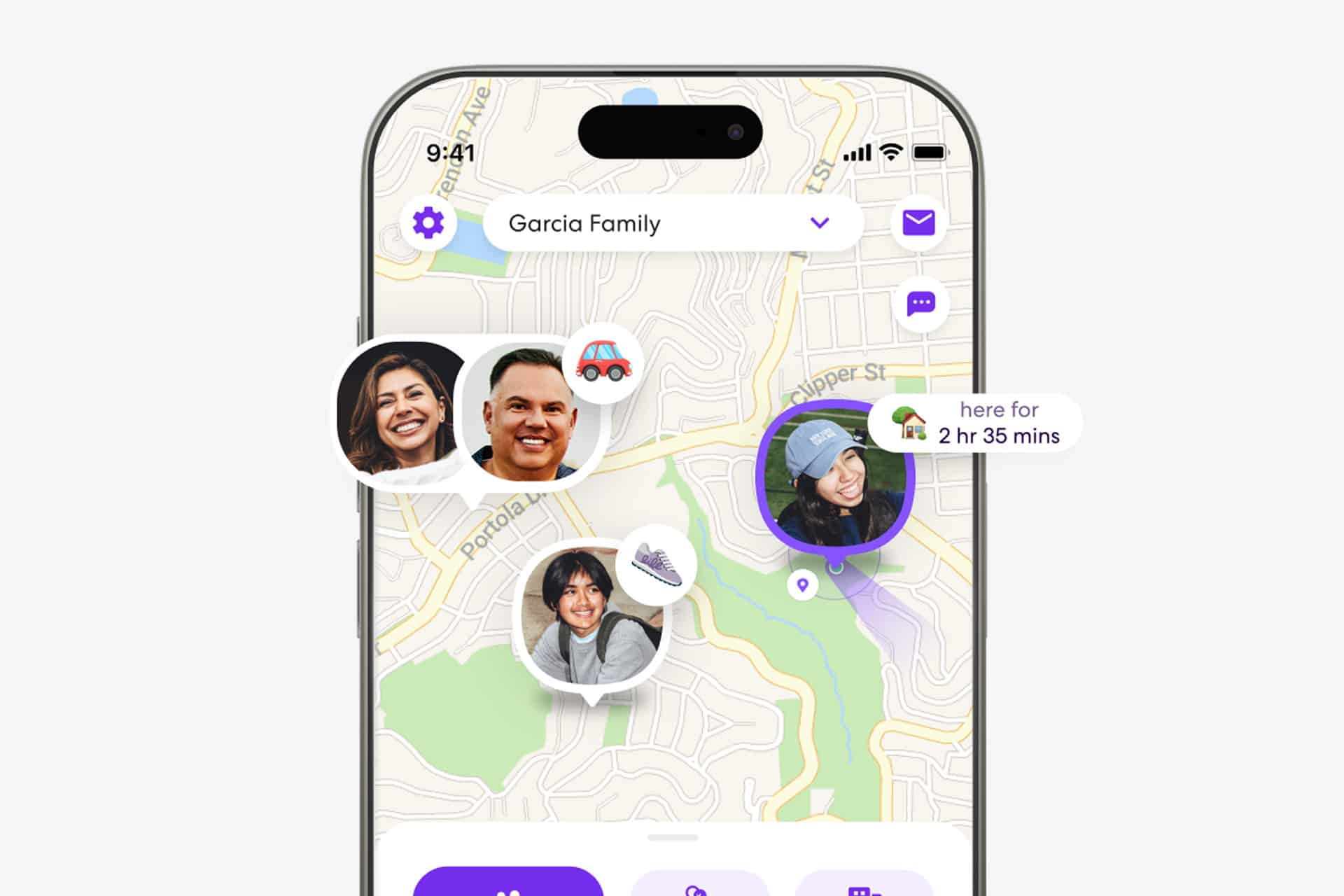
Life360 is different because the whole app is built around a live circle of people. The map is the product. Place alerts, location history, driving details, crash detection, SOS alerts, roadside assistance, Tile tracker integration, and family notifications all sit around that main behavior. Users open the app because they expect a quick answer, and the design is organized around that expectation.
Apple could make Find My more confident by treating family location as its own richer experience, not only a People tab.


Speed Is the Feature
Location apps are judged emotionally. A delay of 30 seconds may not matter in a technical sense, but it matters when a parent is checking whether a child arrived, a partner is waiting for a pickup, or a friend is walking home late. If the map feels stale, trust drops.
Life360’s reputation is built partly on perceived speed and reliability. Its App Store listing emphasizes advanced location sharing, location history, crash detection, and place alerts. Its paid plans add longer location history, unlimited place alerts, crash detection with emergency dispatch, roadside assistance, and driver reports. The company reported about 97.8 million monthly active users in the first quarter of 2026, showing that location sharing has become a major consumer habit, not a small utility.
Apple does not need to copy every feature. But it should copy the urgency. Find My should show more obvious freshness indicators, better update confidence, clearer “last updated” behavior, and faster manual refresh. If location is delayed because of battery, network, privacy, device state, or permissions, the app should explain that in plain language.
A dot on a map is only useful if users understand how current it is.
Place Alerts Need More Depth
Place alerts are one of Life360’s strongest everyday features. Families want to know when someone arrives at school, leaves work, reaches home, gets to practice, or arrives at a destination. Apple supports notifications for when a friend arrives at or leaves a location, but Life360 makes this kind of routine monitoring feel more central.
Apple could expand Find My with smarter, more flexible place alerts. Users should be able to create richer places, group them by family member, set quiet hours, create temporary alerts for a trip, and build one-time alerts for specific errands. A parent might want a weekday school arrival notification, but not on holidays. A spouse might want one alert when someone leaves the airport, not a permanent rule. A caregiver might need a notification if an elderly parent leaves home at an unusual hour.
Apple could also connect place alerts more intelligently with Maps and Calendar. If a family member is sharing an ETA through Maps, Find My could show it in context. If a child has a recurring school location, Find My could make those alerts easier to maintain. If a user is traveling, temporary location-sharing groups could expire automatically.
This is where Apple can improve without sacrificing privacy. Strong consent, expiration controls, and visible sharing status can make location tools useful without turning them into hidden surveillance.
Life360’s Safety Layer Is the Missing Piece
Life360’s biggest advantage over Find My is that it wraps location in a broader safety product. Crash Detection, SOS alerts, emergency dispatch, roadside assistance, driver reports, and location history create a service that feels built for real-world family events.
Apple already has pieces of this. iPhone and Apple Watch support Crash Detection on compatible models. Emergency SOS can call emergency services. Check In can notify someone when a user arrives safely or if progress stops. Find My can share location. Maps can share ETA. AirTag and the Find My network can locate items. The problem is that these features live in different parts of the system.
Life360 unifies them around the family map.
Apple should consider a similar direction. Find My could become the front door for family safety, while still preserving Apple’s privacy model. A family dashboard could show people, devices, items, recent safety events, shared ETAs, Check In status, and emergency contacts in one place. It could help families understand not only where someone is, but whether they are moving safely, whether their phone battery is low, or whether an alert needs attention.
Apple does not need to turn Find My into a subscription-heavy safety app. It needs to make its existing safety tools feel connected.
Location History Is the Hard Privacy Question
Life360 offers location history as a major feature, with longer history available in paid plans. For families, that can be useful. Parents may want to review a route, confirm a stop, or understand what happened before a delay. Drivers may want trip summaries. Caregivers may need patterns.
For Apple, location history is more sensitive. The company’s privacy identity makes long-term personal tracking difficult to package. A Find My history feature would need careful controls: clear consent, short retention options, end-to-end protection where possible, easy deletion, visible indicators, and separate settings for each person.
But Apple should not avoid the feature entirely. Users already want history, and third-party apps are serving that need. A privacy-preserving Apple version could be better than pushing families toward apps with broader data models.
Apple could start with limited, user-controlled history: recent route context for shared ETA, temporary family trip history, location recap after an emergency, or opt-in short history for children’s devices under Family Sharing. The setting should be obvious and reversible, not buried.
The lesson from Life360 is not that Apple should collect more. It is that families need context, not only dots.
Should Apple Buy Life360?
An Apple acquisition of Life360 would make strategic sense in one way and create complications in another. The fit is obvious: Life360 is one of the strongest consumer location brands, has nearly 100 million monthly active users, owns Tile, and has built paid services around family safety. Apple could absorb its product knowledge, location habits, emergency workflows, and tracker experience into Find My.
It would also remove one of the clearest third-party examples of a location experience that feels ahead of Apple’s own app in daily family use.
But there are real obstacles. Life360 is cross-platform, while Apple would have to decide whether to preserve Android support. Location tracking is privacy-sensitive, and Life360 has faced scrutiny over data practices in the past, even as the company has changed policies and says it no longer sells precise user location data. Regulators could also examine an acquisition because Apple already controls the iPhone location layer, Find My network, AirTag, and App Store distribution.
Apple may not need to buy Life360 to learn from it. It can build the best version of these ideas itself. Still, if Apple wants Find My to become the default family safety layer across its devices, Life360 is the clearest product benchmark.
Find My Needs to Feel Alive
Find My already has trust. Life360 has momentum. Apple’s opportunity is to combine the trust of Find My with the speed, clarity, and family-first design that made Life360 so popular.
That means faster visible updates, better place alerts, richer family dashboards, clearer location freshness, stronger temporary sharing, privacy-preserving history, and deeper links between Find My, Maps, Check In, Emergency SOS, Crash Detection, AirTag, and Apple Watch.
Precision Finding shows Apple can make location feel almost physical when devices are nearby. The next step is making shared location feel just as reliable when people are across town.
Apple does not need Find My to become louder or more invasive. It needs it to become more useful at the moments families actually open it. Life360’s lesson is that location succeeds when it is fast, reliable, contextual, and designed around real routines.
Find My has the foundation. Life360 shows the product Apple should be aiming for.