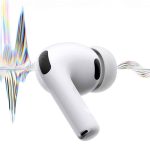
Hearing Protection has become one of the most useful health features Apple has added to AirPods Pro. It changes the earbuds from a listening accessory into something closer to an everyday hearing health tool, designed not only for music and calls but also for real-world sound exposure. With AirPods Pro 2 and AirPods Pro 3, Apple now offers a hearing health experience that includes Hearing Protection, a Hearing Test, and a Hearing Aid feature in supported regions.
The feature is built around a simple problem: people spend more time around loud environments than they realize. Gyms, live sports, city traffic, subway platforms, concerts, restaurants, airports, school events, and construction-heavy streets can all raise sound exposure. Many of those moments do not feel extreme in the moment, but repeated exposure can add up. Apple’s support guide says Hearing Protection can help reduce exposure to loud sounds around you and is active by default across all three Listening modes on AirPods Pro 2 and AirPods Pro 3.
That default behavior is important. Hearing protection usually fails when users have to think about it too often. If a feature is buried, optional, or easy to forget, it becomes something people use only after they already feel uncomfortable. Apple’s approach makes protection part of the listening system. The earbuds are already in the ears. The software already manages environmental sound. Hearing Protection uses that same foundation to reduce loud sound exposure without asking users to carry a separate device.
How Hearing Protection Works
Hearing Protection works through AirPods Pro listening modes. Apple says the feature is active across Noise Cancellation, Transparency, and Adaptive Audio by default, with each mode offering a different level of hearing protection. That means users do not have to choose between awareness and protection in the same rigid way they might with ordinary earplugs.
Noise Cancellation reduces outside sound more aggressively. Transparency lets users hear their surroundings while still reducing exposure to louder environmental sound. Adaptive Audio blends active noise cancellation and transparency behavior depending on the environment. The exact experience depends on the mode, fit, surrounding noise, and device settings, but the goal is consistent: reduce harmful exposure while keeping AirPods useful in daily life.
Apple’s hearing protection data sheet also adds limits that users should understand. The feature is not suitable for extremely loud impulse sounds such as gunfire, fireworks, or jackhammers, and it is not intended for sustained sounds louder than 110 dBA. That distinction matters because AirPods Pro are not industrial hearing protection. They are consumer earbuds with active hearing protection for common loud environments. For genuinely hazardous noise, dedicated protection remains the safer choice.
For regular daily use, the setup path is simple:
Settings > AirPods > Hearing Protection
To change listening modes:
Control Center > Volume Slider > Noise Control > Noise Cancellation, Transparency, or Adaptive
Users can also switch modes directly from AirPods controls, depending on how the earbuds are configured.
For best results, fit matters. If the ear tips are loose, sound can leak in and reduce the effectiveness of protection. AirPods Pro 3 added a redesigned fit with more ear tip sizes, while AirPods Pro 2 already supports Apple’s Ear Tip Fit Test.
To check fit:
Settings > AirPods > Ear Tip Fit Test
This step should not be skipped. A better seal helps noise cancellation, sound quality, and hearing protection work more effectively.

Hearing Test and Hearing Aid Make the System More Complete
Hearing Protection is only one part of Apple’s broader hearing health system. AirPods Pro 2 and AirPods Pro 3 also support a Hearing Test and Hearing Aid feature in supported regions. Apple says the Hearing Test takes about five minutes and can be completed using iPhone or iPad in a quiet room. The results can show hearing loss classification and recommend next steps. Users can also export a PDF version of the audiogram to share with a hearing healthcare professional.
The setup path is:
Settings > AirPods > Take a Hearing Test
For users who already have an audiogram:
Settings > AirPods > Hearing Assistance > Setup Hearing Assistance
The Hearing Aid feature is intended for people 18 or older with perceived mild to moderate hearing loss, where available. Apple says AirPods Pro can use hearing test results or an existing audiogram to adjust sounds to match the user’s hearing. This moves AirPods Pro into a very different category from ordinary earbuds. The same product can play music, reduce loud sounds, test hearing, and assist hearing in supported regions.
Feature availability remains important. Apple states that Hearing Test, Hearing Aid, and Hearing Protection are not available in all countries and regions, and the Hearing Test and Hearing Aid features are regulated health features that require authorization. Apple’s availability page should be checked before treating these tools as universally available.
For people in supported regions, the value is practical. A hearing test no longer requires beginning with a clinic visit for every first step. A person who suspects hearing changes can get an initial result at home, then decide whether to share it with a professional. That does not replace medical care, but it lowers the barrier to paying attention.
Apple Watch and iPhone Add More Hearing Awareness
AirPods Pro are not the only hearing-related devices in Apple’s ecosystem. Apple Watch includes the Noise app, which can measure environmental sound levels and notify users when noise reaches levels that could affect hearing over time. That makes Apple Watch useful for awareness even when AirPods are not being worn.
The setup path is:
Apple Watch > Noise app > Environmental Sound Measurements
On iPhone, users can manage related settings through the Watch app:
Watch app > Noise > Environmental Sound Measurements
The Health app also collects hearing-related information, including headphone audio levels and environmental sound exposure where supported. This gives users a longer-term view of listening habits and noise exposure.
To review hearing data:
Health > Browse > Hearing
That is where the system becomes more meaningful. One loud day may not tell much. Repeated patterns can. A person who regularly listens at high volume or spends time in loud environments may begin to see why hearing protection should be part of daily device use.
Apple’s privacy model also matters here. Hearing health data is personal health information. Keeping that information inside the Health app and tied to user-controlled settings helps make the feature feel safer to use. The value of hearing health tools depends on trust, especially when they move beyond simple audio controls and into test results or assistance settings.

Everyday Places Where Hearing Protection Helps
The most useful part of Hearing Protection is how ordinary the use cases are. A concert is obvious. A nightclub or sports arena is obvious. But many loud environments are less dramatic. A high-intensity fitness class can be loud. A subway commute can be loud. Walking near heavy traffic can be loud. A crowded restaurant can be loud enough to become tiring. A school event, marching band, airport terminal, or busy city block can all push sound levels higher than expected.
AirPods Pro fit into those moments because they are already normal to wear. A user can move through a loud commute with Transparency or Adaptive Audio, stay aware of surroundings, and still reduce the harshest parts of the environment. At a gym, Noise Cancellation may help reduce loud music and machine noise. At a sports event, Transparency may keep the crowd audible while lowering exposure.
The key is choosing the right mode:
Control Center > Volume Slider > Noise Control > Adaptive
For maximum reduction in steady noise:
Control Center > Volume Slider > Noise Control > Noise Cancellation
For awareness around people and traffic:
Control Center > Volume Slider > Noise Control > Transparency
Hearing Protection should not encourage risky behavior. If a place is extremely loud or physically unsafe, consumer earbuds are not a substitute for proper hearing protection. Apple’s own data sheet makes that limitation clear. The feature is best understood as a daily protection layer, not a license to ignore dangerous noise.
A Health Feature Built Into a Habit
The strongest part of Apple’s hearing health strategy is that it places protection inside something people already use. Most people do not want to think about hearing health every day. They want music, calls, podcasts, focus, and comfort. AirPods Pro add protection to those habits without making the experience feel medical first.
That is where Hearing Protection becomes more than a feature checkbox. It helps normalize hearing care. The same earbuds used for a playlist can reduce exposure in a loud environment. The same iPhone used for music can run a hearing test. The same Health app used for steps and sleep can show hearing data.
That approach fits the direction of Apple’s health work more broadly. Instead of waiting for users to seek help after a problem becomes obvious, the system creates earlier awareness. A notification, a test, a protection mode, or a Health app chart can make hearing feel like something worth managing before it becomes a bigger issue.
For AirPods Pro users, the best starting point is simple:
- Settings > AirPods > Hearing Protection
- Settings > AirPods > Ear Tip Fit Test
- Health > Browse > Hearing
Those three paths turn the feature from something hidden into something useful. Hearing Protection does not make AirPods Pro professional safety equipment, and it does not replace a hearing specialist. It does make everyday hearing care more accessible, more automatic, and more likely to be used in the real environments where sound exposure happens.