



Upgrading a Mac used to feel like a major financial and technical leap. Today, the iMac Trade In program changes that dynamic by turning your current Mac into real value toward your next device. Instead of letting an older iMac sit unused or navigating uncertain resale marketplaces, Apple’s Trade In process creates a clean, predictable path to your next setup. It also reflects how Apple designs its hardware to last longer, remain valuable, and stay part of a circular ecosystem.
iMac Trade In is more than a discount mechanism. It is a structured way to move forward with confidence, knowing your data is protected, your device is responsibly recycled or refurbished, and your next Mac is aligned with your real needs rather than a spec sheet that looks impressive but may be unnecessary.


How iMac Trade In Works and What It’s Worth
Apple’s Trade In program for Macs begins with a simple online valuation. By selecting your current iMac model and answering a few condition questions, Apple provides an estimated trade-in value. This amount can be applied instantly as credit toward a new Mac purchase or issued as an Apple Gift Card if you are not upgrading right away.
The value depends on several factors, including model year, processor generation, memory configuration, storage capacity, and physical condition. A newer iMac with Apple silicon and upgraded memory will hold significantly more value than an older Intel-based model. Even machines that no longer qualify for monetary credit can still be recycled responsibly through Apple at no cost.
Once the trade is confirmed, Apple sends a prepaid shipping kit or accepts the device in-store. After inspection, the final value is locked in, and the credit is applied. The process is designed to remove uncertainty while keeping everything within Apple’s ecosystem.

Choosing Your Next Mac Based on Real Use
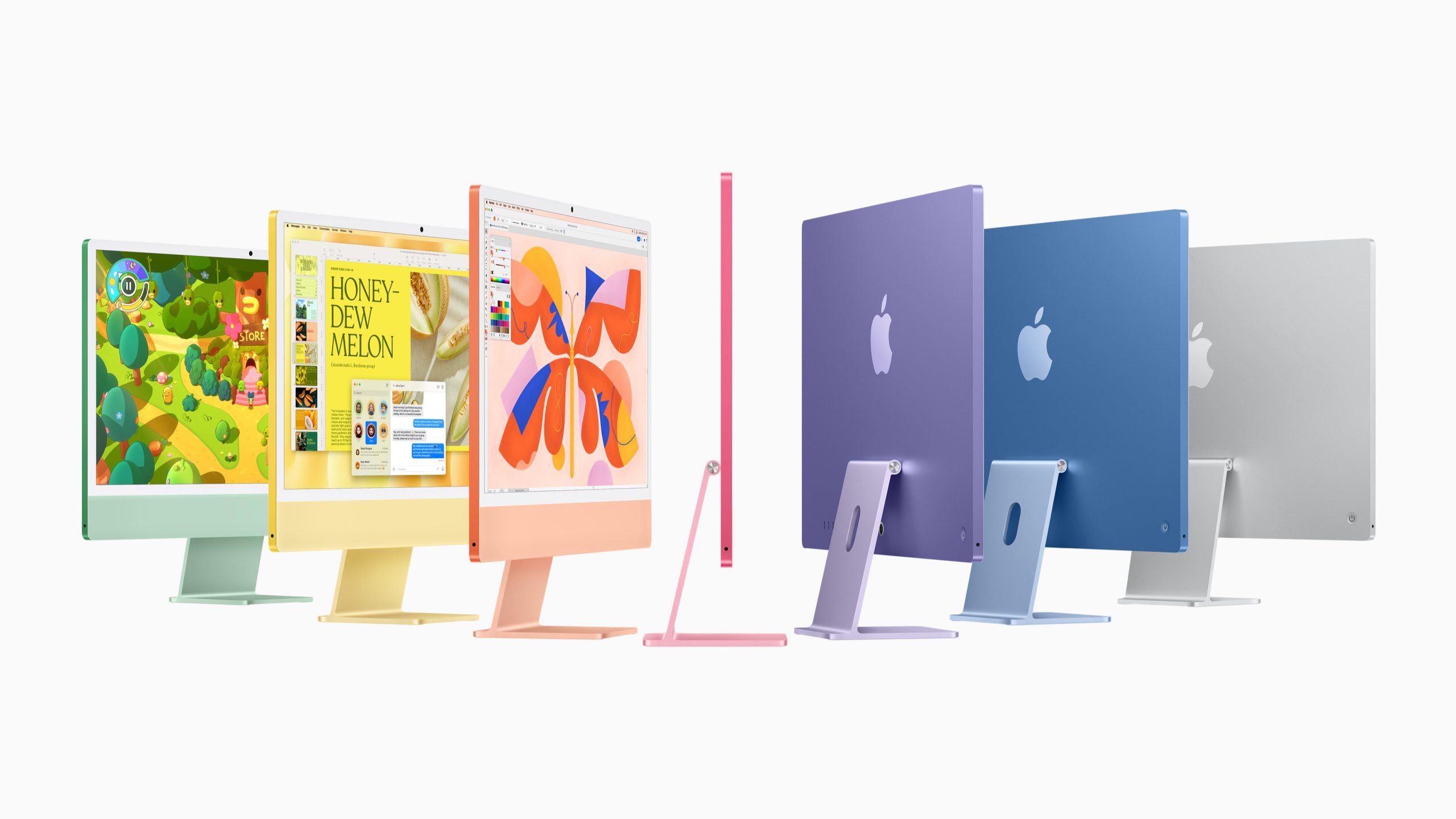
Before selecting a replacement, it is important to match your workflow to the right Mac category. The latest iMac models with Apple silicon offer dramatic improvements in performance per watt, thermal efficiency, and long-term software support.
For everyday tasks such as browsing, writing, email, and media consumption, the base iMac configuration is already more powerful than most users will ever need. For creative professionals working with photo editing, video timelines, or music production, additional memory and storage will provide long-term flexibility. Developers and data-heavy workflows benefit from higher RAM and faster internal SSDs, reducing reliance on external drives.
iMac Trade In makes this decision easier by lowering the cost barrier between generations. Instead of holding onto a device longer than necessary, you can move forward when performance, battery health, or software compatibility begins to slow your work.
Preparing Your iMac for Trade In
Before sending your iMac to Apple, preparation is essential to protect your data and ensure full trade-in value.
Start by backing up your Mac using Time Machine or another secure backup solution. Then sign out of iCloud, Messages, and FaceTime. Turn off Find My Mac to remove activation locks. Once that is complete, erase your device by going to System Settings > General > Transfer or Reset > Erase All Content and Settings. This process removes personal data and restores the Mac to factory condition.
Clean the exterior gently and remove any accessories not requested by Apple. Package the iMac securely using the provided shipping materials. Following these steps ensures a smooth inspection and prevents delays or value adjustments.

Why Trade In Supports Sustainability and Longevity
Apple’s Trade In program is also part of its environmental strategy. Many returned Macs are refurbished and reintroduced into the market, extending their usable life. Others are disassembled and recycled using Apple’s material recovery systems, reducing the demand for new raw materials.
This cycle keeps hardware moving forward while minimizing waste. Instead of becoming obsolete, your old iMac becomes part of a larger ecosystem that values reuse, efficiency, and responsible design.
The Long-Term Value of Staying Current
Software updates, security patches, and new features are optimized for recent hardware. As macOS evolves, older Intel-based machines gradually lose access to newer system features and performance optimizations. iMac Trade In offers a controlled, affordable way to remain current without waiting for critical compatibility limits.
With Apple silicon now at the center of macOS development, upgrading through Trade In ensures you benefit from faster performance, longer support windows, and better energy efficiency across the ecosystem.

