


Apple Wallet is getting one of its more practical iPhone updates in iOS 27, with six new features aimed at payments, passes, hotel stays, shopping, and shared expenses.
The update gives Wallet a larger role in everyday transactions. Apple is not only adding another card type or a small interface change. It is making Wallet more useful before, during, and after a purchase. Users will be able to split bills with Apple Cash, create Wallet passes from physical or digital cards, view more payment information at checkout, add funds to eligible debit cards, use richer hotel keys, and share details with merchants through Tap to Share.
Several of the changes are tied to Apple Intelligence and Visual Intelligence, showing how Apple is bringing AI into routine financial and shopping tasks without turning Wallet into a chatbot. The goal is more direct: reduce the small moments of friction around receipts, cards, hotel stays, checkout, and payment details.

Bill Splitting Comes to Apple Cash
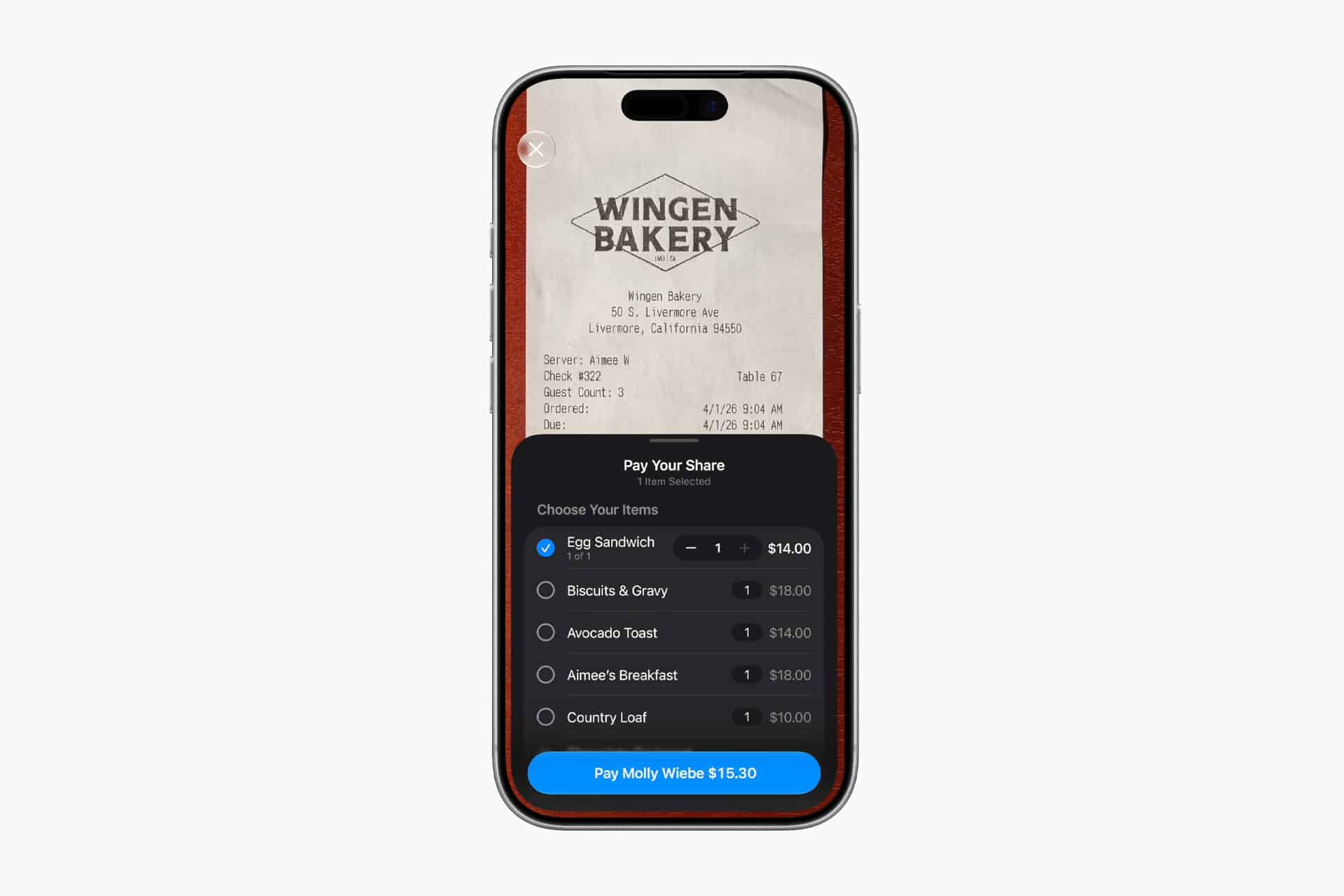
The most noticeable Apple Wallet feature in iOS 27 is bill splitting with Apple Cash. Users can scan a receipt with the iPhone camera, use an existing photo of a bill, or start from places such as Messages, Wallet, Visual Intelligence, or Siri mode in the Camera app.
Apple Intelligence can identify items on the receipt and let users choose who ordered what. It then calculates each person’s share, including tax and tip, before sending payment requests through Apple Cash.
That makes Wallet more useful for common situations such as restaurants, shared grocery runs, group outings, travel expenses, and household purchases. Instead of manually calculating totals or moving between a calculator, Messages, and a payment app, iPhone can handle more of the process inside Apple’s own system.
The feature still depends on Apple Cash availability, so it will not have the same reach in every country. But in supported markets, it gives Apple a stronger answer to payment apps that already handle shared expenses and group payments.
Create a Pass Turns Physical Cards Into Wallet Passes
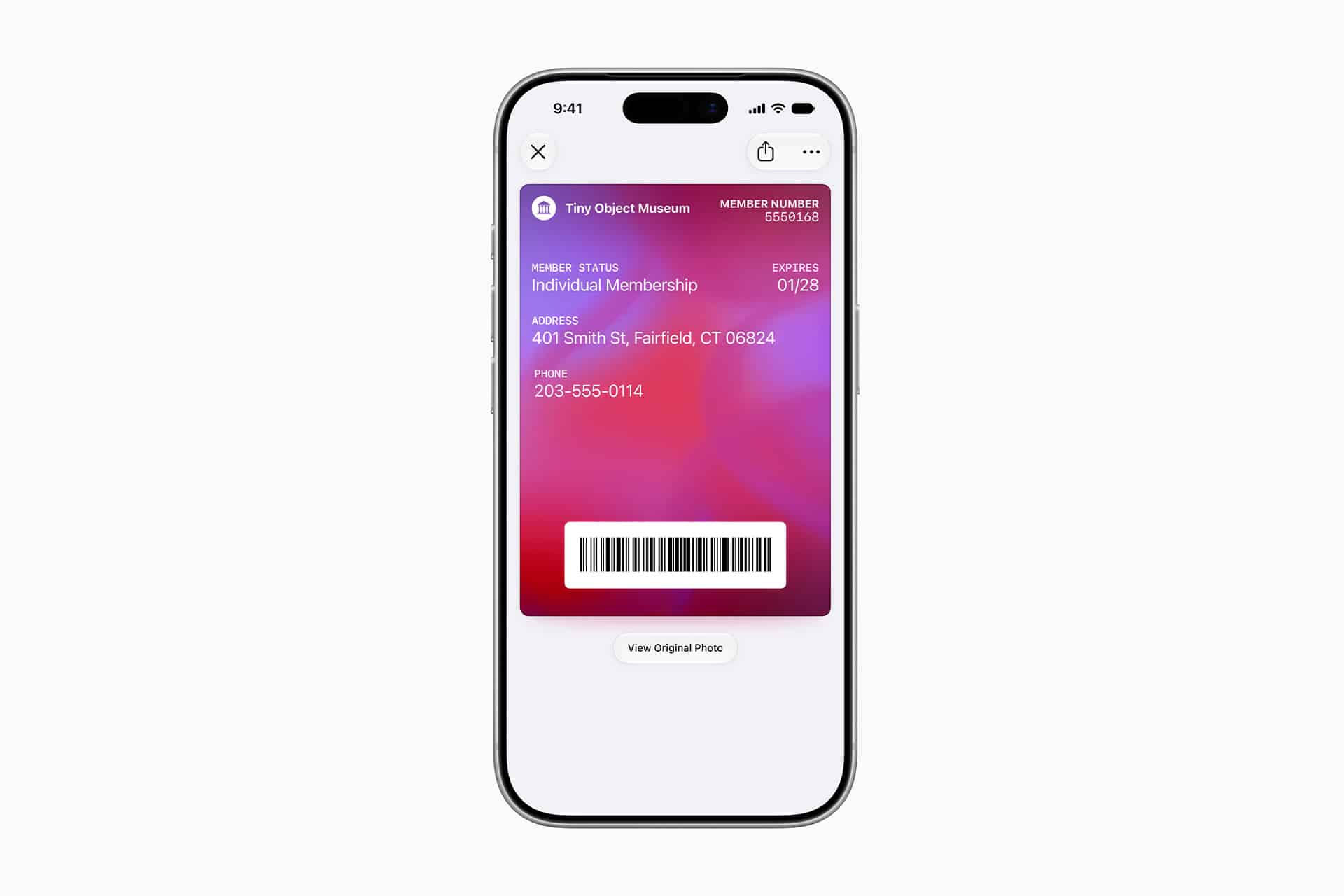
iOS 27 also adds Create a Pass, a new Wallet feature that lets users make digital passes from physical cards or screenshots. Apple says the feature can work with items such as loyalty cards, membership cards, event passes, and other barcode-based cards.
The process is designed around the iPhone camera and Visual Intelligence. A user can scan a physical card or use a screenshot of a digital card, then save it as a pass in Apple Wallet. Once added, the pass can be used from iPhone or Apple Watch.
This fills a long-standing gap. Many companies support Wallet passes directly, but many smaller businesses, gyms, clubs, stores, schools, and event organizers still rely on plastic cards, paper passes, QR codes, or app screenshots. Create a Pass gives users a way to clean up those items without waiting for every business to build Wallet support.
It also makes Wallet feel more personal. Instead of only holding cards issued through official integrations, Wallet can become a better place for the everyday cards people already carry.
Apple Pay Checkout Gets More Useful
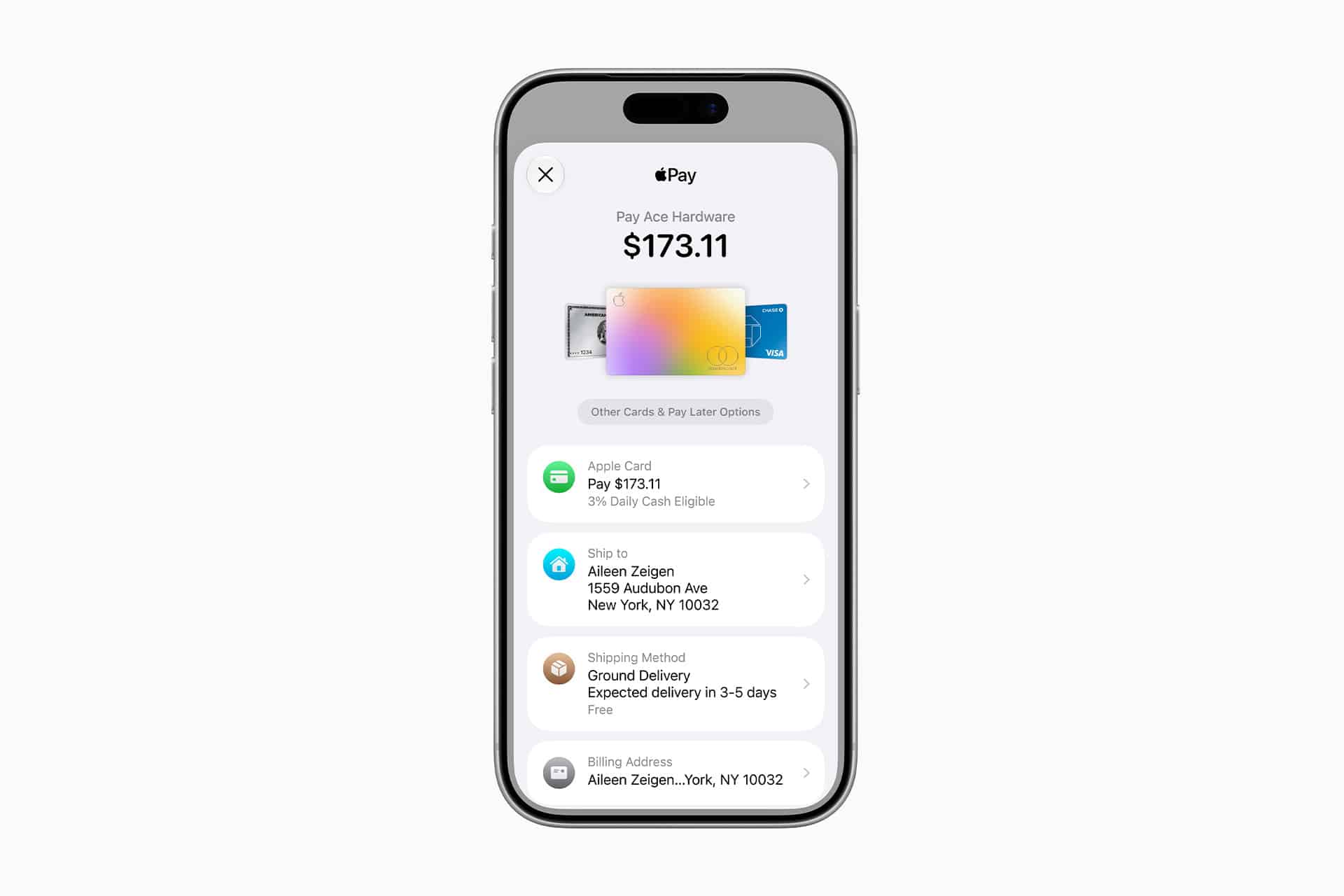
Apple Pay is also receiving a redesigned checkout experience in iOS 27. The updated interface lets users swipe between cards more easily and view more information about eligible cards before completing a purchase.
That can include rewards balances, debit account balances, and pay later options where available. Apple is making the checkout sheet more informative, giving users a better sense of which card to use for a purchase.
This is a practical change because Apple Pay is often faster than a physical card, but it has not always shown enough context. If a user wants to choose a card based on rewards, balance, or financing options, they may need to think before tapping. More information inside the checkout interface can make that decision easier.
The update also strengthens Wallet as the control center for payments. Apple is trying to make the iPhone checkout experience more complete, not only faster.
Eligible Debit Cards Can Be Funded in Wallet
Apple is also adding the ability to add funds to eligible debit cards directly from Apple Wallet or during online checkout. The feature will be available later this year for supported cards.
This could help users complete purchases when a debit card balance needs attention. Instead of leaving checkout, opening a separate bank app, transferring funds, and returning to the purchase, eligible users may be able to handle the step from Wallet.
Availability will depend on banks, card issuers, and regional support, so this will not be universal at launch. Still, it points to Apple’s direction for Wallet: fewer handoffs, fewer separate apps, and more payment management from the same iPhone interface.
For users who rely on debit cards, this could make Wallet more helpful than a simple card container. It becomes a place to check, choose, fund, and pay.
Hotel Keys Become More Connected
Wallet’s hotel key experience is also expanding in iOS 27. Apple says participating hotels and resorts will be able to provide a richer Wallet experience, including more trip details, updates about booked activities, and access to services tied to a stay.
Hotel keys in Wallet already let users unlock a room with iPhone or Apple Watch at supported properties. The new version makes the pass more useful around the stay itself, not only at the door.
That could include information about reservations, amenities, activities, and hotel services, depending on what a hotel supports. For travelers, it reduces the need to dig through email, hotel apps, or printed materials for simple stay details.
This is also a reminder of how Wallet has expanded beyond payments. It now covers credit and debit cards, transit cards, car keys, IDs in supported regions, tickets, loyalty cards, boarding passes, hotel keys, and more. iOS 27 pushes that further by making passes more dynamic.
Tap to Share Expands Merchant Interactions
Tap to Pay on iPhone is gaining Tap to Share, a new feature for participating merchants. With a tap, customers can securely share details such as email, shipping address, and loyalty information with a merchant’s iPhone.
Customers will also be able to view basket items in real time and pay with Apple Pay through the updated checkout experience. That turns a merchant’s iPhone into more than a payment terminal. It becomes part of a checkout flow that can handle customer details, loyalty, purchase visibility, and payment.
For small businesses, this could be useful because Tap to Pay already removes the need for separate card readers in many situations. Tap to Share adds another layer by helping merchants collect the information needed for shipping, loyalty programs, receipts, or customer accounts.
For customers, the advantage is control. Instead of spelling out an email address, typing shipping details, or handing over information manually, they can share selected details securely from iPhone.
Wallet Is Becoming a Daily Transaction Hub
The six Wallet updates in iOS 27 show Apple moving the app beyond storage. Wallet is not only where a user keeps payment cards and passes. It is becoming a transaction hub for splitting, scanning, creating, choosing, funding, unlocking, sharing, and paying.
That direction fits Apple’s services strategy. Apple Pay, Apple Cash, Apple Wallet, Apple Intelligence, Visual Intelligence, Siri mode, Tap to Pay, Apple Watch, and participating merchants all connect inside the same experience. The more Wallet can do, the less users need to leave Apple’s interface during everyday financial tasks.
The limits will be availability and partner support. Apple Cash is not available everywhere. Hotel key upgrades depend on participating properties. Debit card funding depends on eligible issuers. Tap to Share depends on merchants adopting the feature. Create a Pass will be more broadly useful because it can work with cards and screenshots users already have.
For iPhone owners, the update makes Wallet feel more active. It can help split a receipt, turn a physical card into a digital pass, show better checkout details, manage eligible debit funds, improve hotel stays, and share merchant information with a tap. That is a stronger role for an app many users already open every day.