

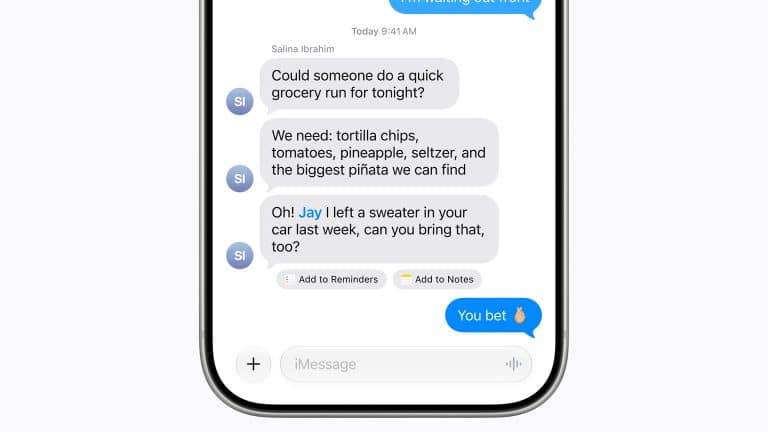
iOS 27 brings Messages into Apple’s wider AI upgrade cycle, with smarter replies, richer context, and closer integration with Siri AI, Apple Intelligence, Shortcuts, and the rest of the iPhone system.
The Messages update is not a dramatic redesign. Apple is keeping the familiar iMessage experience in place while making conversations more useful inside daily tasks. The most notable improvement is AI-powered reply suggestions, giving users faster, more relevant responses based on the context of a conversation. Messages also becomes part of Apple’s larger cross-app intelligence system, helping Siri and other iPhone features understand what the user may need next.
That makes Messages one of the more practical iOS 27 updates. It is not only about adding AI for its own sake. Messaging is where people make plans, share addresses, send photos, confirm times, discuss purchases, coordinate events, handle work details, and exchange quick information. Apple Intelligence can become useful if it helps those conversations turn into action with fewer steps.
Messages Adds AI-Powered Reply Suggestions
The main iOS 27 Messages improvement is AI-powered reply suggestions. Apple is using Apple Intelligence to offer replies that better match the conversation instead of relying only on generic quick responses.
This could make Messages faster in everyday situations. If someone asks about dinner, travel plans, a meeting time, a pickup, a shared photo, or a simple decision, the app can suggest replies that feel more aware of what was said. The feature can reduce typing without making users leave the conversation.
The quality of those suggestions will matter. Generic replies can feel useless quickly. The value comes when Messages understands the tone, timing, and intent well enough to suggest something that sounds natural. Apple’s challenge is making the feature helpful without making conversations feel automated or impersonal.
This is also where privacy matters. Messages are highly personal, and Apple will need to keep its intelligence model aligned with the company’s privacy promises. The best version of the feature should feel local, controlled, and optional, with users choosing whether to send any suggested reply.

Messages Becomes Part of Siri AI
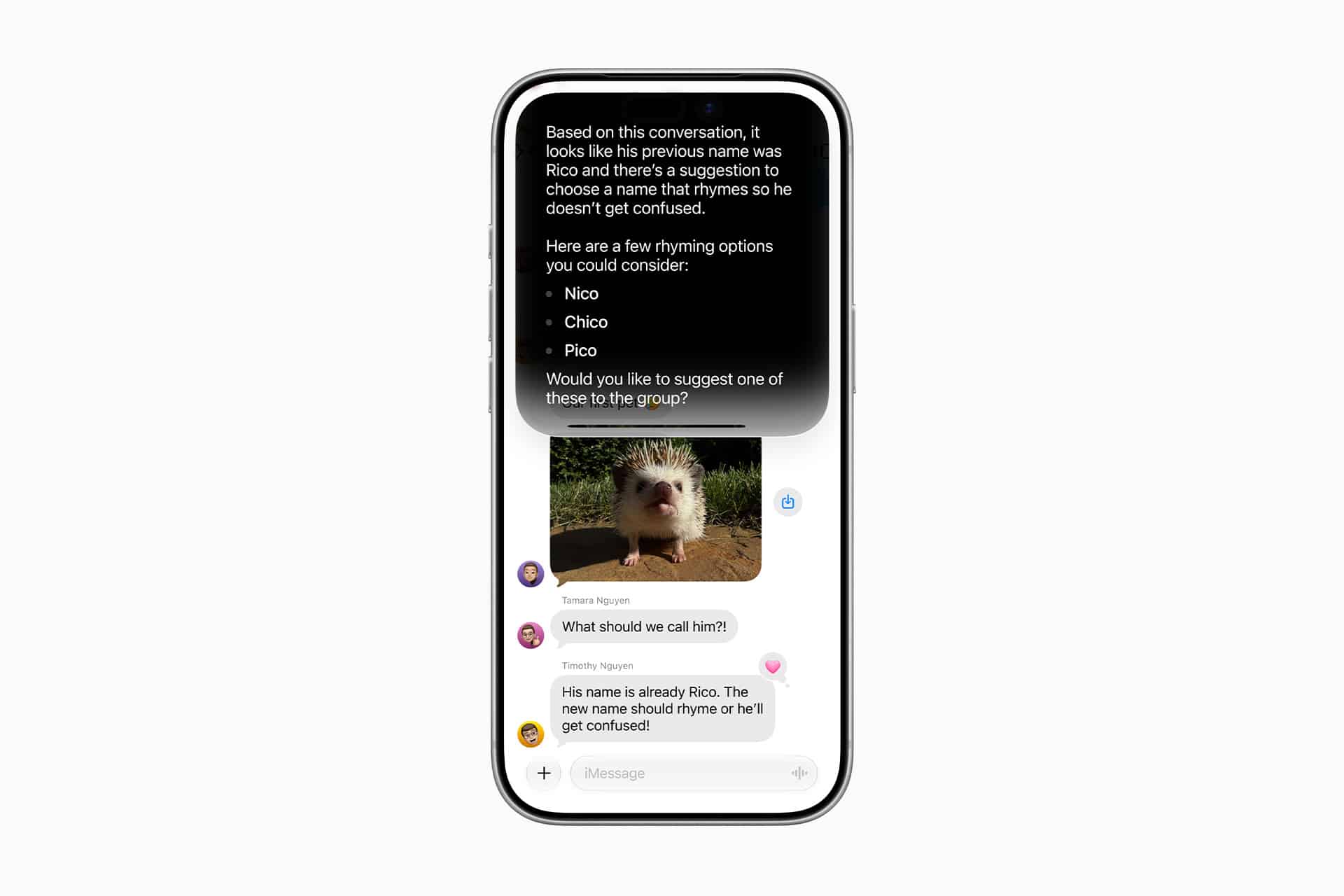
Siri AI is one of the biggest WWDC26 announcements, and Messages is central to how the new assistant can become useful. A smarter Siri needs to understand conversations when users ask for help with plans, reminders, contacts, locations, photos, links, or follow-up actions.
That does not mean Siri should read every message without permission. It means Messages can provide context when the user asks for it. A user might ask Siri to remind them about something mentioned in a thread, find an address someone sent, summarize a long conversation, draft a reply, or pull a date from a message into Calendar.
This is where Apple’s ecosystem gives Messages an advantage. iMessage is not only a chat app. It connects to Contacts, Calendar, Maps, Photos, Wallet, FaceTime, SharePlay, Apple Cash in supported markets, and now deeper Apple Intelligence features. Siri AI can make those links feel more natural.
The dedicated Siri AI app also changes the experience. Longer message-related tasks may move into a conversational Siri interface, while quick reply suggestions stay directly inside Messages. That gives Apple two layers: fast help in the conversation and deeper help when the user needs more context.
Smarter Context Across Calls and Messages
WWDC26 also connected Messages to broader iPhone context through features such as Call Context. The Phone app can pull relevant information from Mail, Messages, and other apps during a call, helping users understand why someone may be calling or what information may be needed.
Messages plays a major role in that. A conversation might include an appointment time, a delivery issue, a travel detail, a work request, or a previous agreement. If that information can appear at the right moment during a call, iPhone becomes more useful without forcing the user to search manually.
This is the kind of AI implementation that fits Apple well. It is not a chatbot replacing communication. It is intelligence helping the user connect information that already exists across apps.
Messages already carries much of a person’s daily context. iOS 27 begins using that context more actively, especially when it can help with replies, calls, reminders, or follow-up tasks.
Shortcuts and Automation Can Use Message Context
Messages also fits into iOS 27’s stronger Shortcuts and automation story. Apple is making Shortcuts easier to build with natural-language creation and deeper Apple Intelligence support. That could make message-related automation more approachable.
A user might create a shortcut that extracts details from a message, saves a link, creates a reminder, sends a standard response, organizes shared information, or prepares a follow-up note. Developers can also expose app actions through App Intents, giving Siri, Spotlight, Shortcuts, and system tools more ways to act on information from conversations.
This does not mean Messages becomes an automation app. It means conversations can become starting points for useful actions. A time mentioned in a thread can become an event. A location can become a route. A shared idea can become a note. A request can become a task.
That is a more practical use of AI than simply making Messages look different. Apple is trying to reduce the gap between receiving information and doing something with it.
Privacy Keeps Messages Different
Any AI feature inside Messages has to deal with privacy carefully. iMessage is one of Apple’s most sensitive apps because it contains private conversations, photos, links, plans, locations, and personal details. Users will not accept AI features that make those conversations feel exposed.
Apple’s approach is built around on-device processing, Private Cloud Compute for more complex requests, and user control. That privacy model will be closely watched as Messages becomes more intelligent. Reply suggestions, Siri context, summaries, and cross-app actions all need to respect clear permission boundaries.
This is one reason Apple may move more cautiously than competitors. AI messaging features can be powerful, but they can also feel invasive if the system appears to know too much or act too freely. Apple’s job is to make Messages smarter without making users feel monitored.
The safest implementation is one where the user stays in control. AI can suggest, summarize, find, and help, but the user decides what is sent, saved, or acted on.
Messages Keeps Its Familiar Identity
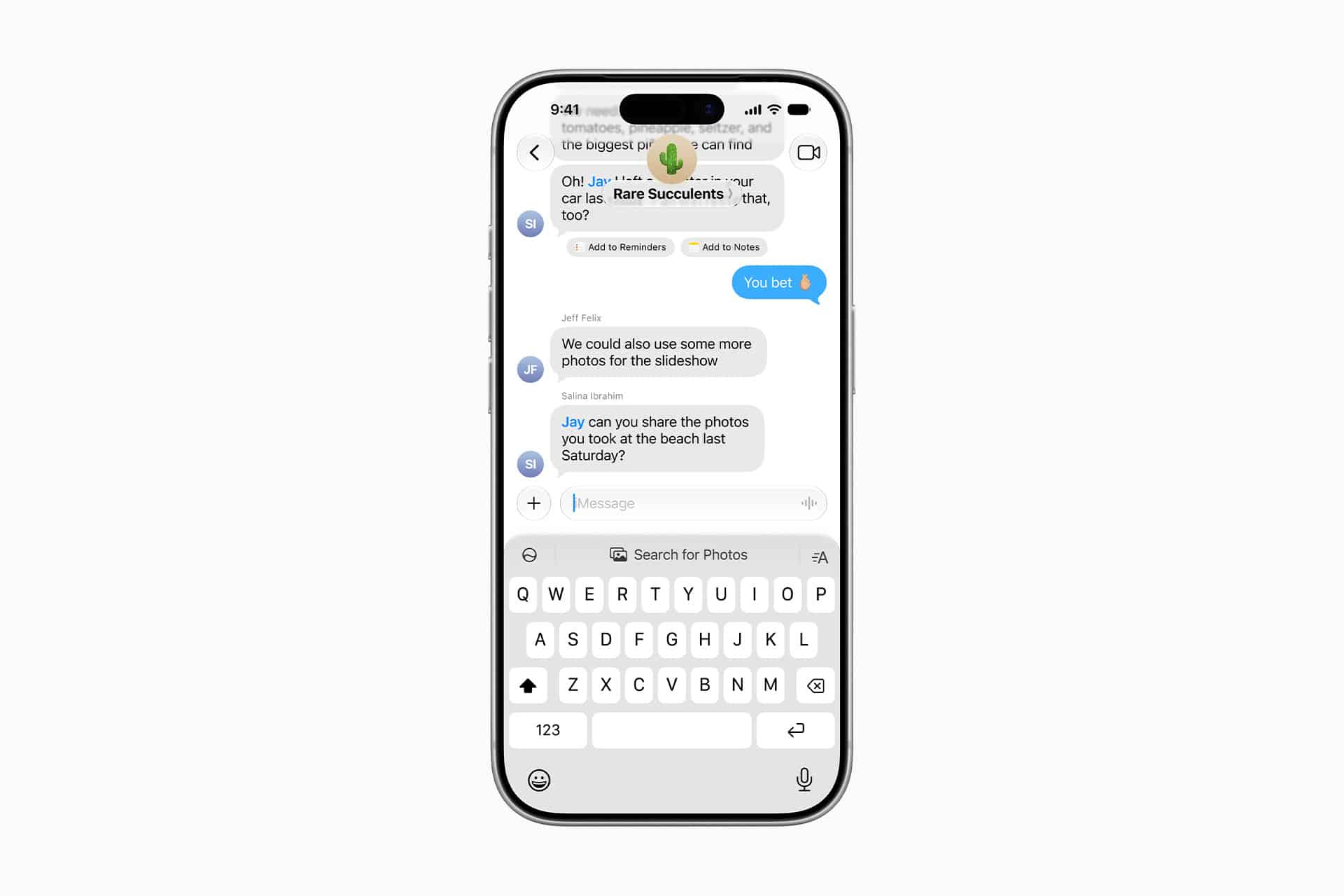
The iOS 27 Messages update appears designed to improve the app without changing its identity. Apple is not turning iMessage into a social network, an AI chatbot, or a productivity dashboard. It remains a conversation app, but one with more help around replies, context, and follow-up actions.
That is a smart direction because Messages is already central to iPhone use. Users do not need it to become more complicated. They need it to save time, help with common tasks, and stay reliable.
AI-powered replies can reduce typing. Siri AI can help find or act on message details. Call Context can make conversations and phone calls more connected. Shortcuts can turn message information into actions. Together, these upgrades make Messages more useful while keeping the app familiar.
The update may feel smaller than Siri AI or AI photo editing, but it could be used more often than either. Messaging is one of the most repeated actions on iPhone, and even small improvements can have a daily impact.
A Practical Messages Update for iPhone
iOS 27 Messages shows Apple applying AI to a familiar app rather than chasing novelty. The improvements are direct: better reply suggestions, stronger context, more useful links to Siri AI, and tighter integration with actions across iPhone.
The feature set also supports Apple’s larger WWDC26 message. Apple Intelligence is not meant to live only in a dedicated assistant. It is meant to appear inside the places users already spend time. Messages is one of those places.
If Apple gets the tone right, the update could make texting feel faster without making it feel robotic. If Siri AI becomes reliable enough to understand conversations, Messages could also become a stronger starting point for reminders, calendar events, calls, routes, and shared plans.
The best iOS 27 Messages improvements are likely to be the ones users barely notice after a while. A better suggestion appears. A detail is easier to find. A call has the context needed. A message becomes a task. The app stays familiar, but the iPhone does a little more of the work around the conversation.