


Apple is giving Screen Time and parental controls one of their most needed upgrades in iOS 27, bringing a redesigned interface, stronger app and web controls, better communication safety, and new tools that give parents more say over what children can access.
The update arrives across iOS 27, iPadOS 27, and macOS 27, making it one of Apple’s more practical WWDC26 announcements for households managing iPhones, iPads, and Macs. Screen Time has been useful for years, but it has also been frustrating, confusing, and inconsistent for many parents. Apple now appears to be addressing that with a cleaner setup process and more specific controls.
The biggest additions include Ask to Browse for web access, Time Allowances for app categories, improved Communication Safety warnings, better child account setup, stronger contact approvals, and developer tools such as PermissionKit and the Declared Age Range API. Together, they make Apple’s child safety system more flexible than the older all-or-nothing controls many families have had to work around.
Screen Time Gets a Cleaner Design
Screen Time has long been one of Apple’s most powerful but least friendly settings areas. It can manage app limits, downtime, content restrictions, communication controls, website access, purchases, and privacy settings, but many of those controls have been buried behind menus that are not always easy to understand.
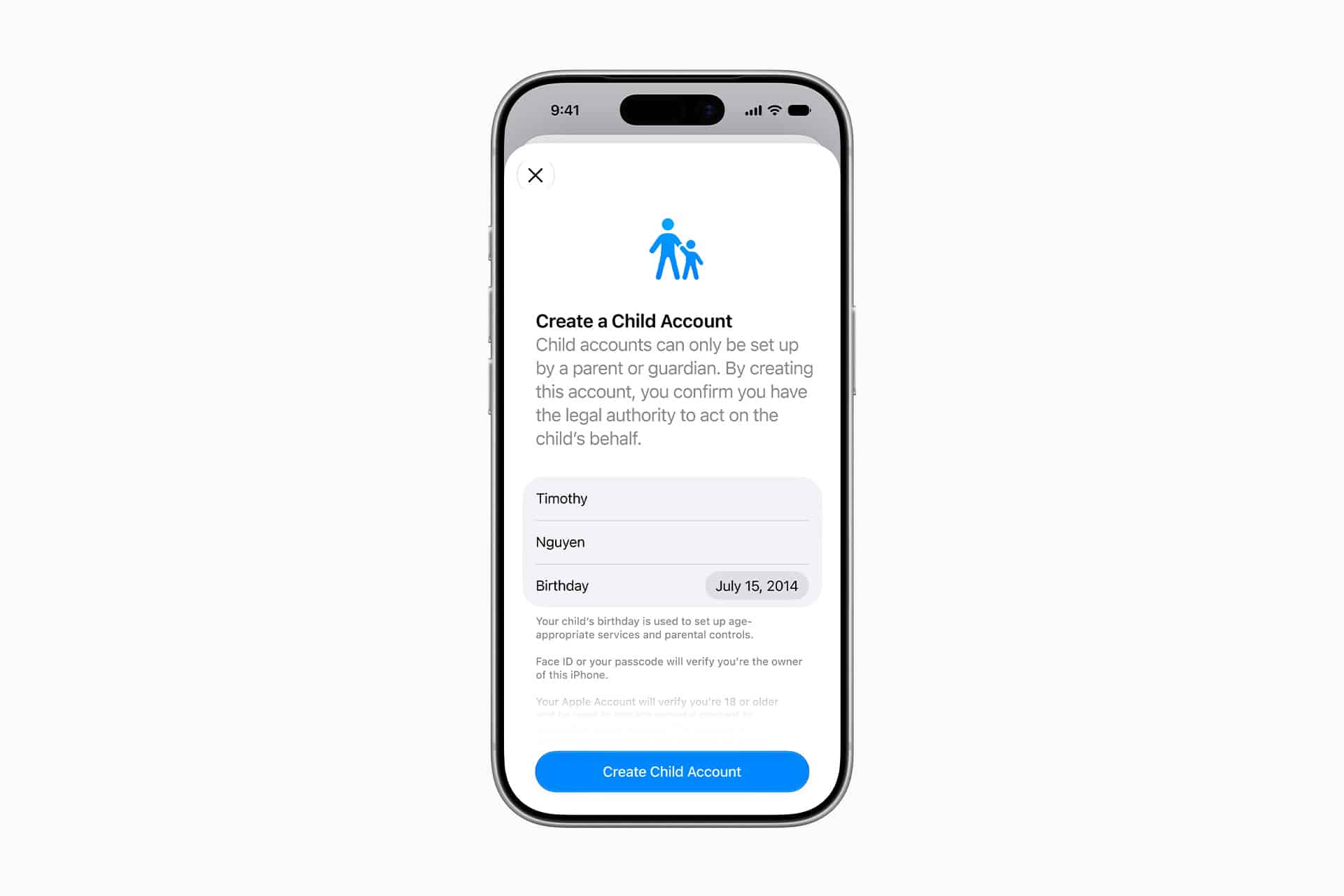
iOS 27 redesigns Screen Time with a more guided setup and clearer recommendations. Apple says the new experience is based on guidance from online safety and health experts, with controls meant to be easier for parents to find and adjust.
That matters because parental controls only work when parents can understand them. A complicated settings screen creates gaps. A parent may set app limits but miss web restrictions. Another may enable content filtering but forget communication permissions. Others may give up because the controls feel too scattered.
A cleaner Screen Time interface can make Apple’s tools more useful without requiring parents to become device administrators. The update also fits Apple’s broader direction of simplifying safety features while keeping privacy protections in place.

Ask to Browse Adds Web Approval
One of the most useful new features is Ask to Browse. The feature allows children to request access to websites that are not already approved, giving parents a way to review browsing access without opening the entire web.
This fills a major gap in older parental controls. Web restrictions often forced parents to choose between blocking too much or allowing too much. Ask to Browse gives families a middle option. A child can request a specific site, and a parent can approve it from their own device.
The feature is especially relevant as schoolwork, hobbies, games, videos, shopping, and social content all move through the browser. A blocked website is not always harmful, and an allowed website is not always appropriate. Apple’s approach gives parents more control at the moment access is requested.
Ask to Browse also makes Screen Time feel more like a permission system instead of a static restriction list. That is more realistic for daily life, where a child’s needs change depending on homework, activities, friends, and age.
Time Allowances Make App Limits More Flexible
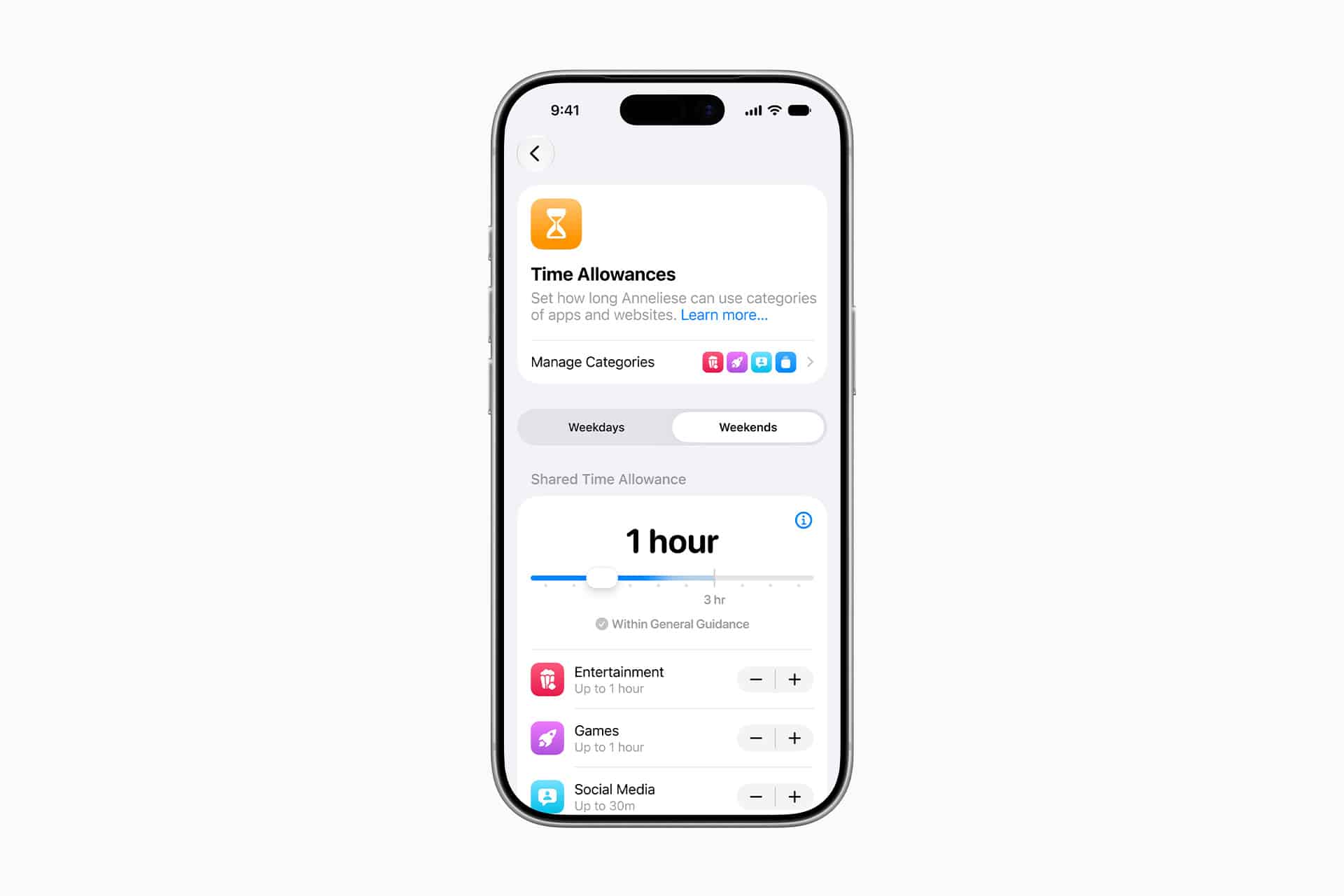
Apple is also adding Time Allowances, a new way to manage app use by category. Instead of setting limits app by app, parents can apply recommended or custom time limits to groups such as Entertainment, Games, and Social Media.
This should make Screen Time easier to manage. Many parents do not want to micromanage every app. They want a reasonable limit for a category of activity. Time Allowances gives them a faster way to set those boundaries while still allowing some flexibility.
Category-based limits also better match how children use devices. A child may switch between several games, video apps, or social platforms during the same period. App-by-app limits can be easy to work around if similar apps remain available. Category controls make the boundary clearer.
Apple says these recommendations are based on guidance from experts, which may help parents who are unsure where to begin. The best version of this feature should let parents start with a recommended setup, then adjust it based on their child’s age, schedule, school needs, and maturity.
Communication Safety Expands Beyond Nudity
Communication Safety is also getting stronger in iOS 27. Apple’s existing system can warn children and parents about sensitive images involving nudity. The updated system expands protection to include violent or gory content in communication experiences.
This gives parents more control over the kinds of material children may encounter in Messages, FaceTime, and related communication tools. Apple’s approach focuses on warnings and intervention rather than simply scanning conversations for parents to read.
That privacy distinction is central to Apple’s child safety strategy. The company is trying to help protect younger users without turning parental controls into constant surveillance. Communication Safety can warn, blur, block, or ask for help in sensitive situations while keeping private conversations private.
Apple’s challenge is balance. The system needs to be protective enough to help children avoid harmful material, but not so aggressive that it blocks normal communication or creates false alarms. Expanding the feature to violent content makes sense, especially as harmful media can spread quickly through group chats, links, and social sharing.
Contact Approvals Give Parents More Say
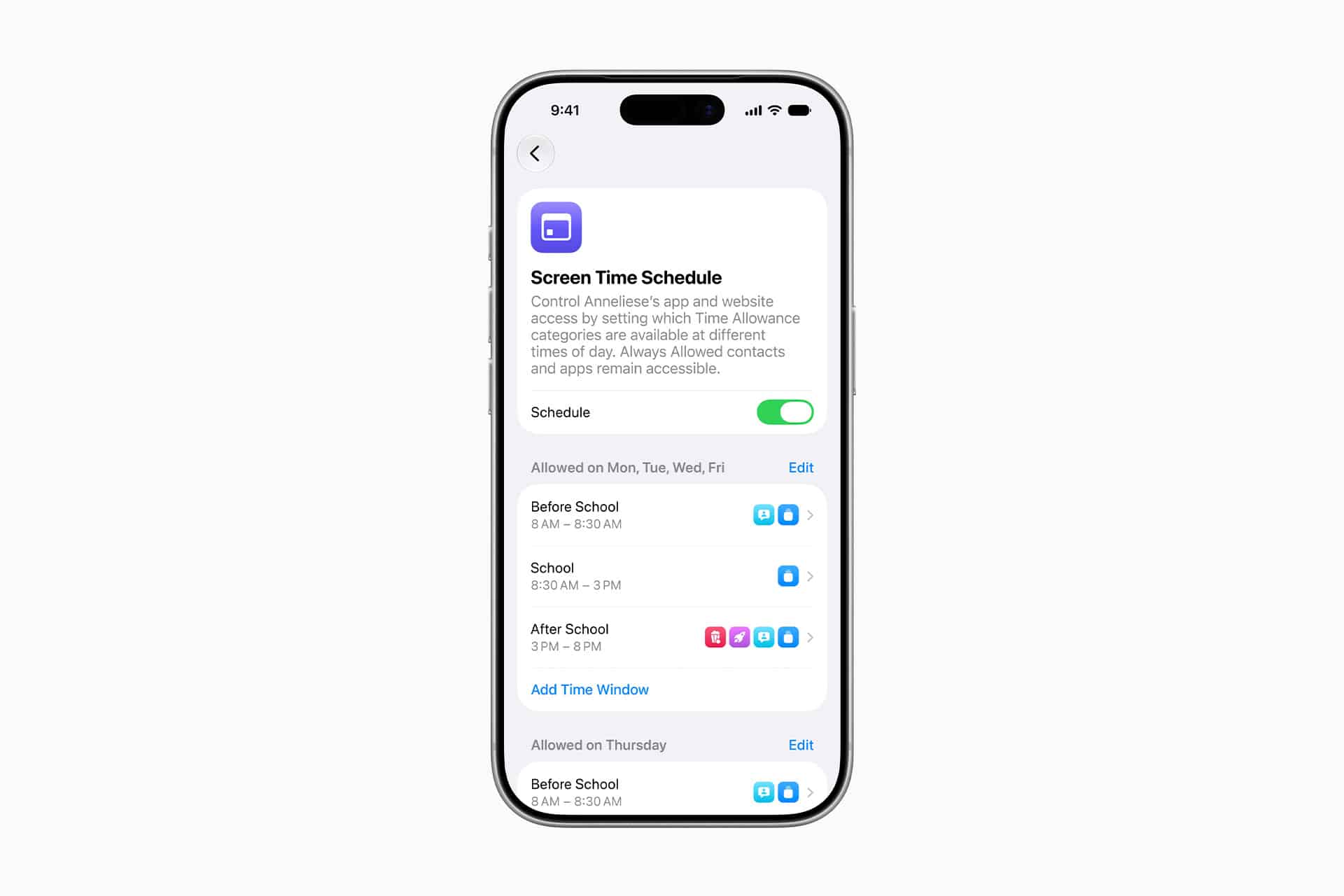
Apple is also improving how parents manage who children can communicate with. Child accounts can require permission before adding new contacts or communicating with new people through Apple’s communication apps and supported third-party experiences.
That gives parents a practical safeguard around Messages, Phone, FaceTime, and other communication features. It also extends beyond Apple’s own apps through developer tools. PermissionKit allows developers to let children request parental approval before chatting, following, adding, or communicating with another user inside an app or game.
This could be a major change for apps with social features. Games, learning apps, creative apps, and communities often include chat or friend systems. PermissionKit gives developers a way to respect parental approval without building an entire permission system from scratch.
It also keeps the approval experience inside Apple’s system. Parents can approve requests from their own devices, which should make the process more consistent and easier to trust.
Age Ratings Get More Specific
Apple is also updating age-related controls for apps. The company is expanding age rating categories in the App Store and giving developers tools to request a child’s declared age range in a privacy-preserving way.
The Declared Age Range API allows an app to request an age range without receiving a child’s exact birthdate. That means developers can tailor content and features more appropriately while limiting the amount of personal information shared.
This is a smarter approach than simple age gates. A child who is 9, 13, or 16 may need different app experiences, but apps do not always need exact birthdates to make those adjustments. Sharing a range can help apps adapt while reducing data exposure.
For parents, more precise age categories should also make App Store decisions easier. App ratings have often felt too broad, especially as apps combine games, messaging, user-generated content, AI features, web access, and purchases. Better ratings give parents more context before approving downloads.
Apple Is Responding to Pressure
Apple’s iOS 27 parental control upgrades arrive as governments, regulators, schools, and parents are placing more pressure on tech companies to make devices safer for children. Online safety rules in the U.S., U.K., and Europe have pushed platforms to offer stronger age-aware experiences, clearer controls, and better protections around communication and content.
Apple is not alone in facing that pressure, but it has a different role because iPhone and iPad are often the devices children use to access everything else. Apple controls the operating system, App Store, family account tools, privacy prompts, and many communication defaults. That gives the company more responsibility than a single app provider.
The new Screen Time features show Apple trying to strengthen the system layer. Instead of relying only on individual apps to protect children, Apple is building parental controls into device setup, web browsing, communication permissions, age ratings, and developer APIs.
That does not remove responsibility from social platforms, games, streaming apps, or websites. But it gives parents a stronger foundation at the device level.
A Better System, Not a Perfect One
The iOS 27 Screen Time upgrade is long overdue, but it will not solve every problem. Parental controls still depend on setup, consistency, child age, device access, app behavior, and family rules. Children can also be creative, and no software system can replace conversation, supervision, and trust.
Apple also needs to make sure the controls are reliable. Screen Time has faced complaints over syncing issues, limits not applying correctly, downtime bugs, and settings that can be confusing. A redesigned interface is useful, but the system also needs to work consistently across iPhone, iPad, and Mac.
Still, the direction is positive. Ask to Browse gives parents more flexible web control. Time Allowances make app limits easier to manage. Communication Safety covers more harmful content. Contact approvals reduce unwanted communication. PermissionKit and the Declared Age Range API bring developers into the same safety framework.
For parents who have struggled with Screen Time, iOS 27 may finally make Apple’s tools feel more complete. The update does not turn an iPhone into a perfectly controlled device, but it gives families better controls, better defaults, and more useful permission points across the apps and services children use every day.