

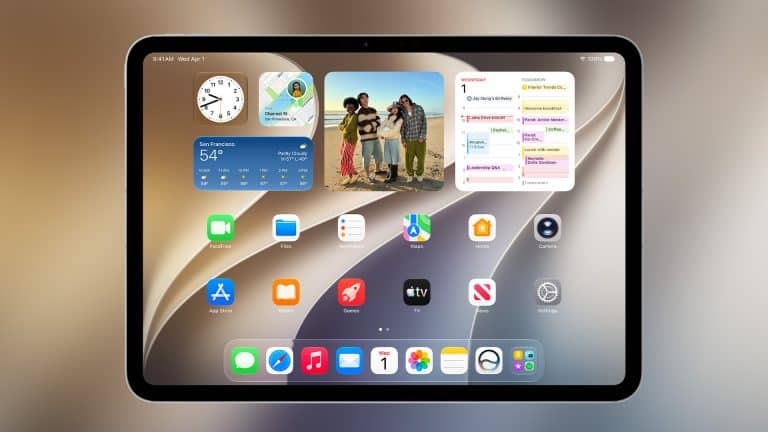
iPadOS 27 gives the iPad a more practical WWDC26 update, bringing Siri AI, faster app loading, stronger productivity tools, improved Safari organization, smarter Shortcuts, expanded Photos features, and refinements to the Liquid Glass interface.
Apple’s iPad presentation was not built around a single dramatic redesign. Instead, iPadOS 27 continues the direction Apple started with the previous iPad software cycle, when the company added a more flexible windowing system and made iPad feel closer to a modern work device. This year’s update focuses on performance, AI, multitasking polish, app control, and better use of the iPad’s larger screen.
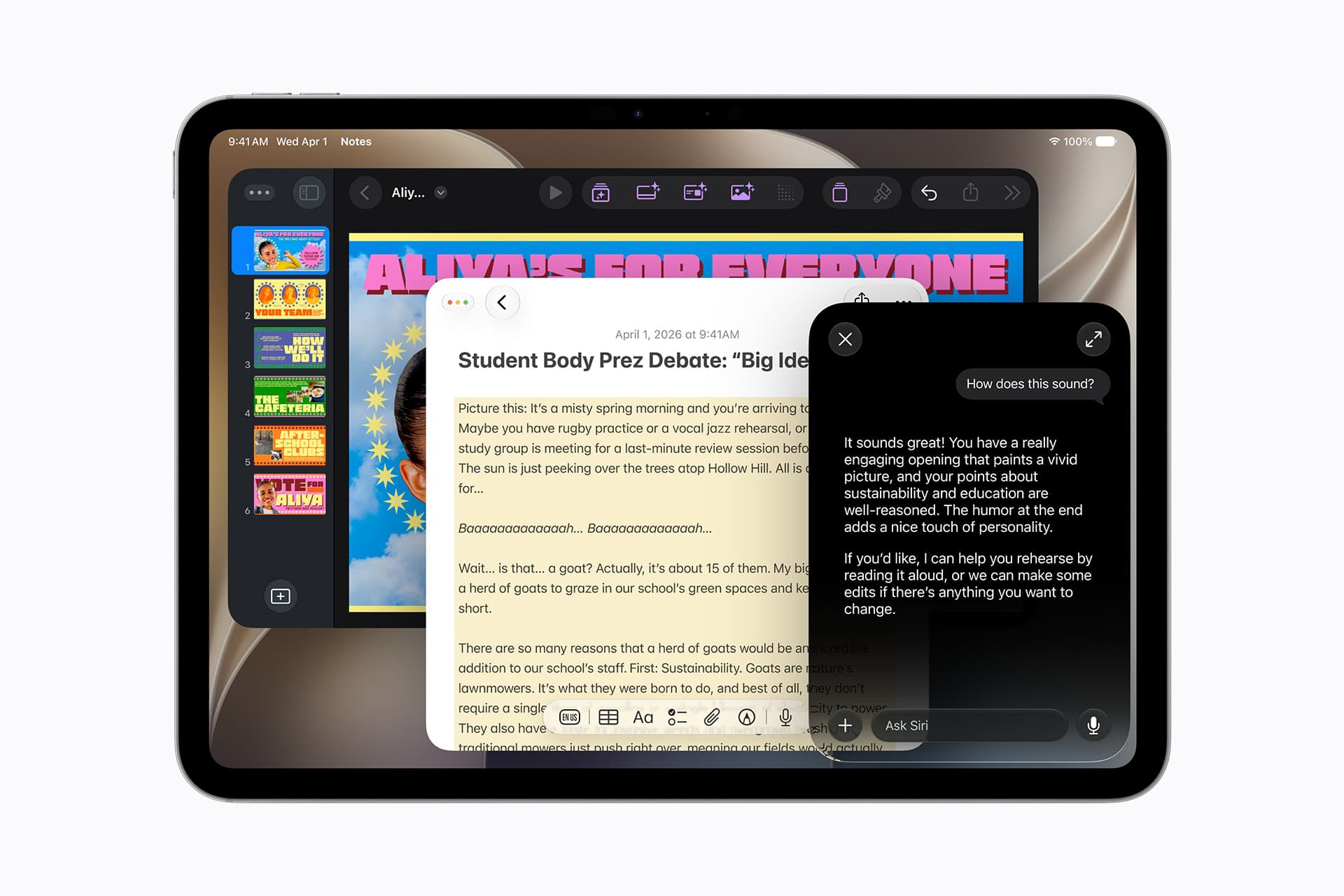
The most notable change is the arrival of Siri AI on iPad, giving Apple’s tablet a more conversational assistant with a dedicated app, natural-language interactions, and deeper Apple Intelligence support. That gives iPadOS 27 a stronger AI layer, but the update also includes several practical improvements that matter for everyday work, study, entertainment, and creative use.
iPadOS 27 Adds Siri AI to the iPad
Siri AI is the headline feature across Apple’s WWDC26 software announcements, and iPadOS 27 brings the assistant into a more central role on Apple’s tablet. Siri is becoming more conversational, more context-aware, and more capable of working with content across apps.
That matters on iPad because the device often sits between quick mobile use and longer Mac-style work. Users may be writing, studying, editing images, managing files, browsing Safari, watching video, taking notes, or using Apple Pencil. A better Siri can help the iPad feel less like a collection of app windows and more like a workspace that understands what the user is trying to do.
The dedicated Siri app also gives iPad a stronger AI surface. A larger screen is useful for longer conversations, visual answers, file references, typed prompts, and follow-up questions. Siri can remain available as a quick voice assistant, but the app gives users a place for deeper work when a temporary Siri overlay is not enough.
Apple’s challenge is making Siri useful across iPad apps, not only inside Apple’s own software. App Intents and developer support will be central to that goal. The more apps expose actions to Siri, Spotlight, and Shortcuts, the more useful the iPad becomes as an AI-assisted workspace.

Faster App Loading Supports Bigger Workflows
iPadOS 27 brings performance improvements, including app launch speeds that Apple says can be up to 30% faster. That kind of change is especially useful on iPad because users often move between several apps during one session, especially with multitasking and windowing.
A faster app launch can make the iPad feel more responsive when switching between Safari, Notes, Files, Mail, Photos, Messages, Freeform, creative apps, streaming apps, and productivity tools. It also helps when users reopen apps during a windowed session or move from one task to another using keyboard shortcuts.
Performance is especially important because iPadOS has become more ambitious. Windowing, background activity, Apple Intelligence, Liquid Glass, external keyboard support, Apple Pencil workflows, and more desktop-like app behavior all increase the demands on the system. Faster loading and better optimization help keep the iPad feeling light even as the software becomes more capable.
This is one of the quieter but more meaningful parts of iPadOS 27. Apple is not only adding features. It is trying to make the tablet feel quicker under everyday pressure.
A Persistent Menu Bar Makes iPad More Desktop-Like
iPadOS 27 builds on the resizable window system introduced in iPadOS 26 by adding a persistent menu bar. This gives the iPad another desktop-style element, making app commands more visible and easier to reach when using a keyboard, trackpad, or larger display.
The menu bar is especially useful for productivity and creative apps. On Mac, the menu bar has always been a central place for commands, options, formatting, tools, and app-specific controls. Bringing a more persistent version to iPad helps reduce hidden gestures and makes the interface feel more predictable for users who work across Mac and iPad.
This does not turn iPad into a Mac, but it does make iPadOS more comfortable for people using iPad Pro or iPad Air as a laptop-style device. With Magic Keyboard, external keyboards, trackpads, and Stage Manager-style workflows, the iPad increasingly needs visible controls that can support longer work sessions.
The persistent menu bar also helps developers. Apps can present deeper functionality without relying only on touch-first panels or buried settings. That gives professional and productivity apps more room to feel complete on iPad.
Safari Gets Smarter Tab Organization
Safari receives new organization tools in iPadOS 27, including automated tab grouping and alerts for webpage changes. These features are well suited to iPad because the device is often used for research, shopping, reading, schoolwork, travel planning, and side-by-side browsing.
Automatic tab grouping can help reduce one of Safari’s biggest everyday problems: too many open tabs with no structure. If Safari can group related pages more intelligently, users can move between projects, topics, and sessions with less clutter.
Webpage change alerts add another practical layer. A user may want to know when a product page updates, a ticket page changes, a document becomes available, or a site posts new information. Safari can become more active without requiring users to repeatedly refresh pages.
On iPad, these tools pair well with windowing. A user might keep Safari open beside Notes, Mail, Calendar, or Files while working through a project. Better tab organization makes that kind of research workflow easier to manage.
Shortcuts Gains Natural-Language Creation
Shortcuts is becoming more approachable in iPadOS 27 with natural-language creation. Instead of building every automation step manually, users can describe what they want the shortcut to do and let the system help assemble the workflow.
This is a strong fit for iPad. The device is often used for study routines, content creation, file organization, note-taking, image editing, reading, presentations, and home or school workflows. Shortcuts can already connect apps and actions, but many users find automation intimidating. Natural-language creation lowers that barrier.
A user could describe a workflow for collecting files, summarizing text, organizing screenshots, preparing a study note, resizing images, or combining several app actions. Apple Intelligence can help turn that request into a usable shortcut.
This gives iPadOS 27 one of its more practical AI features. It is not only Siri answering questions. It is Apple Intelligence helping users create tools for their own routines.
Photos Gets AI Editing and Collaboration Upgrades
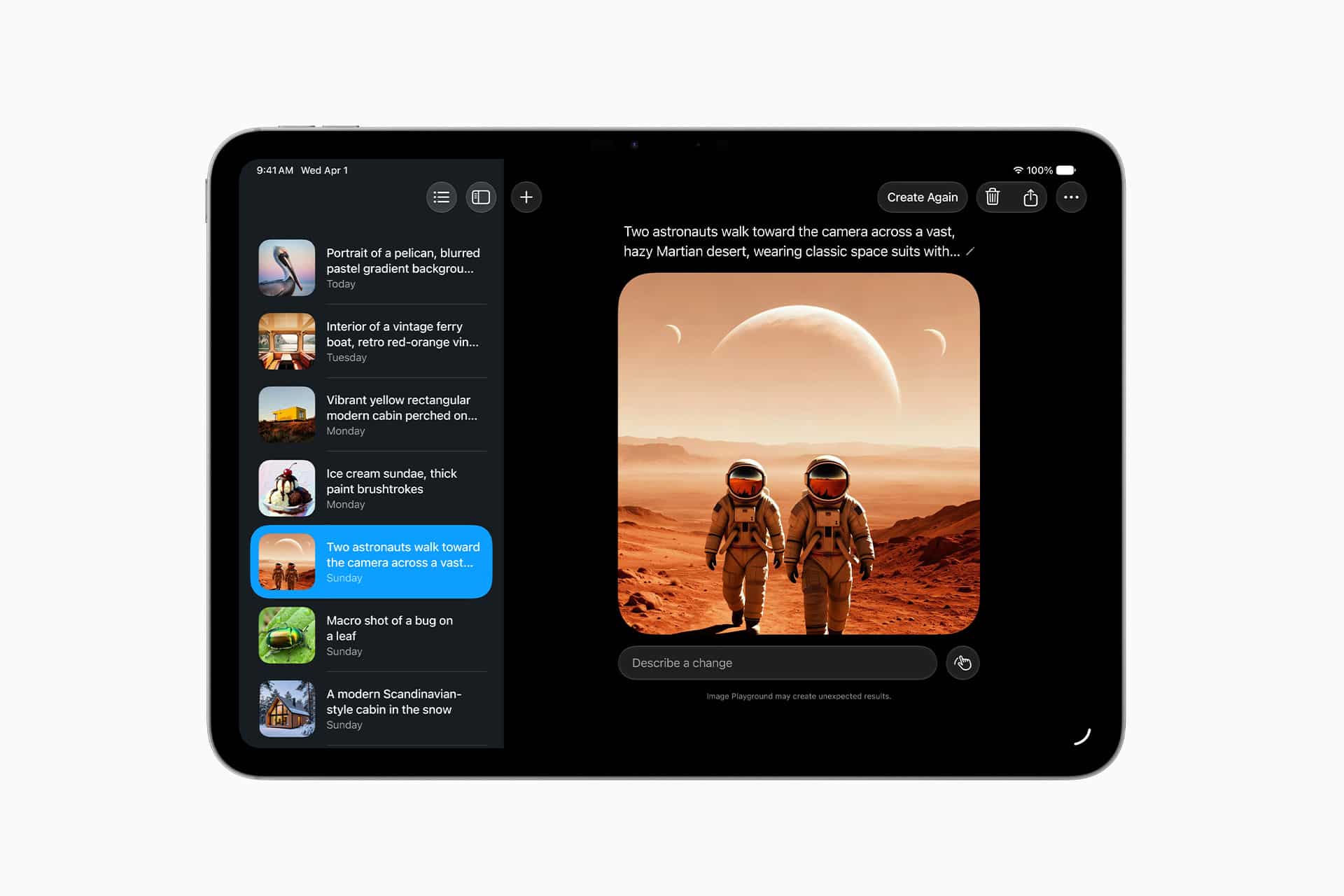
Photos also gains new features that matter on iPad’s larger display. Apple Intelligence expands photo editing with smarter tools for improving images, cleaning distractions, reframing shots, and working with visual content in more flexible ways.
The iPad is a natural device for photo editing because of its larger screen, Apple Pencil support, and strong display quality. AI editing tools can make Photos more useful for casual users who want better results without opening a professional editor. The goal is not to replace apps such as Photoshop, Lightroom, Pixelmator, or Affinity Photo. It is to give ordinary users more capable built-in tools.
iPadOS 27 also adds collaborative iCloud albums and the ability to save slideshows as videos, according to early WWDC26 coverage. Those additions make Photos more useful for shared projects, family libraries, school memories, travel collections, and social sharing.
The iPad’s screen gives these features more room than iPhone. Reviewing albums, adjusting images, and building slideshows feels more natural when photos are large enough to see clearly.

Liquid Glass Gets Readability Refinements
iPadOS 27 also continues Apple’s Liquid Glass design direction with refinements focused on readability, sharper icons, and more user control. Apple introduced the design as a unified visual language across platforms, but the first version drew criticism for transparency and contrast in some situations.
On iPad, the issue is especially important because the screen often carries several windows, widgets, toolbars, sidebars, and floating controls at once. A glass-heavy interface can look modern, but it has to stay readable during work, school, drawing, browsing, and video editing.
The iPad needs a balance between visual polish and workspace clarity. Liquid Glass refinements help Apple keep the unified design while making it more comfortable for long sessions. Better icon clarity, stronger contrast, and theme customization can make the interface feel less distracting.
This matters for accessibility too. A design built around translucency and depth has to respect users who need higher contrast, clearer boundaries, and less visual noise.
Accessibility Expands Across iPadOS 27
iPadOS 27 also includes accessibility upgrades, including improved VoiceOver support, auto-generated video captions, translation for captions, and broader tools for users who rely on assistive features.
Accessibility has long been one of Apple’s strongest software areas, and iPad is a major device for communication, learning, reading, mobility support, and creative expression. Caption improvements can help users follow videos, lectures, meetings, and shared media more easily. Translatable captions also fit the wider Apple Intelligence and Live Translation push.
VoiceOver improvements matter because iPad’s interface is becoming more complex with windowing, menu bars, AI features, and richer multitasking. As the platform becomes more powerful, Apple has to keep it usable for people who depend on screen readers, keyboard navigation, voice control, and other assistive tools.
These updates may not be the loudest WWDC26 announcements, but they help make iPadOS 27 a more complete release.
iPadOS 27 Keeps iPad Moving Toward Work and Creation
iPadOS 27 continues Apple’s long effort to make iPad more capable without simply copying the Mac. Siri AI gives the platform a smarter assistant. Faster app loading supports bigger workflows. The persistent menu bar makes app commands easier to reach. Safari becomes better for research. Shortcuts becomes easier to build with natural language. Photos gains stronger AI editing and collaboration. Liquid Glass becomes more readable. Accessibility expands.
The update does not solve every iPad debate. Some users still want more Mac-like file handling, stronger external display workflows, better background task control, pro app parity, and multi-user support. WWDC26 did not turn iPad into a Mac replacement for everyone.
What iPadOS 27 does is make the iPad’s current direction more coherent. The tablet is becoming more comfortable for multitasking, more useful for AI-assisted work, and more capable as a creative and research device. Apple is still protecting the iPad’s identity as a touch-first product, but it is giving users more desktop-style tools where they help.
For iPad owners, this may be a practical update rather than a dramatic one. The combination of Siri AI, better performance, smarter Safari, improved Shortcuts, Photos upgrades, and a stronger menu system gives iPadOS 27 a clearer productivity story after WWDC26.