


iPhone Crash Detection is one of the most important safety systems Apple has ever placed inside a smartphone, yet many people never realize it exists. Introduced in iOS 16 alongside the iPhone 14 lineup and supported by Apple Watch Series 8, Apple Watch SE (2nd generation), and Apple Watch Ultra, Crash Detection was designed to operate quietly in the background, waiting for the one moment when it might save a life.
The feature exists for one simple reason: when a serious car accident happens, people are often unconscious, disoriented, or unable to reach a phone. In those first few minutes, getting help quickly can determine survival. Apple built Crash Detection to remove the need for human action in those moments.
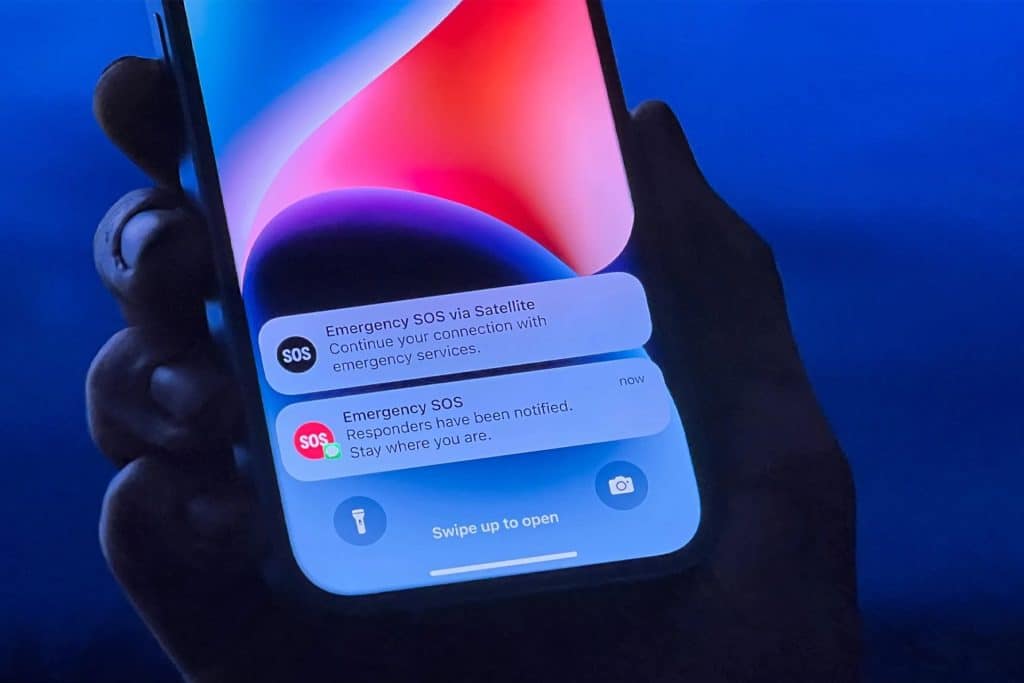
Unlike earlier emergency features that relied on a button press or voice command, Crash Detection uses a combination of sensors, motion analysis, and machine learning to determine whether a real crash has occurred. If the system believes you were in a severe collision, it begins a countdown on your screen and plays a loud alarm. If you don’t cancel it, your iPhone automatically calls emergency services and sends your precise location, along with medical information if you have Medical ID enabled.
Crash Detection arrived with iOS 16 in 2022 and continues to improve through newer versions of iOS. It was developed using over one million hours of real-world crash and driving data to train Apple’s motion models to recognize the physics of a real collision rather than normal driving or sudden stops.
How Crash Detection Works Inside iPhone
iPhone Crash Detection uses a collection of sensors that are already inside modern iPhones, but in a way that had never been done before. The system analyzes data from:
- High-G accelerometer that measures extreme changes in speed
- Gyroscope that detects rotation and rollovers
- Barometer that senses air pressure changes when airbags deploy
- Microphone that listens for crash-specific sound patterns
- GPS that tracks sudden loss of velocity and location changes
These signals are processed by an on-device machine-learning model trained to recognize front-impact crashes, side-impact crashes, rear-end collisions, and rollovers. Apple designed the system so all analysis happens locally on the device. Nothing is sent to Apple’s servers to decide whether a crash occurred.
If the signals match a serious crash, iPhone activates Emergency SOS. The screen displays a slider and plays an alarm. If you respond, you can cancel the call. If you do nothing, the phone calls emergency services after 20 seconds and plays a recorded message informing responders that a severe crash may have occurred, along with your location.
If you have emergency contacts set up, they receive a message with your location and a note that you were involved in a crash.


Real-World Lives Saved by Crash Detection
Crash Detection has already been credited with saving lives in multiple verified cases.
In August 2025, a 16-year-old in Pennsylvania fell asleep while driving and crashed her car. She was knocked unconscious and could not call for help. Her iPhone detected the crash and automatically dialed 911. First responders reached her quickly, and her family later confirmed that the alert was the reason she was found in time.
In December 2022, a couple in California drove off a cliff into a canyon with no cellular signal. Their iPhone triggered Crash Detection and used Emergency SOS via satellite to contact emergency services. Rescue teams were able to locate and evacuate them despite the remote terrain.
In May 2024, two men crashed on a remote road on Australia’s Gold Coast. Their vehicle was hidden from traffic, and they were injured. Crash Detection automatically alerted emergency responders, who arrived and treated them before their injuries became fatal.
Emergency dispatchers in multiple U.S. states have confirmed that Crash Detection calls have helped locate crash victims who otherwise might not have been found quickly, especially on rural roads or at night.
Why Crash Detection Is Different From Other Safety Features
Crash Detection is not just an alert system. It is a fully automated emergency response tool. Unlike calling 911 manually, it does not require you to be awake, conscious, or physically able to use your phone.
This makes it especially important for:
- High-speed collisions
- Rollover accidents
- Single-vehicle crashes
- Remote roads and highways
- Night driving
It also integrates directly with Medical ID, meaning emergency responders can see allergies, medications, and conditions from the lock screen if you have them configured.

How to Make Sure Crash Detection Is Active
Settings > Emergency SOS > Call After Severe Crash
Crash Detection is turned on by default on supported iPhones, but you should verify it.
Apple Watch > Watch app on iPhone > Emergency SOS > Call After Severe Crash
The Apple Watch version works alongside iPhone, increasing detection accuracy if you are wearing it.
You should also set up emergency contacts and Medical ID:
Health app > Medical ID > Edit
Health app > Emergency Contacts
These details are sent to responders when a crash is detected.
Why Apple Emphasizes Privacy With Crash Detection
All crash analysis happens on your device. Apple does not receive crash data, motion data, or audio recordings unless you choose to share diagnostics. Location is only transmitted to emergency services during an active emergency call.
This keeps the system aligned with Apple’s privacy model while still delivering life-saving automation.
Crash Detection does not watch or track your driving habits. It waits for physics that only happen in real collisions.
In a world filled with flashy features, iPhone Crash Detection remains almost invisible until the moment it matters. For the people who have already been rescued because of it, that quiet background feature became the most important one their iPhone ever had.

