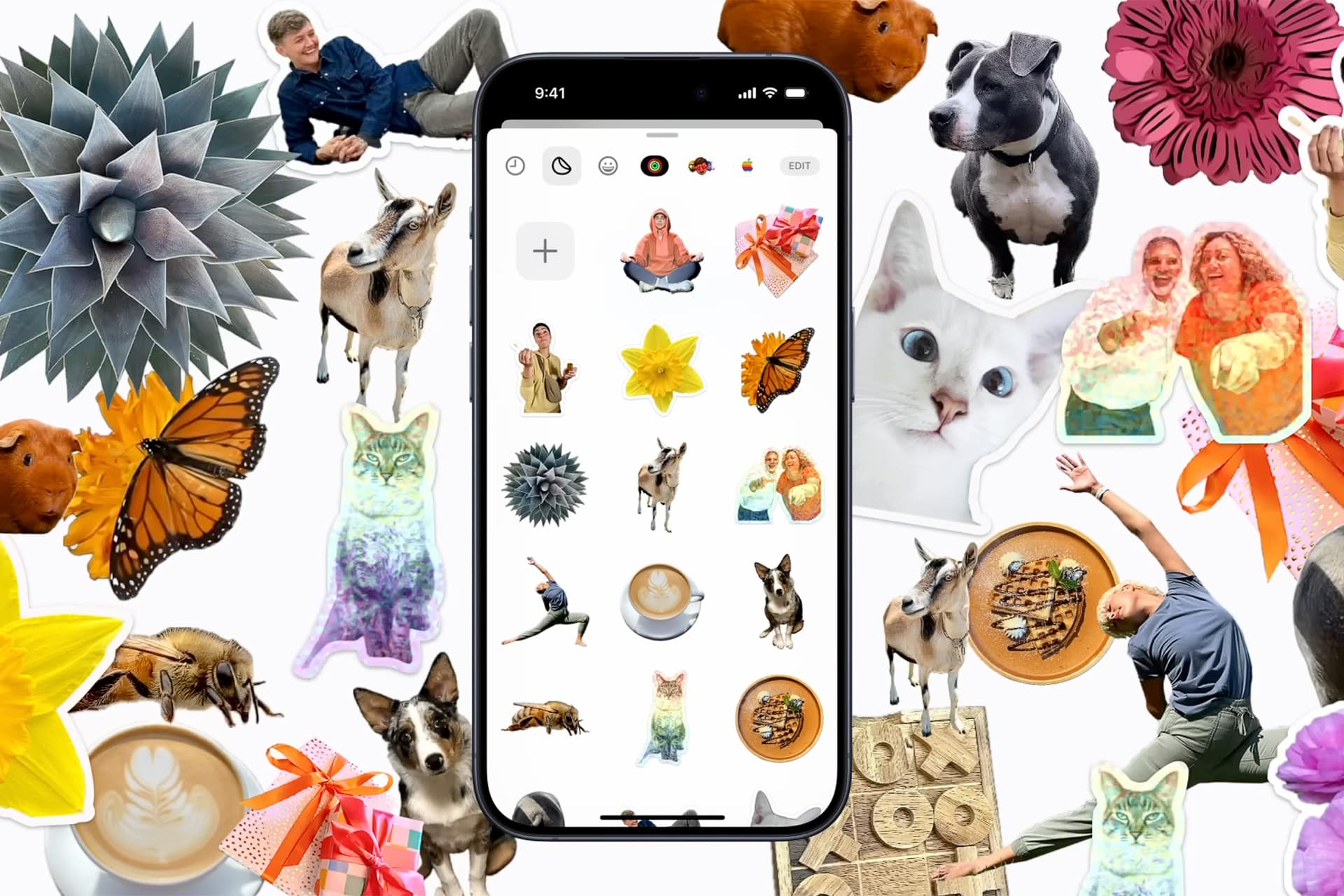
Live Stickers bring a creative dimension to everyday messaging by allowing users to transform photos into reusable digital stickers directly on the iPhone. Instead of relying on preinstalled emoji sets or downloaded sticker packs, Live Stickers let users cut subjects from their own photos — pets, friends, travel moments, objects, or illustrations — and turn them into personalized visuals that can be reused across conversations, notes, and compatible third-party apps.
This feature is built directly into the Photos and Messages experience, meaning no additional apps are required. Once a sticker is created, it becomes part of the personal sticker collection stored in the keyboard interface, ready to be used whenever messaging or writing. Because stickers synchronize through iCloud, they appear automatically across devices signed in with the same Apple ID.

Create Your First Live Sticker
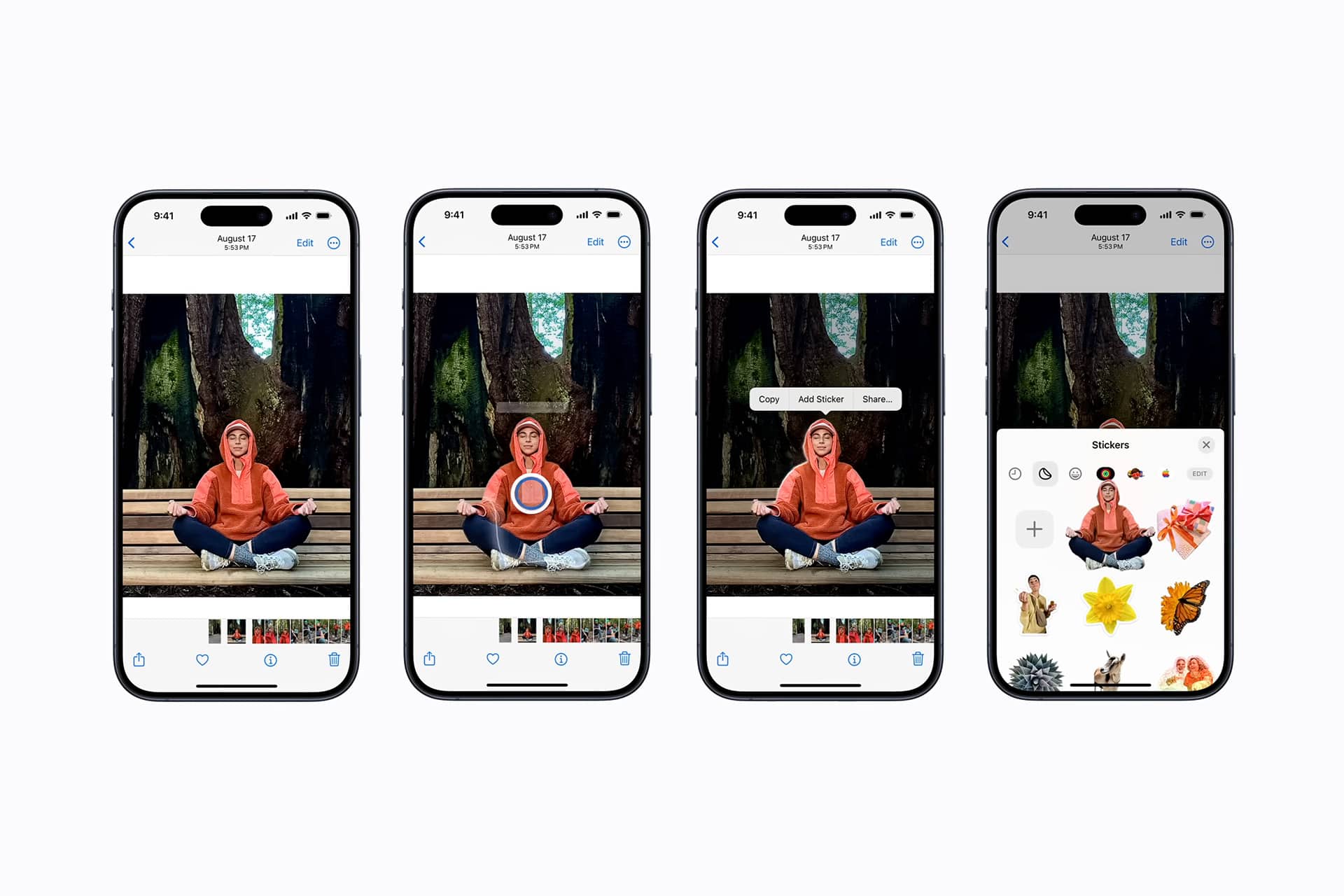
Photos > Select Photo > Touch and Hold Subject > Add Sticker
Creating a Live Sticker begins by opening a photo and pressing on the subject until the system isolates it from the background. A preview animation appears, confirming the subject has been recognized. Selecting Add Sticker saves the cutout to the sticker library, where effects such as outlines, glossy finishes, or animated styling can be applied. The process takes only seconds and works with most images containing a clear foreground subject.
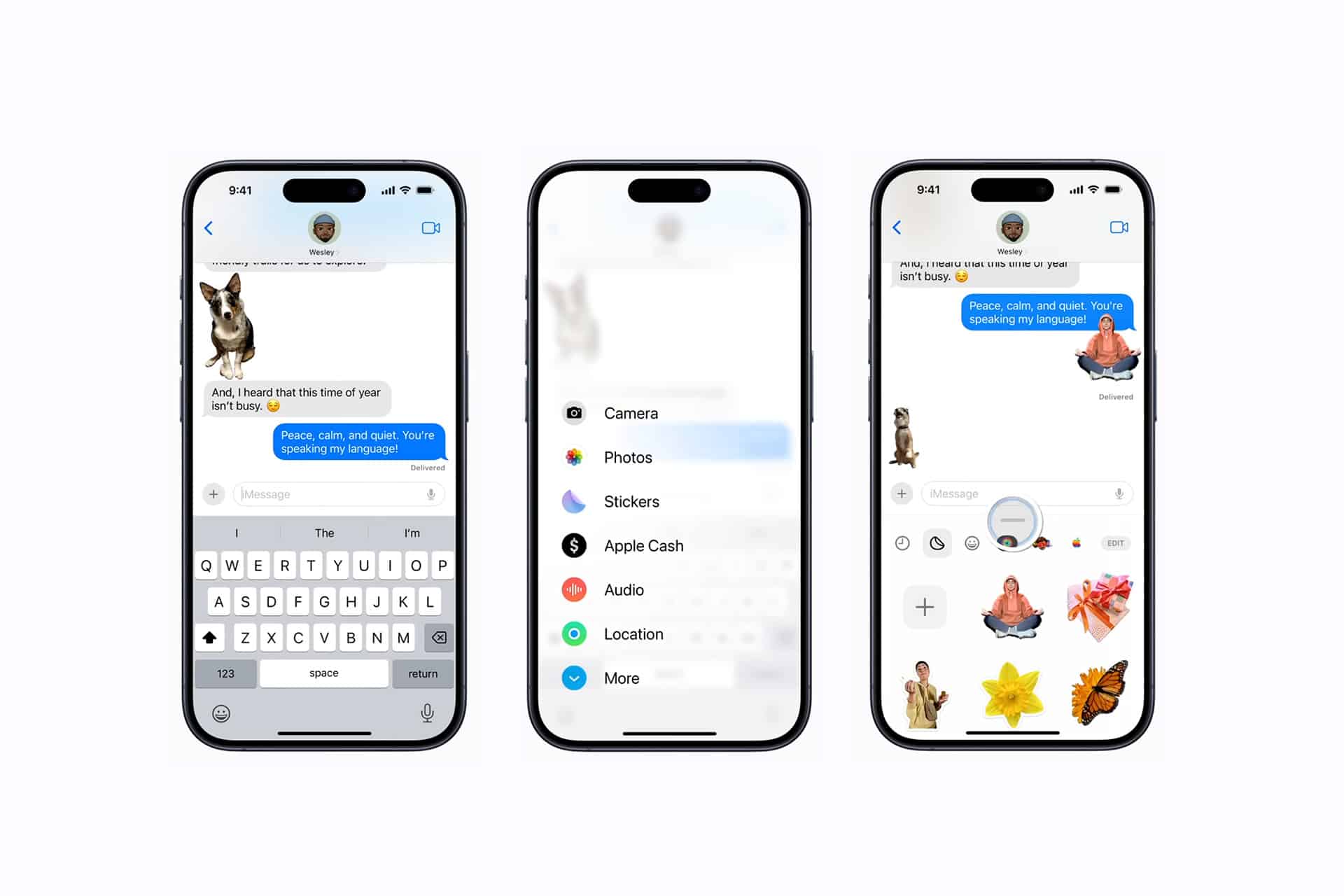
For users who frequently create stickers, the Stickers section inside the Messages keyboard offers direct access to the collection, allowing new stickers to be created or existing ones edited without returning to the Photos app.
Use Live Stickers Across Apps
Once saved, Live Stickers can be inserted directly into Messages conversations by opening the sticker drawer in the keyboard and tapping the desired image. Stickers can be placed inline within text, positioned anywhere on the screen in iMessage threads, or layered over message bubbles for playful conversation effects.
The same sticker library is also available in Notes, allowing stickers to be inserted into documents, journaling entries, or collaborative notes. Many third-party apps that support the iOS sticker framework also allow Live Sticker usage, extending personalization to messaging platforms, social media captions, and creative editing workflows.
Apply Effects and Animate Stickers
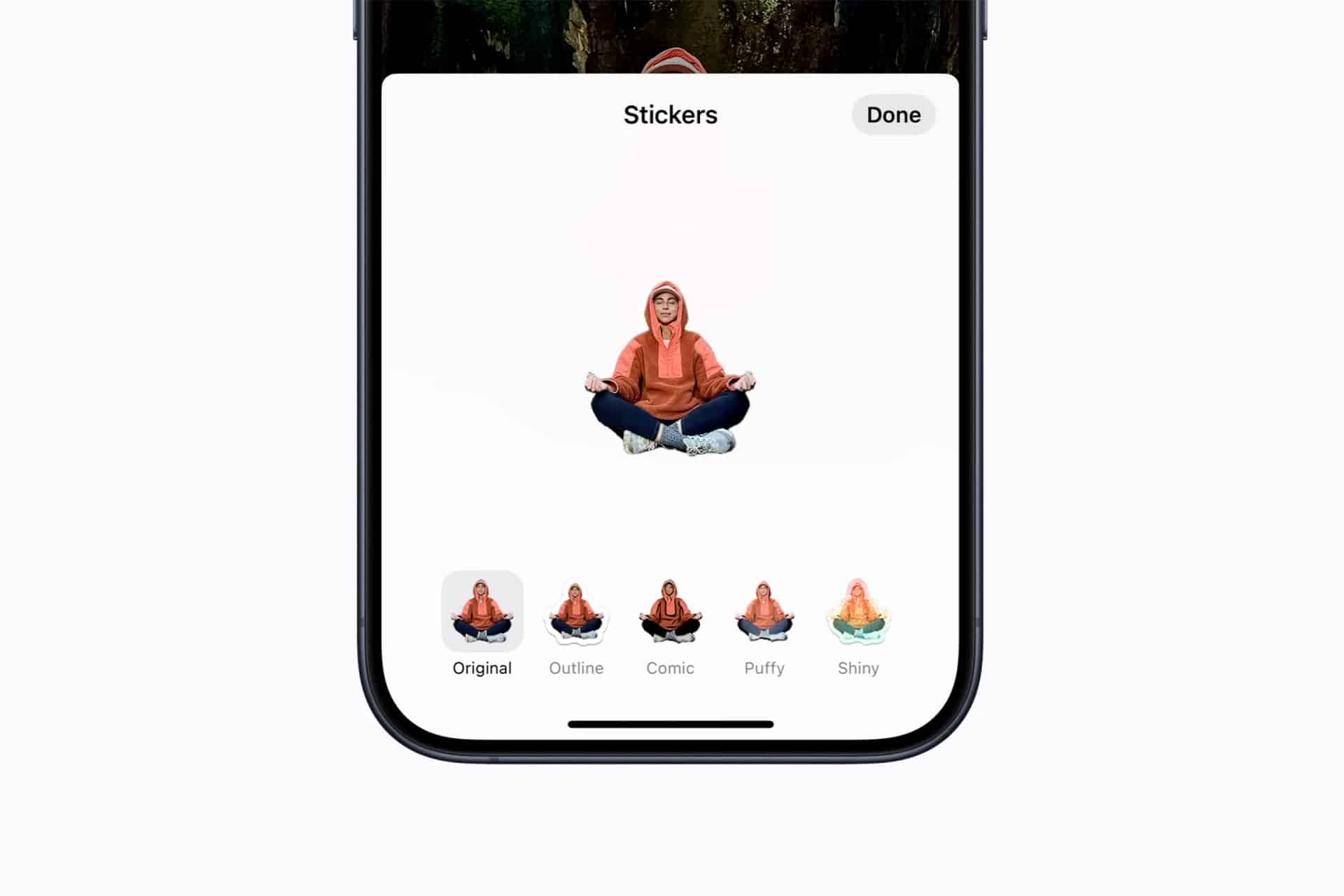
Live Stickers can include visual effects that enhance expression. After selecting a sticker, users can apply animated or stylized effects such as Puffy, Shiny, Outline, or Comic filters, giving each sticker a distinctive look. These effects remain attached to the sticker, meaning it retains its animated style each time it is reused.
Because stickers originate from real photos, they often capture natural facial expressions, gestures, or everyday moments that traditional emoji cannot replicate. This creates a more personal communication style where reactions reflect real experiences rather than generic icons.
Build a Personal Sticker Library
Over time, Live Stickers naturally become a personalized visual vocabulary. Frequent subjects — family members, pets, favorite places, or recurring inside jokes — quickly form a collection that replaces many traditional emoji responses. The ability to reuse stickers across conversations allows messaging interactions to feel more expressive without needing to recreate images repeatedly.
Managing the library is simple. Stickers can be reordered, deleted, or edited within the sticker panel, ensuring the collection stays organized as it grows. Because the stickers remain linked to the user’s iCloud account, they automatically appear on iPad and Mac devices running compatible software versions, creating a consistent experience across the ecosystem.
Creative Uses Beyond Messaging
Live Stickers extend beyond casual messaging into creative workflows. Designers can create quick visual markers for brainstorming boards, students can insert subject stickers into notes or presentations, and content creators can develop reusable graphic elements for drafts or planning layouts. The combination of photo subject isolation, animation effects, and cross-device availability turns Live Stickers into a lightweight creative tool rather than only a messaging feature.
As photo libraries continue expanding and on-device intelligence improves subject detection accuracy, Live Stickers provide a simple way to convert everyday photos into reusable interactive elements, blending creativity and communication directly into the iPhone’s built-in editing and messaging environment.