


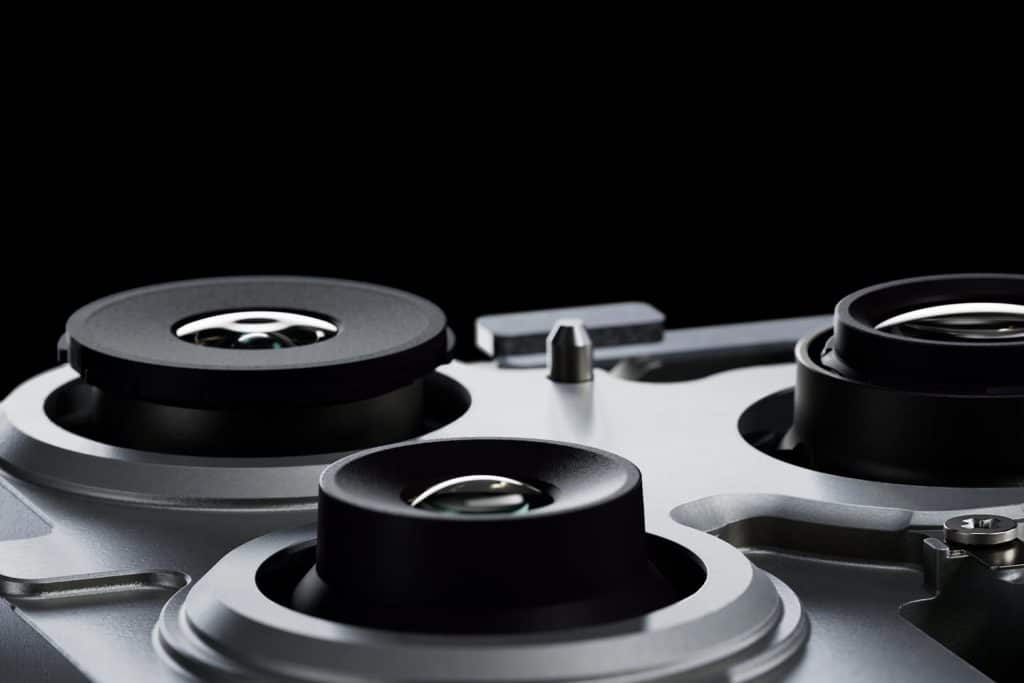
The iPhone macro camera turns your phone into a powerful detail tool that goes far beyond photography. With macro mode, your iPhone can focus just centimeters away, capturing textures, tiny objects, and hidden details the human eye often misses. When you pair this with live screen mirroring to a TV or monitor, the experience becomes even more impressive. Your iPhone transforms into a real-time magnifier for everyday life, creative projects, and home problem solving.
This setup is useful for far more than close-up photos. It becomes a live inspection camera, an art exploration tool, and even a household helper when something small becomes hard to see.
How iPhone Macro Mode Works
On iPhone models with macro capability, the camera automatically switches to the ultra-wide lens when you move close to a subject. The phone recognizes the short distance and activates macro focus without any extra steps. This allows you to capture sharp detail from just a few centimeters away.
You can use macro in both photo and video modes. When the flashlight is turned on, it becomes even more powerful, illuminating small spaces and reflective surfaces where light normally cannot reach.


Turning Your iPhone Into a Big-Screen Macro Viewer
One of the most useful tricks is transmitting the iPhone macro camera to a TV or large display. This creates a live detail viewer that is perfect for precision tasks.
Control Center > Screen Mirroring > Select your Apple TV or AirPlay-compatible TV
Once mirrored, simply open the Camera app and move into macro range. Everything you see on the phone appears on the big screen in real time. This setup is ideal when your hands are busy or when several people need to see the same tiny detail at once.
Creative and Practical Home Uses
The iPhone macro camera is surprisingly helpful around the house. When working with tiny electronics, such as replacing a battery or reconnecting a ribbon cable, the big-screen macro view lets you see each connector clearly. It is also useful for inspecting solder joints or reading microscopic part numbers.
For artists and makers, macro mode reveals the texture of tiny wood sculptures, paint layers, fabric threads, and brush strokes. When mirrored to a TV, it feels like working under a digital microscope.
Looking for something small behind the couch or under furniture becomes easier. You can slide your iPhone into narrow spaces and watch the live feed on the screen, spotting lost jewelry, screws, or toys.
One of the most practical uses is finding a splinter in a finger. Macro mode with the flashlight highlights even nearly invisible fragments, and the large display makes removal much easier and safer.

Macro for Learning and Exploration
Children and adults alike can explore coins, leaves, insects, handwriting, or everyday textures. Seeing familiar objects in extreme detail sparks curiosity and turns simple moments into discovery.
The macro camera also works well for inspecting jewelry, stamps, electronics boards, mechanical parts, and even food textures while cooking.
Why This Feature Changes Daily Life
The iPhone macro camera is more than a photography tool. It becomes a portable visual assistant that helps you see the world differently. When combined with screen mirroring, it opens new ways to solve problems, create art, and explore tiny details that normally go unnoticed.
With just your iPhone, flashlight, and a TV, you now have a powerful close-up viewer always within reach.

