


iPhone storage becomes more serious when video is the main use case. A casual user can live comfortably with 256GB, especially with iCloud Photos and streaming apps. A video-heavy user has a different problem: storage disappears in clips, projects, drafts, exports, duplicate takes, downloaded media, and app caches before the phone ever feels old.
That is why storage should be treated as part of the camera system. The iPhone 17 Pro and iPhone 17 Pro Max now sell with options up to 2TB, while Apple’s ProRes support and USB-C external recording make the Pro models more capable for creators than earlier iPhones. The right choice depends less on how many photos someone takes and more on what kind of video they record, how often they transfer files, and whether they edit directly on the device.
For video-heavy users, 256GB should be considered the floor, not the safe choice. It can work for short clips, social video, family footage, and occasional 4K recording, but it becomes tight quickly if the phone is also storing apps, messages, offline music, downloaded shows, games, iCloud originals, and travel footage.
The better starting point for serious iPhone video is 512GB. The more realistic choice for creators is 1TB. The safest choice for users who film often, travel, shoot ProRes, or edit on-device is 2TB.


Storage Is a Camera Decision
Apple usually presents storage as a checkout option, but video users should think of it before choosing the model. The storage tier can affect how confidently someone records, how often they stop to delete clips, whether they can keep originals locally, and how much room remains for editing apps.
256GB iPhone
Can be enough for people who shoot in standard 4K using efficient formats and regularly move files to iCloud, a Mac, or an external drive. It is not ideal for someone who records full events, shoots repeated takes, keeps travel footage for days, or uses the iPhone as a primary camera.
512GB iPhone
Gives more room for mixed use. It is the practical tier for users who record 4K often but do not live in ProRes. It also gives space for apps like Final Cut Pro, CapCut, Lightroom, Blackmagic Camera, LumaFusion, social apps, downloads, and project files without constant cleanup.
1TB iPhone
Changes the experience. It lets users record more freely, keep more originals on the device, edit without immediately exporting files, and travel without treating storage as a daily limit. For many creators, 1TB is the point where the iPhone starts to feel like a real production device instead of a phone that also records excellent video.
2TB iPhone
Is for users who know exactly why they need it. Long travel shoots, event coverage, professional social video, repeated 4K recording, ProRes workflows, offline editing, client work, and heavy local libraries all make the larger tier easier to justify. It is expensive, but storage is usually cheaper than losing a shot or cutting a shoot short.
ProRes Changes the Storage Math
ProRes is the dividing line between normal video use and serious storage pressure. Apple says ProRes files can be much larger than standard HEVC files, and its own support guidance still treats higher-resolution ProRes recording as a storage-sensitive workflow.
On iPhone 15 Pro and iPhone 16 Pro models with 128GB, Apple limits internal ProRes recording to 1080p at 30 fps. Apple also notes that 4K ProRes can be recorded to compatible external storage on supported Pro models, including up to 4K at 120 fps on iPhone 16 Pro and iPhone 17 Pro models when using compatible external storage.
That detail matters because it shows how quickly ProRes can exceed normal phone storage behavior. A user shooting standard 4K for social platforms may not need 1TB. A user shooting ProRes, especially for color grading or editing, should treat 512GB as the minimum and 1TB as the more balanced choice.
External storage helps, but it does not replace internal storage. A creator still needs room for apps, temporary files, previews, exports, thumbnails, offline media, and clips captured when the external drive is not connected. External drives are excellent for planned shoots. Internal storage is what protects spontaneous shots.
The best setup for many video creators is a 1TB or 2TB iPhone paired with a fast external SSD for longer ProRes sessions. That gives the phone enough local flexibility while keeping heavy project files off the internal drive when needed.
256GB Is Fine Until Video Becomes Frequent
The 256GB tier is not a bad choice. It is the right choice for many users. It becomes the wrong choice when video is no longer occasional.
A 256GB iPhone can handle short 4K clips, family videos, social media content, and casual editing. It works better when iCloud Photos is enabled, downloads are limited, and old videos are transferred regularly. It is also easier to manage if the user shoots mostly in HEVC rather than ProRes.
The problem is that video-heavy users usually do not behave like light users. They record multiple takes. They keep originals. They download music and maps. They save screenshots, screen recordings, and project exports. They install camera and editing apps. They keep WhatsApp, Messages, Instagram, TikTok, YouTube, and cloud apps full of cached media.
That is how a 256GB phone becomes a cleanup routine. The device may still have enough storage on paper, but the user starts thinking before recording. That hesitation is the real warning sign.
For anyone buying a Pro iPhone because of video, 256GB should be chosen only if there is a strong file-transfer routine already in place.
512GB Is the Practical Sweet Spot
For many video-heavy users, 512GB is the most practical storage tier. It provides enough room for frequent 4K recording, editing apps, offline media, and a large photo library without pushing the buyer into the highest prices.
It is especially sensible for users who create short-form video, record family events, travel often, edit for social platforms, and use iCloud or a Mac as part of the workflow. A 512GB iPhone can handle a lot if the user manages large projects after they are finished.
It is also a good middle ground for people who do not shoot ProRes regularly. Standard 4K video in efficient formats can still consume space quickly, but it is far more manageable than ProRes. Users who record, edit, post, and archive frequently can make 512GB work well.
The limitation appears when the iPhone becomes the main video device for longer shoots. A weekend trip, several interviews, a full event, or multiple drafts of edited projects can fill the device faster than expected. At that point, the user either transfers files constantly or wishes they had chosen 1TB.
512GB is the best value tier for serious casual creators. It is not the safest tier for professional use.
1TB Is the Creator Baseline
The 1TB tier is the cleanest recommendation for video-first iPhone buyers. It gives enough room to shoot, edit, export, and keep projects active without turning storage management into part of the job.
This is the tier for creators who record several times a week, shoot travel videos, film product content, manage brand accounts, capture long clips, use advanced camera apps, or keep original files on-device for longer periods. It also fits users who want the iPhone to replace a compact camera for most daily work.
A 1TB iPhone gives flexibility. It allows more trial and error, which is essential for video. Users can record extra takes, compare settings, keep alternate edits, save high-resolution exports, and work offline without constantly checking the storage meter.
It also pairs well with iCloud Photos. Some users assume iCloud means local storage no longer matters, but video-heavy workflows still need free space on the device. Uploads take time. Originals may remain local. Editing apps create temporary files. Poor connections can leave large clips waiting to sync. A 1TB device gives those processes room to breathe.
For a Pro iPhone buyer who cares about video and plans to keep the device for several years, 1TB is often the most balanced long-term choice.
2TB Is for Local-First Workflows
The 2TB tier is not necessary for everyone, but it has a clear purpose. It is for users who want to keep large amounts of media local and avoid constant file transfers.
This includes mobile filmmakers, event shooters, travel creators, journalists, social media teams, coaches, educators, real estate creators, musicians, and anyone who records repeatedly in high resolution. It also fits users who use the iPhone as a main camera on trips where internet access is unreliable.
The advantage is not only capacity. It is freedom. A 2TB iPhone lets users keep more source footage, more exports, more drafts, more reference files, and more offline media without deciding what to delete every few days.
It can also reduce workflow friction. A creator can record during the day, edit at night, keep multiple versions, and archive later. That rhythm is harder on smaller storage tiers.
The downside is price. A 2TB iPhone costs significantly more, and some users would be better served by a 1TB iPhone plus external SSDs. The decision comes down to whether the user needs storage available everywhere, at all times, without accessories.
For local-first video work, 2TB is the premium convenience tier.
External Storage Does Not Make Internal Storage Irrelevant
USB-C changed iPhone video workflows by making external recording more practical. Apple’s ProRes guidance specifically supports recording to compatible external storage on recent Pro models, with formatting and cable requirements.
That is useful for planned shoots. A fast external SSD can handle large ProRes files, keep the phone’s internal storage clearer, and make transfer to a Mac or iPad easier. It also helps creators working with longer takes or higher frame rates.
But external storage has limits. It adds another device, cable, mount, and failure point. It is less convenient for quick recording. It can be awkward for handheld shooting. It may not be connected when a spontaneous moment happens. It also does not eliminate the need for internal space for apps, exports, caches, and edits.
The best storage strategy combines both. Choose enough internal storage for normal work, then use external storage for planned heavy sessions. Internal storage is for flexibility. External storage is for scale.
Settings Can Stretch Storage
Video-heavy users should also manage camera settings. The storage tier matters, but format choices can change how long the phone stays usable between cleanups.
High Efficiency formats help reduce file size compared with more compatible formats. Lowering frame rate when 60 fps or 120 fps is not needed can save space. Avoiding ProRes for casual clips prevents storage from disappearing too quickly. Moving finished projects to a Mac, iPad, external drive, or cloud archive keeps the phone ready for new recording.
These settings are easy to review:
Settings > Camera > Formats
For video resolution and frame rate:
Settings > Camera > Record Video
For ProRes controls on supported models:
Settings > Camera > Formats > Apple ProRes
For available storage:
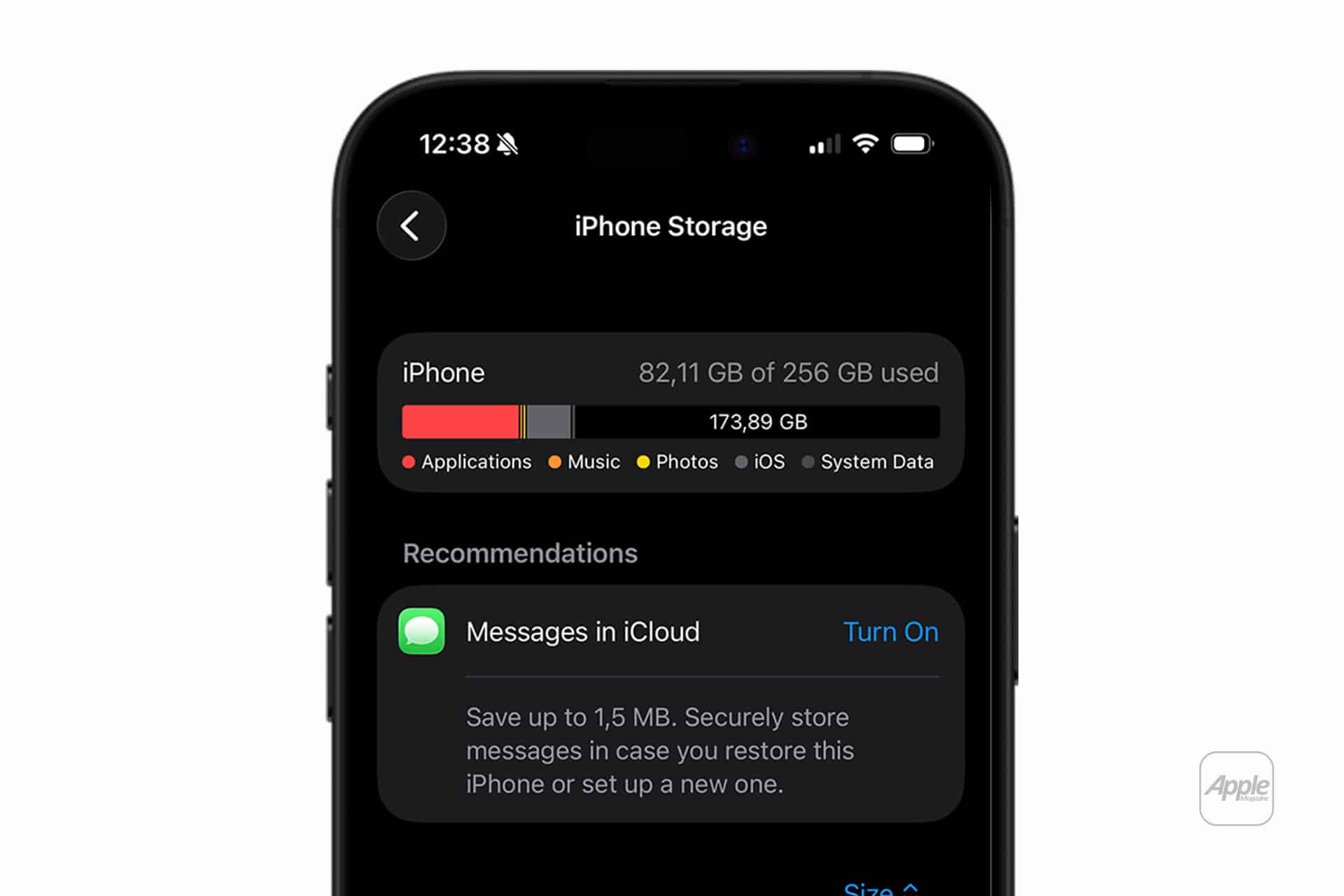
Settings > General > iPhone Storage
For iCloud Photos storage behavior:
Settings > Photos > Optimize iPhone Storage
The goal is not to record everything at the maximum setting. The goal is to use the right setting for the job. A short social clip, a family video, a client shoot, and a color-grading project do not need the same format.