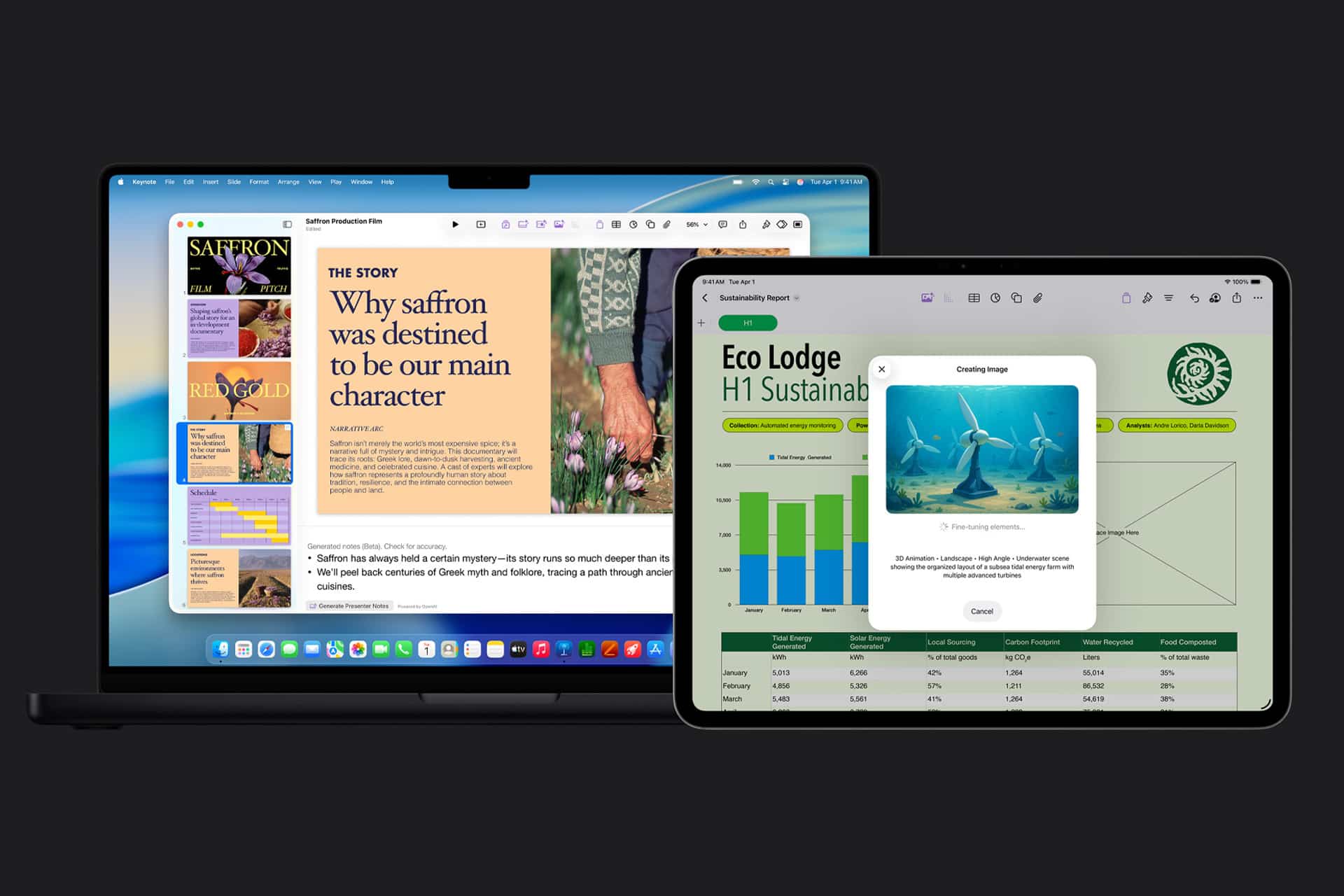
Apple has made a clean break with the old version of iWork on the Mac. Pages, Numbers, and Keynote have been removed from the Mac App Store in their earlier free form, and the versions now available are the newer releases built to work with Apple Creator Studio.
On iPhone and iPad, the transition has been less dramatic because the existing apps were updated in place, but on the Mac the shift is more visible and more important, especially for people still using older software habits or older machines.
For a lot of Apple users, iWork has always been the friendlier side of productivity software. Pages feels lighter than Word, Keynote has long been one of the best presentation apps in any ecosystem, and Numbers remains a favorite for people who want spreadsheets without the visual heaviness that often comes with Excel.
That is why this change matters. Apple is not retiring iWork itself. It is simplifying the lineup and steering users toward the current generation of apps, the ones that support the newer Creator Studio environment and its premium AI-related features. Apple says Pages, Numbers, and Keynote remain free to use, while Creator Studio adds premium content and advanced features around them.

What Changed on Mac and Why It Matters
On the Mac, Apple support now explains that Pages, Numbers, and Keynote 15.1 and later are available as new apps rather than simple updates to the older Mac versions. That is the key detail behind the confusion many users are seeing. If you were using the previous Mac apps, Apple’s current guidance is to download the new versions directly from the App Store.
Apple also notes that if you have version 14.4 or earlier and want to preserve saved passwords for protected documents, you should first update those apps to 14.5 before moving to the new 15.1 generation.
That small technical detail has bigger implications for everyday users. It means the old Mac apps and the newer Creator Studio-compatible apps are not just cosmetic updates. Apple has treated them as a platform transition.
On iPhone and iPad, the picture is simpler. Apple did not split those apps into separate public listings in the same way. Instead, the existing App Store versions were updated to support the new Creator Studio direction, which means most users just need to make sure they are fully updated. Reports covering the rollout noted that the iOS and iPadOS side was much cleaner, while the Mac side briefly carried both generations before Apple removed the older Mac versions from the App Store.


Installing the New Versions and Removing the Old Ones
If you are using a Mac, the smoothest path is to treat this like a migration instead of a routine update. First, confirm the versions you already have by opening Pages, Numbers, or Keynote and checking the About window.
If your apps are on 14.4 or earlier, Apple advises updating them to 14.5 before downloading the newer 15.1-and-later builds, especially if you want saved passwords for protected documents to carry over cleanly.
After that, open the Mac App Store and download the current versions directly.
Once the new apps are installed, you can keep working with your documents as usual.
App Store > Search > Pages, Numbers, or Keynote > Get or Update
Applications > Old Pages, Numbers, or Keynote > Move to Trash
On iPhone and iPad, the process is more direct because the current apps live inside the normal App Store update flow.
Open the App Store, search the app names if needed, and install or update them there.
If an older version still appears on the Home Screen from a device restore or unusual setup, removing it is the same as deleting any other app and reinstalling the latest version from the App Store.
App Store > Search > Pages, Numbers, or Keynote > Get or Update
Home Screen > Touch and Hold the Old App > Remove App > Delete App
There is also a compatibility side to this story. Apple’s support guidance says the newer Mac apps require direct App Store installation and recent software support.
Community discussions around the rollout have pointed to minimum system requirements tied to newer versions of macOS, iOS, and iPadOS, which means older hardware may be the real dividing line for some users rather than preference alone.
The broader message is that Apple still wants iWork to be part of everyday productivity. It is just redefining where those apps sit inside the company’s software stack. Pages, Numbers, and Keynote remain free, familiar, and deeply integrated across Apple devices.
What changed is the wrapper around them. On the Mac especially, the older era has been closed off, and the Creator Studio-compatible generation is now the standard path forward.
For users who already prefer iWork because it feels cleaner and easier than Office, the practical move now is simple: update, migrate, and keep working inside the newer versions Apple is clearly building around.