

Spreadsheets are essential, but they don’t need to be intimidating. For many users, Microsoft Excel feels powerful yet overwhelming, especially when the task is budgeting, tracking projects, organizing data, or building simple models. iWork Numbers takes a different path. Instead of forcing everything into a rigid grid, it treats spreadsheets as flexible canvases where tables, charts, and text can coexist naturally.
Numbers doesn’t try to replace Excel in enterprise-scale financial modeling. It focuses on clarity, structure, and usability for real-world tasks people actually do every day.
App Store > Search “Numbers” > Download
Numbers > New Spreadsheet > Choose Template > Start Editing

Why Numbers Feels Easier Than Excel
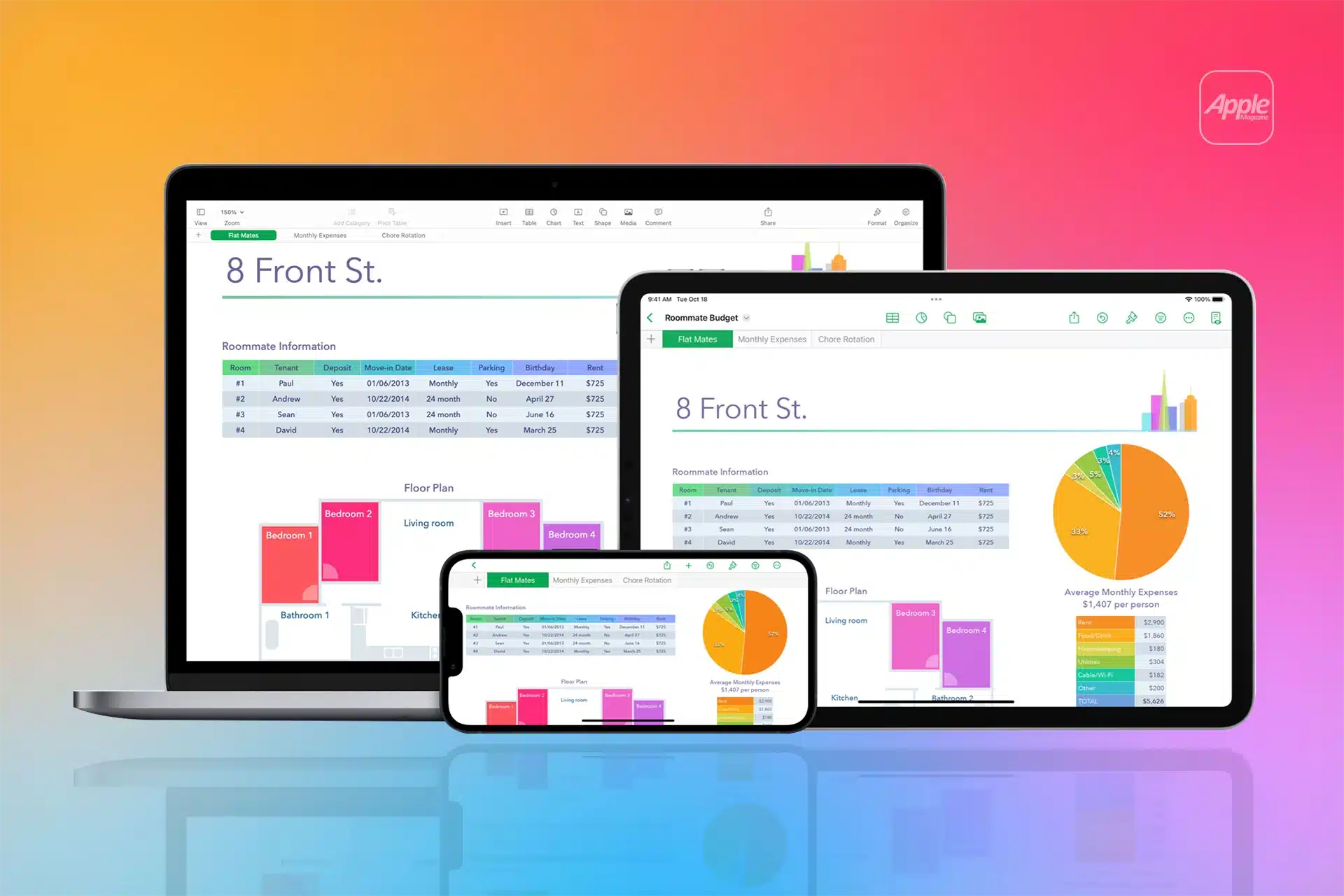
The first thing you notice in Numbers is freedom. A spreadsheet is not locked into a single table filling the entire screen. You can place multiple tables on one sheet, add charts next to them, include notes, images, or explanations, and build dashboards that make sense visually.
This layout-first approach makes Numbers especially effective for personal finance, school work, small business tracking, and presentations where data needs context. Instead of scrolling endlessly through rows and columns, you see information grouped logically.
The interface follows Apple’s contextual design philosophy. Select a table and table options appear. Tap a chart and chart controls show up. This reduces clutter and helps users focus on the task at hand.
Templates That Actually Save Time
Numbers includes a wide range of templates for budgets, investments, schedules, invoices, checklists, and trackers. These templates are not just decorative. They come with pre-built formulas, categories, and charts that work immediately.
For many users, starting from a template eliminates the need to learn spreadsheet structure at all. You adjust values, add rows, and the spreadsheet adapts automatically.
Templates are also a great learning tool. By inspecting how they are built, users gradually understand formulas, references, and logic without formal training.

Formulas Without the Fear
Numbers supports a full range of formulas, including mathematical, financial, statistical, and logical functions. The difference is how they are presented. Functions are written in plain language, with clear descriptions and visual references when selecting cells.
When you create a formula, Numbers highlights the referenced cells directly on the sheet, making it easier to understand how calculations work. Errors are easier to spot because the structure is more transparent.
For users who avoid Excel because formulas feel fragile or confusing, Numbers lowers the barrier without removing power.
Charts and Data Visualization
Charts are one of Numbers’ strongest areas. Adding a chart is simple, and the default styles are clean and readable. Charts update automatically as data changes, and customization is straightforward.
Because tables and charts can live side by side, it’s easy to build interactive dashboards. This is especially useful for tracking goals, expenses, performance metrics, or progress over time.
Numbers is less about raw density of data and more about understanding what the data means.
Working Across Devices With iCloud
Like the rest of the iWork suite, Numbers integrates deeply with iCloud. A spreadsheet created on Mac opens instantly on iPad or iPhone, keeping formatting and formulas intact.
Numbers > File > Move To > iCloud Drive
Open Numbers on another device > Continue Editing
Collaboration is built in. You can share spreadsheets, edit simultaneously, and leave comments without sending files back and forth. For teams, families, or small businesses, this removes a lot of friction.
Compatibility With Excel
Numbers opens and exports Excel files, making it practical even in mixed environments. Most everyday spreadsheets translate well between formats.
File > Open > Select Excel File
File > Export To > Excel
Complex Excel features like advanced macros may not carry over, but for budgets, trackers, reports, and planning sheets, compatibility is reliable.

A Different Way to Think About Spreadsheets
iWork Numbers is best seen not as a lighter Excel, but as a smarter one for everyday use. It prioritizes clarity over density, design over intimidation, and understanding over tradition.
For users tired of wrestling with Excel for simple tasks, Numbers often becomes the spreadsheet app they didn’t realize they needed.


