

Travel changes the way people use their phones. At home, a smartphone is usually about messages, maps, photos, and payments. Abroad, it becomes something more immediate. It helps with the small human moments that can otherwise turn stressful very quickly: ordering food, asking for directions, checking into a hotel, understanding a sign, replying to a driver, or simply trying to be polite in a language you do not speak. That is exactly where language translation on iPhone now feels more important than ever.
Apple has spent years making translation feel less like a separate task and more like a natural part of communication. What used to require a dedicated app, repeated copy-and-paste, or awkward pauses now happens closer to real time.
On iPhone, translation can already happen in the Translate app for spoken conversations and typed phrases, and Apple has expanded that with Live Translation in Messages, Phone, and FaceTime on supported devices with Apple Intelligence.
Apple also supports in-person translation through AirPods, which makes the whole experience feel more fluid when traveling. Those changes matter because translation stops being a backup tool and starts becoming part of how you move through the day.
What makes Apple’s approach appealing is that it stays simple. It does not ask users to learn a new system every time they need help. The tools are built into apps people already open constantly. That gives language translation a much warmer role. Instead of feeling like technology interrupting a conversation, it feels like a quiet bridge helping it continue.
For travelers, that difference is huge. The best translation feature is usually the one that gets you through a moment without making that moment feel mechanical.


Language Translation in the Translate App Still Matters Most
The Translate app remains the center of Apple’s travel-friendly language tools. It is fast, direct, and easy to trust when you need a quick answer. You can type or speak a phrase, hear it aloud in another language, and keep the exchange moving. For travelers, that matters in practical situations that happen all day long. A short phrase about allergies at a restaurant, a question about train platforms, or a request at a hotel front desk becomes much easier when the response is immediate and clear.
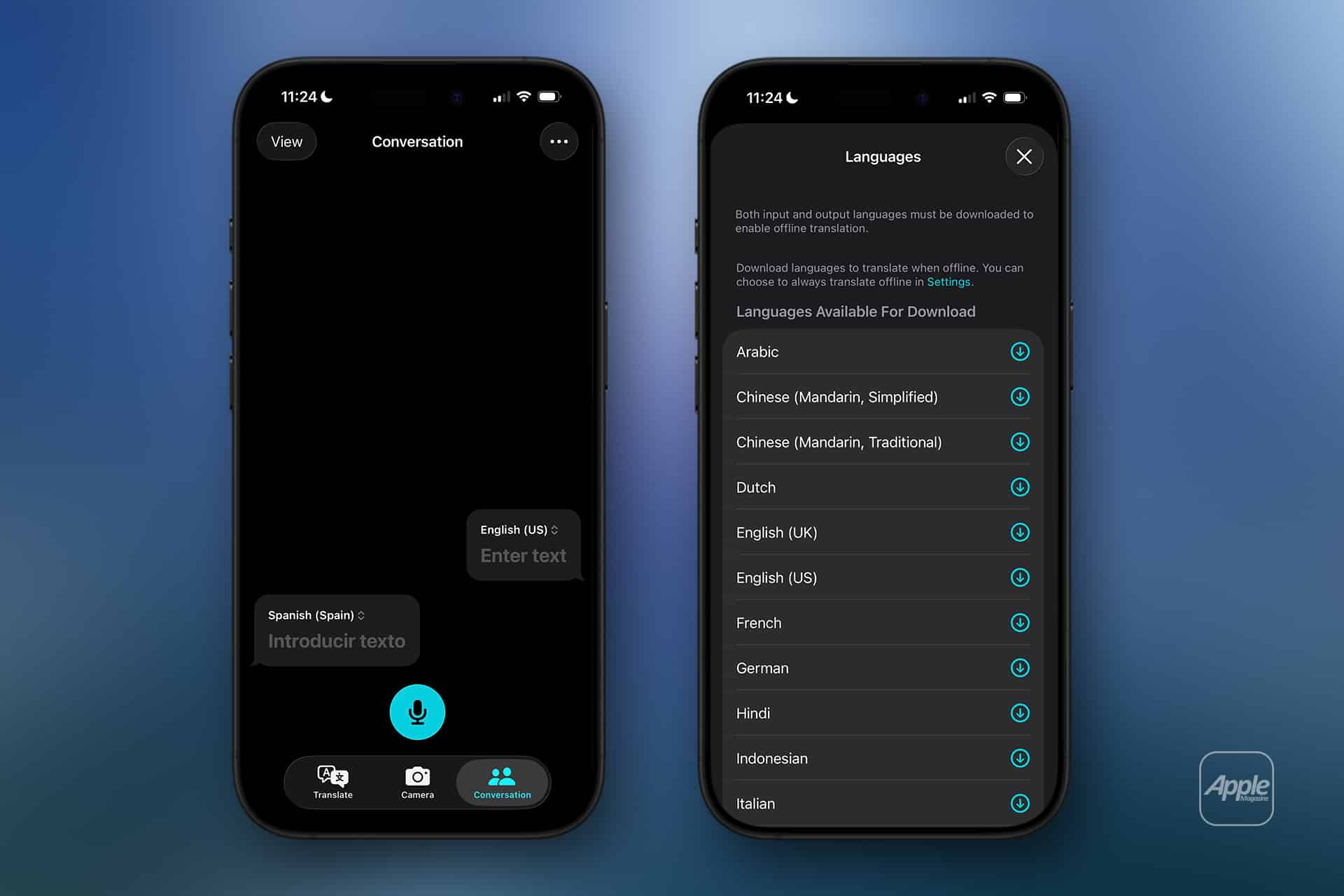
The conversation view is especially helpful. Instead of handling translation as separate turns in a clumsy back-and-forth, the app can present both sides of the exchange in a way that feels more natural. Apple also supports downloaded languages for conversation features, which means some translation tasks can continue even without a live connection. That is important when traveling internationally, where mobile data can be expensive, unreliable, or simply unavailable in the moment. For many people, offline support is what turns translation from a nice feature into a practical travel tool.
Translate app > Conversation > Choose both languages > Speak or type
Translate app > Downloaded Languages > Select the language you want available offline
There is also a comfort factor here. When people travel, they often need translation in small bursts rather than in long formal discussions. The Translate app fits that rhythm. Open it, use it, move on. No friction. No unnecessary setup. That lightness is one reason language translation on iPhone feels stronger today than it did just a few years ago.
Live Translation in Messages, Phone, and FaceTime
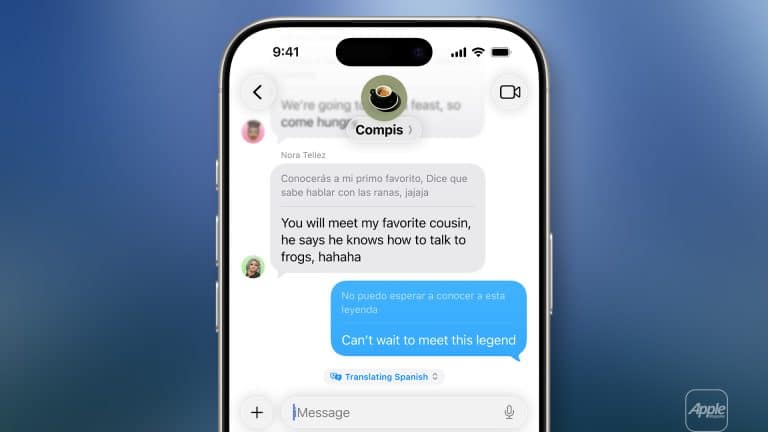
This is where Apple has pushed the experience further. With Apple Intelligence on supported iPhones, Live Translation now reaches beyond the Translate app and into communication itself. Apple says Live Translation can automatically translate text messages, phone calls, FaceTime conversations, and in-person conversations. That changes the role of the iPhone during travel in a very real way. Translation is no longer something you stop to do. It becomes part of the conversation while it is happening.
In Messages, this can make a difference when coordinating with a host, a local guide, a restaurant, or a driver. You do not need to leave the thread, translate the message elsewhere, and return. On calls and FaceTime, Apple describes translated captions or spoken translations happening in real time, which can be especially useful when voice is faster than typing.
For travelers, that means the iPhone is increasingly able to support communication the way it naturally happens, not just the way an app allows it.
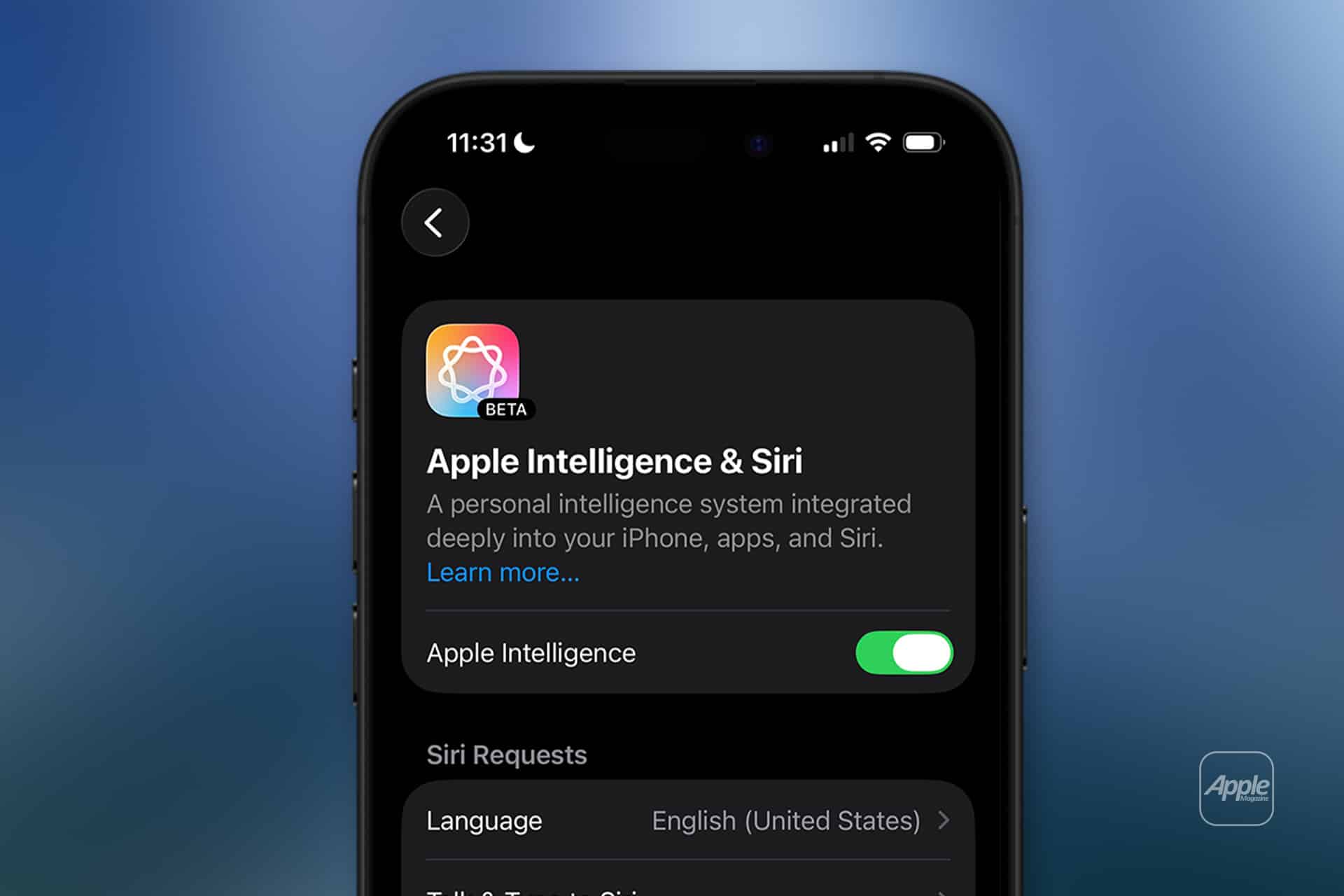
Settings > Apple Intelligence > Turn On Apple Intelligence
Messages > Open conversation > Tap contact name > Live Translation
Phone app > Start or answer a call > Turn On Live Translation
FaceTime > Start call > Turn On Live Translation
The larger point is that language translation becomes more human when it stays close to the original interaction. People do not want to break the flow of a conversation every few seconds. Apple’s integration helps reduce that awkwardness. It will not replace learning a language or understanding local culture, but it can remove enough friction to make travel feel calmer and more open.
AirPods and Smarter Travel Communication
AirPods make the experience even more personal. Apple now supports Live Translation with AirPods for in-person conversations, which matters because it changes how translation feels in the body, not just on the screen. Instead of staring down at a phone the whole time, travelers can listen more naturally while keeping their attention on the person in front of them. That feels warmer, more direct, and far less robotic.
For simple travel exchanges, this can be especially useful. Asking for help in a station, confirming directions, or following a quick spoken reply becomes easier when the translated language arrives directly through AirPods. Apple’s support documentation explains that users can start a Live Translation conversation from the Translate app and hear translated speech through their AirPods.
This adds a layer of comfort that makes the iPhone feel less like a device you are holding between two people and more like a quiet assistant helping the conversation move.
Translate app > Live > Choose Their Language and Your Language
Translate app > Live > Start conversation with AirPods connected
There is also a bigger reason this matters inside Apple’s ecosystem. The company is not treating translation as one isolated feature. It is connecting it across iPhone, AirPods, Messages, FaceTime, and calls. That kind of continuity is what makes language translation feel ready for real travel rather than just occasional use. You can type when that is easier, speak when that is faster, listen through AirPods when that feels more natural, and fall back on offline tools when the network disappears.
The future of travel assistance on iPhone will probably keep moving in this direction: less friction, more integration, and fewer moments where the user has to stop and think about the tool itself. That is what makes language translation on iPhone feel genuinely useful now. It is not only about converting words. It is about keeping the rhythm of a trip intact when language would otherwise get in the way.