

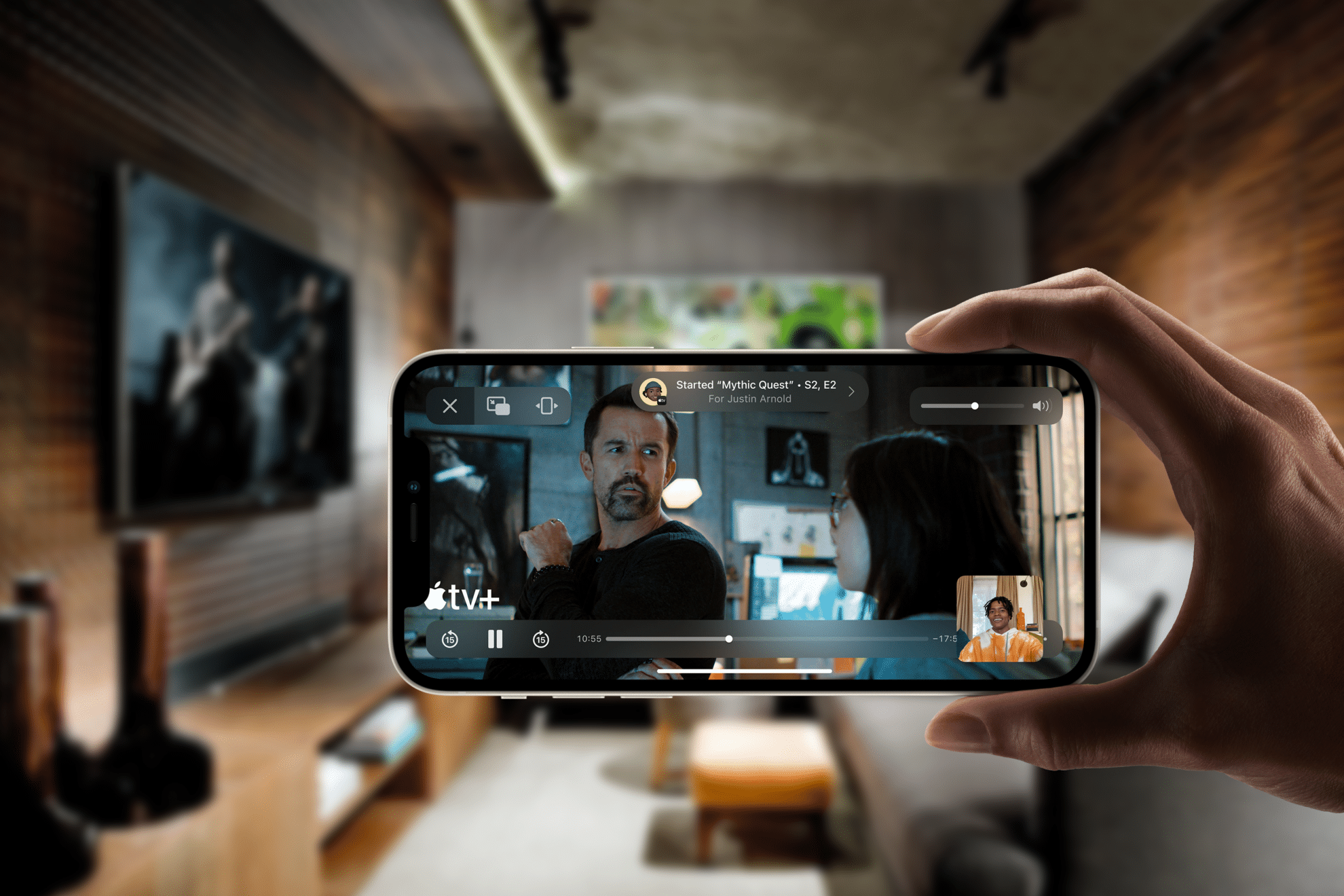
There is something deeply comforting about pressing play at the exact same second as someone you love — even if they are thousands of miles away. Long Distance SharePlay turned what used to be complicated “3…2…1…play!” countdowns into something effortless. A friend in Madrid, a sister in Toronto, a cousin in São Paulo. Different time zones, same film, same reactions.
It usually starts with a simple FaceTime call. Laughter while choosing the movie. Debating between a thriller or something light. Then someone taps SharePlay, and suddenly the distance feels smaller. The Apple TV at home becomes a shared living room.
How Long Distance SharePlay Works
Long Distance SharePlay synchronizes playback between participants in a FaceTime call. When one person pauses, everyone pauses. When someone rewinds to catch a missed line, it rewinds for the group. The magic is not flashy. It just works.
To start on iPhone or iPad:
FaceTime > Start Call
Open Apple TV app > Select a movie or show > Tap SharePlay
On Apple TV:
Control Center > FaceTime > Join Call
Open Apple TV app > Select content > Confirm SharePlay
Each participant needs access to the content through their own subscription. Once started, playback stays perfectly aligned across locations.
The best part is how natural it feels. People talk over scenes, laugh at the same jokes, react to plot twists in real time. It brings back that sense of shared presence without complicated setups.

Creating a Weekly Tradition
Some groups take it further. Sunday evenings become fixed movie nights. A shared calendar invite. A rotating host who chooses the film. Snacks prepared in different kitchens around the world.
Calendar app > New Event > Add Invitees
It becomes less about the film and more about the ritual. A standing date across continents. Parents watching with adult children who moved abroad. College friends keeping a bond alive after graduation.
FaceTime audio continues while watching, so reactions feel immediate. If someone’s internet drops for a moment, playback waits. No spoilers. No racing ahead.
Apple designed SharePlay to keep conversation central, not secondary. It keeps faces visible, voices clear, and playback synchronized.
Making It Feel Like Home
Small details elevate the experience. Using AirPods creates more immersive audio without echo. Dimming lights at the same time. Sending photos of homemade snacks in the group chat before pressing play.
Messages > Tap Contact > Send Photo
Some families even mirror the Apple TV to a projector for larger gatherings, turning a living room into a mini theater while still connected through FaceTime.
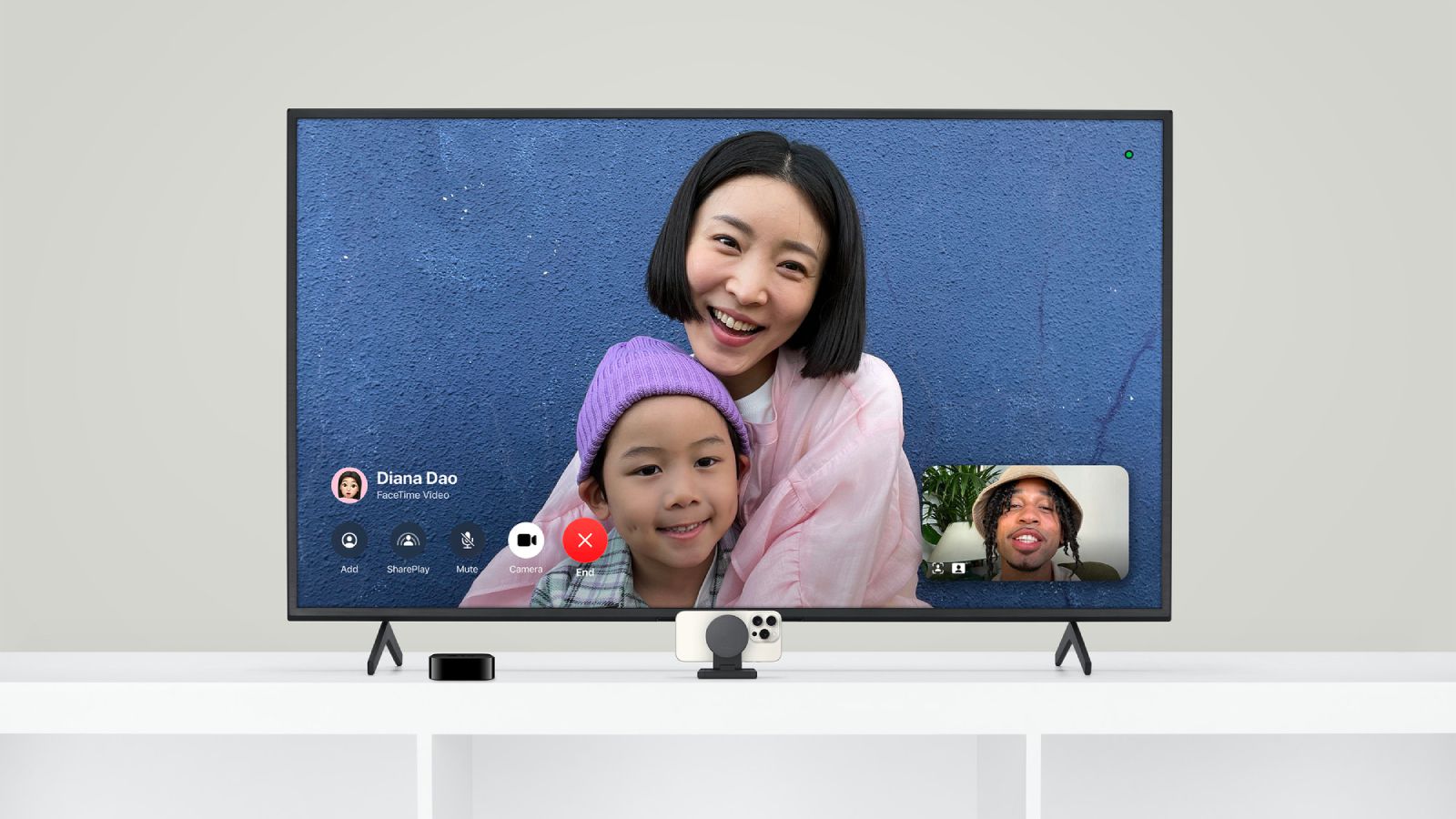
For households with Apple TV 4K, the integration is seamless. Calls appear on screen. You can answer directly with the remote.


The Emotional Layer
Long Distance SharePlay is not about technology. It is about presence. A friend studying overseas can still be part of Friday night films. Grandparents can join animated movie nights with grandkids who live in another country.
There is something powerful about hearing someone gasp at the same twist. Or laughing in sync. Or staying on FaceTime after the credits roll, discussing favorite scenes.
It turns streaming from a solitary activity into a shared experience again.
Troubleshooting Smooth Playback
A few habits help keep things stable:
- Use strong Wi-Fi on all devices
- Keep devices updated
- Close heavy background apps before starting
Settings > General > Software Update
If audio lags slightly, pausing and resuming often resynchronizes the group.
SharePlay also works across iPhone, iPad, Mac, and Apple TV, so everyone joins from whatever screen feels comfortable.
When Distance Shrinks
A world where friends live across borders can feel fragmented. Long Distance SharePlay rebuilds a simple thing many miss: sitting on the same couch.
It does not replace being there physically. But it adds something meaningful to weeks that might otherwise pass with just quick text messages. A shared movie night becomes a shared memory.
And when the credits roll and someone says, “Same time next week?”, it stops feeling like technology. It feels like tradition.

