

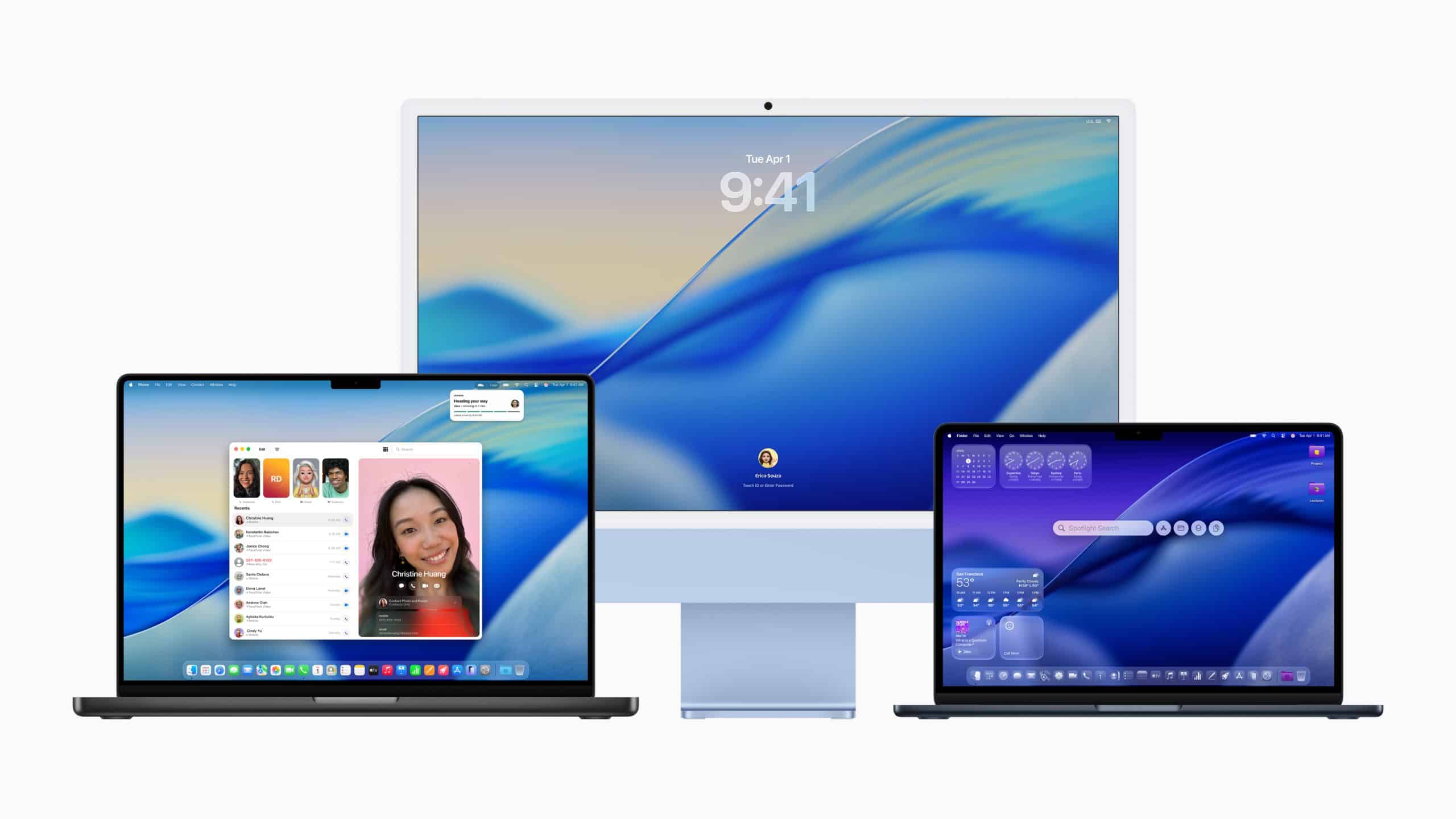
macOS 26.6 is now in developer testing as Apple moves beyond the public release of macOS 26.5 earlier this month and begins the next round of platform refinements for Mac. Apple’s developer releases page lists macOS 26.6 beta with build number 25G5028f, dated May 26, 2026, alongside new beta builds for tvOS 26.6, visionOS 26.6, and watchOS 26.6.
The first beta does not appear to introduce a headline feature on the level of macOS Tahoe’s original Liquid Glass redesign, Spotlight upgrades, Phone app integration, Games app, or larger Apple Intelligence changes. Instead, macOS 26.6 looks like the next maintenance cycle in Apple’s broader 26.x software track, likely focused on stability, compatibility, security hardening, and smaller platform fixes before the company turns more public attention to WWDC26.
That makes the update more important for developers than for ordinary Mac users at this stage. Developer betas are meant for testing apps, workflows, extensions, drivers, enterprise tools, and compatibility before a public release. They may contain bugs, battery issues, app problems, or unexpected behavior. For most users, macOS 26.5 remains the safer current release, especially because Apple’s security notes show that macOS Tahoe 26.5 included a broad set of security fixes when it shipped on May 11, 2026.
Apple’s pattern is familiar. After a larger public update, the company begins another beta wave so developers can test the next point release while Apple continues fixing problems in the background. The 26.6 cycle is part of that ordinary but important rhythm.
macOS 26.6 Starts as a Developer-Focused Update
macOS 26.6 beta is available through Apple’s developer channels for registered developers. Users enrolled for beta access can install the update through Software Update when their Mac is configured for developer beta releases.
To check beta updates:
System Settings > General > Software Update > Beta Updates
This path should be used carefully. A beta operating system can affect professional apps, plug-ins, external displays, audio devices, printers, VPN tools, backup software, cloud-sync tools, and business workflows. Users who depend on a Mac for daily work should usually test betas on a secondary Mac, an external volume, or a noncritical machine rather than installing them on a primary production system.
That advice is especially relevant for macOS because Mac users often rely on specialized software. Audio producers may depend on plug-ins. Developers may depend on SDKs, command-line tools, and simulators. Designers may depend on Adobe, Figma, 3D tools, fonts, and color workflows. Businesses may depend on VPNs, endpoint security, device management, and legacy utilities. Even a small system change can create friction.
For developers, however, early testing matters. macOS 26.6 gives app makers time to verify that their software remains stable before Apple releases the update more broadly.

macOS 26.5 Set the Security Baseline
macOS 26.6 arrives shortly after macOS 26.5, which shipped May 11, 2026. Apple’s security page for macOS Tahoe 26.5 lists fixes across system components and follows Apple’s standard policy of disclosing security details only after investigation and release.
That makes macOS 26.5 the current public security baseline for most users. Anyone not testing beta software should be on macOS 26.5 or the latest supported security update for their Mac. Apple also released security updates for earlier macOS versions in the same cycle, including Sequoia and Sonoma security releases, according to Mac-focused update tracking.
macOS 26.6 will likely build on that foundation. Apple point releases often combine bug fixes, security patches, and under-the-hood improvements rather than visible new features. The first beta rarely tells the full story, because Apple may add release-note details later or reserve some security disclosures until the public version ships.
For ordinary Mac users, the best approach is simple: install stable security updates promptly, but avoid developer betas unless there is a clear testing reason.
Before WWDC26
macOS 26.6 lands just before Apple’s next major developer cycle. WWDC26 is expected to shift attention toward the next generation of Apple platforms, including the future of Apple Intelligence, Siri, developer APIs, and system-level updates. Even so, the 26.6 beta remains important because Apple has to keep the current Mac platform stable while preparing the next one.
That overlap is normal. Apple’s software teams maintain the current public release, test point updates, and prepare major annual releases at the same time. For developers, that means there are two tracks to watch: macOS 26.6 for near-term compatibility and the next major macOS version for longer-term planning.
The current beta also helps Apple collect developer feedback before public rollout. If a bug affects enterprise deployment, app signing, networking, graphics, Bluetooth, external displays, storage, or Apple Intelligence behavior, developers and IT teams can identify it before the update reaches more users.

A Quiet Update Can Still Be Important
macOS 26.6 may not be a flashy Mac update, but quiet releases are often the ones that make a platform feel reliable. Users notice the big annual features. They depend on the point releases that fix problems, close security gaps, improve compatibility, and keep apps running smoothly.
For now, macOS 26.6 beta 1 should be treated as a developer release, not a general recommendation. Developers can begin testing against build 25G5028f. Public users should stay with macOS 26.5 unless they are comfortable with beta risks and have a reliable backup.
The Mac’s software cycle is moving exactly as expected: macOS 26.5 is the current public release, macOS 26.6 is now in developer testing, and Apple is preparing for the next major platform conversation at WWDC26.