

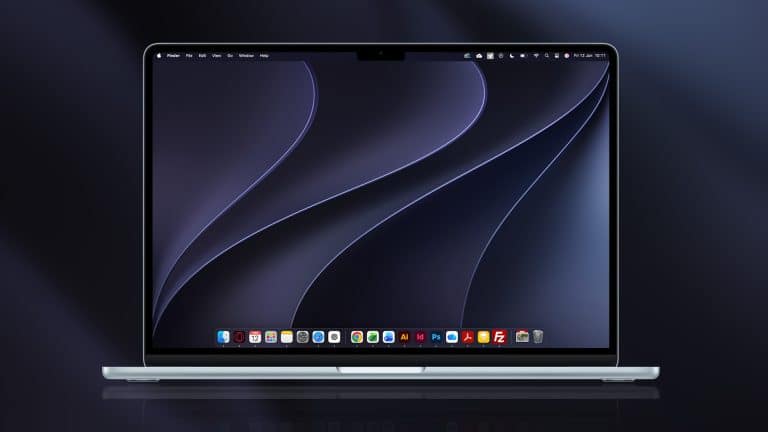
macOS 27 beta 3 is now rolling out to developers, giving Golden Gate another round of refinements before the public beta arrives later this month. The update follows beta 2, released on June 22, and continues the usual early-summer cycle of fixes, interface tuning, and developer-facing adjustments after WWDC.
Golden Gate is one of the more focused Mac updates in recent years. It does not appear designed around a single visual overhaul or one headline app. Instead, it brings a collection of refinements across Liquid Glass, Siri AI, Visual Intelligence, search, system responsiveness, parental controls, and Apple silicon support. Beta 3 is where those ideas should start feeling less like a WWDC preview and more like a working daily system, even though it remains software meant for testing.
Apple has not positioned developer betas as general-use releases. Early versions can affect battery life, app compatibility, external displays, browser behavior, file sync, audio tools, and plug-ins. Developers and advanced testers usually install them on secondary machines or separate volumes, especially when a Mac is needed for production work.
macOS 27 Beta 3 Focuses on Refinement
The macOS 27 beta 3 update is expected to be less about brand-new features and more about tightening what Apple introduced in the first two developer builds. That usually means bug fixes, performance changes, UI adjustments, and compatibility work for developers preparing apps for the fall release.
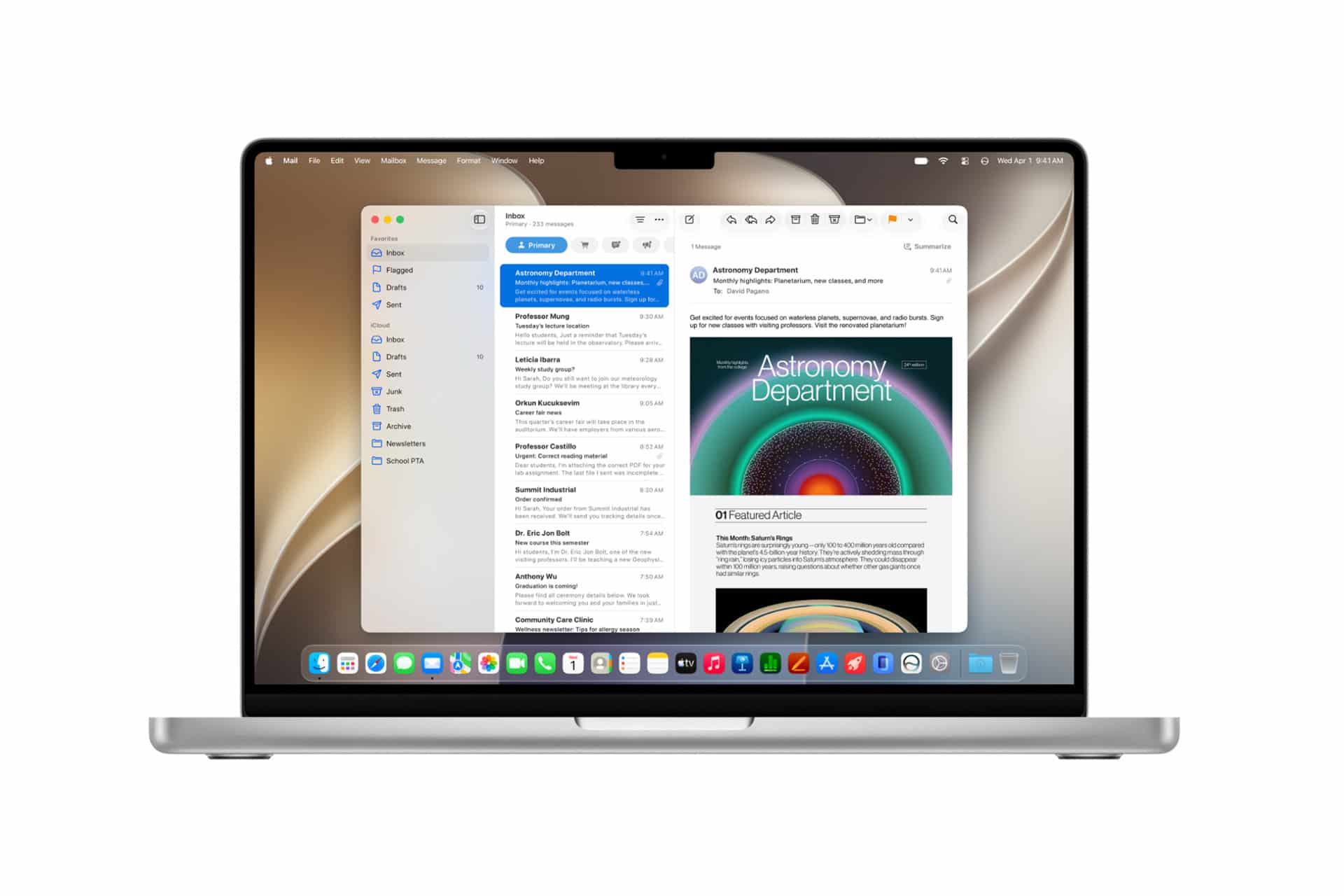
Golden Gate’s most visible area remains Liquid Glass. Apple’s preview describes refinements aimed at readability, more uniform refraction, better contrast, updated window shapes, uniform toolbars, edge-to-edge sidebars, and refreshed menu bar icons. A new Liquid Glass slider also lets users adjust the look from ultraclear to fully tinted, which gives Apple room to answer feedback without abandoning the visual system introduced across its platforms.
Beta 3 should be watched closely for small visual changes. In early macOS betas, Apple often changes spacing, corner radius, menu behavior, window shadows, toolbar density, sidebar coloring, and legibility. These details matter more on the Mac than on smaller devices because users often keep multiple windows open at once, work across external displays, and spend long sessions inside professional apps.
The update also continues work on system responsiveness. Apple says Golden Gate includes quicker AirDrop transfers, faster network file browsing, faster Safari start page content loading, better search suggestions, and improvements around memory usage, display rendering, and CPU utilization. Those claims will need real-world testing across M1, M2, M3, M4, and newer Macs, but they show where Apple wants the release to land: less dramatic on the surface, more polished in daily use.

Siri AI and Visual Intelligence Remain the Main Story
Siri AI is still the feature that gives macOS 27 its larger identity, even if parts of it may arrive gradually. Apple says Siri AI is powered by Apple Intelligence, supports more natural conversations, can answer open-ended questions, and has a dedicated Siri app that keeps conversations in one place. Spotlight also gains an “Ask Siri” option, turning Mac search into a more flexible entry point for questions and tasks.
Golden Gate also adds Visual Intelligence on Mac. Apple describes it as a way to ask about onscreen content through screenshots, including images and PDFs, with options to search, act, or get answers based on what is visible. On the Mac, that could become especially useful for documents, web research, design work, coding references, presentations, and emails with embedded images.
Beta 3 may not unlock every Siri AI behavior for every tester. Apple says Siri AI is coming in English later this year and notes availability and device requirements for advanced features. Some Apple Intelligence features depend on supported languages, regions, chip generation, and memory. The more advanced Siri and dictation capabilities listed in Apple’s footnotes require Mac models with M3 or later and at least 12GB of unified memory.
That makes Golden Gate a split experience. Many Macs with Apple silicon can run macOS 27, but not every supported Mac will receive every AI feature. The base system update is wider than the top layer of AI capabilities, and beta testing will help define how visible that difference feels in normal use.
A Major Shift for Mac Compatibility
Golden Gate also marks a major compatibility line. macOS 27 supports Apple silicon Macs, including MacBook Air models with Apple silicon from 2020 and later, MacBook Pro models with Apple silicon from 2020 and later, iMac with Apple silicon from 2021 and later, Mac mini with Apple silicon from 2020 and later, Mac Studio from 2022 and later, Mac Pro with Apple silicon from 2023, and the MacBook Neo.
That leaves Intel Macs behind for the first time in a major macOS release. The transition has been expected since Apple’s multi-year move away from Intel processors, but Golden Gate makes the software split official. For users still on Intel machines, macOS 26 Tahoe remains the last major release path, while security updates are expected to continue separately.
For developers, the beta 3 stage is also a reminder to test Apple silicon-native performance, app launch behavior, background processes, menu bar utilities, virtualization tools, kernel extensions, drivers, audio software, and enterprise deployment workflows. Mac users may judge Golden Gate by its cleaner design and faster feel, but developers will judge it by whether their apps behave predictably across the full supported hardware range.
Public Beta Timing and What to Watch Next
The first public beta of macOS 27 Golden Gate is expected in July, with the final release planned for the fall. Developer beta 3 arriving now suggests Apple is moving toward the stage where public testers will soon be able to try the update without a paid developer account.
The safest reading is that beta 3 is a refinement build, not a feature reveal. Testers should look for changes to Liquid Glass readability, Safari loading, AirDrop reliability, Mail search ranking, Spotlight suggestions, Siri app behavior, Visual Intelligence prompts, parental controls in System Settings, external display handling, and battery or memory use on portable Macs.
Golden Gate’s progress will depend on whether Apple can make its AI features useful without making the Mac feel heavier. The most promising part of macOS 27 is not the existence of another AI layer; it is the chance for Siri, Spotlight, screenshots, Mail, Safari, and Shortcuts to work with less friction across normal Mac tasks. Beta 3 is another step toward that test, with developers now checking whether the polish is catching up to the WWDC pitch.