

Safari is getting a more useful tab-management upgrade in macOS 27 Golden Gate, giving Mac users new AI-powered tools to organize busy browsing sessions, monitor webpages for changes, and create more personal browsing workflows.
The biggest addition is AI-powered tab organization, a feature designed to group open webpages by related topics. Apple is also adding webpage change alerts through a feature called Notify Me, plus new ways to build Safari extensions using natural language. Together, these changes make Safari feel less like a browser that only displays pages and more like a workspace that can help users manage the web itself.
That matters on Mac because Safari is often used for long research sessions, work projects, shopping, publishing, school tasks, travel planning, streaming, banking, and reading. Tabs can pile up quickly. A browser window that starts with three pages can turn into dozens before the user realizes it. macOS 27 tries to solve that problem with more organization and less manual cleanup.
Safari Tabs Get AI Organization
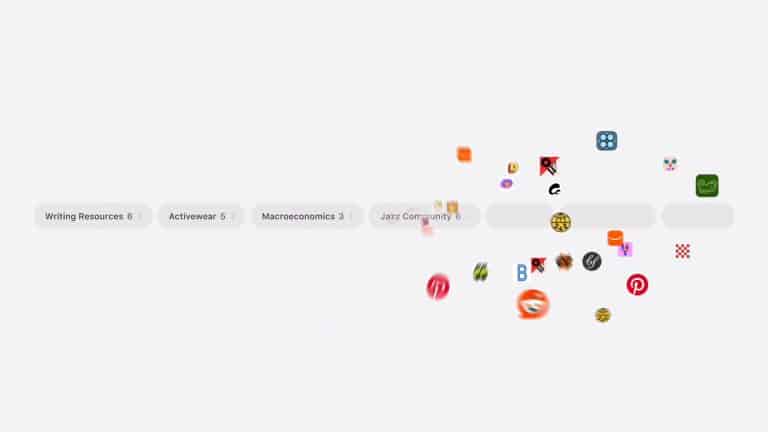
Safari’s new tab organization feature uses Apple Intelligence to sort open tabs into related groups. Instead of forcing users to drag tabs manually or build Tab Groups from scratch, Safari can identify pages that belong together and organize them automatically.
This is especially useful for Mac users who work across multiple tasks at once. A user may have tabs for a trip, a work project, shopping research, news articles, banking, social media, and documentation open in the same window. Safari’s AI grouping can separate those pages into more understandable clusters.
The feature does not replace traditional Tab Groups. It builds on the same idea by reducing setup. Tab Groups are useful, but many users do not take the time to create them manually. Automatic organization makes the feature more approachable because Safari can do the first pass.
The value will depend on accuracy. If Safari can recognize that several pages are part of the same research project, product comparison, recipe search, or work task, it can reduce clutter quickly. If the grouping feels random, users will ignore it. Apple’s advantage is that Safari can work within the browser’s local context and Apple’s privacy model rather than sending browsing behavior into a generic ad-driven system.
Topics Could Make Research Easier
Some early coverage has referred to Safari’s AI tab feature as Topics, describing it as a way for the browser to organize tabs by subject. The exact public naming may vary across Apple’s previews and beta builds, but the function is clear: Safari is trying to understand the theme of open pages.
For research-heavy users, this could be one of macOS 27’s most practical Safari changes. A student writing a paper, a journalist comparing reports, a traveler planning a route, a buyer comparing products, or a developer reading documentation can end up with many related tabs open at once. The browser knows those pages are connected only if the user creates a group manually.
AI organization changes that. Safari can detect patterns and propose order from the mess. It can help separate “things to read later” from “active project tabs” and reduce the visual overload that comes with too many open pages.
This also fits Apple’s larger WWDC26 direction. Apple is adding intelligence to familiar workflows instead of asking users to start from a blank AI prompt. In Safari, the problem is already visible: too many tabs. The solution is not a chatbot. It is a browser that helps organize the tabs already there.


Notify Me Watches Webpages for Changes
Safari in macOS 27 also adds Notify Me, a feature that can monitor a webpage and alert users when it changes. That gives Safari a more proactive role, especially for pages users keep checking repeatedly.
This could be useful for product restocks, price changes, ticket availability, event updates, appointment slots, news pages, support documents, delivery pages, job listings, school portals, or any webpage where the user is waiting for an update. Instead of refreshing manually or leaving a tab open for days, Safari can watch the page and send a notification.
Notify Me turns Safari into a lightweight web-monitoring tool. That could reduce the need for third-party browser extensions or external monitoring services for simple use cases. It also pairs naturally with better tab management. If Safari can monitor a page, the user may not need to keep that page open as a reminder.
The feature should be used carefully. Not every webpage will be ideal for change alerts, and some sites update constantly. Users will need to choose pages where a change has real value, otherwise notifications could become noisy. Still, for the right pages, Notify Me is one of the most useful Safari upgrades in macOS 27.
Natural-Language Safari Extensions
macOS 27 also brings a new way to create custom Safari extensions through natural language. This feature is designed to let users describe a web-page modification or browser behavior they want, then have Apple Intelligence help create the extension.
That could open Safari customization to more people. Traditional extensions require development knowledge, JavaScript, permissions, packaging, and review rules. A natural-language builder can make simple browser changes more approachable.
A user might want to hide distracting page elements, adjust a site’s appearance, change how links are displayed, simplify a page layout, or create a small personal tool for a specific site. If Safari can generate basic extensions safely, users could shape the web experience without becoming developers.
Security will be crucial. Browser extensions can access sensitive browsing information, so Apple will need strong permission controls, clear review prompts, and limits on what AI-generated extensions can do. The best version of this feature should make small personal customizations easier while keeping users aware of what the extension can access.
Safari Becomes a Cleaner Work Browser
Safari’s macOS 27 features are especially relevant because the Mac is where browser clutter becomes most intense. On iPhone, users often browse in short sessions. On Mac, Safari can become a full work environment.
A writer may keep source pages, CMS tabs, email, analytics, documents, and image references open at once. A student may keep research, PDFs, notes, citation tools, and class portals open. A developer may keep documentation, GitHub, Stack Overflow, bug reports, and local tools open. A shopper may compare several products, reviews, price trackers, and store pages.
Tab organization, webpage alerts, and custom extensions each attack a different part of that problem. Organize Tabs reduces clutter. Notify Me reduces the need to repeatedly check pages. Custom extensions give users a way to shape specific websites around their needs.
This is a smarter direction than simply changing Safari’s design. The browser has to manage attention, not only load pages quickly. macOS 27 gives Safari more tools for that.
Privacy Still Shapes Safari’s Role
Safari’s new AI features also have to fit Apple’s privacy standards. Browsing history, open tabs, webpage content, and website behavior can reveal highly personal information: health searches, financial questions, legal research, work projects, travel plans, shopping interests, family issues, school activity, or private communication.
Apple has long positioned Safari as a privacy-focused browser through Intelligent Tracking Prevention, privacy reports, fingerprinting protections, Private Browsing protections, and iCloud Private Relay for iCloud+ users. Adding AI-powered tab organization and webpage monitoring raises the stakes because Safari is now interpreting more about the user’s browsing session.
That is why local processing and permission clarity will matter. Users should know when Safari is organizing tabs, when it is monitoring a webpage, and what data is involved. Apple’s browser advantage depends on making these features feel helpful without making browsing feel watched.
If Apple gets that balance right, Safari can become more useful without giving up the privacy identity that separates it from many browsers.


iCloud Tabs and Cross-Device Browsing
Safari’s tab features also connect to Apple’s wider device experience. iCloud Tabs already lets users see tabs open on other Apple devices. Tab Groups sync across devices through iCloud. Reading List, bookmarks, history, passwords, and website data can also follow the user across iPhone, iPad, and Mac.
AI tab organization could make that cross-device behavior more valuable. A group started on Mac could later be useful on iPad. A shopping or travel research session could move from iPhone to Mac. A webpage monitored on Mac could help a user avoid leaving the same page open on every device.
This is where Safari becomes part of Apple’s broader AI continuity story. The browser is not just a Mac app. It is a shared layer across devices, tied to iCloud, Passwords, Private Relay, Apple Intelligence, and eventually deeper Siri AI interactions.
A smarter Safari on Mac can help Apple make the web feel less fragmented across devices. That is not a dramatic feature, but it is useful for people who move between screens all day.
Safari’s Best macOS 27 Upgrade Is Less Clutter
Safari in macOS 27 Golden Gate is not trying to reinvent browsing. It is trying to make browsing less messy.
AI-powered tab organization helps users regain control of crowded windows. Notify Me reduces the need to keep checking the same pages. Natural-language custom extensions bring more personal control to websites. Privacy protections keep Safari aligned with Apple’s long-running browser strategy.
The Mac needs these improvements more than any other Apple device because the browser is often where work, research, shopping, entertainment, and communication collide. Safari’s new tools give users more ways to keep those sessions organized without relying entirely on discipline or manual cleanup.
The most useful Safari feature in macOS 27 may be the one that quietly takes a chaotic window and turns it into something readable again.