

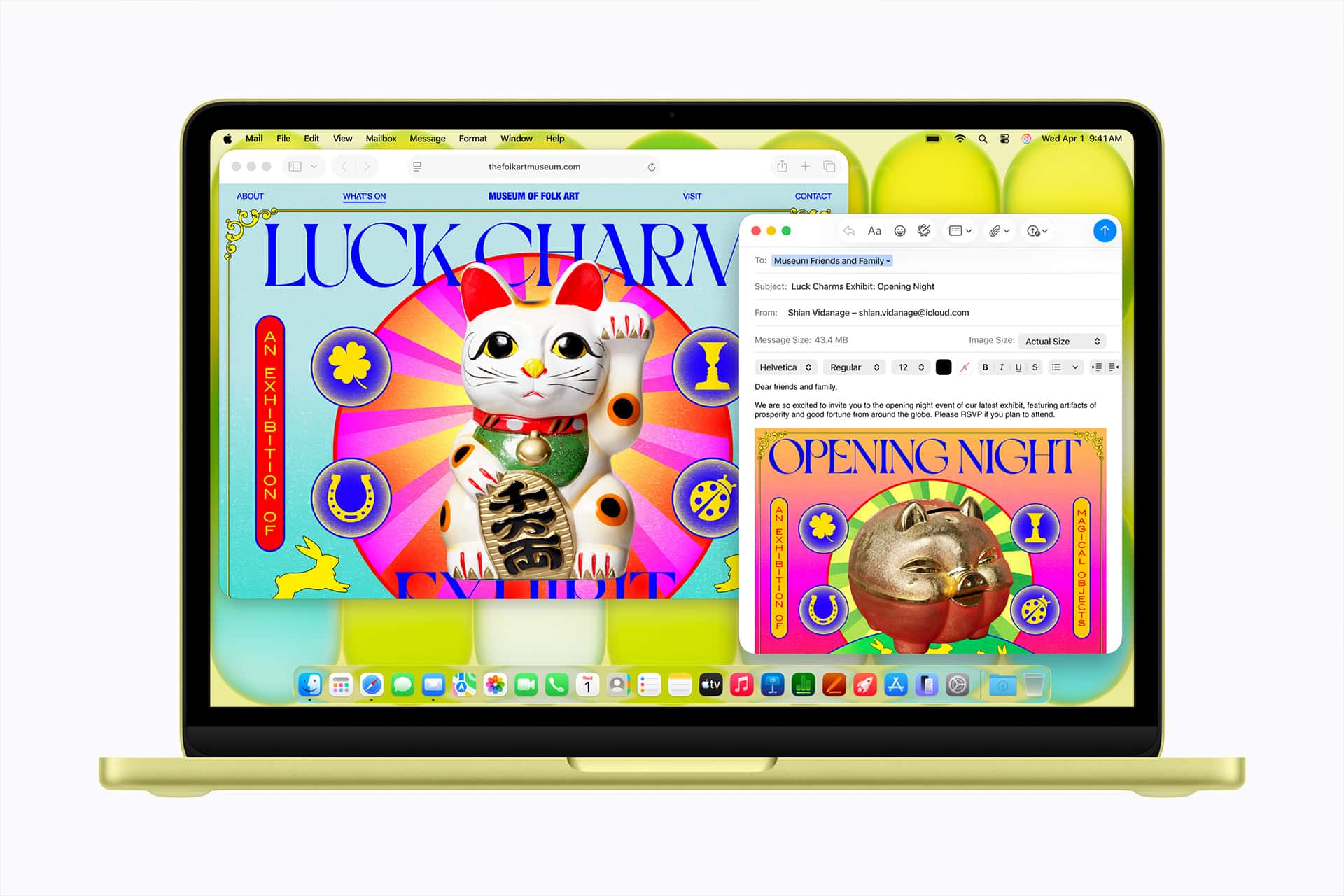
Mail is Apple’s conservative answer to modern email apps. While newer email clients often promise to reinvent the inbox with aggressive AI sorting, team workflows, command bars, snoozing systems, subscriptions, and productivity layers, Apple’s Mail app moves more slowly. It improves the basics, adds privacy protections, and brings new intelligence into the inbox without turning email into a separate platform.
That restraint can make Mail feel behind rivals that market themselves as faster, smarter, or more ambitious. But it also explains why Mail remains useful for so many Apple users. It is already built into iPhone, iPad, Mac, Apple Watch, and Vision Pro. It supports iCloud, Gmail, Outlook, Yahoo, Exchange, and other common accounts. It works with Share Sheet, Contacts, Calendar, Files, Photos, Reminders, Focus, Siri, and systemwide search. It is not trying to become the center of work. It is trying to remain the default place where email keeps functioning across Apple devices.
The result is a different philosophy. Mail does not chase every productivity trend. It adds features only when they fit Apple’s broader system: privacy first, device integration, clean defaults, and enough intelligence to reduce inbox friction without making email feel like another app users need to manage.
Mail as Apple Email for Everyone
Mail works because it is ordinary in the right ways. Most users do not want email to feel like a new operating system. They want messages to arrive, search to work, attachments to open, links to behave correctly, drafts to sync, accounts to stay connected, and notifications to be manageable. Mail focuses on those expectations more than on dramatic reinvention.
That makes it different from modern email apps built around power-user workflows. Apps such as Superhuman, Spark, Hey, Outlook, Gmail, and other clients often sell a stronger point of view. Some focus on speed. Some focus on teams. Some focus on AI. Some try to separate important messages from everything else. Some ask users to adopt an entirely new way of thinking about email.
Mail is more cautious. Its changes are usually meant to make the existing inbox easier rather than replace it. Categories on iPhone sort incoming messages into Primary, Transactions, Updates, and Promotions. Priority Messages can surface time-sensitive emails with Apple Intelligence. Summaries can make long emails easier to scan. Writing Tools can help rewrite or adjust tone. Mail Privacy Protection can hide IP addresses and limit tracking pixels from building a profile around email activity.
Those features matter, but they do not make Mail feel like a different product. That is the point. Apple is not asking users to learn a new productivity religion. It is adding modern email features to a familiar app.
Privacy Is the Most Apple-Like Feature
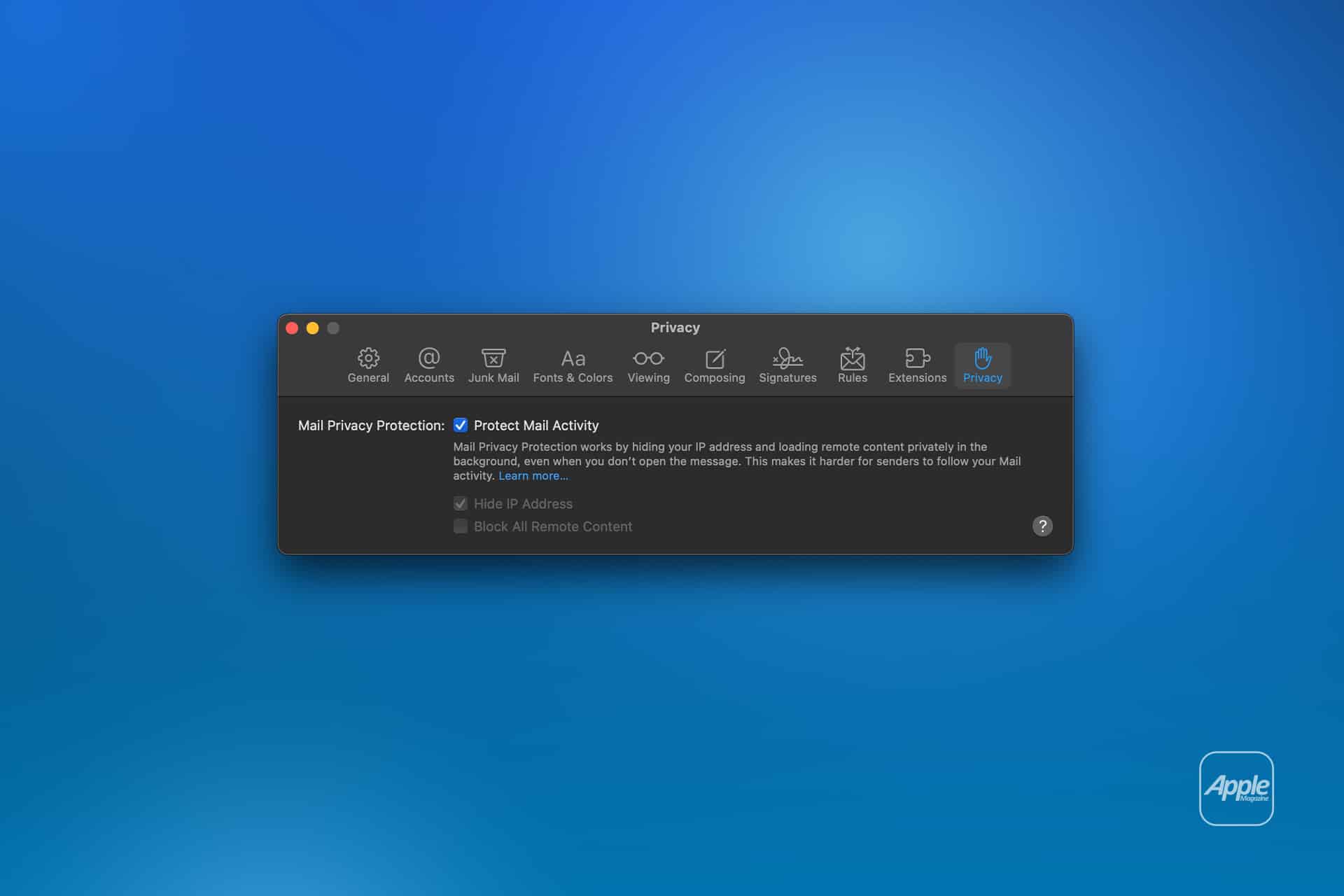
Mail Privacy Protection remains one of Apple’s clearest email advantages. When enabled, it helps hide a user’s IP address and prevents senders from using invisible pixels to learn when an email was opened. That directly challenges one of the most common tracking practices in marketing email.
This is where Apple’s conservative approach becomes more aggressive. Mail may not look as modern as newer inbox apps, but its privacy stance is more direct than many feature-heavy competitors. It treats email tracking as a user problem, not simply as a marketing tool.
To turn on Mail Privacy Protection on Mac:
Mail > Settings > Privacy > Protect Mail Activity
On iPhone:
Settings > Apps > Mail > Privacy Protection > Protect Mail Activity
This fits Apple’s broader privacy language across Safari, iCloud, App Tracking Transparency, Hide My Email, and Private Relay for iCloud+ subscribers. Mail becomes part of a larger system that tries to reduce invisible tracking rather than asking users to install browser extensions or third-party tools.
Hide My Email adds another layer for iCloud+ users. Instead of giving every website, store, newsletter, or app a real email address, users can create unique random addresses that forward to their inbox. If one becomes annoying or starts receiving unwanted messages, it can be deactivated without changing the main account.
That makes Mail less flashy but more protective. The app’s strongest modern feature may not be sorting or AI. It may be the way Apple uses the inbox to reduce how much senders can learn about the person opening it.

Categories Make Mail More Modern Without Becoming Gmail
Mail categories are one of Apple’s most visible attempts to modernize the inbox. Incoming messages can be sorted into Primary, Transactions, Updates, and Promotions, helping users separate personal and time-sensitive messages from receipts, newsletters, alerts, and marketing email.
The idea is familiar because Gmail has used tabbed inbox organization for years. Apple’s version feels less like a reinvention and more like a late but practical adoption of a proven pattern. It gives users a cleaner view without forcing them into a completely different email app.
To use categories on iPhone:
Mail > Inbox > Category Tabs
To switch back to a list view:
Mail > More Button > List View
This is typical Apple. The company often waits before adopting a feature, then implements it in a way that feels native to the system. Categories are not meant to impress power users. They are meant to help ordinary users open Mail and find what matters faster.
The feature also has limits. Some users prefer a traditional chronological inbox. Others may find that important messages land in the wrong category. Apple wisely keeps the experience flexible by allowing users to view all messages in a list and adjust how they interact with categories.
That restraint is important. A modern email app can become too clever, hiding messages behind systems that users do not fully trust. Mail has to balance organization with predictability. If users think Mail is making too many decisions, they may turn the feature off.
Apple Intelligence Gives Mail a Careful AI Layer
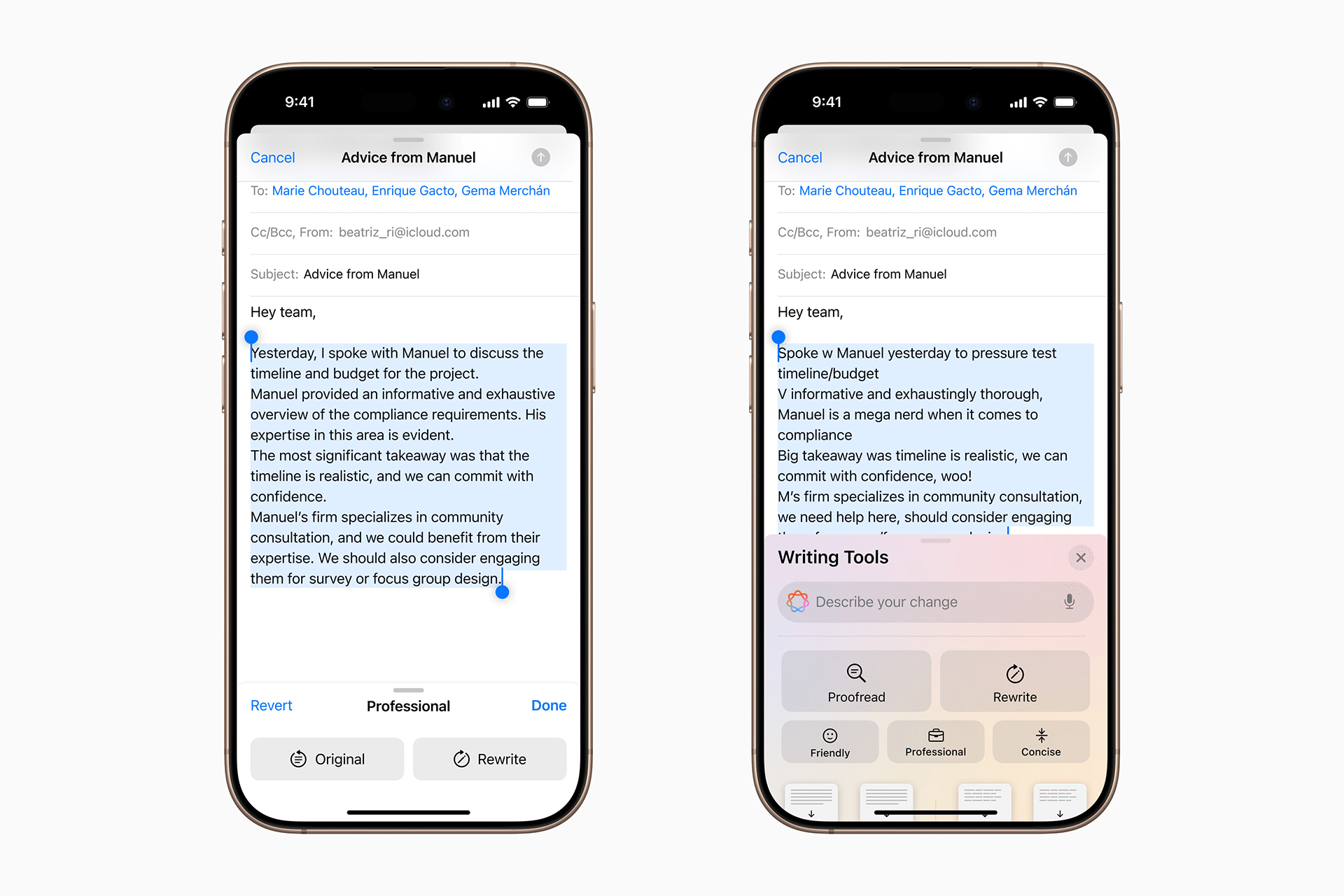
Apple Intelligence brings Mail closer to modern AI email apps, but again in a controlled way. Priority Messages can bring time-sensitive emails to the top of the inbox. Summaries can help users understand long emails faster. Writing Tools can rewrite, proofread, summarize, or change tone when composing messages.
These are practical additions because they solve common email pain points. People receive long messages they do not have time to read. They need to reply professionally. They need to understand which message matters first. They may want to rewrite a response without sounding too abrupt or too formal.
To use Apple Intelligence in Mail on iPhone:
Mail > Open Message or Inbox > Use Summary, Priority, or Writing Tools Where Available
The difference from more aggressive AI email clients is that Apple keeps the tools closer to the message instead of turning the whole inbox into an AI workspace. Mail still looks and behaves like Mail. The intelligence appears as assistance, not as the main identity of the app.
That may disappoint users who want a radical AI email assistant. But it fits Apple’s larger strategy. Apple Intelligence is designed to work across apps, not trap users inside one. Mail benefits from AI, but the same Writing Tools and summarization ideas also appear in Notes, Pages, Messages, Safari, and other parts of the system.
The limitation is availability. Apple Intelligence requires supported devices and regions, and not every Mail feature is available everywhere. That means Apple’s most modern email tools are not equally available to every Apple user yet. Mail remains conservative partly because it has to serve older devices, multiple accounts, and a huge global user base.
Undo Send, Remind Me, and Scheduled Send Keep Mail Practical
Mail has also gained several everyday productivity features that modern email users expect. Undo Send adds a short delay before a message leaves, giving the user time to stop a mistake. Remind Me brings a message back later. Scheduled Send lets users write now and send later.
These features are not original to Apple, but they are useful inside the default app. They reduce the need for a third-party email client for users who only need a few practical tools.
To schedule an email on iPhone:
Mail > Compose > Touch and Hold Send Button > Choose Send Later
To use Remind Me:
Mail > Swipe Message > More > Remind Me
To adjust Undo Send delay:
Settings > Apps > Mail > Undo Send Delay
These are small features, but they change daily email behavior. A user can write a reply at night and send it in the morning. A travel confirmation can return on the day it matters. A message sent too quickly can be stopped before it becomes a problem.
Mail’s version of productivity remains modest. It does not try to turn the inbox into a full task manager. Apple already has Reminders, Calendar, Notes, and Shortcuts for that. Mail’s job is to connect email to the rest of those tools without becoming overloaded itself.
Why Mail Still Feels Behind
Mail’s conservative approach has a downside. It can feel slow compared with apps that move faster. Search can still feel less powerful than Gmail for some users. Collaboration features are limited. Smart filtering is less customizable than some competitors. Bulk cleanup can be less efficient. Professional users who process hundreds of messages a day may still prefer a specialized client.
Mail can also feel uneven across platforms. Features may arrive first on iPhone or Mac, with different layouts, settings, and capabilities depending on the device and software version. Users with multiple accounts can still run into quirks with signatures, server behavior, notifications, and search results.
The app’s cautious design can also make it feel less exciting. Modern email apps often sell a strong identity: inbox zero, AI triage, team collaboration, command-driven speed, or newsletter control. Mail does not have that kind of pitch. Its pitch is quieter: it is already there, it respects privacy, and it works with the rest of Apple’s system.
That may be enough for most people. It may not be enough for users who live in email all day.
The Real Strength Is System Integration
Mail’s strongest advantage is not any single feature. It is integration. An address can become a contact. A date can become a Calendar event. A file can open in Files or Preview. A message can be searched through Spotlight. A link can open in Safari. A draft can continue on another Apple device. A document can be attached from iCloud Drive. A notification can be shaped by Focus.
That system connection is hard for third-party apps to fully match. Even when another email client has better AI, better shortcuts, or better design, Mail benefits from being part of the operating system.
This is especially true for users who do not want to think about email settings. Add an account once, and Mail can work across devices. iCloud sync keeps drafts, sent messages, and mailbox state aligned where supported. Notifications can be managed through system settings. Privacy protections fit the same Apple Account and iCloud+ structure used elsewhere.
That makes Mail a conservative app with a strong ecosystem role. It may not be the most advanced email client. It may be the one that creates the least friction for most Apple users.


Apple’s Email Strategy Is Cautious by Design
Mail shows how Apple approaches mature software categories. The company does not always try to win by adding the most features. It wins by making the default good enough, private enough, and connected enough that many users never need to leave.
That strategy has limits. Apple will not satisfy every power user with Mail. It may never move as quickly as startups building only email. It may avoid radical inbox changes because too many people depend on Mail behaving predictably.
But that conservatism is also why Mail works as Apple’s answer to modern email apps. It adds categories, summaries, priority messages, privacy protection, scheduled sending, reminders, and writing assistance without demanding that users rebuild their workflow.
For Apple, the inbox is not a product category to dominate loudly. It is part of the daily layer of iPhone, iPad, and Mac. Mail succeeds when users do not think about it too much: messages arrive, privacy is protected, important emails surface, writing gets easier, and the rest of the system is close enough when the email turns into a task, event, file, or conversation.