


Mail Intelligence could change inbox management by reducing the time users spend opening messages merely to discover whether they require attention.
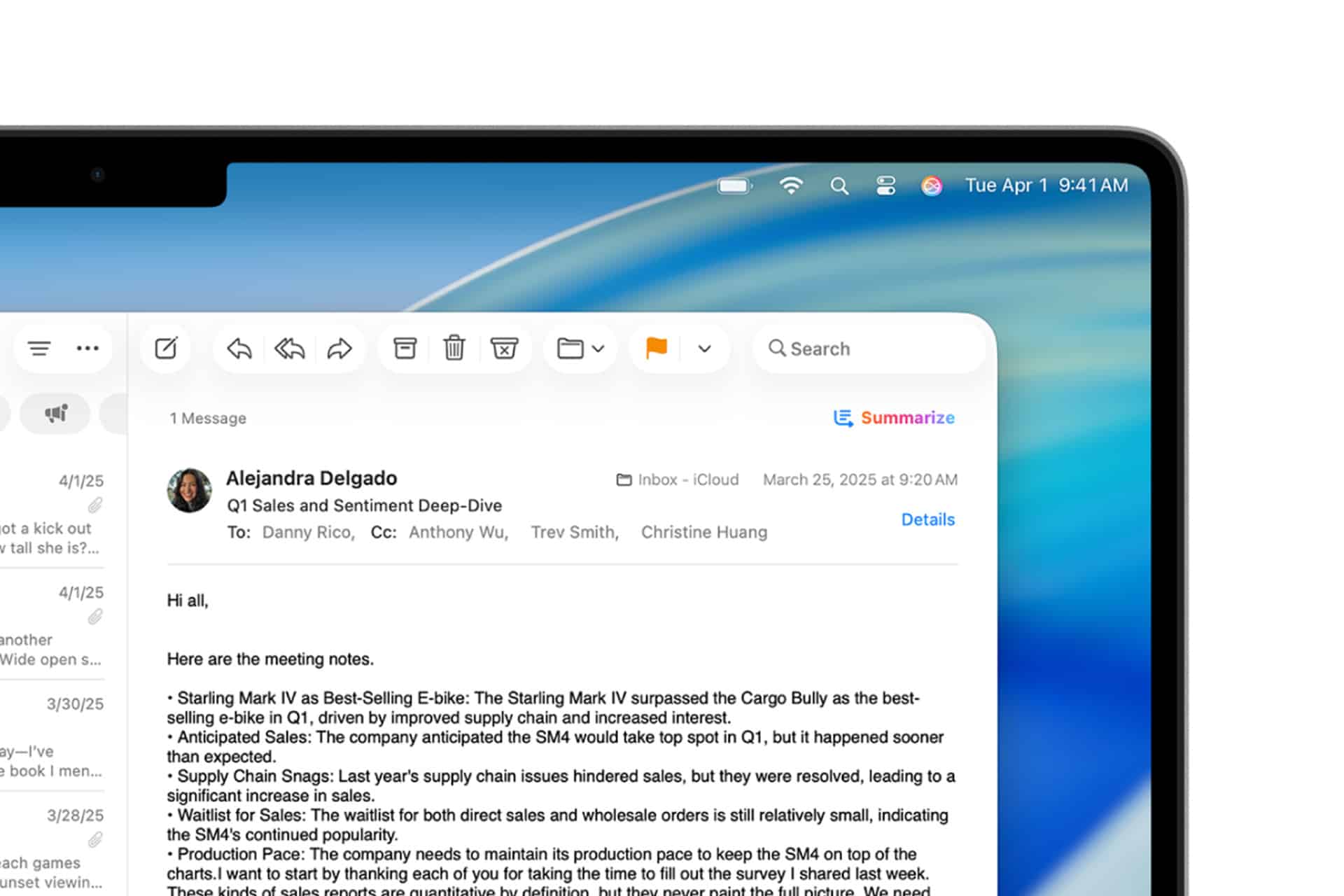
Apple Mail already uses Apple Intelligence to replace conventional preview text with short summaries, identify urgent messages and condense long conversations. Instead of showing the opening words of an email, which may contain a greeting or unrelated introduction, the inbox can display a brief description of the actual request.
That distinction becomes valuable when dozens of messages arrive during a workday. A summary explaining that a client approved a proposal, a school changed an appointment or an airline updated a departure time provides more useful context than the first two lines of the original message.
The technology does not eliminate the need to read email. It changes the order in which users approach it. Messages can be evaluated before they are opened, allowing the inbox to function more like an active briefing than a chronological stack of unread material.
Mail Intelligence Changes the First Inbox Decision
Mail Intelligence addresses one of the least efficient parts of email management: determining which messages deserve immediate attention.
Traditional inboxes provide the sender, subject line and a short preview. Those elements depend heavily on how well the sender structured the message. A vague subject such as “Update,” “Following Up” or “Quick Question” forces the recipient to open the email before understanding its purpose.
An AI-generated summary can identify the practical content instead. It may reveal that the sender is requesting approval by Friday, rescheduling a meeting or asking for a missing document.
Priority Messages adds another layer by placing time-sensitive emails near the top of the inbox. Apple gives examples such as a same-day invitation or boarding pass, but the same system can apply to deadlines, delivery changes and requests requiring a prompt response.
This creates a different hierarchy from unread status. A newsletter received five minutes ago may be less urgent than a message sent several hours earlier about a canceled appointment. Mail Intelligence can examine meaning rather than relying only on arrival time.
For people managing several accounts, that shift could be substantial. Personal, professional, school and service messages often appear together, while urgency does not follow account boundaries. A payment warning in a personal inbox may require attention before a routine workplace announcement.

Summaries Make Long Threads Easier to Reenter
Email conversations become particularly difficult when several people reply at different times, introduce new questions and quote earlier messages.
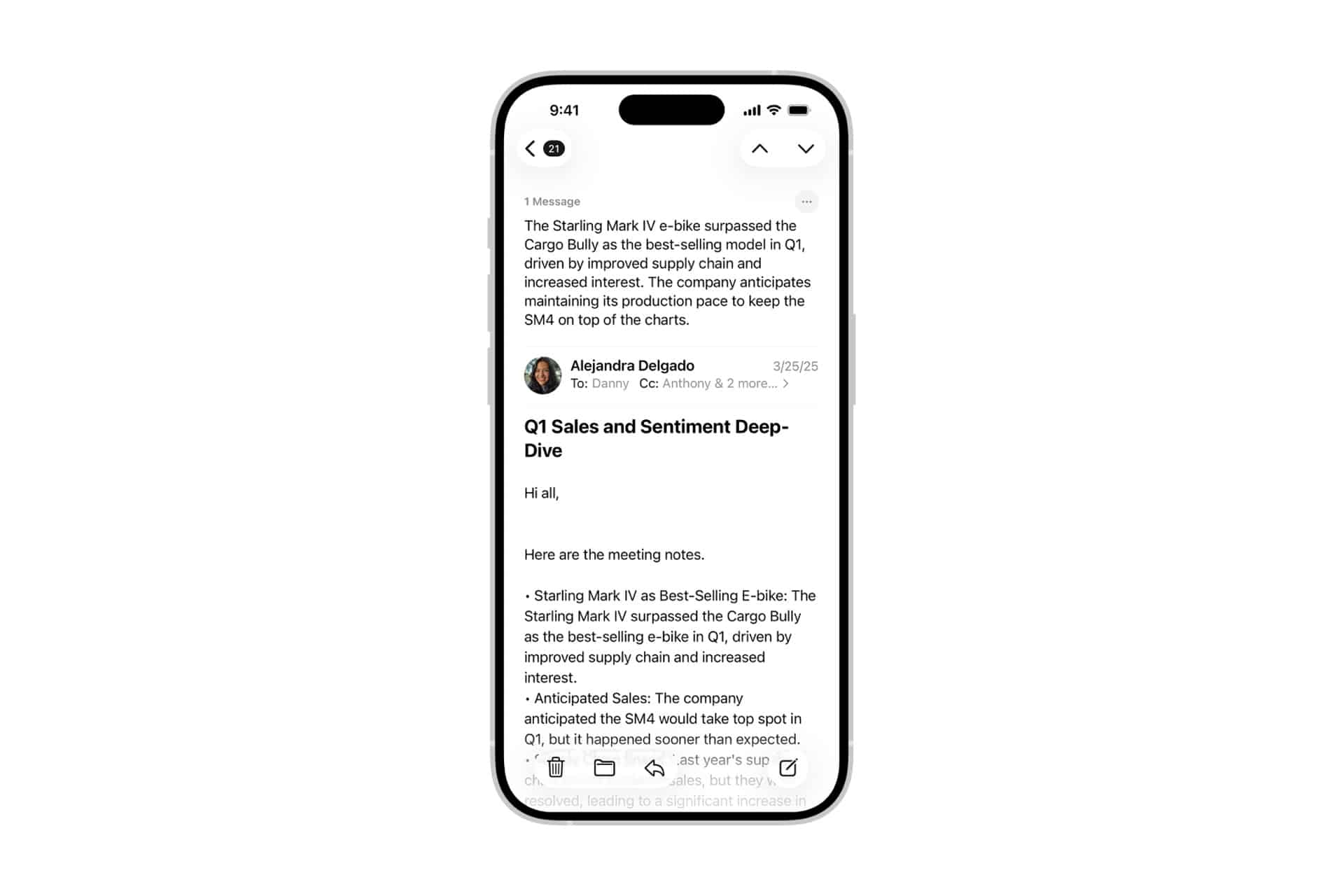
Returning to a long thread can require scrolling through repeated signatures, copied text and previous answers before finding what changed. Mail Intelligence can generate a summary of the conversation, allowing users to understand the main decisions and unresolved points before reading the latest contribution.
This is useful after time away from work, during a project involving many participants or when a conversation moves faster than one person can follow. The summary acts as an orientation tool rather than a substitute for the complete record.
Smarter versions could eventually identify changes within the thread more precisely. A useful summary might separate decisions, deadlines, assigned tasks and unanswered questions instead of compressing everything into one paragraph.
That structure would move Mail closer to lightweight project management. A conversation about an event could surface the confirmed date, responsible person, outstanding payment and next required approval without asking the user to reconstruct those details manually.
Smart Reply already suggests responses based on questions contained in an email. When a sender asks several direct questions, the feature can help ensure that each point receives an answer.
Combined with better summaries, that could create a faster workflow: understand the request, identify missing information and prepare a response without repeatedly searching through the thread.
Email Summaries Need Visible Limits
Mail Intelligence becomes less useful when users trust a compressed version more than the source material.
Generative systems can misunderstand context, omit qualifications or give excessive weight to one part of a message. Humor, sarcasm, legal wording and indirect requests are especially difficult to reduce without changing their meaning.
A summary might correctly identify that a meeting moved while missing that the new time remains provisional. It could mention an approved budget without preserving a condition attached to that approval. A short version of a sensitive personal message may remove the tone that gives the words their intended meaning.
Apple keeps the original email immediately available, allowing users to move from the summary to the complete message. That relationship should remain central as the feature becomes more capable.
Urgent financial instructions, contracts, medical information, travel requirements and workplace disputes should always be checked against the original text. The summary is most reliable as a filter indicating what to read first.
Users should also remain aware that an inaccurate subject line or misleading sender can influence how a message is interpreted. Mail Intelligence may summarize what an email claims without independently verifying whether the claim is authentic.
A fraudulent message stating that an account will close today could receive an urgent-looking summary because urgency is part of the scam. Intelligence in the inbox does not replace sender verification, link inspection or ordinary caution.
Privacy Determines Whether the Feature Can Grow
Email contains some of the most sensitive information stored on a personal device: conversations, receipts, travel plans, identification documents, financial records and workplace material.
That makes privacy essential to the value of Mail Intelligence. Apple positions its intelligence system around on-device processing, with Private Cloud Compute available when larger models are required for supported tasks. The company says user data is not stored or made accessible to Apple through that cloud architecture.
Local processing also makes email analysis more responsive. A device can produce inbox summaries without treating every message as material for an advertising profile or transferring the entire mailbox to a conventional AI service.
Availability still depends on supported hardware, software, language and Apple Intelligence settings. Users with older devices may continue seeing conventional previews, creating different Mail experiences across the same household or workplace.
Organizations can also restrict summary and Smart Reply functions through device-management controls. Employers handling confidential, regulated or legally sensitive material may choose to disable generative features even when processing protections are available.
Smarter Mail Could Become More Personal
The next step for Mail Intelligence may involve understanding not only what a message says, but why it matters to a particular recipient.
The same email can carry different importance for different people. A school announcement may be urgent for a parent, irrelevant to another family member and useful reference material for a teacher. A supplier update may be routine for one employee but critical for the person responsible for a delayed order.
Personal context could help Mail recognize those differences. A message might rise in priority because it relates to an event on the calendar, a package expected that day or a person awaiting a response.
Such intelligence would need careful boundaries. A system that becomes too aggressive could bury messages it incorrectly considers unimportant or create anxiety by marking too many items as urgent.
The most useful design would preserve user control. People should be able to correct priority decisions, disable summaries for specific accounts and return to a conventional list when preferred.
Mail Intelligence works best when it reduces the number of messages that must be opened blindly. The inbox remains the record, but summaries can become its map—showing where attention is needed before another hour disappears into greetings, signatures and repeated quoted text.