


mDNSResponder is one of the Apple system components most users never notice, yet it helps many Apple features work instantly across a home, office, classroom, or shared network. When an iPhone finds an Apple TV for AirPlay, a Mac discovers an AirPrint printer, a HomePod appears inside a room, or an app locates nearby devices on the same Wi-Fi network, Apple’s Bonjour technology and the mDNSResponder process are part of the system behind that experience.
Apple’s recent security updates brought this hidden layer into focus. In iOS 26.5, iPadOS 26.5, macOS Tahoe 26.5, and tvOS 26.5, Apple listed multiple mDNSResponder fixes involving local-network denial-of-service risks, unexpected system termination, and memory corruption. Apple said the issues were addressed with improved memory handling, improved memory management, and improved bounds checking.
Those descriptions are technical, but the user impact is easier to understand. Apple patched flaws inside the local discovery layer that helps devices identify services around them. That layer is essential to the way Apple products find speakers, TVs, printers, smart-home accessories, computers, and other devices without asking users to type network addresses or configure services manually.
Bonjour is Apple’s zero-configuration networking system. It lets devices and services announce themselves on a local network, so other devices can find them automatically. mDNSResponder is the system process that supports much of that discovery. The result is the familiar Apple experience where devices seem to appear in the right place at the right time.
That convenience depends on trust. A local network can be a private home Wi-Fi setup, but it can also be a school network, office network, hotel Wi-Fi, airport hotspot, dorm network, café connection, or apartment building system. Apple has to make local discovery simple enough for everyday use and secure enough for networks the user does not fully control.
Local Discovery Powers the Apple Ecosystem
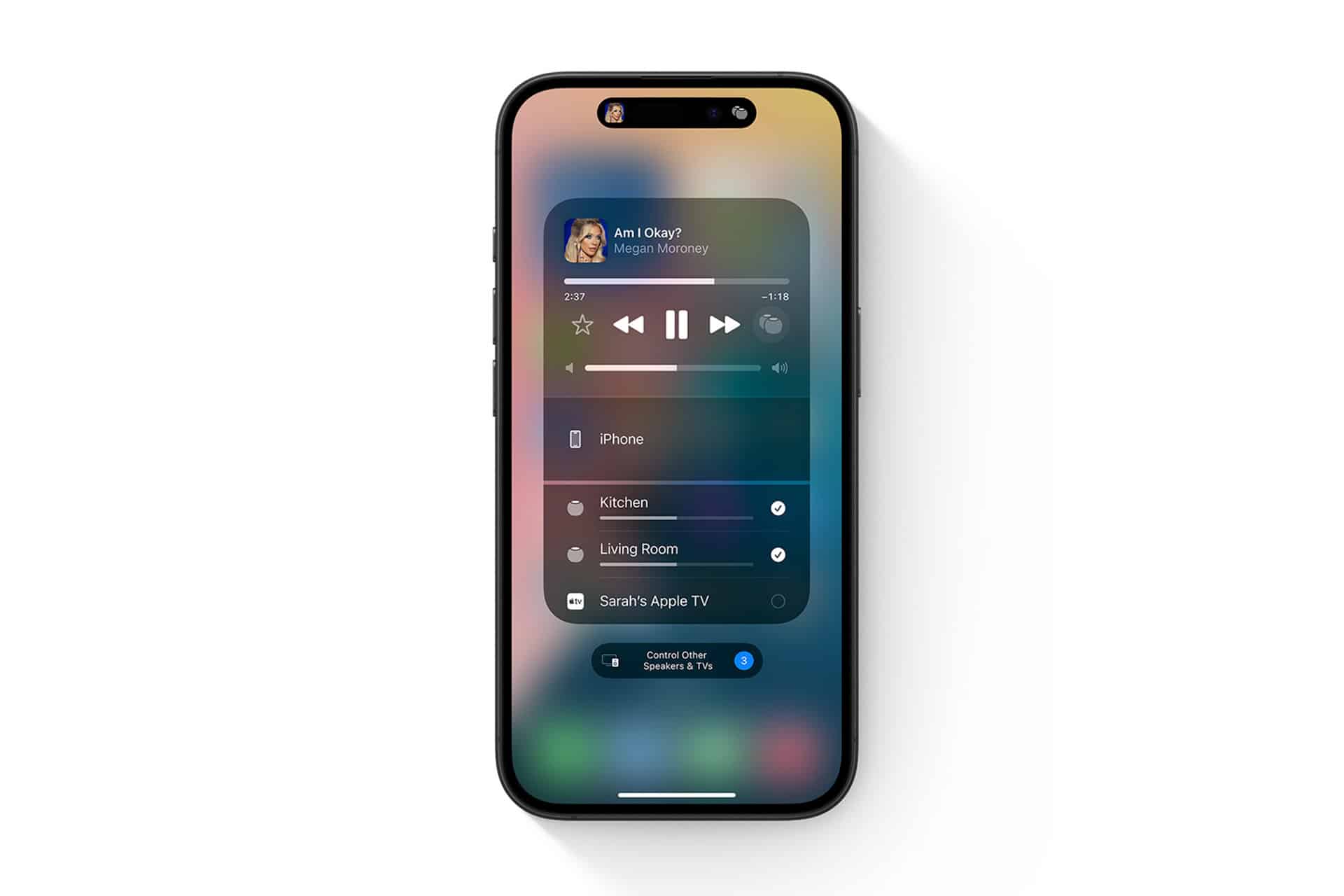
mDNSResponder supports the kind of local discovery that makes Apple devices feel connected. AirPlay does not require users to enter an Apple TV address. AirPrint does not usually require manual printer setup. Smart-home devices can appear in the right apps. Local services can be found without a user understanding multicast DNS, IP addresses, or network service records.
That is a core part of the Apple ecosystem. The experience is designed so the user sees a device name, selects it, and starts using it. The technical negotiation happens underneath macOS, iOS, iPadOS, tvOS, and other Apple platforms.
The same convenience also expands the attack surface. Any component that listens for local network traffic has to handle unexpected, malformed, or hostile traffic safely. A denial-of-service bug may cause disruption. A memory-handling issue can create deeper system risk if the component processes crafted data incorrectly. That is why Apple includes these fixes in regular security releases even though most users have never heard of the process involved.
mDNSResponder is not an optional add-on. It is part of the foundation that helps Apple devices discover services around them. When Apple patches it across iPhone, iPad, Mac, and Apple TV, the fix is part of maintaining the ecosystem’s basic reliability.


Why Network Fixes Deserve Attention
Networking fixes can sound less urgent than spyware patches or browser vulnerabilities, but they sit close to everyday device behavior. A local-network attacker does not need to be a distant website. They may be on the same Wi-Fi network, in the same building, on the same public hotspot, or inside a poorly secured shared environment.
Apple’s notes for iOS 26.5 and iPadOS 26.5 included mDNSResponder issues where an attacker on the local network could cause denial-of-service. Another mDNSResponder vulnerability involved the possibility that a remote attacker could cause unexpected system termination or corrupt kernel memory. The language is brief, as Apple security notes usually are, but it points to the same theme: network-facing system components require careful patching.
This is also why software updates often include long lists of unfamiliar names. A security release may mention WebKit, Kernel, ImageIO, Shortcuts, Networking, Quick Look, Model I/O, and mDNSResponder in the same document. The visible iPhone or Mac experience is only the top layer. Underneath it are file parsers, browser engines, network daemons, media frameworks, permission systems, and local discovery services that all need protection.
The user does not need to understand each component. The practical step is keeping devices current.
To update iPhone or iPad:
Settings > General > Software Update
To update Mac:
System Settings > General > Software Update
To update Apple TV:
Settings > System > Software Updates
Local Network Privacy Is Part of the Same Story
mDNSResponder also connects to Apple’s local-network privacy controls. On iPhone and iPad, apps must ask permission before accessing devices on the local network. That prompt exists because local discovery can reveal information about a user’s environment, such as speakers, TVs, printers, smart-home accessories, computers, and other devices nearby.
To review Local Network access:
Settings > Privacy & Security > Local Network
A printer app, speaker app, smart-home app, casting app, or router app may need local-network access. A casual game, wallpaper app, shopping app, or random utility usually does not. Reviewing this list is a simple way to reduce unnecessary local-network exposure.
On Mac, users should also review Sharing settings, especially on MacBooks that frequently connect to public or shared Wi-Fi. Services such as File Sharing, Screen Sharing, Remote Login, Remote Management, Media Sharing, and Content Caching should be enabled only when needed.
To review Sharing on Mac:
System Settings > General > Sharing
This does not mean local networking is unsafe. It means users should keep control over which apps and services can participate. Apple’s ecosystem benefits from automatic discovery, but automatic discovery should not give every app or network service unnecessary access.

Public Wi-Fi Requires a Different Habit
mDNSResponder fixes are a useful reminder that public Wi-Fi should be treated differently from home Wi-Fi. A home network usually contains known devices. A public network may include unknown phones, laptops, routers, captive portals, misconfigured equipment, or devices controlled by people the user does not know.
When using public Wi-Fi, users should keep Apple devices updated, avoid enabling unnecessary sharing services, and limit local-network permissions. A MacBook used in hotels, airports, schools, cafés, libraries, or shared offices should not expose services it does not need. An iPhone should not allow every app to scan the local network without a reason.
Private Wi-Fi Address settings can also reduce tracking by using a different network address for each Wi-Fi network. On Mac, the setting can be adjusted per network. On iPhone and iPad, private Wi-Fi addressing is also available for supported networks.
To review Private Wi-Fi Address on iPhone:
Settings > Wi-Fi > Info Button Next to Network > Private Wi-Fi Address
To review it on Mac:
System Settings > Wi-Fi > Details > Private Wi-Fi Address
This is separate from mDNSResponder, but it belongs to the same broader privacy posture. A device should connect easily without giving networks more identification or access than necessary.
Apple’s Hidden Infrastructure Needs Regular Maintenance
mDNSResponder illustrates how much of Apple’s experience depends on components operating below the visible interface. Users see AirPlay destinations, printers, Home devices, and nearby services. The operating system handles the service discovery, name resolution, network communication, and permission layers behind that simple list.
When Apple patches mDNSResponder, it is maintaining the system that helps those features work safely. The same is true when Apple patches WebKit, Kernel, ImageIO, Quick Look, or Networking. A modern Apple device is a collection of visible features built on a large set of technical services, each of which can become a security issue if left behind.
This is one reason older devices should not be ignored. If Apple releases a security update for an iPhone, iPad, Mac, or Apple TV, the update may include fixes for components that continue operating even when the device is used for simple tasks. A family iPad, older MacBook, Apple TV, or spare iPhone may remain connected to a network and Apple Account long after it stops feeling like a primary device.
Regular updates keep those devices aligned with Apple’s current security fixes. They also help preserve the reliability of the connected-home experience, where one unpatched device may remain part of the same network as newer hardware.
The Layer Users Never See
mDNSResponder is a good example of Apple’s engineering philosophy. The user should not have to know how a printer is discovered, how an Apple TV appears in AirPlay, or how a service announces itself on the local network. The device should handle it.
That simplicity requires constant maintenance. Local discovery must be easy enough for families, schools, creators, and offices, while secure enough for modern networks. Apple’s recent mDNSResponder fixes show that even familiar conveniences depend on low-level components that need active patching.
The practical lesson is direct. Keep devices updated. Review Local Network permissions. Limit Mac sharing services to what is needed. Be more restrictive on public Wi-Fi. Apple’s local-network layer makes the ecosystem feel seamless, but seamless features are only trustworthy when the underlying software stays protected.