


Remembering to take medication consistently can be more complex than it appears. Prescriptions may follow strict timing intervals, some require food coordination, and others interact with supplements or additional treatments. Medication reminders built into the Health app aim to centralize tracking, helping users log doses, receive alerts, and monitor adherence over time.
Rather than relying on generic alarms, the Health app structures reminders around specific medications, dosages, and frequency rules. That structure allows the system to recognize missed doses and potential interactions.
This becomes particularly relevant for long-term treatments or recovery periods where adherence directly affects outcomes. The ability to visualize patterns over days or weeks adds context that traditional reminders cannot provide. For example, noticing repeated missed doses at a specific time of day can signal the need to adjust scheduling or routine. Combined with notification consistency and cross-device syncing, medication reminders transform daily intake into a trackable workflow rather than a passive habit.
Medication tracking is available on iPhone running recent versions of iOS and syncs through iCloud for users who share health data across devices.
Setting Up Medication Reminders
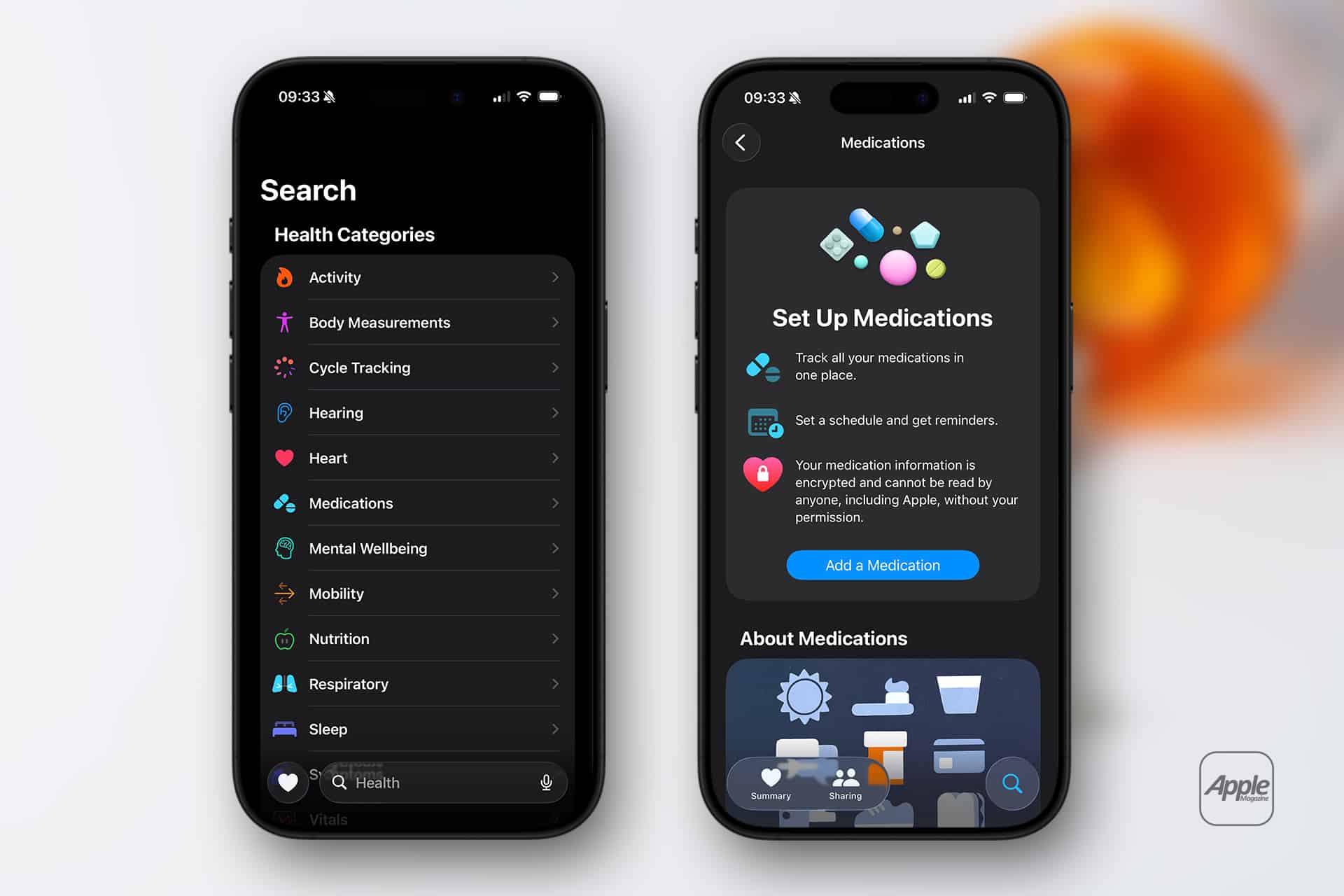
Medication reminders are configured inside the Health app.
Health App > Browse > Medications > Add a Medication
Users can search for a medication name or manually enter it. The system may provide suggestions for common prescriptions, including dosage formats such as tablets, capsules, liquids, or topical treatments.
During setup, users define:
- Medication name
- Dosage strength
- Form (tablet, capsule, etc.)
- Frequency schedule
Frequency options include specific times of day, daily intervals, weekly schedules, or custom timing patterns. After selecting time and repetition, notifications are automatically generated based on the defined schedule.

Customizing Reminder Alerts
Medication reminders trigger notifications at scheduled times.
To confirm notification permissions:
Settings > Notifications > Health
Users can allow alerts on the lock screen, banners, and sounds depending on preference. When a reminder appears, users can mark the dose as taken, skipped, or log it later inside the Health app.
Health App > Medications > Log Dose
The log records time and adherence status, building a medication history timeline.
Tracking History and Trends
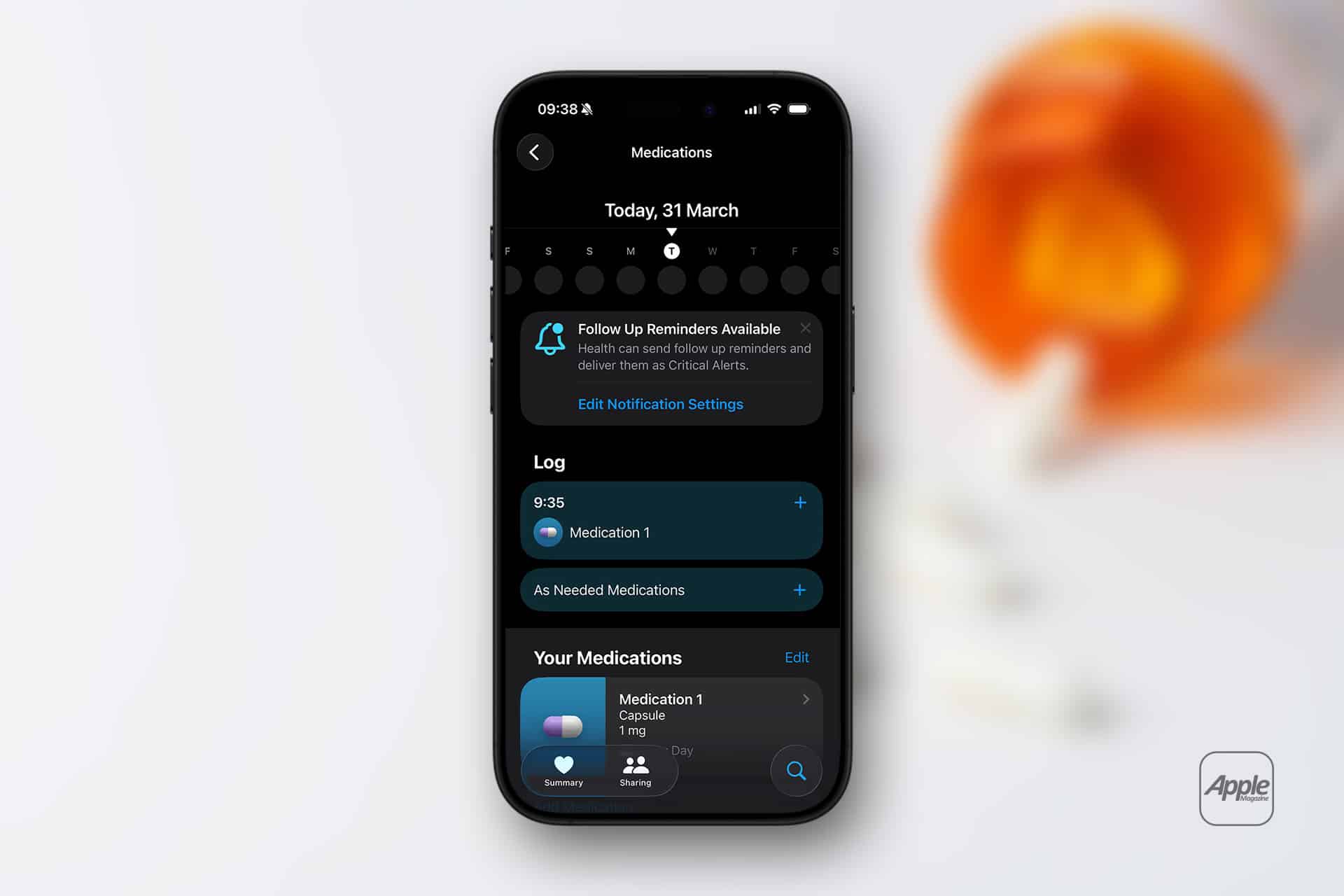
Inside the Medications section, users can view adherence history.
Health App > Browse > Medications
The timeline shows completed, missed, or skipped doses. Over time, this log can provide insight into consistency.
Medication tracking does not automatically transmit data to healthcare providers unless users choose to export or share information.
Interaction Warnings
When entering medications, the Health app may display interaction alerts for certain combinations. These alerts are informational and encourage users to consult healthcare professionals before combining treatments.
Interaction alerts are not a substitute for medical advice but provide awareness within the tracking interface.
Editing or Removing Medications
Medication schedules can be adjusted if prescriptions change.
Health App > Medications > Select Medication > Edit
From there, users can modify dosage, frequency, or notification times.
To remove a medication:
Health App > Medications > Select Medication > Delete
Removing a medication stops future reminders but retains logged history unless manually cleared.
Sharing and Privacy Controls
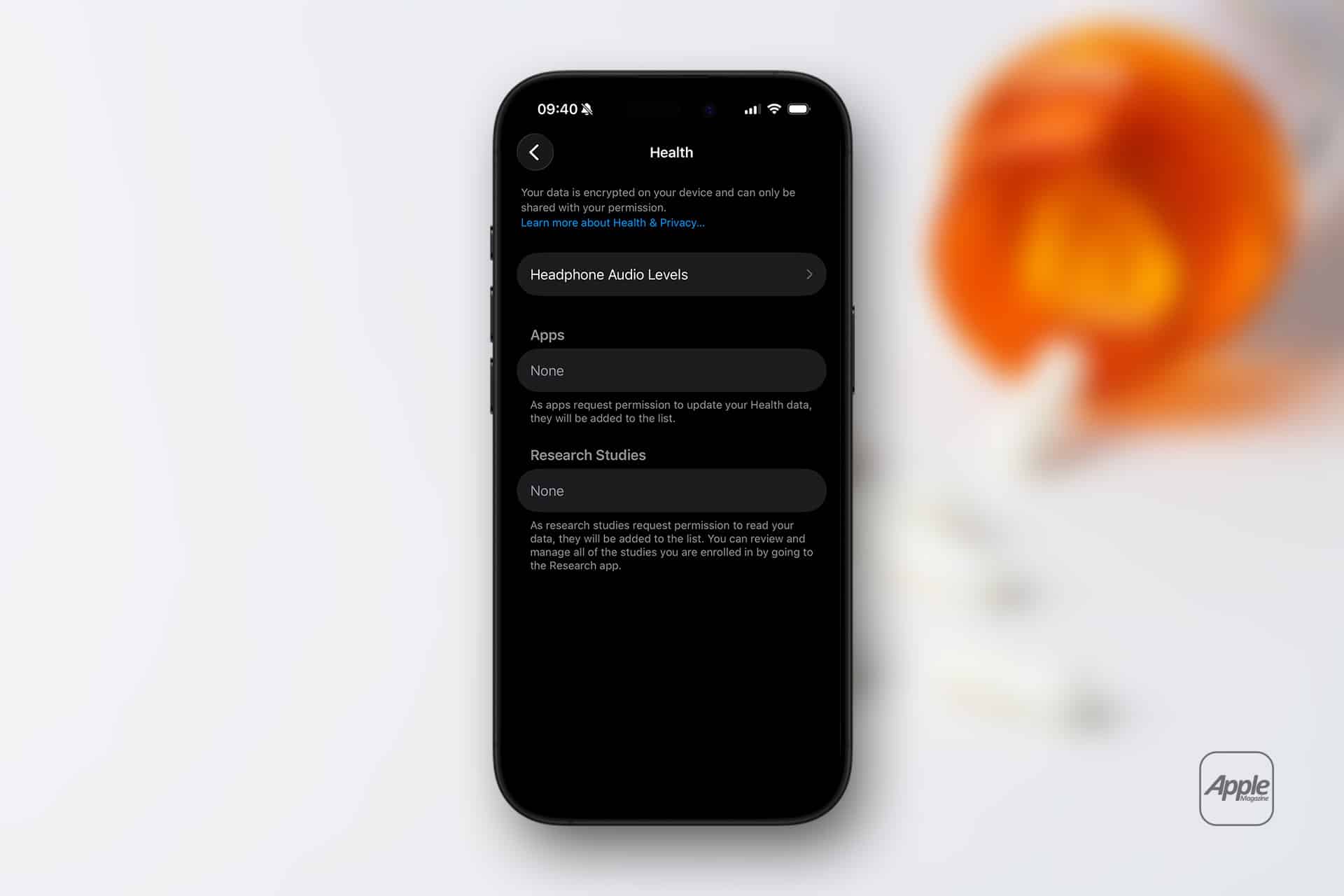
Health data remains encrypted and stored on-device and in iCloud when enabled.
Users can control data sharing:
Settings > Privacy & Security > Health
From here, app access to medication data can be reviewed and restricted.
Medication reminders are tied to the Apple ID signed into the device. Family members using separate Apple IDs must configure their own tracking individually.
Using Medication Reminders With Apple Watch
If notifications are enabled and Apple Watch is paired, medication reminders appear on the watch, allowing quick logging from the wrist.
Consistency across devices ensures that reminders remain visible even when the iPhone is not immediately accessible.
Medication reminders inside the Health app provide structured tracking that integrates scheduling, logging, and interaction awareness within Apple’s broader health framework.