


New intelligence experiences are becoming one of Apple’s most strategic software shifts because they place AI inside everyday services instead of separating it into a standalone chatbot. With iOS 27, iPadOS 27, macOS 27, watchOS 27 and visionOS 27, Apple is pushing intelligence into Wallet, Home, Photos, Siri, Spotlight, Visual Intelligence and developer-connected app actions.
That approach is different from the race to make one assistant answer every question. Apple’s goal is to make AI feel like part of the operating system: present when a user scans a receipt, searches a photo library, creates a pass, asks about what is on screen or wants an action completed inside an app. The feature is not the conversation. The feature is the task getting done.
The services angle is especially relevant. Apple’s highest-value experiences already sit across devices, accounts, subscriptions, payments, smart-home controls and media libraries. Adding intelligence to that layer gives the company a way to make its services feel more useful without asking users to learn a new app or change how they already use iPhone.

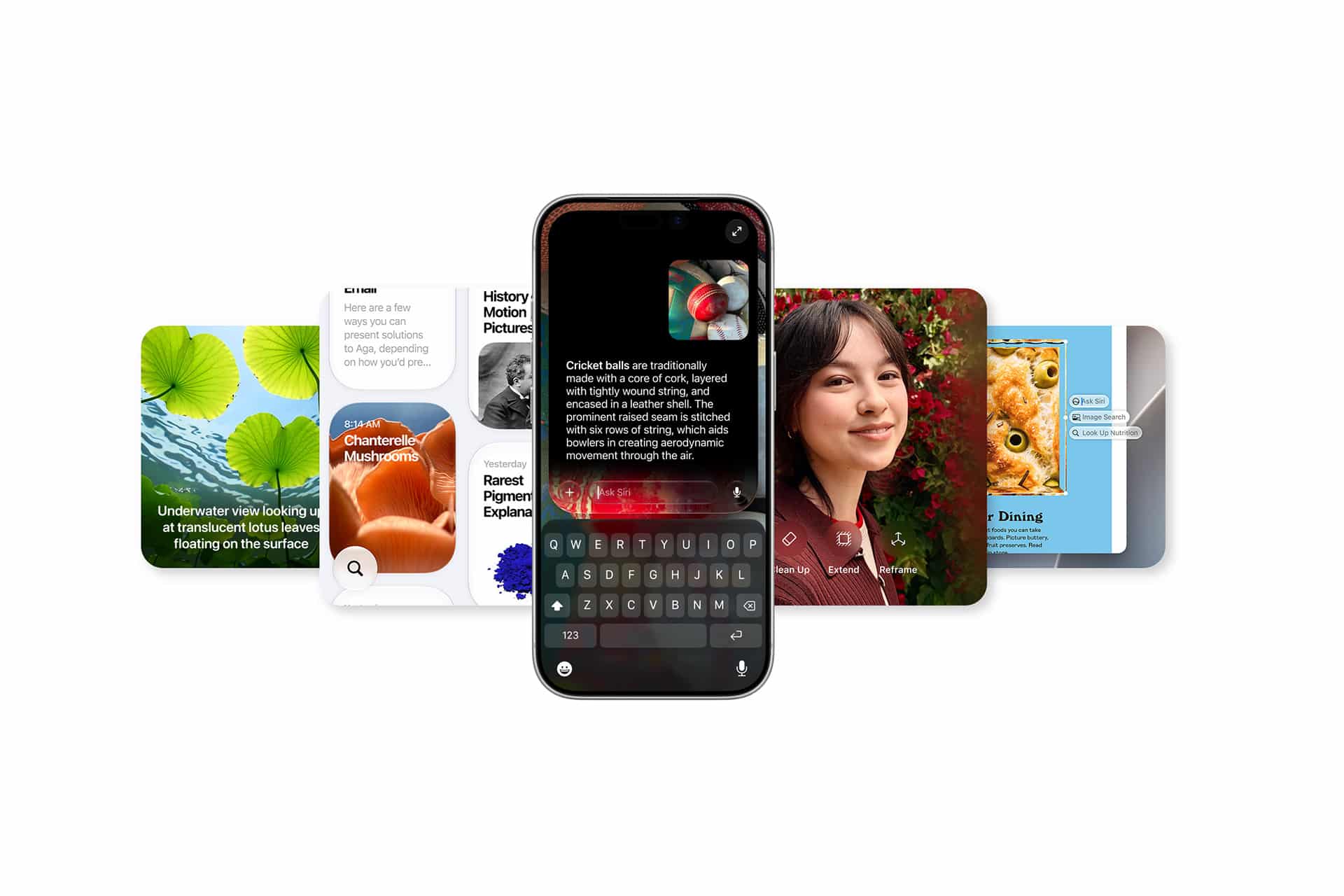
New Intelligence Experiences Start With Everyday Services
New intelligence experiences across Apple services are designed around small actions that usually require several taps. Wallet is one of the best examples. Apple says iOS 27 will let users split bills using Apple Cash and Apple Intelligence. A user can scan a receipt with the iPhone camera, use a photo of a bill, or trigger the feature through Messages, Wallet or Visual Intelligence. The system can identify items, calculate each person’s share of tax and tip, and help settle the amount with Apple Cash.
That is a very Apple-style AI feature. It is not framed as a model demonstration. It is a familiar social situation turned into a faster action. The intelligence sits underneath the workflow, reading the receipt and connecting it to payment.
Wallet is also gaining pass creation from physical cards. With Siri mode in the Camera app, users can point iPhone at a card with a barcode or use a screenshot of a digital card, then save it to Wallet. This turns the camera into an entry point for organizing loyalty cards, membership cards and passes that usually sit in drawers, emails or screenshots.
The Home app shows the same idea in a different setting. Apple says Apple Intelligence will help group related activity notifications, describe selected HomeKit Secure Video clips before users watch them and find specific moments in video using natural language. This makes the smart home less dependent on scrubbing through footage or reading isolated alerts. The service becomes easier to query.
Siri Moves From Voice Command to Action Layer
The larger shift depends on Siri AI. Apple is rebuilding Siri around personal context, onscreen awareness and app actions. The company says new Siri features are available for developer testing across iOS 27, iPadOS 27, macOS 27 and visionOS 27, with broader beta availability planned later this year for supported devices and languages.
The difference is not only a better voice assistant. Siri is being positioned as an action layer across the operating system. If it can understand what is on screen, connect that content to App Intents and complete tasks across apps, it becomes more than a place to ask questions.
For services, this is valuable because Apple controls many of the surfaces where those tasks begin. A receipt may start in Camera. A bill split may end in Wallet. A video search may happen in Home. A photo request may start in Siri and surface results in Photos. A shortcut may use the same underlying app action framework. The user may not care which Apple service is technically responsible. The system only needs to make the next step feel natural.
This is where Apple’s developer strategy becomes central. The App Intents framework lets third-party apps expose content and actions to Siri, Shortcuts, Spotlight and Apple Intelligence. Apple’s WWDC26 developer guide says App Intents schemas help Siri understand app capabilities, while entity schemas contribute app content to Spotlight’s semantic index. The new View Annotations API lets developers map onscreen views to entities, so users can refer to what they are seeing conversationally.
That means Apple is building AI as platform plumbing. Services are the first layer, but the bigger goal is to make any well-integrated app available through natural language and system-level context.
The Home and Wallet Examples Show Apple’s Pattern
Wallet and Home reveal how Apple wants AI to behave. It should appear when the user is already doing something. It should reduce the number of manual steps. It should stay tied to a trusted service. It should work across hardware when needed.
In Wallet, the user is not asking for a financial lecture. The user needs a receipt interpreted and a payment action prepared. In Home, the user is not asking for a general summary of surveillance video. The user needs to know which clip matters and find a specific event quickly.
This services-first strategy also gives Apple a cleaner privacy story. Sensitive actions stay close to the account, device and operating system. Some Apple Intelligence features still rely on server models, and Apple says image generation and certain advanced features may have daily usage limits. Increased access is tied to most iCloud+ plans, which also include Apple Intelligence support for compatible Home cameras.
That link between AI and iCloud+ is worth watching. Apple is not simply adding model features to the operating system. It is also connecting intelligence to service tiers, storage, HomeKit Secure Video and cloud infrastructure. For users already paying for iCloud+, smarter Home video or additional AI capacity can make the subscription feel less like storage and more like a service layer.
Device Requirements Will Shape the Rollout
Apple’s new intelligence layer will not reach every device equally. The company says Apple Intelligence and Siri AI across the 2027 operating systems require supported hardware, including iPhone 16 models or later, iPhone 15 Pro and iPhone 15 Pro Max, iPad mini with A17 Pro, iPads with M1 or later, MacBook Neo with A18 Pro, Macs with M1 or later, Apple Vision Pro, Apple Watch Series 9 or later, Apple Watch Ultra 2 or later and Apple Watch SE 3 when paired with a nearby Apple Intelligence-enabled iPhone.
Availability will also vary by language and region. Apple says Siri AI will be available as a beta later this year for users with supported devices set to English, with more languages planned. The company also notes regional limits, including restrictions in China while regulatory work continues and limited initial availability in parts of the EU for iPhone, iPad and Apple Watch.
This uneven rollout creates a challenge. Apple wants AI to feel like an OS layer, but that layer depends on chip capability, memory, region, language and sometimes iCloud+ subscription status. The company will need to communicate those limits carefully so users understand why a feature appears on one device but not another.
The benefit is that supported devices can receive more integrated features over time. Once Siri, App Intents, Spotlight and services share a stronger intelligence foundation, Apple can improve workflows through software updates instead of waiting for a new standalone app.


Apple’s AI Strategy Is Becoming Service Infrastructure
The most interesting part of Apple’s services update is that AI is being used to make existing products feel more capable. Wallet becomes better at handling receipts and passes. Home becomes better at understanding video and related activity. Photos becomes easier to search. Siri becomes a path into app actions. Spotlight gains richer semantic context. Visual Intelligence turns the camera and screen into input surfaces.
That is a quieter strategy than launching a single headline AI product, but it may be more durable. Apple has hundreds of millions of users already trained to open Camera, Wallet, Messages, Photos, Maps, Home and Settings. If intelligence improves those flows without adding friction, adoption can happen through habit.
The risk is fragmentation. If too many features depend on specific devices, subscriptions, regions or beta availability, the OS layer may feel uneven. Apple’s advantage is control. It can tune the hardware, models, cloud routing, privacy prompts and app frameworks together.
The next sign of success will not be how often users open an AI interface. It will be how often they complete a task without noticing how much system intelligence was involved. A receipt becomes a payment split. A card becomes a Wallet pass. A camera clip becomes a searchable event. A command becomes an app action. That is where Apple’s new services strategy begins to look less like AI as a feature and more like AI as the operating system’s connective layer.