

Passwords app gains one of its most practical upgrades in iOS 27: the ability to automatically replace eligible weak and compromised passwords with stronger alternatives.
The app already identifies credentials that are easy to guess, reused across multiple services or found in known data leaks. Fixing those problems, however, usually requires opening each affected website, locating its account settings, entering the existing password and completing the change manually.
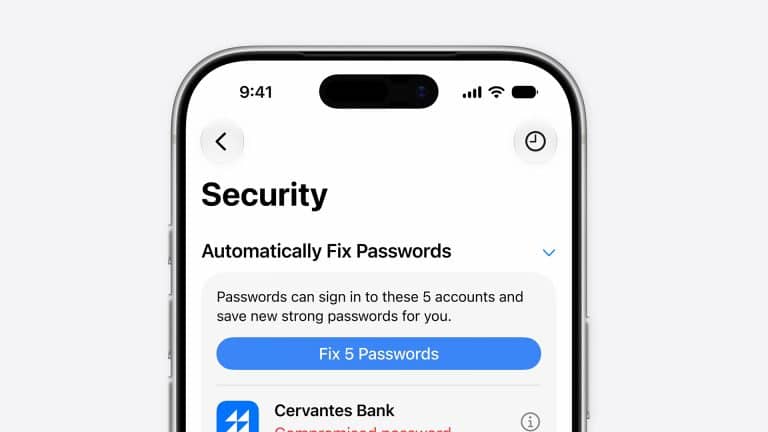
iOS 27 reduces that friction. With Apple Intelligence and Safari, Passwords can securely navigate supported websites, sign in and update vulnerable accounts after the user approves the action. The replacement credential is then saved for AutoFill across compatible devices.
The process does not make every warning disappear automatically. Website support, account requirements and authentication steps can still require manual work. Even so, turning a lengthy security task into a guided one-tap action could encourage more users to address warnings they previously ignored.
Passwords App Automates Eligible Repairs
Passwords app places security concerns inside the Security section, where each affected account includes an explanation of the problem.
A password may be marked as weak because it is short, predictable or based on a common pattern. Another may be identified as reused when the same credential appears across different websites. Password monitoring can also warn users when a saved credential has appeared in a known data leak.
The automated repair feature builds on those alerts. When an account is eligible, the app can use Safari to reach the relevant website, authenticate the user and generate a strong replacement without requiring the person to search through several menus.
Apple describes the process as an agentic action because the software completes multiple related steps on the user behalf. The change still requires approval, preventing Passwords from silently modifying accounts without permission.
That distinction is important. A password update can sign devices out, affect shared access or create problems when another app stores an outdated credential. Users retain control over which accounts are changed and when the repair begins.
Once completed, the new password can sync through iCloud Keychain to iPhone, iPad, Mac and Apple Vision Pro signed in with the same Apple Account. Windows users can also access saved credentials through Apple support for iCloud Passwords.
Accounts that do not support the automated workflow remain visible in Security. Users can copy the existing credential, select Change Password and complete the update through the website or app.

Compromised Accounts Deserve Priority
A long list of security recommendations can make it difficult to know where to begin.
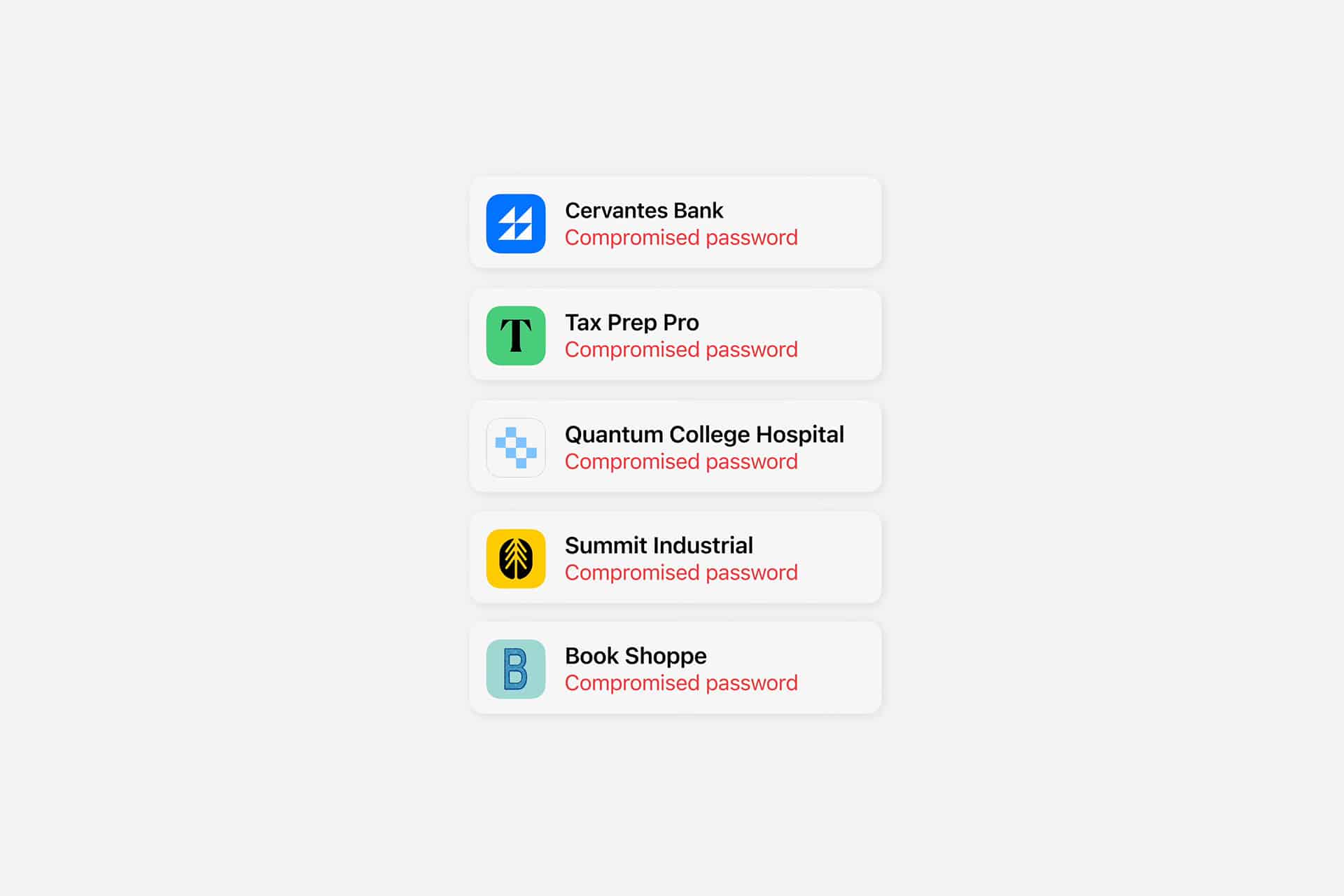
Credentials identified in a known leak should generally receive immediate attention, particularly when they protect email, banking, cloud storage, social media or shopping accounts containing saved payment information.
A leaked password does not prove that someone has entered the account. It means the credential has appeared in data associated with a known breach and may be available to attackers.
Reused passwords create a related danger. Criminals frequently test exposed email and password combinations against other services, expecting some people to use the same login repeatedly. One compromised website can therefore place several unrelated accounts at risk.
Weak passwords may not have appeared in a leak, but they remain vulnerable to guessing and automated attacks. Names, birthdays, simple number sequences and minor variations of familiar words provide less protection than a unique credential generated by Passwords.
Users facing dozens of alerts can begin with email accounts because they are often used to reset passwords elsewhere. Financial services, cloud storage, work accounts and social networks should follow.
Changing a reused password on only one website is not enough when the same credential remains active elsewhere. Each account needs a different replacement so that a future breach cannot reopen the entire chain.
Automatic Changes Will Not Work Everywhere
The iOS 27 feature depends on websites allowing Safari and Passwords to locate and complete the correct account-management process.
Some services may use unusual settings pages, additional identity checks or authentication systems that prevent the automated workflow from finishing. Others may require a verification link, one-time code or confirmation through another trusted device.
Corporate accounts can also follow rules set by an employer or identity provider. In those cases, Passwords may identify the weakness without being authorized to replace the credential directly.
Users should review the result after any automated update. The account should accept the new credential, AutoFill should present the correct version and other trusted devices should synchronize the change.
Password history can help when a service unexpectedly continues requesting an older credential. The app retains previous versions, giving users a way to confirm what changed without relying on memory.
Shared accounts require additional care. A password group can distribute updated credentials to trusted family members or colleagues, but people using a separately stored copy may lose access after the change.
The automation also cannot protect an account when the user ignores a fraudulent approval request or provides a verification code to an attacker. Strong credentials reduce one category of risk; they do not replace phishing awareness.
Passkeys Provide a Better Long-Term Fix
Some services offer an opportunity to move beyond passwords entirely.
Passkeys use cryptographic credentials linked to a trusted device and protected by Face ID, Touch ID or the device passcode. They cannot be guessed like conventional passwords and are resistant to common phishing methods because the credential is associated with the legitimate website or app.
When an account offers a passkey during the repair process, selecting it may provide stronger protection than generating another password. Passwords stores passkeys alongside other credentials and makes them available through AutoFill.
Sign in with Apple can provide another upgrade when supported. It reduces the number of separate credentials users must manage and can limit the personal information shared with a service through Hide My Email.
Two-factor authentication remains valuable for accounts that continue relying on passwords. Passwords can store verification codes and fill them automatically during sign-in, removing the need to switch to a separate authenticator for supported setups.
The app can also delete used verification codes from Messages and Mail, helping prevent old codes from accumulating after they expire.
These tools work best as layers. A unique password protects against credential reuse, two-factor authentication creates another barrier and a passkey can remove the shared secret attackers commonly target.
Security Becomes a Manageable Routine
The largest obstacle to better password security is often inconvenience rather than awareness.
Users may understand that a credential is weak yet postpone changing it because the account is not immediately important, the website is difficult to navigate or the existing password still works. Alerts accumulate until the Security section becomes another list to avoid.
Automatic repairs give those warnings a clearer purpose. Instead of merely identifying a problem, iOS 27 can help complete the work required to resolve it.
A useful routine is to open Security periodically, address leaked accounts first and remove credentials belonging to websites that no longer exist or are no longer used. Hidden recommendations should be reserved for situations that genuinely cannot be corrected rather than used to create an artificially clean list.
Detection of compromised passwords can be reviewed through:
Settings > Apps > Passwords > Detect Compromised Passwords
Automatic repair does not make the Passwords app a replacement for personal judgment. Users still need to recognize phishing attempts, protect the iPhone passcode and maintain trusted recovery information for critical accounts.
It does make a neglected form of digital maintenance considerably easier. In iOS 27, the warning, website navigation, strong-password generation and saved replacement can become parts of one connected action instead of four separate chores.