

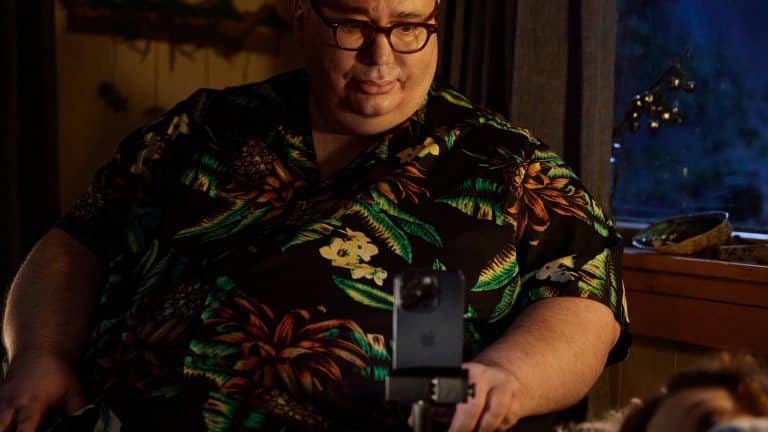
Personal Voice is one of Apple’s most human accessibility tools because it protects something deeply personal: the sound of a person’s own voice. The feature lets users create a synthesized voice that sounds like them, then use it with Live Speech to type what they want to say and have it spoken aloud.
That makes Personal Voice different from many software features. It is not about speed, convenience, or a new interface effect. It is about identity. A voice carries personality, age, accent, rhythm, emotion, family history, and daily presence. Losing access to that voice, or knowing it may change because of a medical condition, can be more than a communication challenge. It can feel like losing a piece of self-expression.
Apple designed Personal Voice for people at risk of speech loss, including users with conditions that can affect the ability to speak over time. But its significance is wider. The feature shows what accessibility can look like when a device does more than remove a barrier. It preserves a familiar part of the person behind the device.
In a tech market often focused on AI spectacle, Personal Voice is a quieter kind of intelligence. It turns machine learning into something intimate, practical, and respectful.
A Voice Becomes Part of Accessibility
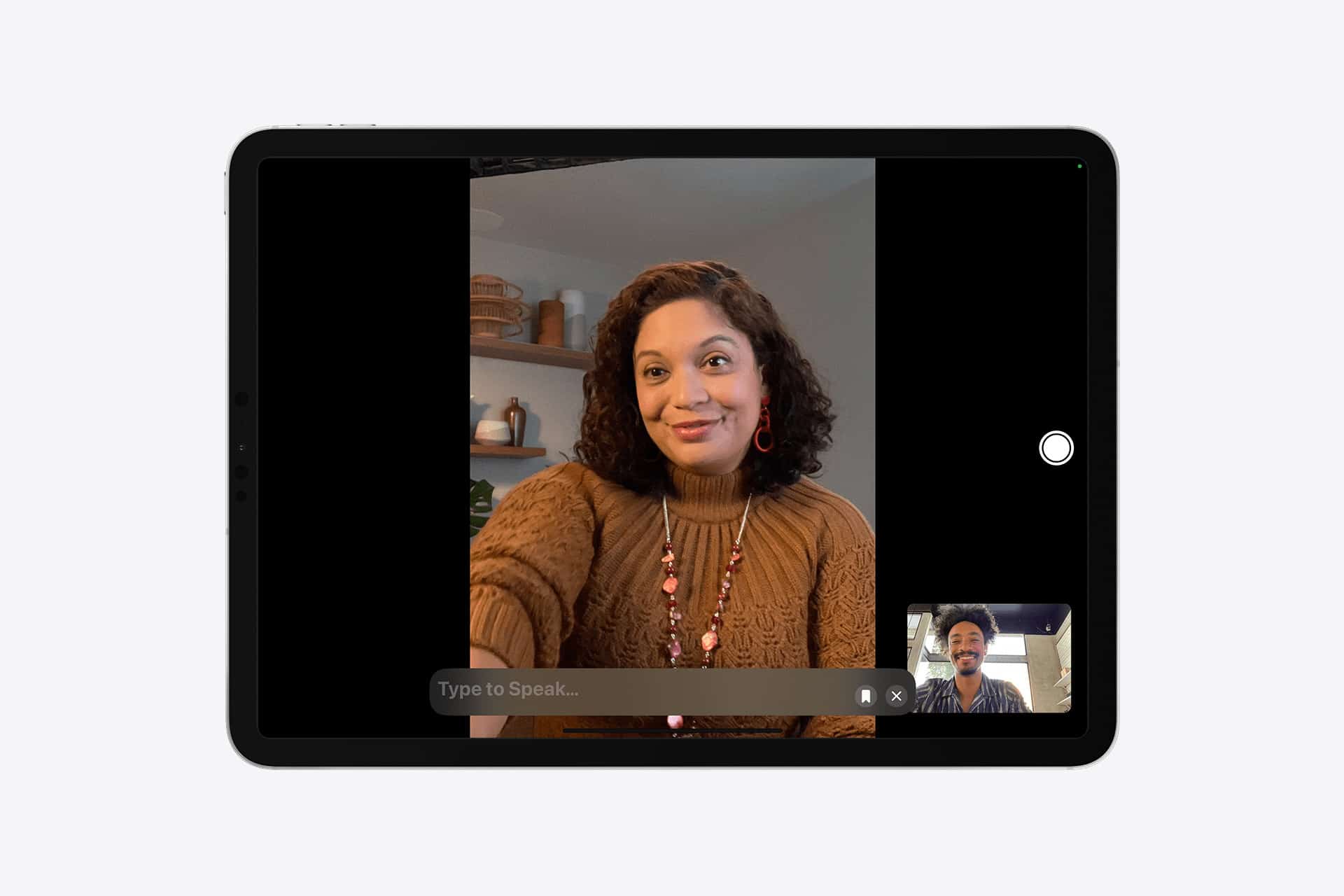
Personal Voice works alongside Live Speech. A user creates a Personal Voice on iPhone, iPad, or Mac by recording a set of prompted phrases in a quiet environment. The device then creates the synthesized voice. Once available, the user can choose that voice in Live Speech and type phrases that are spoken out loud during in-person conversations, phone calls, FaceTime calls, and supported assistive communication apps.
To create a Personal Voice on iPhone or iPad:
Settings > Accessibility > Personal Voice > Create a Personal Voice
To turn on Live Speech on iPhone:
Settings > Accessibility > Live Speech > Turn on Live Speech > Choose a voice
After Live Speech is enabled, the user can triple-click the side button or Home button, type a phrase, and have the device speak it. The Personal Voice can be selected as the voice used for that output.
The feature is simple to describe, but its impact is hard to reduce to a settings path. For someone whose speech is changing, the ability to prepare a voice in advance can make future communication feel less clinical. A typed sentence spoken in a familiar voice can carry more presence than a generic system voice.
That is the difference between access and dignity. Accessibility tools should help people complete tasks, but the best ones also respect how people want to be recognized.

Why Personal Voice Feels Different
Most digital voice tools sound useful but impersonal. They can read text, announce alerts, guide navigation, or speak typed phrases. Personal Voice changes that by making the output feel connected to the user’s own identity.
This is especially meaningful for people who rely on speech in close relationships. A parent speaking to a child, a partner responding during a call, a friend joining a conversation, or a professional talking to colleagues may want more than intelligible output. They may want communication that feels recognizable.
Apple’s approach gives users a way to preserve that sound before speech becomes difficult. That matters for people with progressive conditions, but it can also help users who experience temporary speech loss, fatigue, or situations where typing is easier than speaking.
The human value is in continuity. A person can still participate using words they choose, on a device they already use, with a voice that feels tied to them rather than assigned by a system.
Personal Voice also avoids treating accessibility as a separate world. It lives inside iPhone, iPad, and Mac settings. It works with Live Speech on everyday Apple devices. That matters because assistive technology often becomes more useful when it is integrated into mainstream products rather than isolated in specialized hardware.
Privacy Is Central to Voice Preservation
A personal voice model is sensitive. A voice can identify someone, imitate them, and carry emotional weight. That makes privacy and control essential.
Apple says Personal Voice is created using on-device processing and is encrypted. The company also gives users control over whether the voice can be shared across devices signed in with the same Apple Account and whether apps can request access to use it.
Those choices are important because a synthesized personal voice should not feel like a file floating around without boundaries. The user needs to know where it lives, which devices can use it, and whether third-party apps can request access.
To manage Personal Voice sharing and app access:
Settings > Accessibility > Personal Voice
The privacy question also makes Personal Voice different from many cloud AI tools. Voice cloning has become easier across the industry, and misuse is a real concern. A feature built for accessibility must avoid becoming a casual impersonation tool. Apple’s local processing and permission model help frame Personal Voice as personal assistive technology, not entertainment voice cloning.
That distinction should remain central as synthetic speech becomes more common. A tool that helps someone communicate in their own voice has a very different purpose from a tool used to mimic someone else.
Live Speech Turns the Voice Into Communication
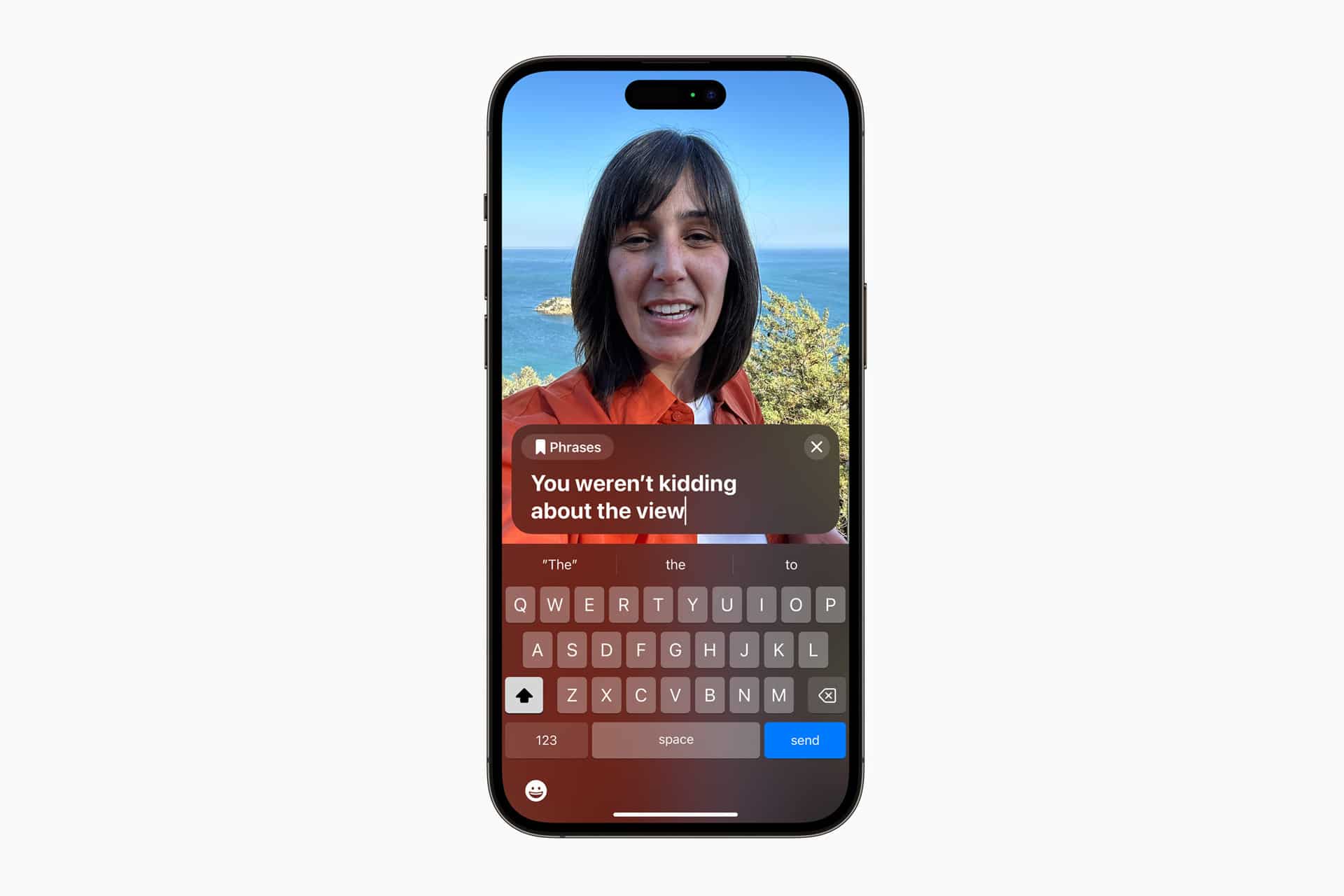
Personal Voice becomes most useful when paired with Live Speech. Live Speech lets users type what they want to say and have it spoken aloud. It can be used in FaceTime and phone calls, as well as in supported assistive communication apps.
This makes the feature practical in real situations. A user can answer a call, respond during a video chat, or communicate in person by typing. Saved phrases can also help with repeated communication, such as greetings, common responses, medical needs, or work-related phrases.
To use Live Speech after setup:
Triple-click the side button or Home button > Live Speech > Type a phrase
On Mac, Live Speech can also be used from Accessibility settings and the menu bar, depending on configuration. That gives users a way to communicate across devices, not only on iPhone.
The value grows when the user prepares before they need it. Creating a Personal Voice takes time and a quiet setting. People who know they may need speech support later should not wait until speaking becomes difficult. Voice preservation works best when the person can record clearly and comfortably.
That makes Personal Voice part of planning, not only daily accessibility. It is a tool someone may set up today for a future version of themselves.
Accessibility Design Beyond Compliance
Personal Voice shows Apple accessibility at its best because it is not only about meeting a requirement. It is a product decision shaped by empathy, hardware capability, software integration, and privacy design.
Good accessibility is often invisible to people who do not need it. A feature may sit quietly in Settings until it becomes life-changing for someone else. Personal Voice is a strong example. Many users may never open it. For others, it can become one of the most meaningful features on the device.
That should influence how accessibility is discussed. These tools are not side features. They are part of the product experience. VoiceOver, Live Captions, AssistiveTouch, Magnifier, Sound Recognition, Personal Voice, and Live Speech all show that a device is more powerful when more people can use it on their own terms.
Personal Voice also shows how AI can be valuable without feeling like a performance. It does not need to write a poem, draw an image, or summarize a meeting to prove intelligence. It helps someone keep a voice connected to their identity. That is a more human use of machine learning than many louder AI demonstrations.
The Limits Still Matter
Personal Voice is not a replacement for every assistive communication need. It depends on supported devices, setup time, voice quality, language and regional availability, battery, typing ability, and the user’s comfort with a synthesized version of their voice. Some users may prefer dedicated assistive communication tools, switches, eye-tracking systems, or specialized devices.
The synthesized voice may also feel emotional to hear. For some people, it may bring comfort. For others, it may feel strange, imperfect, or difficult at first. Apple’s tool gives an option, not an obligation.
There are also social challenges. The person using Live Speech may type more slowly than a spoken conversation moves. Other people need patience and awareness. Accessibility tools can open the door, but conversation still depends on human respect.
That is why Personal Voice should be understood as part of a larger communication system. The technology helps preserve speech identity, but people around the user need to make space for it.
A Feature Built Around Presence
Personal Voice stands out because it treats voice as more than audio output. It treats voice as presence. A familiar voice can make a typed sentence feel less distant. It can help a family conversation feel more natural. It can give someone a way to speak through technology without sounding like the technology has replaced them.
Apple’s best accessibility work often comes from this kind of thinking. The device adapts to the person, not the other way around. Personal Voice takes that idea into one of the most personal parts of communication.
For most users, it may remain a feature they notice only in Apple’s accessibility settings. For someone facing speech loss, it can become a bridge between the voice they have today and the conversations they want to keep having tomorrow.
That is what makes Personal Voice one of Apple’s most human tools. It does not only help a device speak. It helps a person remain heard.