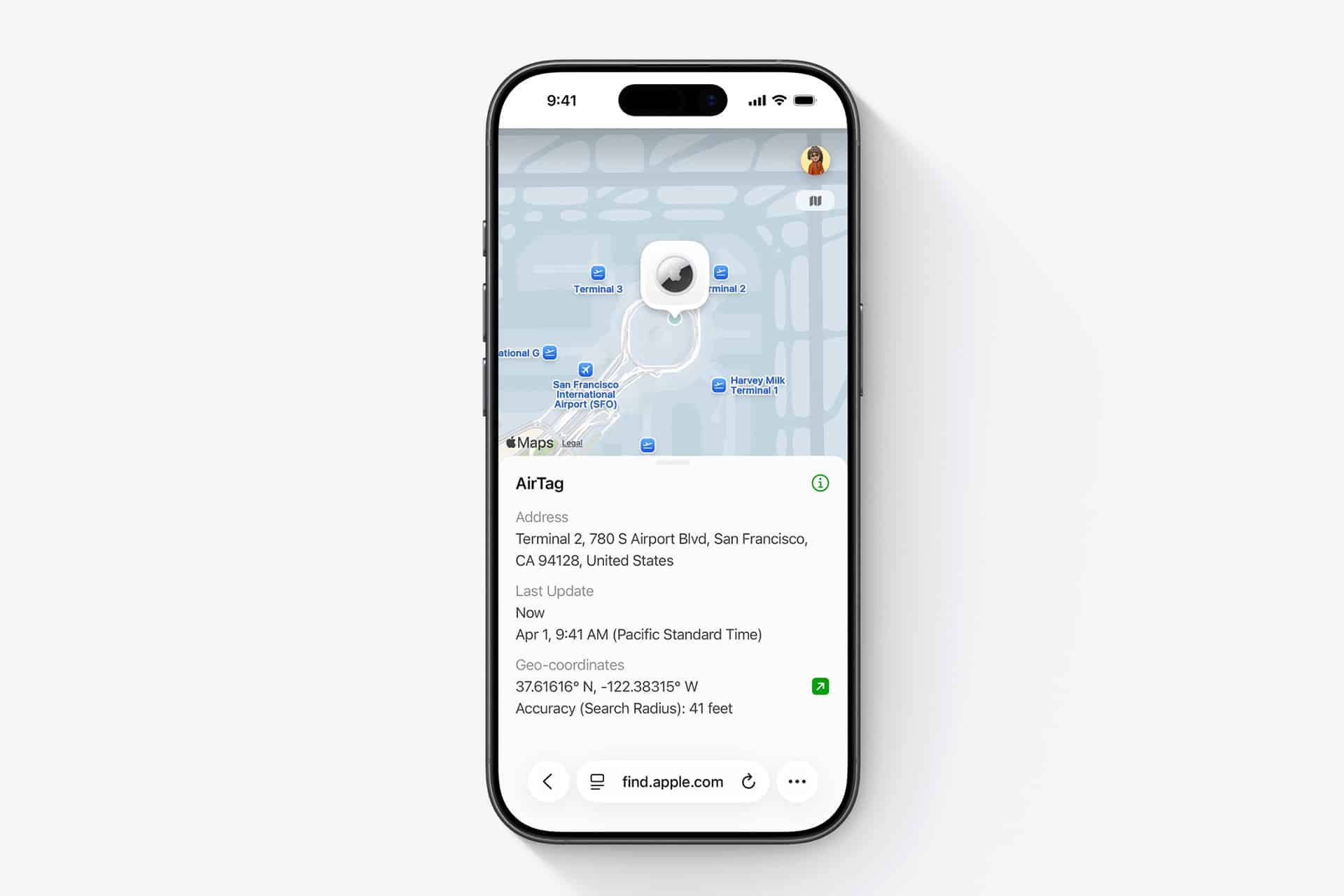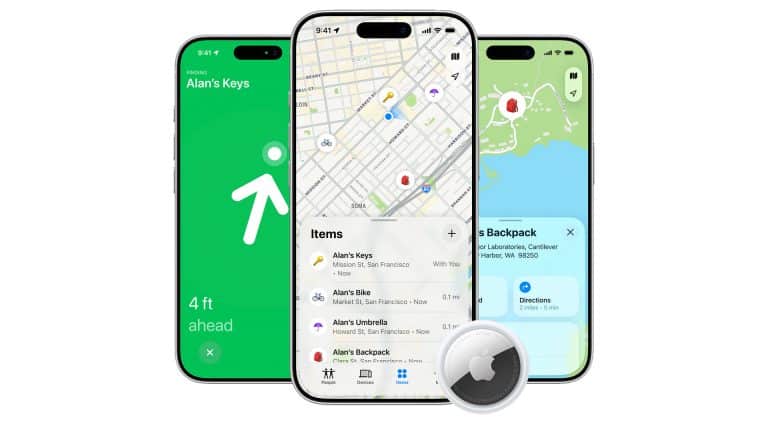
Private Find My tracking is one of the most practical reasons to keep Apple devices inside the same ecosystem. AirTag is small enough to disappear onto keys, backpacks, luggage, bikes, wallets, camera bags, and family items, but its real strength comes from the network around it. iPhone, iPad, Mac, and other nearby Apple devices can help report an AirTag’s approximate location in the Find My app while keeping the process anonymous and encrypted.
That makes AirTag feel different from a normal Bluetooth tracker. At home, it can help find keys under a couch cushion or a bag left in another room. In a neighborhood, it can show where an item was last detected by the Find My network. In a dense city, it can become much more useful because more Apple devices are nearby to help update an item’s location. The more movement and Apple devices around an area, the more chances the network has to refresh the location.
Apple says AirTag sends out a secure Bluetooth signal that can be detected by nearby devices in the Find My network. Those devices send the AirTag’s location to iCloud, letting the owner see it in Find My. Apple says the process is anonymous and encrypted, and that neither the people whose devices helped locate the AirTag nor Apple can see the item’s location history in the way the owner can.
The second-generation AirTag expands that idea with an updated Bluetooth chip, a second-generation Ultra Wideband chip, improved Precision Finding, a louder speaker, and the ability to guide users from up to 50 percent farther away than the previous generation. That makes AirTag more useful not only in public places, but inside the messy spaces where people most often lose things: cars, bedrooms, offices, bags, closets, couches, laundry areas, and shared family rooms.

City Tracking Depends on Network Density
Private Find My tracking works best in cities because cities are full of Apple devices. An AirTag in a backpack left at a café, a suitcase sitting in a hotel lobby, or keys dropped near a transit stop has a better chance of being detected when iPhones and other Apple devices pass nearby. That does not mean tracking is constant or live in the way a GPS device would be. AirTag does not contain GPS. It depends on nearby devices in the Find My network to report its location.
That distinction matters. In a busy city, updates can appear quickly because there are many devices moving around. In a quiet rural area, a garage, a basement, or a remote parking lot, location updates may be slower or less frequent. AirTag accuracy is therefore tied to environment. The network is strongest where people and Apple devices are most present.
Cities also create a different challenge: vertical and indoor complexity. A map pin may show the building or area where an item was detected, but not always the exact floor, apartment, shelf, or bag. That is where nearby finding becomes important. When the owner gets close enough, the Find My app can help narrow the search with sound and Precision Finding on supported devices.
AirTag is best understood in layers. The map gets the user to the area. Bluetooth and sound help find the item nearby. Precision Finding provides direction and distance when supported. In a city, those layers work together: broad location first, then close-range guidance.
Neighborhood Tracking Helps With Everyday Losses
Private Find My tracking is also useful at the neighborhood level because many lost items do not travel far. A backpack may be left at school, a bike may remain near a building, a wallet may be dropped at a friend’s house, or a family car key may stay inside a relative’s home. In those cases, the Find My app can show the last known location and help the owner decide where to look first.
Neighborhood use is where item sharing becomes helpful. Apple allows an AirTag to be shared with up to five people, making it easier for a family to track shared items such as car keys, umbrellas, luggage, or a bike. That turns AirTag from a personal accessory into part of a household system. A parent, sibling, partner, or roommate can help find an item without needing the original owner to be present.
For shared items, the best setup is simple. Put AirTag on the item that moves between people, give access to the people who actually use it, and choose a clear name in Find My. “Family Car Keys” is better than “AirTag 3.” Clear names reduce confusion when the item needs to be found quickly.
To share an AirTag with family or trusted people:
Find My > Items > Choose AirTag > Share This AirTag > Add Person
AirTag can also use Lost Mode when an item is missing. If someone finds the item, they can tap the AirTag with an NFC-capable phone to see contact information the owner has chosen to provide. That makes Lost Mode useful for luggage, bags, backpacks, and items that may be found by someone outside the Apple ecosystem.
To turn on Lost Mode:
Find My > Items > Choose AirTag > Lost Mode > Enable

Home Accuracy Is About Proximity
Private Find My tracking at home is different from city tracking. Inside a house or apartment, the issue is usually not whether the network can find the item somewhere in the world. It is whether the owner can locate the exact drawer, room, cushion, bag, or corner. This is where AirTag’s speaker and Precision Finding become most useful.
Apple says AirTag uses Bluetooth for proximity finding and an Apple-designed Ultra Wideband chip for Precision Finding. On supported iPhone models, Precision Finding can guide the user with distance and direction. The second-generation AirTag expands Precision Finding range and uses haptic, visual, and audio feedback to guide users toward the item.
That is why AirTag is so practical for keys. Keys often disappear at home, not in another city. A sound can help when they are under clothing or inside a bag. Precision Finding can help when the item is nearby but not visible. The same applies to wallets, remotes, camera pouches, work bags, and school backpacks.
To find a nearby item:
Find My > Items > Choose AirTag > Find Nearby
If the item is close but hidden, sound may be faster:
Find My > Items > Choose AirTag > Play Sound
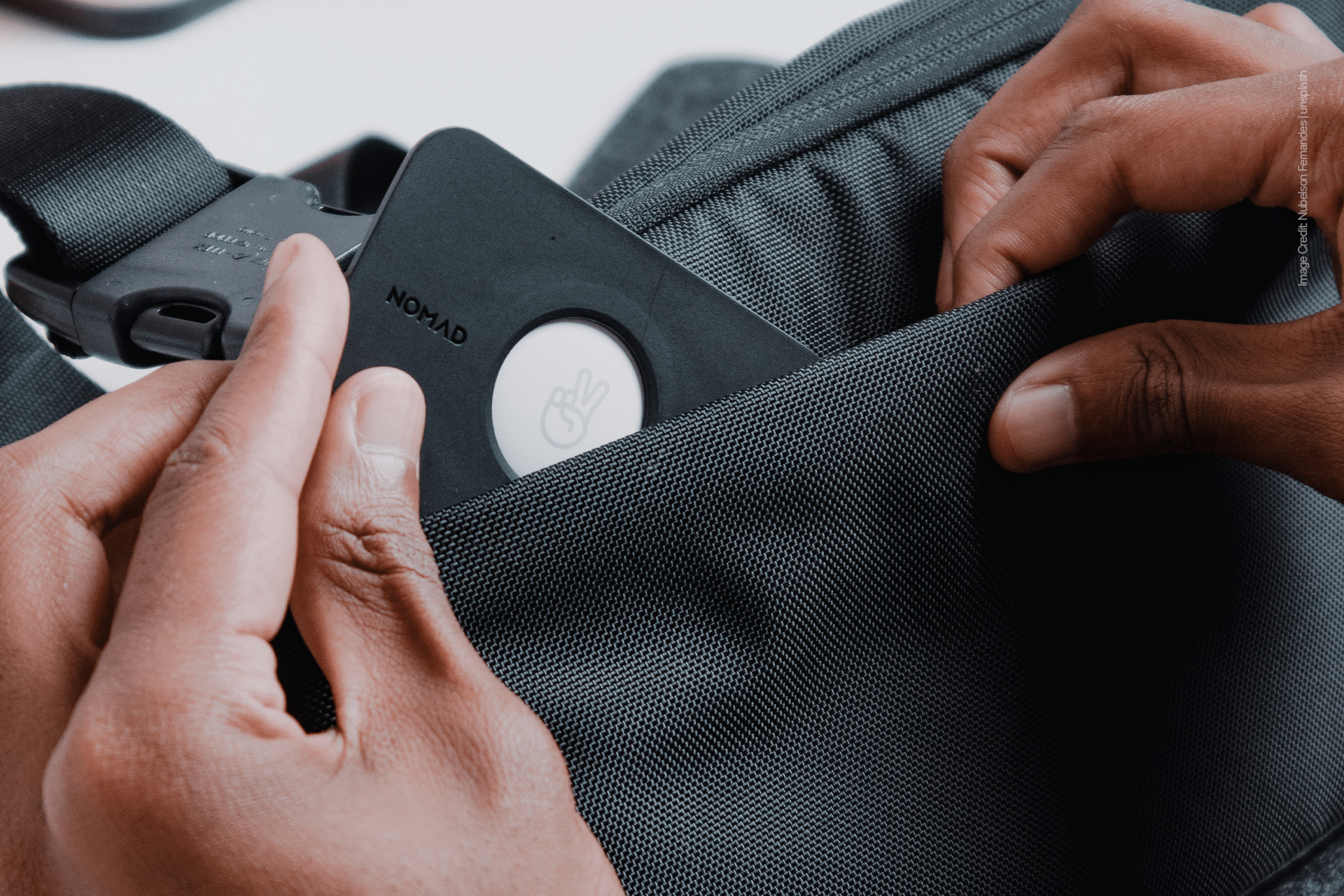
Home use also benefits from good AirTag placement. A tracker buried deep inside a thick bag may be harder to hear. A tracker attached to the outside of a keychain or placed in a dedicated wallet slot may be easier to locate. The goal is to attach AirTag where it stays secure but still has a clear enough signal and sound path to help when needed.
Privacy and Safety Define the Ecosystem
Private Find My tracking works because Apple designed the network around privacy. The system is meant to help owners find their own items, not track people. AirTag includes unwanted tracking alerts, sound alerts, NFC identification, and safety guidance for people who may receive a notification that an unknown AirTag or Find My accessory is moving with them.
That safety layer is important. AirTag should be used for personal belongings, shared household items, luggage, bags, bikes, and objects the owner has a legitimate reason to track. It should not be used to follow another person, monitor someone without permission, or hide tracking in another person’s property. Apple’s safety protections are designed to discourage that misuse and give people tools to find and disable unknown trackers.
For normal use, privacy is one of the best reasons AirTag fits the Apple ecosystem. The owner gets item location help from nearby Apple devices without those device owners being involved. The network can be large without becoming public. That is what makes it useful in cities and neighborhoods while still fitting Apple’s privacy message.
AirTag becomes more valuable when it is treated as part of a private ecosystem of devices. iPhone finds the item. Apple Watch can help with nearby guidance on supported models. Family sharing can keep household items visible to the right people. The Find My network can refresh location in busy areas. Lost Mode can help if the item is found by someone else.
The best AirTag setup is not about tracking everything. It is about choosing the few items that create the most stress when lost. Keys, wallet, backpack, suitcase, bike, camera bag, work bag, and shared car keys are the obvious places to start. With the right items tagged, Find My becomes less of an emergency tool and more of a quiet private network that keeps everyday belongings from disappearing into the city, the neighborhood, or the couch.