

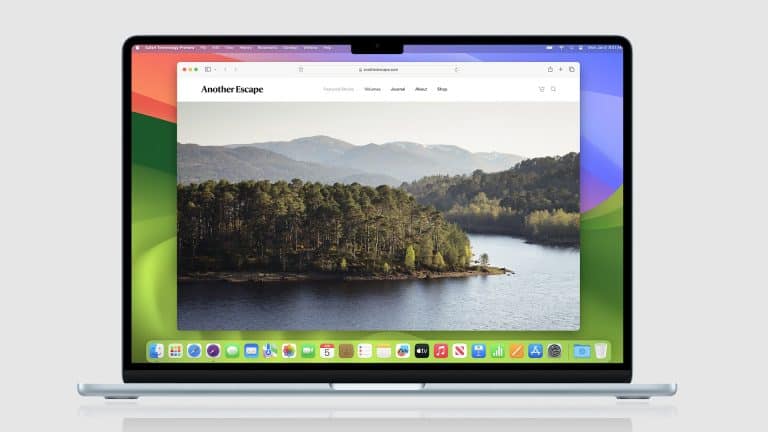
Safari MCP Server is now available in Safari Technology Preview 247, giving developers a native way to connect AI coding agents to Apple’s browser for testing and debugging. The feature brings Model Context Protocol support into Safari’s experimental browser, reducing the need for separate plug-ins or third-party wrappers when an AI tool needs to inspect a page in WebKit.
The release is aimed at web developers rather than everyday browsing. Apple describes the new tool as a Model Context Protocol server that can make web development and debugging faster. Once connected to an MCP-compatible client, an AI agent can open pages in Safari Technology Preview, inspect page structure, read console output, review network activity, capture screenshots and compare page behavior against the developer’s intent.
That gives Safari a more direct place in modern AI coding workflows. Many coding assistants already work well inside editors, terminals and Chromium-based browser setups. Safari often required a separate step, especially when testing WebKit-specific layout, styling or mobile-related behavior. Apple’s new preview feature brings that work into the same development loop.

Safari MCP Server Adds WebKit to the AI Workflow
MCP Server gives AI agents access to a real Safari browsing environment through Safari Technology Preview. That distinction is central because testing only in Chrome or Chromium-based automation can miss WebKit behavior, especially around layout, forms, media playback, scrolling, input handling, typography, CSS support and iPhone-related rendering.
Apple’s WebKit team presents the feature as a browser-compatibility tool. An AI agent can load a site, inspect computed styles, check layout, review console logs and use screenshots to compare what appears in the browser with what the developer expected. The goal is not casual AI browsing. It is a development tool for finding and fixing issues faster.
The implementation is tied to safaridriver with MCP support. That gives developers a more official path than community projects built around AppleScript, extensions or external automation layers. Those tools showed demand for Safari-based agent workflows, but Apple’s version is connected directly to the WebKit preview channel.
For production teams, Safari testing remains unavoidable. It is the default browser on iPhone, iPad and Mac, and iPhone traffic is too large to treat WebKit as a secondary target. An AI assistant that can inspect Safari directly may help catch issues earlier, especially during frontend work where a small rendering difference can affect navigation, checkout, sign-in, media playback or accessibility.
How MCP Helps AI Coding Tools See the Page
Model Context Protocol is a standard for connecting AI assistants to external tools and data sources. In developer workflows, an MCP server can expose functions that an AI agent can call during a task. Instead of only reading files, the agent can interact with a browser, inspect logs or collect state from a running app.
Apple’s implementation uses that model for browser debugging. A compatible agent can use Safari as a test surface, gather evidence from the page and bring those findings back into the coding session. A developer might ask an assistant why a layout breaks in Apple’s browser, and the agent can inspect the rendered page instead of guessing from source code alone.
That reduces one of the weaker points in AI coding: blind edits. AI tools can generate plausible fixes, but frontend bugs often require observation. Computed styles, DOM structure, console warnings, failed requests and screenshots give the model context that code alone may not reveal.
The feature also brings Apple closer to browser-agent setups already available through Chromium tools, Playwright workflows and third-party MCP servers. The difference is that WebKit now has an official bridge in Apple’s preview browser, giving developers a more native way to test Safari behavior during AI-assisted development.
What Developers Can Test in Safari Technology Preview
To use the feature, developers need Safari Technology Preview 247 on macOS. Apple says the server can be enabled through Safari’s developer tools path for remote automation and external agents. After that, an MCP-compatible client can connect to safaridriver’s MCP mode.
Once connected, the agent can interact with Safari Technology Preview as part of a development session. The WebKit team describes tasks such as opening a site, inspecting computed styles, checking layout, reading page content, capturing screenshots and reviewing debugging information. That makes the feature more useful for frontend problems than a text-only assistant.
The setup still belongs in a test environment. Safari Technology Preview is Apple’s experimental browser for upcoming WebKit changes, so it can include behavior that differs from the stable Safari release. That is useful for early compatibility work, but production bugs should still be validated against the public version of Safari when needed.
It is also not a replacement for full QA. AI agents can help identify likely causes, test changes and surface browser evidence, but they can miss edge cases. Human review remains necessary for accessibility, visual polish, payment flows, privacy-sensitive pages and anything tied to user data.
A Native Alternative to Browser Plug-Ins
Before Apple’s implementation, developers could already experiment with Safari automation through community MCP projects. Some used AppleScript to control the browser. Others combined Safari extensions, Swift tools or WebKit debugging access to expose browser controls to AI clients. Those projects proved the need was real: developers wanted Safari sessions, cookies, logins and WebKit behavior available to coding agents without moving every test to Chrome.
Apple’s version is narrower and more developer-focused, but that restraint works in its favor. It avoids presenting MCP as a consumer browsing feature. The first version is about inspection, debugging and web compatibility, not general AI browsing or personal automation.
That is a safer starting point. Browser agents can raise security and privacy concerns when they control sessions, read page content or act inside logged-in websites. By placing the feature inside Technology Preview and tying it to developer automation, Apple can test the model with a technical audience before deciding how much of it belongs in stable Safari.
The next phase depends on AI coding clients. If setup becomes simple, a developer could ask an agent to test a layout in Safari, inspect the broken element, compare behavior with another browser and propose a targeted CSS or JavaScript fix. For smaller teams, that could turn WebKit testing from a late-stage cleanup task into something that happens while code is still being written.
Safari MCP Server is still a preview feature, but it gives Apple a direct role in AI-assisted web development. The practical test will be whether developers catch Safari bugs earlier, before layout problems, console errors or mobile rendering issues reach production builds.