

Safari private browsing is one of those features many users activate occasionally without fully exploring how it works. It feels simple — open a private tab, browse, close it — but behind that minimal interface is a structured privacy layer designed to separate session data from your regular browsing history. For Apple users who move between iPhone, iPad, and Mac daily, understanding how Safari handles private sessions can make a meaningful difference in managing digital footprints.
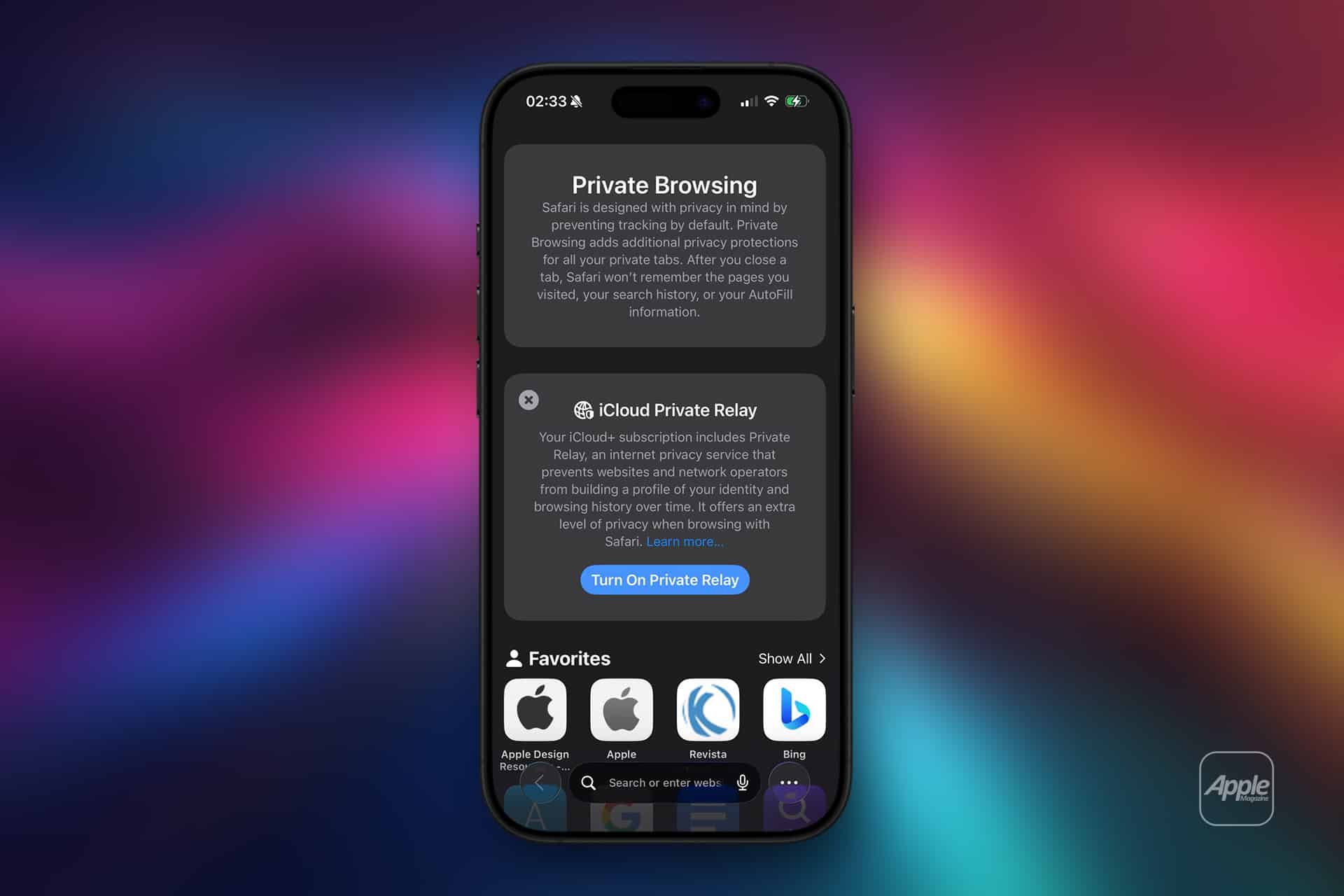
When Private Browsing is enabled, Safari creates a temporary session environment. Websites you visit are not added to your browsing history. Searches are not saved. AutoFill information is not stored for future suggestions. Cookies and tracking data are isolated and removed when the session ends. It is not invisibility from the internet, but it is separation from your device’s recorded history.
On iPhone and iPad, switching to Private Browsing is seamless. Open Safari, tap the tab button, then select “Private.” The interface shifts to a darker appearance, signaling that the session is now isolated. Any tabs opened in this mode remain within the private group until manually closed. Once closed, Safari discards local session data tied to those tabs.
On Mac, opening a private window creates a similar separation. Each private window operates independently from standard windows. Closing that window clears the session’s stored data, including cookies and temporary files generated during that session.
How Safari Handles Private Tabs
Safari private browsing isolates session storage.
This means:
- Browsing history is not saved
- Searches are not recorded
- AutoFill entries are not stored
- Cookies are deleted after the session
- Temporary cache files are cleared
However, private browsing does not hide activity from internet service providers, network administrators, or the websites themselves. It prevents local storage on the device, not external visibility.

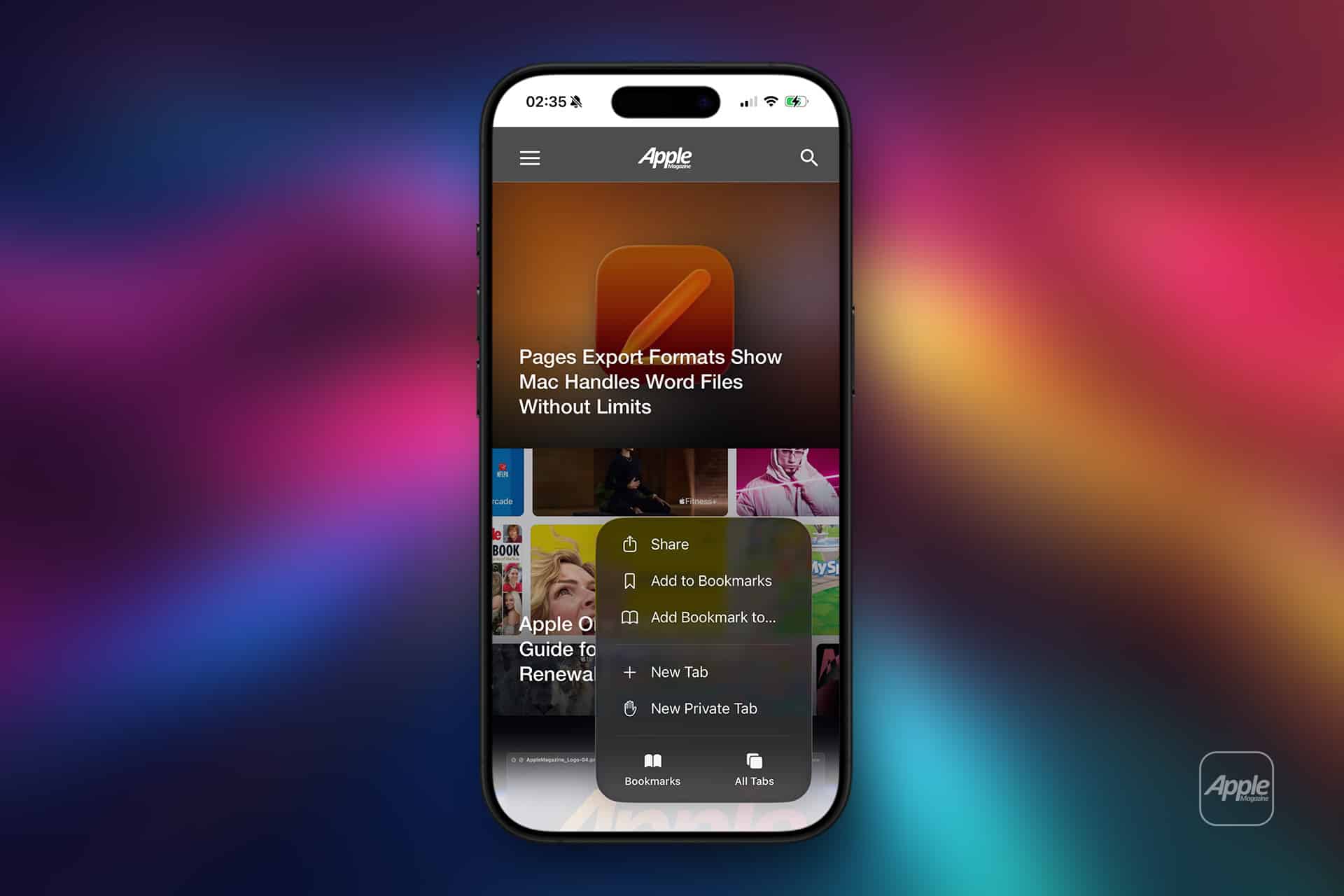
Managing Private Tabs Securely
Recent versions of iOS and iPadOS allow users to lock private tabs using Face ID or Touch ID. When this feature is enabled, private tabs require biometric authentication after a period of inactivity.
To activate this on iPhone:
Settings > Safari > Require Face ID to Unlock Private Browsing
This adds an additional privacy layer, ensuring that even someone holding your device cannot immediately access open private tabs.
On Mac, private windows are not automatically biometric-locked, but users can rely on system-level login protections and automatic screen lock settings.
Private Browsing and iCloud Sync
Private tabs do not sync across devices through iCloud Tabs. Regular browsing sessions may appear on other Apple devices signed into the same Apple ID, but private sessions remain local.
This separation ensures that private research on an iPhone does not unexpectedly appear on a Mac’s Safari start page.
When Private Browsing Is Useful
Safari private browsing serves practical scenarios:
- Logging into multiple accounts on the same site
- Researching topics without influencing search suggestions
- Shopping without saving product history
- Accessing websites on shared devices
It also prevents saved cookies from influencing website personalization during that session.
Tab Groups and Privacy
Private browsing operates independently from Safari’s Tab Groups. Users can maintain organized standard tabs while opening a temporary private session when needed.
Closing the private group returns Safari to normal browsing mode without mixing session data.
Balancing Privacy and Convenience
Safari already integrates Intelligent Tracking Prevention by default, limiting cross-site tracking in regular browsing. Private mode strengthens separation by avoiding local history storage entirely.
For users concerned about privacy hygiene, combining private browsing with automatic clearing of history in regular sessions adds another layer of control.
Safari private browsing offers a controlled way to manage session privacy without changing the overall browsing experience. By isolating temporary activity from saved history and synchronised data, Apple provides a simple yet structured approach to local privacy management across its ecosystem.