


Siri iOS 27 expectations are becoming easier to understand through one of Apple’s most revealing accessibility updates. Apple previewed new accessibility features powered by Apple Intelligence, and the most important signal may be the evolution of Voice Control. The feature will let users navigate iPhone and iPad entirely by voice using natural language, describing onscreen buttons and controls instead of memorizing exact labels, numbers, or grid positions.
Apple’s example is simple but meaningful. A user can say something like “tap the guide about best restaurants” in Apple Maps or “tap the purple folder” in Files. Voice Control can then interpret the visible interface and act on the requested item. That turns voice input from a rigid command system into something closer to conversational interface control.
This is not officially being presented as the new Siri. Apple is previewing an accessibility feature, and Voice Control remains a separate tool designed for users with physical disabilities who need hands-free navigation. But the technology behind it gives a concrete preview of where Siri has to go. A modern assistant cannot only answer questions. It needs to understand what is on the screen, identify interface elements, interpret user intent, and take action inside apps.
That is the exact area where Siri has been weakest. Apple promised a more personal, context-aware Siri with Apple Intelligence, including awareness of onscreen content, personal context, and in-app actions. Some of those features were delayed, raising pressure on iOS 27 and WWDC26. The new Voice Control preview shows that Apple is already building the pieces of a more capable assistant inside accessibility.

Voice Control Shows the Future Interface
Siri iOS 27 may be judged by whether Apple can turn natural language into real device control. The new Voice Control feature shows a practical version of that idea. Instead of asking users to learn an exact command structure, Apple Intelligence helps the system connect ordinary language to visible controls.
That is important because interfaces are visual. A user may not know the accessibility label of a button, the exact name of a menu item, or the number assigned to a grid overlay. They may only know what they see: the purple folder, the restaurant guide, the send button, the red icon, the map result, the photo in the top row. Voice Control powered by Apple Intelligence is designed to understand those descriptions.
For accessibility, this is a major improvement. It can make iPhone and iPad easier for users who rely on voice because of limited mobility, injury, fatigue, or other physical conditions. It can also help when apps have imperfect labels or visual layouts that are hard to navigate with older voice-command structures.
For Siri, the implication is larger. If Apple Intelligence can understand a screen well enough for Voice Control, Siri should eventually be able to do the same for broader tasks. A user should be able to ask Siri to open a specific document, tap a visible option, summarize a page, move a file, reply inside an app, or complete a workflow with confirmation when needed.
That is the assistant Apple has been promising. Voice Control may be the first place where users can see the underlying idea work clearly.
Natural Language Is the Missing Layer
Siri iOS 27 needs natural language control because older voice assistants were built around command recognition. They could set timers, play songs, send messages, make calls, start workouts, and answer simple queries. But they often struggled when the request involved app state, screen context, personal data, or a multi-step action.
Apple Intelligence is supposed to change that. The assistant needs to move from command execution to context understanding. That means recognizing what the user means, what is visible, what data is relevant, which app can help, and what action should be taken safely.
Voice Control’s new “say what you see” model is a direct example. A user no longer needs to know the system’s internal label. They can describe the target naturally. This is the kind of flexibility Siri needs if it is going to compete with Gemini, ChatGPT, Alexa, and other AI assistants that are moving toward more agentic behavior.
The challenge is that Siri must operate at a higher level of trust than a chatbot. If Siri sends a message, deletes a file, pays a bill, changes a setting, books a ride, shares a document, or modifies a calendar, the system must understand the request and confirm sensitive actions. Natural language alone is not enough. Apple has to combine it with context, permission, privacy, and user control.
That is why accessibility may be the best preview. Voice Control is grounded in clear interface actions. It does not pretend to solve every AI task. It shows a specific improvement: the system can connect user speech to visible controls more naturally.

Accessibility Is Becoming Apple’s AI Test Bed
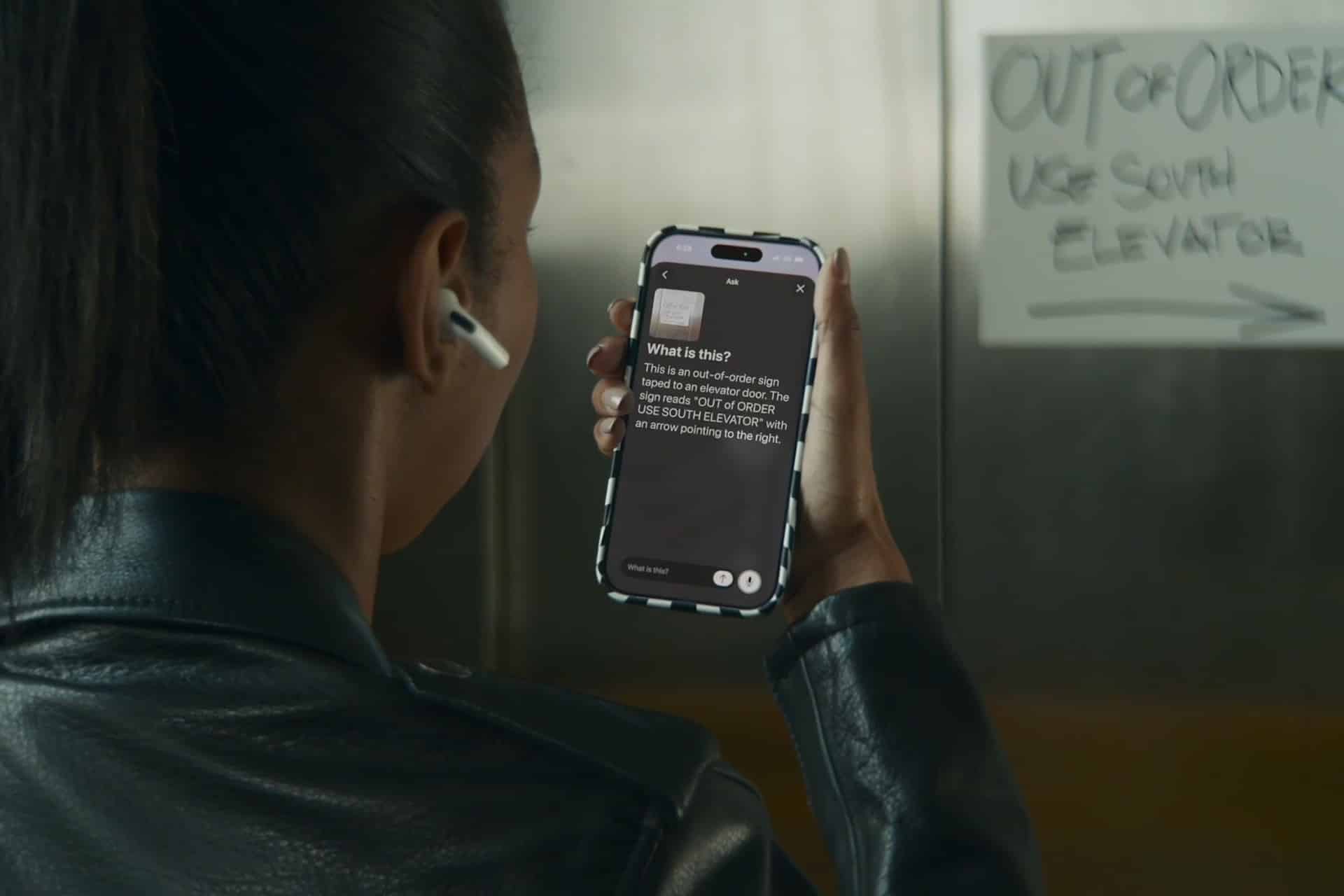
Siri iOS 27 also benefits from the fact that Apple is using accessibility to show some of its most practical AI work. The same announcement includes richer VoiceOver descriptions, Live Recognition improvements, Accessibility Reader summaries, generated subtitles for videos without captions, and Vision Pro eye-tracking control for compatible wheelchairs.
Those features are not abstract AI demos. They solve real interaction problems. VoiceOver can describe images and surroundings in more detail. Magnifier and Live Recognition can answer questions about what the camera sees. Voice Control can navigate apps through natural language. Generated subtitles can make uncaptioned video easier to follow. Accessibility Reader can summarize and reformat complex content.
This is where Apple Intelligence looks most convincing. The technology is not being shown as a novelty. It is being used to reduce barriers between users and their devices.
For Siri, that is the lesson. The next assistant will not be judged by whether it sounds more conversational in a vacuum. It will be judged by whether it can help users get things done across iPhone, iPad, Mac, Apple Watch, Apple TV, Vision Pro, and apps. Accessibility gives Apple a controlled, high-value place to build those interaction models before extending them more broadly.
Apple should be careful not to blur accessibility and mainstream AI too carelessly. Voice Control exists for users who need it. But the technology developed there can improve the whole platform. Many Apple features began as accessibility tools and later influenced broader interaction design.
Siri Needs Screen Awareness and App Actions
Siri iOS 27 will likely depend on two major pieces: screen awareness and app actions. Screen awareness lets Siri understand what the user is looking at. App actions let Siri do something with that understanding. Voice Control’s natural-language navigation points directly at the first piece.
The second piece is App Intents. Apple has been pushing developers to expose app functions through App Intents so Siri, Shortcuts, Spotlight, widgets, and Apple Intelligence can understand and trigger actions. If Siri can see a screen but cannot act meaningfully inside apps, it remains limited. If apps expose the right actions, Siri can become more useful without relying on brittle screen scraping or manual taps.
That is why WWDC26 will matter for developers. Apple needs to show not only a better Siri interface but also a better developer path. Apps should be able to declare what they can do, what information they can provide, and what user confirmation is required. Siri should then combine personal context, onscreen awareness, and app intents into safer action.
Voice Control hints at this future from another angle. It can act on visible controls even when the user describes them naturally. That makes it useful now and suggests how Apple could bridge apps that are not yet deeply integrated with App Intents.
The best Siri will need both approaches: semantic app actions for deep integration and screen understanding for the visible interface.
Apple Still Has to Rebuild Trust
Siri iOS 27 will arrive under scrutiny because Apple has already delayed some of the more advanced Siri features originally tied to Apple Intelligence. Reuters reported in 2025 that Apple delayed certain Siri AI improvements to 2026, including better use of personal context and deeper app actions. That delay changed expectations. Users and developers now need proof, not another promise.
The new Voice Control preview helps because it is concrete. Apple is not saying only that AI will make voice interaction better. It is showing a specific way Apple Intelligence can interpret the interface through natural language. That is the kind of practical example Apple needs more often.
Still, Siri itself has to deliver. Accessibility improvements do not automatically solve the assistant problem. The new Siri needs to be faster, clearer, more reliable, and more transparent about what it can do. It needs to explain when it is using on-device processing, Private Cloud Compute, app data, or an outside model. It needs to ask before sensitive actions. It needs to avoid confident mistakes.
The strongest iOS 27 story would connect these pieces: Voice Control shows natural language navigation, VoiceOver shows richer visual understanding, App Intents show app control, and Siri becomes the broader assistant layer that brings those capabilities together.
A Real Preview Without Saying Siri
Siri iOS 27 may not have been the headline of Apple’s accessibility announcement, but it was present in the logic of the features. Voice Control powered by Apple Intelligence gives one of the clearest previews of what Apple’s next assistant should become: not only a voice that answers, but a system that can understand the interface and act inside it.
The feature is important on its own for accessibility. Users who depend on voice navigation should gain a more natural and flexible way to control iPhone and iPad. That is the immediate value.
The broader signal is what comes next. If Apple can make natural-language Voice Control work reliably, Siri can inherit a more capable foundation. If Apple can combine that with personal context, App Intents, on-device intelligence, and Private Cloud Compute, iOS 27 could begin turning Siri from a traditional assistant into a real operating-system interface.
Apple did not need to call this a Siri preview for it to function as one. The future of Siri is visible in the way Apple Intelligence is starting to understand what users mean when they describe what they see.