Skip to content
AppleMagazine
 
Everything Apple, All in One Place.
  • Mobile & Wearable
  • Computers
  • Productivity
  • Entertainment
  • Innovation
  • Tech Industry
  • Business Partnership Program
  • More
    • Search
    • Menu
    AppleMagazine
     
    Everything Apple, All in One Place.
    • Search

    apple privacy

    Close-up of a black and a white smart speaker with a colorful, four-pointed star overlay in the center. The fabric mesh texture of the speakers is clearly visible; an Apple logo appears on the white speaker. - Gemini Siri

    Gemini Siri Update: A Smarter AI Upgrade Arrives in February

    January 27, 2026 / 10:26 AMJanuary 27, 2026

    Gemini Siri update arrives with iOS 26.4 in February, bringing Google’s Gemini AI into Apple Intelligence while keeping privacy protected through Apple’s Private Cloud Compute.

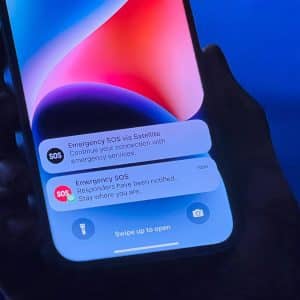
    iPhone held in a hand displaying Emergency SOS via Satellite and iPhone Crash Detection alerts on the lock screen.

    iPhone Crash Detection: The Hidden Safety Feature Saving Lives on the Road

    January 27, 2026 / 6:32 AMJanuary 26, 2026

    iPhone Crash Detection is a powerful safety feature introduced in iOS 16 that automatically detects serious car accidents and connects users to emergency services, even when they cannot respond.

    A person with short gray hair and a beard holds a silver iPhone close to their face, partially covering it. The black background makes the phone and person stand out—reminding us how important it is to protect iPhone photos and privacy.

    Protect iPhone Photos With Face ID: The Smart, Secure Way to Lock Your Private Memories

    January 25, 2026 / 5:21 PMJanuary 25, 2026

    Protect your iPhone photos with Face ID using Apple’s built-in privacy tools to lock, hide, and secure personal images inside the Photos app and iCloud.

    Apple Family Sharing - Five colorful circles on a blue gradient background, each with a cartoon avatar face, surround a central white circle with an iCloud-inspired blue and green group icon, representing diverse people and community.

    Apple Family Sharing: One Smart Way to Keep Your Whole Family Connected

    January 25, 2026 / 10:23 AMJanuary 25, 2026

    Apple Family Sharing lets you share apps, subscriptions, purchases, and storage while keeping everyone’s data private, secure, and easy to manage.

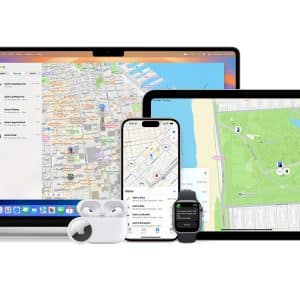
    Find My Precise Location - A laptop, tablet, smartphone, smartwatch, and two sets of wireless earbuds display Apple’s “Find My” app with maps and Find My Precise Location onscreen, showcasing accurate device tracking across multiple Apple products.

    Find My Precise Location: The Weekend Superpower You Didn’t Know Your iPhone Had

    January 25, 2026 / 6:17 AMJanuary 25, 2026

    Find My Precise Location turns your iPhone into a real-world radar, helping you track people, AirTags, keys, backpacks, and even that friend who went for snacks and vanished.

    Apple lifestyle - Apple Watch Series 10: A person with long hair, wearing an Apple Watch 10 and a dark outfit, inserts an earbud into their ear while looking over their shoulder on a city street. The background is blurred, with red and green lights visible.

    Apple Lifestyle in 2026–2030 Shows a Brighter, More Human Tech Era

    January 24, 2026 / 6:21 AMJanuary 23, 2026

    Apple Lifestyle blends work, health, entertainment, and communication into a calm, powerful digital rhythm that keeps getting better every year.

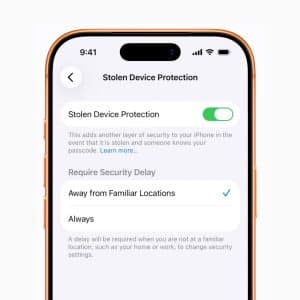
    A smartphone screen displays the Stolen Device Protection settings, with the protection toggle switched on and options for requiring security delay when away from familiar locations set to "Always"—offering extra security for a stolen iPhone.

    Stolen iPhone Protection Gives You Time to Secure Your Data

    January 23, 2026 / 10:57 AMJanuary 23, 2026

    Apple’s Stolen iPhone Protection adds an extra layer of security that helps protect your accounts, Apple ID, and personal data when your iPhone is taken.

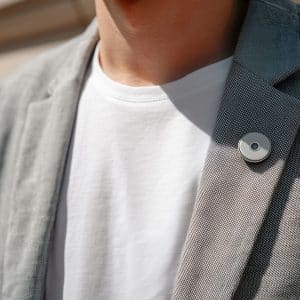
    A person wearing a grey blazer and white t-shirt stands outside, with an AI Pin—a small round wearable device—pinned to the blazer's lapel.

    Apple AI Pin Rumor Collides With Apple’s Privacy-First Reality

    January 22, 2026 / 10:32 AMJanuary 22, 2026

    Apple’s privacy-first ecosystem makes the AI Pin idea incompatible with how Apple designs devices, protecting visual attention, safety, and personal data without always-on cameras.

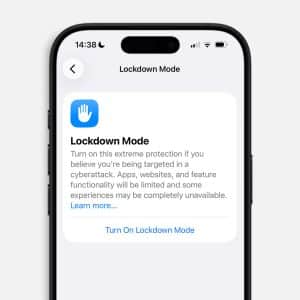
    A smartphone screen displays the iPhone Lockdown settings page, describing an extreme protection mode for cyberattacks, with an option to "Turn On Lockdown Mode." The time on the phone is 14:38.

    iPhone Lockdown Mode: How to Secure Your iPhone and iPad Against Advanced Threats

    January 21, 2026 / 4:24 PMJanuary 21, 2026

    iPhone Lockdown Mode protects your iPhone and iPad from advanced cyberattacks with strict security limits that block spyware, tracking, and remote exploits.

    A person in dark clothing sits on a stool, gesturing while speaking on stage in front of a large screen displaying the Apple logo and the word "Privacy," highlighting iPhone security features.

    Apple Privacy: The Trust Foundation Behind the Entire Apple Ecosystem

    January 3, 2026 / 6:29 PMJanuary 2, 2026

    Apple privacy is not a single feature or setting. It is the design philosophy that holds Apple’s ecosystem together. Across devices and services, Apple has built its platforms around the…

    Close-up of the back of a black Apple Watch on the cover of Apple Magazine, issue #747. Headlines mention Health AI, CarPlay, and Apple Music. The date is February 20, 2026, marking the 15th-year anniversary.
    AppleMagazine App - Subscribe and Save | Image promoting AppleMagazine subscription. Text reads: "Subscribe and save. For a limited time only." Below, overlapping blue and multicolored app icons bearing the "AppleMagazine" logo are displayed. "AppleMagazine" is shown above an "App Store" download button. White background.

    A smartwatch and a smartphone display a fitness workout. The watch shows workout stats, while the phone features Apple Fitness+ with a woman in pink exercising indoors and additional data on screen. The Apple logo is in the corner.

    Apple Fitness+ Activation and Personalization With Apple Watch

    A person with short gray hair and a beard holds a silver iPhone close to their face, partially covering it. The black background makes the phone and person stand out—reminding us how important it is to protect iPhone photos and privacy.

    Protect iPhone Photos With Face ID: The Smart, Secure Way to Lock Your Private Memories

    Apple Music's new feature allows artists to publish concert set lists as playlists, offering fans a unique way to relive live performances.

    Download Music for Offline Listening on Apple Music: A Simple Guide That Actually Works

    A close-up of an Apple Watch sleep screen displays a score of 84, labeled "High," with a blurred background showing a person resting in bed. - Sleep With Apple Watch

    Track Sleep With Apple Watch: A Powerful Guide to Better Rest and Health

    A wireless charging station on a marble surface holds a smartwatch, wireless earbuds, and a smartphone displaying iPhone StandBy with the clock and San Diego weather (70°F, mostly sunny), charging all devices at once.

    iPhone StandBy Mode: Turn Your iPhone Into a Smart Night Display

    A close-up of an Apple AirTag in a brown leather keychain holder, attached to a textured gray fabric surface. The AirTag’s reflective surface and Apple logo are clearly visible. - New AirTag

    New AirTag: Apple Doubles Down on Findability With Longer Range, Louder Alert, and Smarter Tracking

    Black and white logo featuring a pixelated arrow pointing upwards to the right, with the word "MINECRAFT" in bold capital letters beneath it. The design is simple with a retro, blocky aesthetic.
    Black and white logo featuring a pixelated arrow pointing upwards to the right, with the word "MINECRAFT" in bold capital letters beneath it. The design is simple with a retro, blocky aesthetic.

    AppleMagazine logo

    AppleMagazine is an independent publication and has not been authorized, sponsored, or otherwise approved by Apple Inc.

    We cover everything Apple, every day of the week. The latest on iOS, macOS, Apple Watch, AirPods, and the wider technology industry. Check back soon for more.
    X Icon Instagram Icon Newsstand Icon Facebook Icon
    • Business Partnership Program
    • Contact
    • Terms & Conditions
    • Privacy Policy
    © Copyright 2026 by AppleMagazine. All Rights Reserved.

    We are using cookies to give you the best experience on our website.

    You can find out more about which cookies we are using or switch them off in .

    AppleMagazine
    Powered by  GDPR Cookie Compliance
    Privacy Overview

    This website uses cookies so that we can provide you with the best user experience possible. Cookie information is stored in your browser and performs functions such as recognising you when you return to our website and helping our team to understand which sections of the website you find most interesting and useful.

    Strictly Necessary Cookies

    Strictly Necessary Cookie should be enabled at all times so that we can save your preferences for cookie settings.