Skip to content
AppleMagazine
 
Everything Apple, All in One Place.
  • Mobile & Wearable
  • Computers
  • Productivity
  • Entertainment
  • Innovation
  • Tech Industry
  • More
    • Search
    • Menu
    AppleMagazine
     
    Everything Apple, All in One Place.
    • Search

    Apple Watch notifications

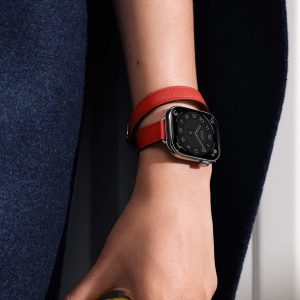
    A close-up of a person's hand wearing an Apple Watch with a square black face and a double-wrapped red leather band, highlighting how the Apple Watch Band complements their skin tone, set against a background of dark blue fabric.

    Apple Watch Always-On Display Has Clear Trade-Offs

    June 7, 2026 / 3:57 PMJune 6, 2026

    Apple Watch always-on display makes the watch feel more natural, but it also affects battery life, privacy, distractions, and daily habits.

    A close-up of a person’s wrist wearing a smartwatch with a light-colored band displays a sleep score of 84 marked "High" and a vibrant circular graph, highlighting the importance of apple watch screen care for clear, accurate readings.

    watchOS Focus Sync Keeps Apple Watch and iPhone in Perfect Alignment

    April 3, 2026 / 5:21 PMApril 3, 2026

    watchOS Focus Sync lets Apple Watch and iPhone mirror Focus modes automatically, keeping notifications aligned across devices with minimal setup.

    An Apple Watch screen displays Apple Watch Notifications from "Grandma." A child asks, "You’re picking me up after school, right?" with emojis. Grandma replies, "Yes, I’ll be there soon," using a car emoji. The watch band is yellow-green.

    Apple Watch Notifications: How to Control What Appears on Your Wrist

    March 13, 2026 / 8:43 AMMarch 12, 2026

    Apple Watch notifications can be tailored to match your daily rhythm, helping you stay informed without constant interruptions.

    An older man in a hospital bed smiles while holding a tablet, with a nurse beside him, both enjoying the interaction—highlighting the positive impact of Apple Health Expansion in creating brighter, more connected hospital experiences.

    Caregiver Apple Watch: Staying Close From a Distance

    February 21, 2026 / 1:43 PMFebruary 21, 2026

    Caregiver Apple Watch – How Apple Watch and Health sharing help adult children support aging parents without taking away independence.

    Five smartwatches with different colored bands and unique digital watch faces are displayed in a row, highlighting strap materials and vibrant hues—reminding users that proper apple watch screen care keeps every display looking its best.

    Apple Watch Alarms: Master Alarms, Timers, and Countdowns for Daily Life

    January 11, 2026 / 1:12 PMJanuary 9, 2026

    Apple Watch is designed to help you manage time without pulling out your phone. Alarms, timers, and countdowns are some of the most practical tools on the watch, whether you’re…

    Live Activities 11: A swimmer wearing a swim cap and goggles adjusts their goggles while partially submerged in water. An advanced smartwatch with a detailed, visible display is on their wrist, indicating they are likely tracking their swimming performance or other metrics.

    Improving Your Health: Managing Live Activities 11 on Apple Watch

    December 4, 2024 / 3:07 AMDecember 6, 2024

    One of the standout features in watchOS 11 is the Smart Stack, a collection of widgets that dynamically display relevant information. By scrolling the Digital Crown, you can cycle through…

    Apple Watch Series 10: A close-up of an Apple Watch Series 10 with a gold stainless steel case and a matching gold mesh band. The watch face displays an intricate, radial, golden pattern with white hour and minute hands. The AppleMagazine logo is visible in the bottom right corner.

    Apple Watch Series 10 Review Roundup: What the Experts Are Saying

    September 18, 2024 / 9:30 AMOctober 12, 2024

    A Refined Design Language Apple has taken a slightly different approach with the Apple Watch Series 10 design. The design refresh is subtle yet noticeable, particularly in the new range of…

    Cover of Apple Magazine’s special edition for June 12, 2026, featuring the headline “WWDC26” with a vibrant, glowing sphere and colorful light trails, highlighting new iOS 27 and AI-powered workflows.
    AppleMagazine App - Subscribe and Save | Image promoting AppleMagazine subscription. Text reads: "Subscribe and save. For a limited time only." Below, overlapping blue and multicolored app icons bearing the "AppleMagazine" logo are displayed. "AppleMagazine" is shown above an "App Store" download button. White background.

    Various Apple devices, including an iPhone, iPad, Apple Watch, AirPods, Apple TV remote, and HomePod, are arranged around the word "Siri" in gradient colors, highlighting Siri offline commands for effortless control without the internet.

    Siri Rebuild Could Make iOS 27 Apple’s AI Reset

    A large FBI seal is mounted on a blue wall next to a partially visible American flag, echoing the values of "Fidelity, Bravery, Integrity"—much like the rigorous standards set by each iOS security update, including iOS 15.8.8 and iOS 16.7.16.

    iOS Security Update Closes the FBI Notification Bug

    White text reading "FOXCONN" on a blue background, featuring a bold, modern font with slightly blurred edges—an eye-catching design reminiscent of headlines surrounding the recent Foxconn cyberattack.

    Foxconn Cyberattack Puts Apple’s Supply Chain Data at Risk

    A smartphone display showcases a video call with Dual Capture, featuring a man in a small window and a scenic mountain landscape in the main view, set against a blue and purple gradient background with an Apple logo, highlighting iPhone 17 Camera capabilities.

    Dual Capture Pushes iPhone 17 Toward Social Video

    Apple intelligence - A multicolored, abstract looped star icon above the words “Apple Intelligence”—highlighting its Limited Rollout and potential as an AI-Powered Support Assistant—appears in a blue to red gradient on a light gray background.

    WWDC26 Puts Apple Intelligence Under Developer Pressure

    A person types on a laptop with a digital overlay showing two head profiles—one with gears, the other with a brain—connected by arrows and data flow, symbolizing artificial intelligence, data exchange, and the evolving computer science graduates job market.

    Full-AI iOS Could Disrupt the App Economy

    AppleMagazine logo

    AppleMagazine is an independent publication and has not been authorized, sponsored, or otherwise approved by Apple Inc.

    We cover everything Apple, every day of the week. The latest on iOS, macOS, Apple Watch, AirPods, and the wider technology industry. Check back soon for more.
    X Icon Instagram Icon Newsstand Icon Facebook Icon
    • Business Partnership Program
    • Contact
    • Terms & Conditions
    • Privacy Policy
    © Copyright 2026 by AppleMagazine. All Rights Reserved.

    We are using cookies to give you the best experience on our website.

    You can find out more about which cookies we are using or switch them off in .

    AppleMagazine
    Powered by  GDPR Cookie Compliance
    Privacy Overview

    This website uses cookies so that we can provide you with the best user experience possible. Cookie information is stored in your browser and performs functions such as recognising you when you return to our website and helping our team to understand which sections of the website you find most interesting and useful.

    Strictly Necessary Cookies

    Strictly Necessary Cookie should be enabled at all times so that we can save your preferences for cookie settings.