Skip to content
AppleMagazine
 
Everything Apple, All in One Place.
  • Mobile & Wearable
  • Computers
  • Productivity
  • Entertainment
  • Innovation
  • Tech Industry
  • More
    • Search
    • Menu
    AppleMagazine
     
    Everything Apple, All in One Place.
    • Search

    iPhone settings

    An iPhone Focus notification overlay appears on a smartphone screen, displaying a message from Elena Lanot: "Requesting help with choreography transitions tonight." The background shows a person in a white turtleneck.

    iPhone Focus Turns Notifications Into Daily Routines

    June 26, 2026 / 10:34 AMJune 25, 2026

    iPhone Focus helps notifications match work, sleep, school, driving, fitness, and personal time instead of interrupting every part of the day.

    A dark blue Apple iPhone with three camera lenses and a textured case is shown upright against a dark background, spotlight illuminating the upper part. The Apple logo is visible, highlighting its LED flash alerts for iPhone calls.

    iPhone Flash Alerts for Calls: The Feature Many Users Forget Exists

    June 13, 2026 / 12:34 PMJune 12, 2026

    iPhone flash alerts for calls make the LED flash blink when calls, messages, and notifications arrive, helping users notice alerts without sound.

    AirPods Pro 3 2025 earbuds and case on a white background, showcasing sleek design

    iOS 27 Gives AirPods Their Biggest Audio Upgrade

    June 10, 2026 / 7:26 AM

    iOS 27 brings AirPods a redesigned settings experience, custom EQ controls, GymKit support, and deeper integration with iPhone.

    Blue iCloud logo with a cloud icon inside a white circle, set against a blue gradient background. The Apple logo appears in the bottom right corner, representing iPhone backup settings and Mac backup options.

    iCloud Storage Warnings Keep Pushing Users to Upgrade

    June 3, 2026 / 12:43 PMJune 3, 2026

    iCloud storage warnings have become a daily frustration for Apple users who rely on iPhone backups, iCloud Photos, and Messages.

    A white stylized icon combining vertical soundwave bars and an upward arrow on a blue gradient background, representing iPhone Vocal Shortcuts, with a small gray Apple logo in the lower right corner.

    iPhone Vocal Shortcuts Make Custom Commands Easier

    May 29, 2026 / 6:10 PMMay 29, 2026

    iPhone Vocal Shortcuts let users create custom voice commands for Siri requests, accessibility actions, system tools, and shortcuts.

    A woman in a wheelchair sits at a wooden desk with a tablet, a small potted plant, and an iPhone with Eye Tracking features, facing forward against a plain white background.

    iPhone Eye Tracking Makes Hands-Free Navigation Possible

    May 20, 2026 / 8:17 AMMay 19, 2026

    iPhone Eye Tracking lets users move through apps with their eyes, giving hands-free control more reach across everyday iOS navigation.

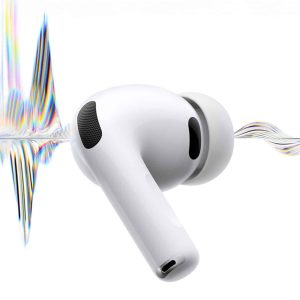
    A white wireless earbud with a silicone tip floats in front of a white background, intersected by a colorful, stylized soundwave pattern—highlighting features like AirPods Conversation Boost.

    AirPods Pro Noise Control Makes Commuting Safer and Calmer

    May 19, 2026 / 2:23 PMMay 19, 2026

    AirPods Pro noise control helps reduce commuting fatigue, but the safest setup changes between trains, sidewalks, buses, stations, and crossings.

    A smartphone screen displays a “Lost iPhone” message with a phone number and a green “Call” button, urging the finder to contact the owner. The time is 9:41 on Tuesday, April 1, showcasing iPhone Stolen Device Protection in action.

    iPhone Stolen Device Protection Adds a Crucial Safety Layer

    May 16, 2026 / 6:23 PMMay 16, 2026

    iPhone Stolen Device Protection helps keep accounts, passwords, and payment data safer when a stolen device is away from familiar locations.

    Four pastel-colored Apple MacBook laptops (yellow, pink, blue, and silver) are stacked in mid-air on the cover of Apple Magazine. The headline reads "Mac Class" with smaller headlines about iPhone 17 and filmmaking platforms.
    AppleMagazine App - Subscribe and Save | Image promoting AppleMagazine subscription. Text reads: "Subscribe and save. For a limited time only." Below, overlapping blue and multicolored app icons bearing the "AppleMagazine" logo are displayed. "AppleMagazine" is shown above an "App Store" download button. White background.

    A close-up of a smartphone screen shows the DuckDuckGo iPhone app icon, featuring a duck, next to the Google app icon with its colorful "G" logo. A finger is partially visible near the DuckDuckGo icon.

    DuckDuckGo Gains From Google’s AI Search Backlash

    A skier in black gear and a helmet charges through deep powder snow, sending a spray into the air on a bright, wintry slope—perfect for experiencing immersive films with Vision Pro’s spatial storytelling. The skier's goggles reflect the snowy surroundings.

    Vision Pro Content Is Apple’s Real Platform Test

    Three Apple devices with blue-themed screens: an iMac in the center displaying the macOS Tahoe login screen, and two MacBook laptops on either side showing video calls and widgets, all on a white background.

    macOS 26.6 Beta Keeps Apple’s Mac Cycle Moving

    Close-up of a metallic surface featuring a reflective Apple logo in the center, evoking Mac Studio's focus on desktop productivity and streamlining, with minimal text along the right edge.

    Apple Encryption Fight Puts Canada’s Bill C-22 Under Pressure

    A person uses an iPad Cherokee language app with a digital keyboard displayed, typing a numbered list. Another person’s hand points to the screen. Various items, including a purple cup, are on the table in the background.

    Cherokee Language Learning Finds New Life on iPad

    A man in a suit and sunglasses leans on a convertible car at dusk. The word "Sugar" glows in neon, with the Apple TV+ logo and hints of Sugar season 2 as the city skyline shines behind him.

    Sugar Season 2 Trailer Brings John Sugar Back

    AppleMagazine logo

    AppleMagazine is an independent publication and has not been authorized, sponsored, or otherwise approved by Apple Inc.

    We cover everything Apple, every day of the week. The latest on iOS, macOS, Apple Watch, AirPods, and the wider technology industry. Check back soon for more.
    X Icon Instagram Icon Newsstand Icon Facebook Icon
    • Business Partnership Program
    • Contact
    • Terms & Conditions
    • Privacy Policy
    © Copyright 2026 by AppleMagazine. All Rights Reserved.

    We are using cookies to give you the best experience on our website.

    You can find out more about which cookies we are using or switch them off in .

    AppleMagazine
    Powered by  GDPR Cookie Compliance
    Privacy Overview

    This website uses cookies so that we can provide you with the best user experience possible. Cookie information is stored in your browser and performs functions such as recognising you when you return to our website and helping our team to understand which sections of the website you find most interesting and useful.

    Strictly Necessary Cookies

    Strictly Necessary Cookie should be enabled at all times so that we can save your preferences for cookie settings.