


Today at Apple is one of Apple’s most underrated community products because it does not live inside a device. It lives inside the Apple Store. The program turns retail locations into free learning spaces where people can learn photography, video, music, art, design, coding, accessibility tools, productivity workflows, business skills, and device basics with help from Apple’s own teams.
That gives Apple Stores a role beyond sales and service. A customer can buy an iPhone online, troubleshoot a Mac through support, or learn from a YouTube tutorial. Today at Apple offers something different: guided, human instruction in a physical space, often with the device already in the user’s hand.
Apple describes Today at Apple as hands-on sessions at local Apple Stores, with options for people getting started with new products or pushing skills further. The program also supports group reservations, business-focused sessions, family learning, and seasonal programs such as Apple Camp.
That makes Today at Apple a community education channel, not only a retail add-on.
Learning After Purchase
The technology industry often treats education as setup support. A customer buys a product, receives a few tips, then is left to figure out the rest. Today at Apple changes that relationship by giving customers a place to return after the purchase.
That matters because most people use only a small part of what their devices can do. An iPhone owner may take photos every day but never learn portrait lighting, cinematic video framing, exposure control, editing tools, or how to organize a photo library. An iPad owner may use the device for streaming and notes but never explore drawing, Freeform, Pages, Keynote, or creative apps. A Mac user may work for years without learning shortcuts, Stage Manager, Focus modes, accessibility settings, or better file workflows.
Today at Apple fills that gap. It gives users a reason to revisit the product with guidance instead of waiting until something breaks.
The best part is that the learning is tied to real devices, not abstract software training. A session can show someone how to shoot better video on the iPhone they already own, sketch on the iPad they brought, edit a photo they just took, or use Apple Watch features they have ignored for months.
That turns product ownership into skill building.

The Store Becomes a Classroom
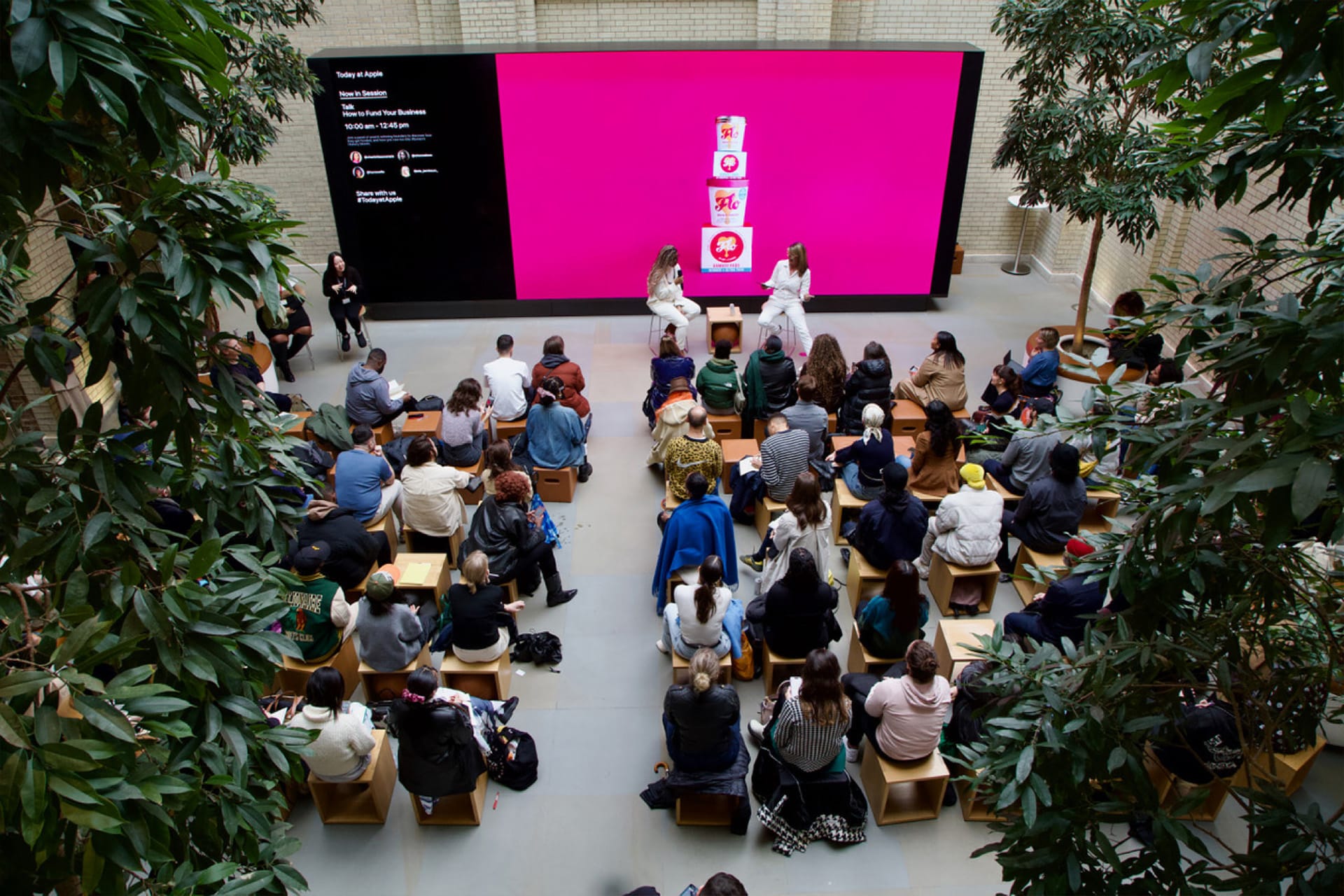
Apple launched Today at Apple as a global retail initiative in 2017, with sessions across creative skills and device learning. Apple described the original program as offering more than 60 session types, including photography, video, music, coding, art, design, documents, presentations, and project support.
That structure still defines the program. The Apple Store becomes a classroom without feeling like one. Sessions are usually short, practical, and built around doing something: taking portraits, capturing video, drawing with iPad, learning Apple Watch, getting started with iPhone, editing images, creating music, or using Apple apps more effectively.
The public setting matters. A person learning iPhone photography is not alone with a manual. They are surrounded by other users trying the same thing. A family attending a creative session can learn together. A student can ask a question without feeling like they are in a formal course. A beginner can see that other people are also learning.
That social layer is part of the value. Technology can be isolating when people feel embarrassed about what they do not know. Today at Apple makes learning public, casual, and normal.
Why Free Sessions Matter
Today at Apple is free, and that is central to its community role. Apple products are premium, but the learning layer is not restricted to paid support or professional training. A user can book a session or, where available, drop by for certain events.
Free education gives Apple a softer role in local communities. The store is not only a place to buy a Mac or repair an iPhone. It becomes a place where someone can learn how to take better family photos, help a child explore coding, prepare a school project, improve a small business workflow, or understand accessibility features for a loved one.
That creates value beyond the device. A better photo session may make an iPhone feel more useful. A Pages or Keynote session may help a student finish a project. A business session may help a shop owner understand Tap to Pay on iPhone, Apple Business Connect, or device setup. A creative workshop may help someone discover a skill they did not know the device could support.
The business benefit for Apple is obvious, but the community benefit is real. A free session can turn a product into a tool.
Families and Young Learners
Today at Apple has a strong role for families because it gives children and parents a shared way to learn technology creatively. Apple has described sessions for kids and families around photography, coding, art, design, emoji creation, and robotics-style challenges. Apple Camp extends that idea with seasonal creative programs for children.
This matters because technology education for kids often becomes either screen-time anxiety or school-based coding. Today at Apple offers a different model: short, guided creative work where the device is used to make something.
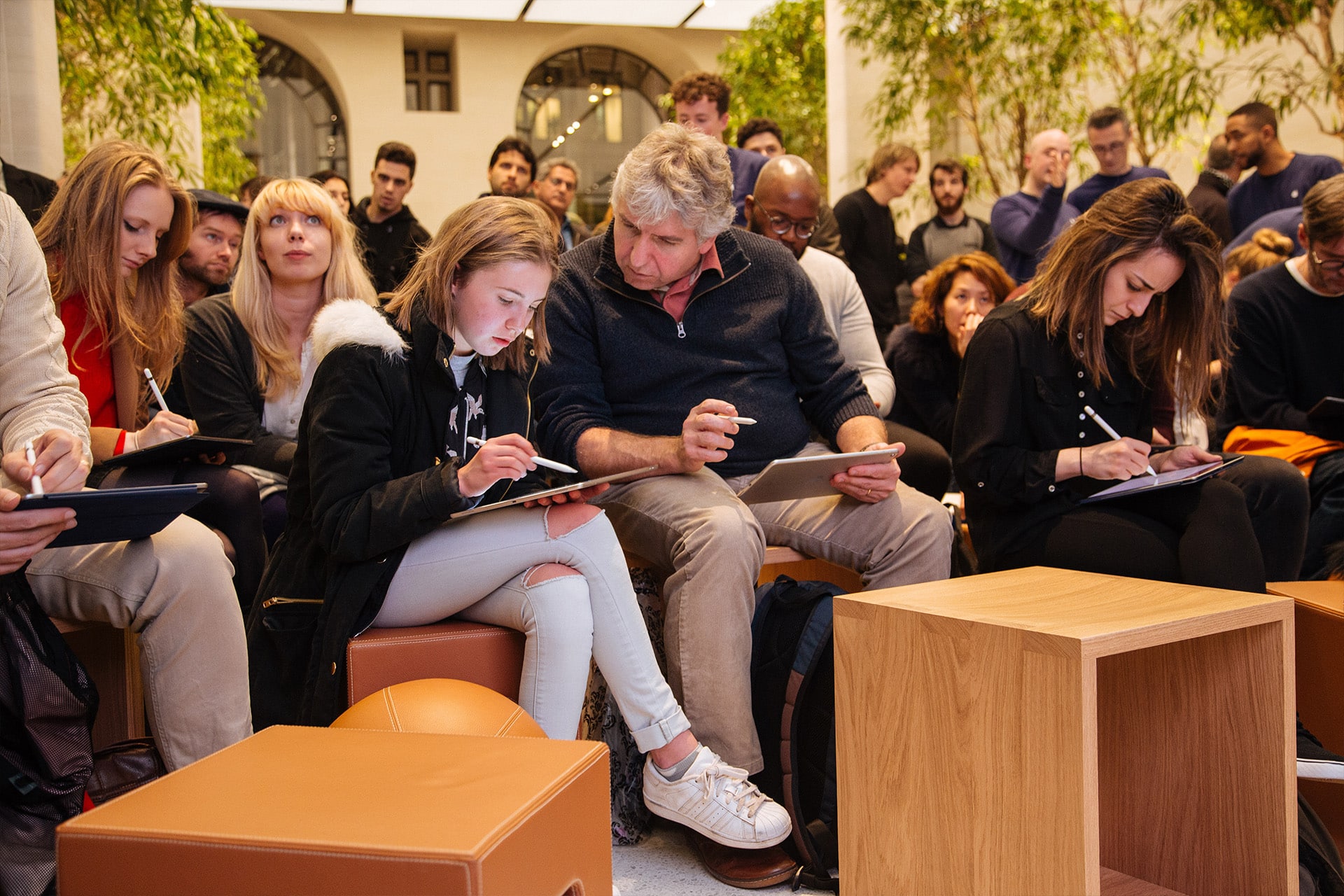
A child can learn that iPad is not only for watching videos. It can be a drawing tool, a storytelling tool, a coding tool, or a camera companion. A parent can learn alongside the child instead of only supervising screen use.
That shared learning is valuable. Families often own multiple Apple devices but do not always know how to use them together. A session can help connect iPhone, iPad, Mac, Apple Pencil, iCloud, and creative apps in a way that feels practical.
The goal is not to turn every child into a developer or designer. It is to show that technology can be used actively, not only consumed passively.
Small Business Training Gives the Program Another Role
Today at Apple also reaches small businesses. Apple’s Business collection says its Business Team helps small businesses get started, grow, and explore new directions, with free sessions and the option to book sessions for groups. Apple also launched a “Made for Business” Today at Apple series in select stores, offering small business owners and entrepreneurs free opportunities to learn how Apple products and services can support growth.
This gives the program a different kind of community value. Many small businesses use iPhone, iPad, and Mac every day but do not have an IT department, designer, photographer, or operations team. A practical session can help them improve product photos, shoot social video, manage documents, use Apple Business Connect, accept payments, organize devices, or communicate with customers.
For a small business, those skills can matter immediately. Better photos can improve a product listing. Better video can support social posts. Better device setup can reduce daily friction. Better payment tools can make checkout easier.
This is where Today at Apple becomes more than customer education. It becomes local business enablement.
Apple Stores are often located in high-traffic urban and suburban areas. That gives Apple a physical channel to reach business owners who may never attend a formal technology course but will attend a free session near their shop, office, or home.
Accessibility Education Belongs in the Store
Accessibility is another area where Today at Apple can have a direct impact. Apple builds many accessibility features into iPhone, iPad, Mac, Apple Watch, and Vision Pro, but users often need guidance to discover which tools fit their needs.
A person may not know that iPhone can magnify text, describe images, detect doors, adjust sound, reduce motion, support voice control, or customize display behavior. A caregiver may not know how to set up accessibility features for a parent or child. A teacher may not know which Apple tools help students with different learning needs.
In-store education can make those features less hidden. A guided session or one-on-one help can show the feature on the actual device, adjust settings, and explain when it is useful.
This matters because accessibility features are not only technical settings. They affect independence. A person who learns how to use Live Captions, VoiceOver, Magnifier, AssistiveTouch, or Apple Watch health and safety features may gain more control over daily routines.
Today at Apple gives Apple a public place to teach those tools as part of normal device ownership, not as a separate or stigmatized category.
Why Physical Learning Still Matters
Apple could put every lesson online. In some cases, it does. Apple’s website, support pages, YouTube videos, developer resources, and education materials already teach millions of users. But physical sessions still matter because devices are tactile.
Photography is learned by holding the camera, moving, framing, trying light, and comparing results. iPad art is learned by drawing, erasing, changing brushes, and using Apple Pencil pressure and gestures. Mac productivity is learned through repeated actions. Apple Watch is learned by wearing it and adjusting settings. Accessibility is learned by testing whether a feature fits a person’s real need.
A store session also lets users ask messy questions. Real people do not always ask, “How do I optimize my iCloud storage?” They ask why photos disappeared, why a device feels full, why a child’s iPad has restrictions, why a video looks blurry, why Apple Watch did not track something, or how to make a presentation look better.
That kind of learning is hard to replace with a search box.
The human layer is the product. A Creative Pro, Specialist, or Business Team member can translate Apple features into the user’s situation.
Group Sessions Make It More Community-Based
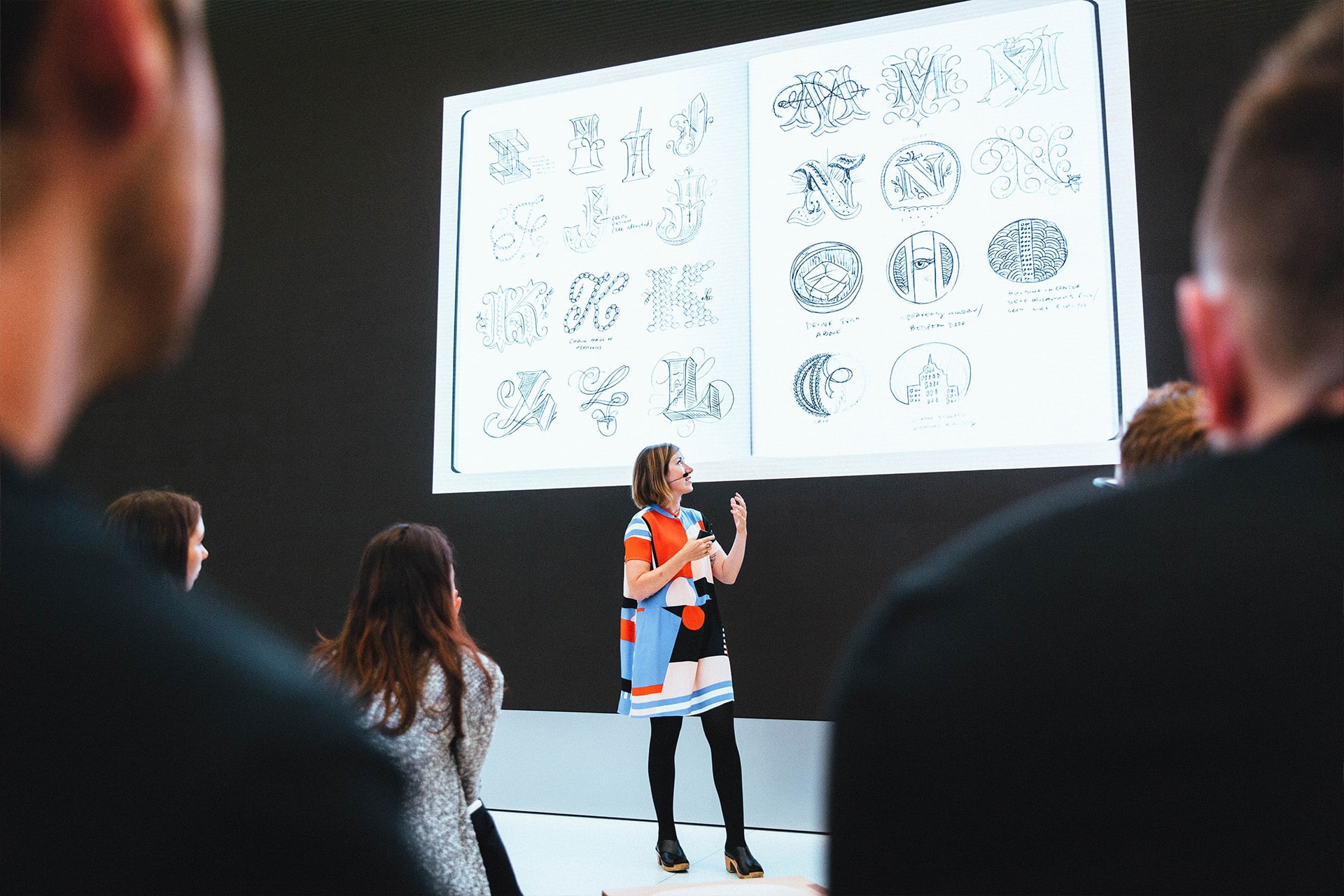
Today at Apple supports group reservations, which is one of the program’s most community-oriented features. Schools, clubs, families, nonprofits, creative groups, and small teams can book sessions built around shared learning.
This is different from individual training. A group session can give everyone the same foundation at the same time. A school group can learn photography. A nonprofit team can learn video storytelling. A small business team can learn iPad workflows. A family can learn how to use iPhone and iCloud together.
Group learning also makes the Apple Store feel less transactional. The store becomes a place where local groups gather around skills, not only products.
That is valuable for Apple because community presence is difficult for large technology companies to build. A product may be global, but a session is local. It happens in a specific store, with local people, local questions, and local needs.
The Channel Apple Can Keep Expanding
Today at Apple has room to grow because Apple’s product line keeps expanding into new skills. Vision Pro creates spatial computing lessons. Apple Intelligence creates writing, summarization, image, privacy, and productivity education. iPhone camera upgrades create new photo and video sessions. Apple Watch health features create wellness and safety education. Apple Business tools create more small-business training. Swift Playgrounds and developer resources create a path for younger coders.
The program can also help Apple explain features that are easy to miss. Many users do not understand Focus modes, shared iCloud libraries, Family Sharing, passkeys, Passwords, health trends, privacy controls, Shortcuts, Freeform, Files, or advanced camera tools. Today at Apple can turn those hidden features into guided experiences.
That may become more important as Apple adds AI. Apple Intelligence will only be useful if people know when to trust it, how to control it, what stays private, and how it fits into real work. A store-based education channel gives Apple a way to teach AI behavior directly, without relying only on marketing.
The most useful Today at Apple session may not be the one that shows a new product. It may be the one that helps someone use a product they already own with more confidence.
A Different Kind of Retail Value
Today at Apple shows why Apple Stores remain strategically valuable even as more shopping moves online. The store is not only a sales floor. It is a support desk, classroom, workshop, community space, business resource, and creative studio.
That makes Apple’s retail footprint harder to compare with ordinary electronics stores. A customer who attends a session may not buy anything that day. But they may leave with a stronger connection to the device, a better understanding of Apple services, and a reason to return.
The program also reflects Apple’s long-running message that technology and liberal arts belong together. A photography session, coding lesson, business workshop, accessibility demo, or family camp is not only about hardware. It is about what people can make or do with it.
Today at Apple works best when it stays practical: one skill, one project, one device, one hour that helps someone leave with more ability than they had when they walked in.